Coolmuster iCloud Backup Recovery for Mac Online Help
Welcome to the online support guide for Coolmuster iCloud Backup Recovery for Mac. This tutorial will walk you through the process of restoring your iCloud backup data. Follow the steps sequentially and refer to the accompanying screenshots for visual guidance. Ready to begin?
Core Capabilities
* Access and recover iCloud data directly, with no need to physically connect your iOS device. Simply authenticate with your Apple ID to see your available backups.
* Precisely choose and export desired files from your iCloud backup to your Mac with minimal effort.
* Compatible with a wide array of data, including contacts, photos, note attachments, reminders, and calendar events.
* Ensures a secure recovery process that guarantees your original backup data remains intact and unaltered.
* Fully supports two-factor authentication (2FA); verification codes will be sent to your trusted Apple devices.
* Your privacy is paramount; the software only reads your information and never stores or leaks your data.
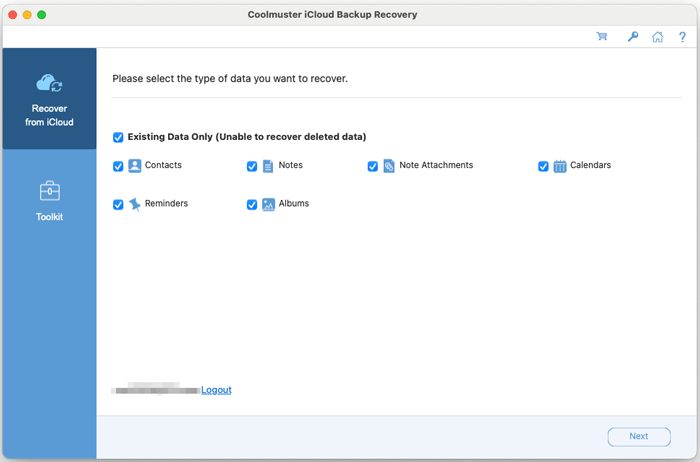
Installation & Uninstallation
How to Install
Installing this iCloud backup recovery tool on your Mac is a straightforward process:
(1) Download the installation package from the provided link.
(2) Locate the downloaded .dmg file and open it. Drag the Coolmuster application icon into your "Applications" folder.
(3) Launch the program from your Applications folder or Launchpad. You may need to grant necessary permissions in System Preferences > Security & Privacy upon first run.
How to Uninstall
To completely remove the software, open Finder, go to your "Applications" folder, find "Coolmuster iCloud Backup Recovery," and move it to the Trash. Empty the Trash to finalize removal.
Activating Your License
After purchasing the software, you will receive a confirmation email containing your license code and a download link. To activate your full version, please follow these steps:
(1) Launch the application on your Mac. Click the "Key" or "Register" icon typically found in the upper-right corner of the main window.
(2) In the registration dialog box, select "Register."
(3) Input the exact email address used for purchase along with the provided license code to unlock the software. Ensure the email is entered correctly.
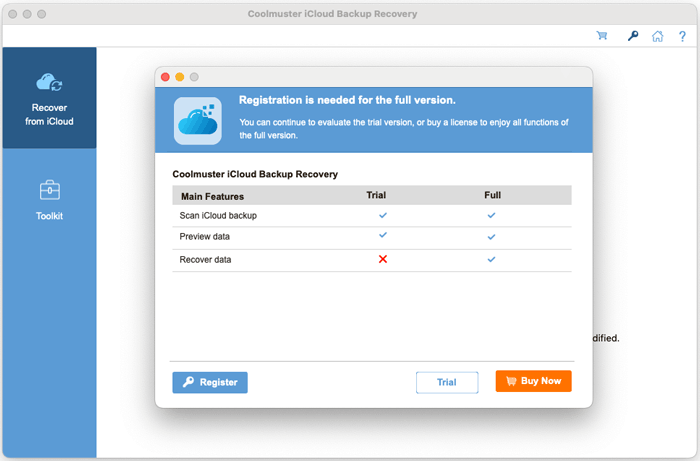
Once activated, you will have access to all premium features and can begin using the iCloud backup recovery software without limitations.

