Coolmuster iPhone Data Recovery for Mac Online Help
Welcome to the Help Center for Coolmuster iPhone Data Recovery for Mac. Discover everything you need to know about recovering your iPhone data on macOS. This guide covers detailed steps, common questions, and essential product insights.
For further assistance or feedback, feel free to share your thoughts below. First, explore the powerful capabilities of Coolmuster iPhone Data Recovery for Mac.
Key Features
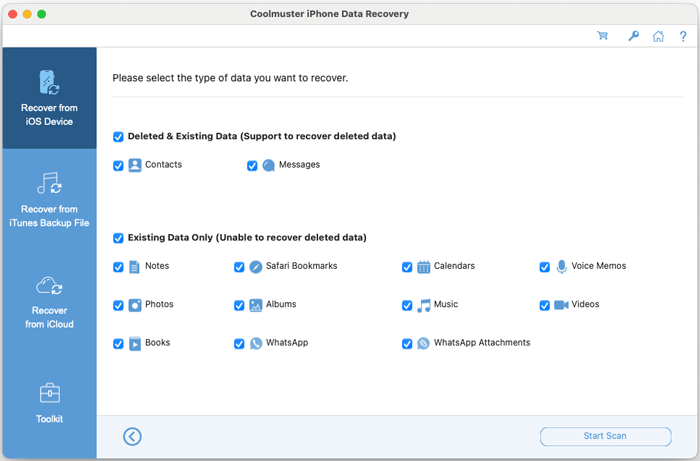
* Recover Directly from iOS Device: Securely retrieve deleted or existing contacts and messages from your iPhone to your Mac. Back up notes, calendars, reminders, Safari bookmarks, voice memos, Camera Roll, photos, videos, music, books, and WhatsApp chats with attachments directly to your computer.
* Restore from iTunes Backup: Extract and restore deleted and existing contacts, messages, and SMS attachments from an iTunes backup to your Mac. Export call history, notes (with note attachments), Safari bookmarks, Safari history, calendars, voice memos, Camera Roll, photos, WhatsApp data, and attachments from the iTunes backup file to your computer.
(Note: Encrypted iTunes backups are supported. Call history and Safari history restoration is not available for iOS 10 and later versions.)
* Restore from iCloud Backup: Download and recover existing contacts, photos, notes (with note attachments), calendars, and reminders from your iCloud backup files.
* Preview & Selective Recovery: Browse both existing and deleted files before recovery. Choose exactly which items you want to restore or back up.
* Fast & Lossless Recovery: Perform quick iOS data recovery that preserves your original file formats and quality without damaging existing data.
* Broad iOS Compatibility: Fully supports all iPhone, iPad, and iPod touch models.
Installation & Uninstallation
Installation
Installing the application on your Mac is straightforward. Here's how:
(1) Download the installation package (.dmg file) using the provided download link.
(2) Open the downloaded .dmg file and drag the Coolmuster iPhone Data Recovery icon into your "Applications" folder.
(3) Launch the software from your Applications folder or Launchpad.
Uninstallation
To completely remove the software:
(1) Open the "Applications" folder in Finder.
(2) Locate "Coolmuster iPhone Data Recovery," drag it to the Trash, and empty the Trash.
Registration
After purchasing the software, you will receive a confirmation email containing your license code and the download link. To activate your full version:
(1) Launch Coolmuster iPhone Data Recovery on your Mac and hit the Key icon at the top-right corner;
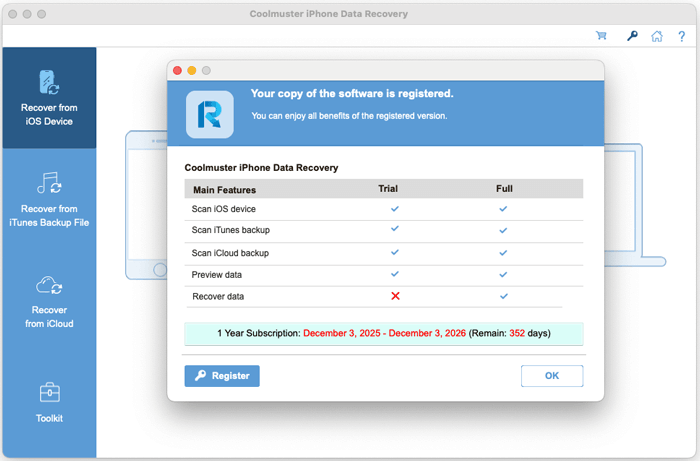
(2) Click the "Register" button on the pop-up window to go to the register interface;
(3) Enter the licensed email address and license code exactly as provided. Ensure the email matches the one used for purchase.
Once registered, you can immediately access all premium features and begin your iOS data recovery process.


