If you accidentally delete photos from your digital camera memory card, is there any software to recover your photos from the memory card? Don't worry about it. You can get 4 solutions from today's post. Even though they cannot ensure you will succeed in recovering your files, they give you an opportunity to recover them.
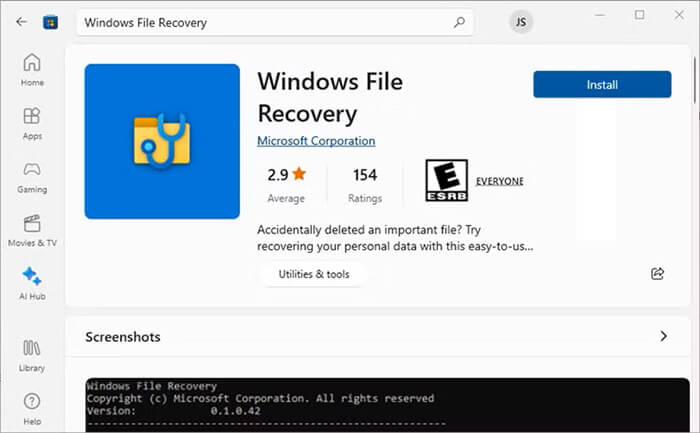
Windows File Recovery is an official, command-line tool provided by Microsoft for Windows 10 and 11. It is effective for recovering files that have been deleted from storage devices.
To recover files from a digital camera memory card with this software:
Step 1: Download and install Windows File Recovery from the Microsoft Store. Then launch the app as an administrator.
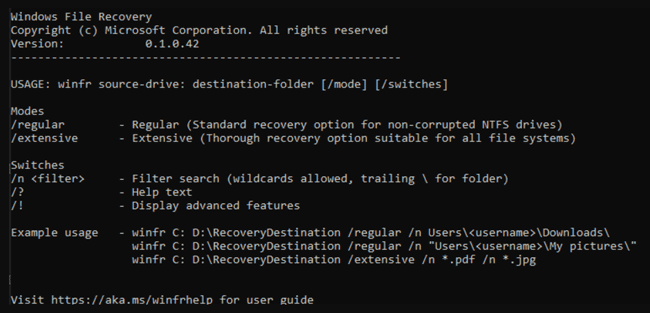
Step 2: Use the following syntax to scan your card: winfr source-drive: destination-drive: [/mode] [/switches] (For example, to recover photos from your SD card (drive E:) to a folder on your PC (drive D:), use: winfr E: D: /regular /n *.jpg).
Step 3: Press "Y" to start the recovery process. The tool will create a recovery folder on your destination drive.
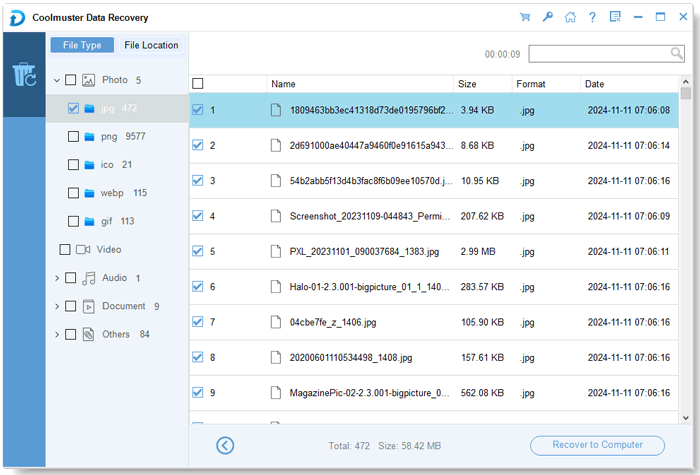
Coolmuster Data Recovery is a user-friendly, graphical interface tool designed for various data loss scenarios. With it, you can retrieve your deleted files with simple clicks. Besides, it displays your files by category or location, so you can easily preview and locate your desired files.
Key features of Coolmuster Data Recovery:
Download Coolmuster Data Recovery.
To recover files from a digital memory card with this recovery software:
01Connect your memory card to the PC and launch Coolmuster Data Recovery. Choose a recovery mode, such as "Deleted Recovery".
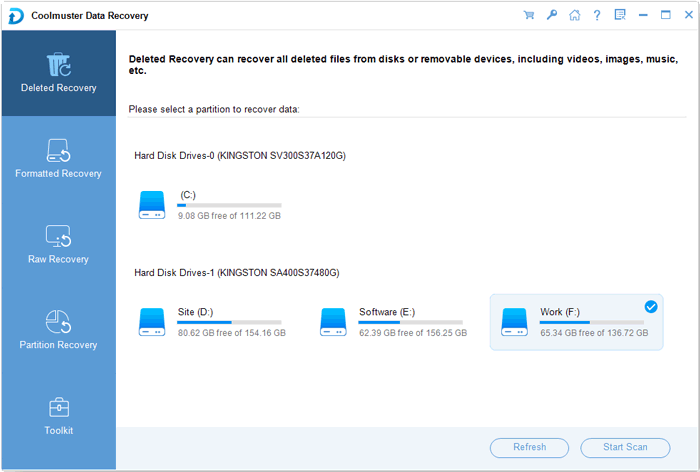
02Select your memory card from the list of drives and click "Start Scan" to search for lost files.
03Once the scan finishes, preview the files you wish to restore. Check the boxes next to the photos or videos and click the "Recover to Computer" button to save them to a safe location on your computer.
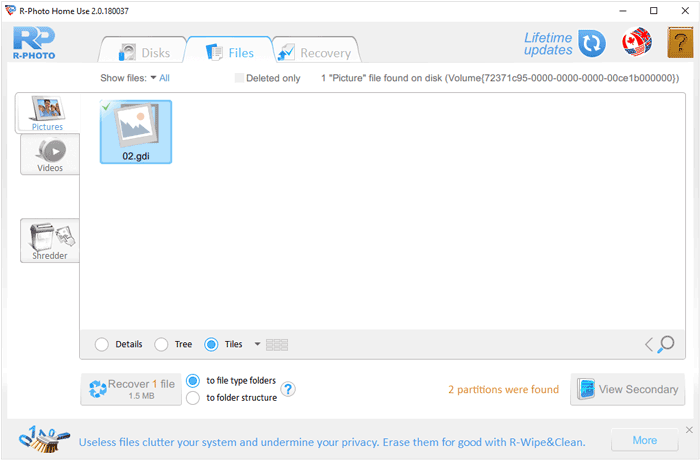
R-Photo is a powerful, free tool specifically designed for home users to recover images and video files from various storage media. Thus, you can use it to recover your photos and videos from your camera memory card.
Here are the steps:
Step 1: Install the R-Photo software on your computer. Then select your camera memory card from the device list in the main window.
Step 2: Click the "Scan" button. R-Photo will perform a deep scan to identify recoverable file structures.
Step 3: Review the found files in the scan results. Select the specific photos or videos you need and click "Recover" to export them to your hard drive.
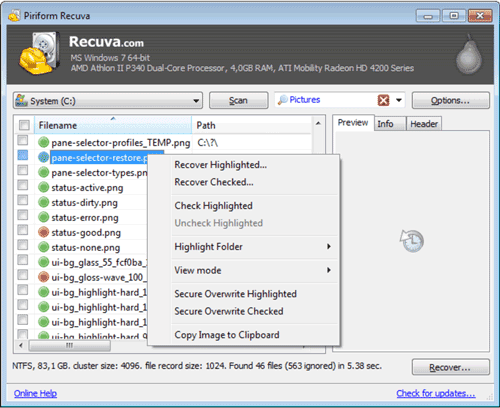
Recuva is a widely used, lightweight recovery tool known for its "Wizard" mode, which makes the process very simple for beginners. It supports multiple file formats, so you can use it to recover images and videos. By the way, if you want advanced support services, you can purchase the pro version.
To restore deleted files from a digital memory card with Recuva:
Step 1: Launch Recuva and follow the Wizard prompts.
Step 2: Select the file type, e.g., "Pictures" or "Videos", and select your SD card drive.
Step 3: If the initial scan doesn't find your files, enable the "Deep Scan" option for a more thorough search. Once the results appear, select the files you want, click "Recover", and choose a destination folder on your computer.
Q1: Can we recover 5-year-old deleted photos?
Technically, yes, provided that the memory card has not been used significantly since the deletion. If the card has remained untouched for five years, the data is likely still there. However, if the card was frequently used to take new photos and videos during that time, the old data has likely been overwritten, making recovery impossible.
Q2: Is it more difficult to recover deleted videos from a camera SD card than to recover deleted photos?
Yes, it is often more difficult. Video files are usually much larger and consist of fragmented data blocks spread across the card. If the file structure is damaged or if the card was partially overwritten, the video may become corrupted or unplayable, whereas photos are smaller and easier for software to reconstruct completely.
Q3: Why did my camera SD card suddenly delete everything?
This is usually caused by file system corruption. Common triggers include pulling the card out while the camera is still writing data, physical damage to the card's connectors, a virus, or an outdated or malfunctioning firmware in the camera. When the file system table is corrupted, the device may report the card as empty or unformatted.
To maximize your chances of a successful recovery, stop using the memory card immediately the moment you realize data is missing. Then, choose a recovery tool to recover your files immediately. Windows File Recovery and R-Photo are free to use. If you want a user-friendly recovery program, you can choose Coolmuster Data Recovery. This tool provides four recovery modes to meet different scenarios.
At last, always save recovered data to your computer's hard drive rather than saving them back onto the original memory card.
Related Articles:
How to Fix SD Card Corrupted on Android? [Comprehensive Guide]
Guide: Recover Deleted MP3 Files from Memory Card (Latest)
Why SD Card Keeps Deleting Files? How to Fix It on PC and Android
[Solved] How to Erase SD Card on Windows/Mac/Android/Camera?







 Free Download for PC
  Free Download for Mac


