Coolmuster iPhone Backup Extractor for Mac Online Help
Welcome to the official support hub for Coolmuster iPhone Backup Extractor for Mac. This resource provides comprehensive guides, answers to common queries, and in-depth details about the software. Your feedback is always welcome. For any problems about the product, please email us at support@coolmuster.com.
Let's begin by exploring what makes Coolmuster iPhone Backup Extractor for Mac an essential tool for your iOS data recovery needs.
Core Capabilities
* Retrieve iPhone and iPad data directly from iTunes or Finder backup files on your Mac—no physical device connection required.
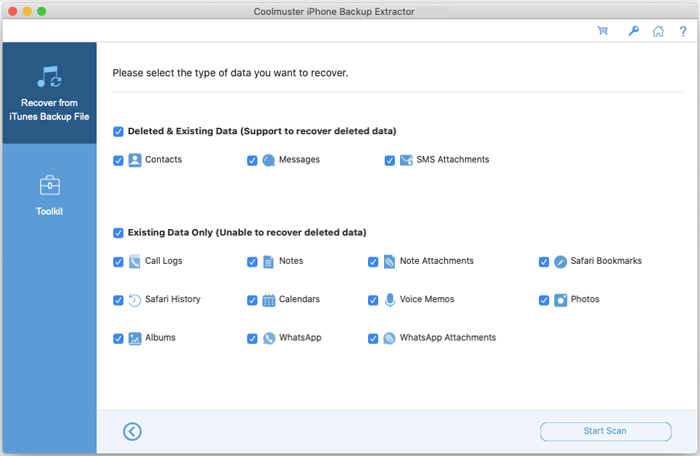
* Restore a wide array of data types, including photos, contacts, calendars, text messages, SMS attachments, WhatsApp messages and attachments, call history, and more.
* Preview lost items effortlessly using both thumbnail and list views, with detailed file information before recovery.
* Fully compatible with all iPhone, iPad, and iPod touch models, including support for the newest iOS and iPadOS releases.
* A clean, intuitive Mac-native interface ensures the extraction process is straightforward and efficient.
Installing & Uninstalling on Mac
Installation
Getting started on your Mac is quick and simple:
* Download the installation package (.dmg file) from our official site.
* Open the downloaded .dmg file and drag the Coolmuster iPhone Backup Extractor icon into your Applications folder.
* Launch the app from your Applications directory or Launchpad.
Uninstallation
To remove the software, simply drag the application from the Applications folder to the Trash. You can also use a trusted uninstaller utility for a complete removal.
How to Activate Your License
After purchasing, you'll receive an email containing your license code and a link to download the full version. To activate Coolmuster iPhone Backup Extractor on your Mac:
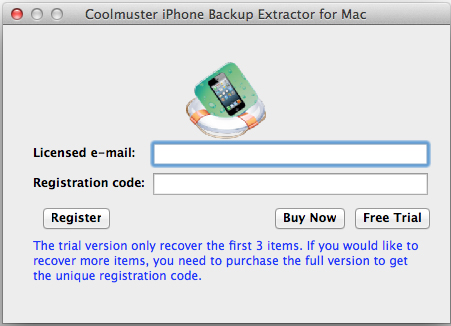
(1) Launch the software and click the "Register" button (or look for the key icon) in the upper interface.
(2) In the registration window, enter the email address used for purchase along with your provided license code.
(3) Click "Register" to unlock all premium features permanently.
Once activated, you can enjoy the complete functionality of the software without limitations.

