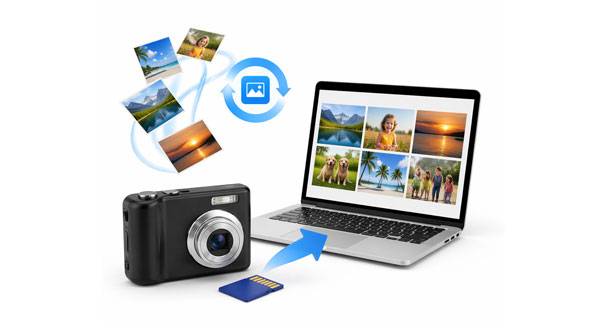
If you're a photographer or a photography enthusiast who possesses a camera of Kodak, you may encounter picture loss due ot a wrong press on the Delete button. Fortunately, because photos are typically stored on removable memory cards, the data often remains physically present even after it's been "deleted". Now, follow the guide to recover deleted photos from your Kodak camera effortlessly.
Coolmuster Data Recovery is a robust choice for users looking for a high success rate and a user-friendly interface. It supports various file systems (FAT32, NTFS) commonly used in Kodak SD cards. With this software, you can regain your photos with simple clicks. Furthermore, it can also recover kinds of data from external hard drives, USB flash drives, computers, and more.
Key features of Coolmuster Data Recovery:
Download this data recovery software on your computer.
Here's how to recover your photos from a Kodak camera via this program:
01Remove the SD card from your Kodak camera and plug it into your computer using a card reader.
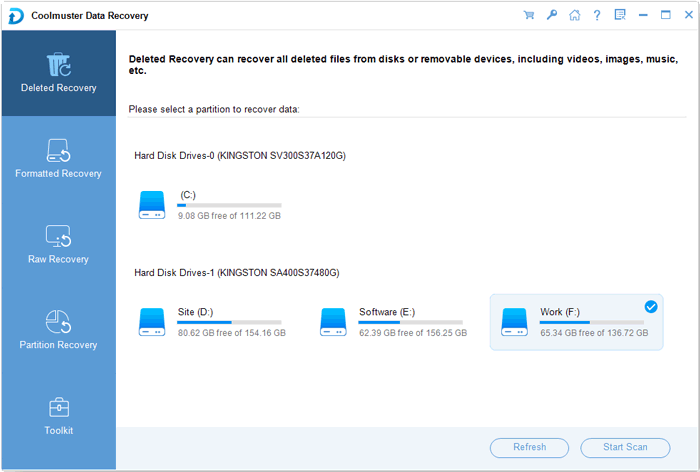
02Launch the software and choose the "Deleted Recovery" mode if your photos are deleted by accident. Then choose the drive letter representing your Kodak card and click "Start Scan".
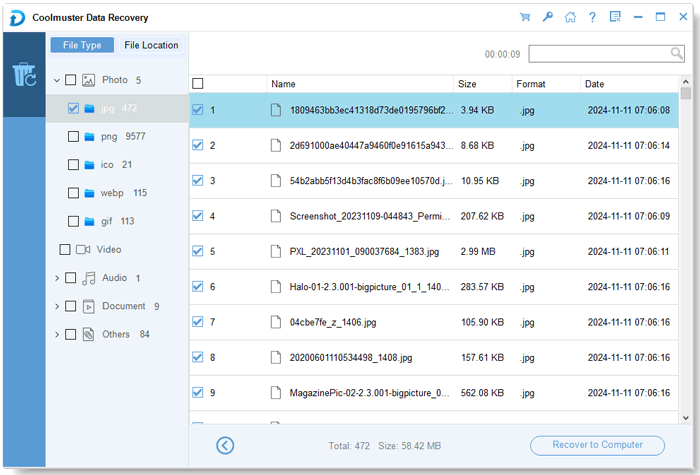
03Once the scan is complete, choose the "Photo" category. Your photos will be organized by file formats. Select your desired photos, and click "Recover to Computer" to save your photos.
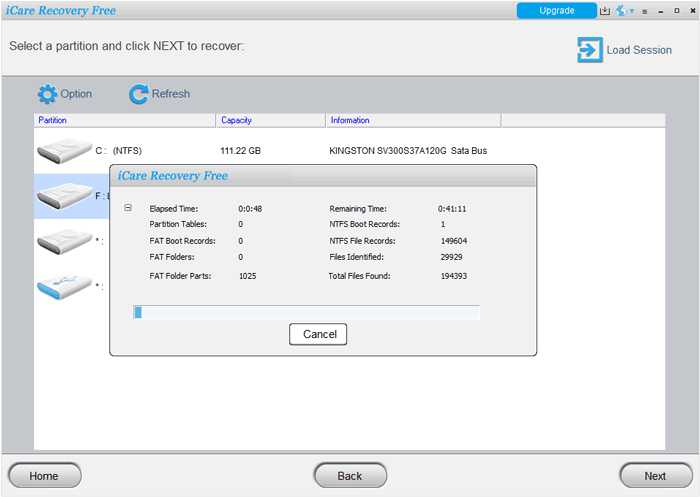
iCare Data Recovery is known for its ability to handle "RAW" drive errors or formatted cards that your computer might struggle to read. This tool provides a free version, but it has a deep scan cap. You can only recover 500 files per 24-hour period.
Here's how to recover Kodak photos with iCare Recovery:
Step 1: Download and open iCare Recovery Free or Pro on your computer. Then connect your Kodak camera or its memory card to the computer, and choose "Deep Scan Recovery".
Step 2: Pick the storage drive of your Kodak from the list, and click "Next" to scan the card.
Step 3: After scanning, the software will display the found files. You can filter by "Images" to find JPG or KDC (Kodak Raw) files quickly.
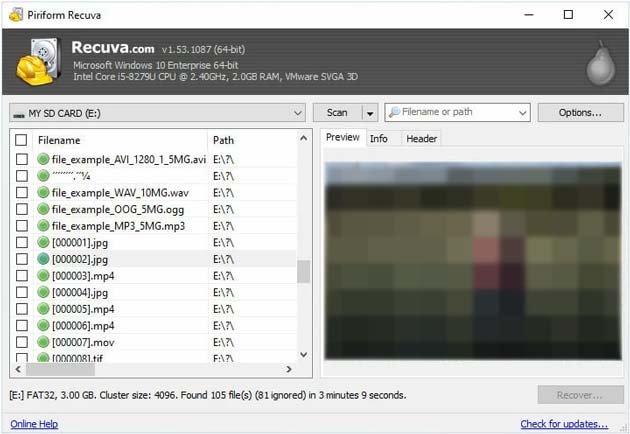
Recuva is a popular, free tool by the makers of CCleaner. It is excellent for quick, straightforward undeletion. Please note that Recuva was originally designed for older FAT32 and NTFS systems. If it cannot find your deleted photos from your Kodak camera, use other methods.
Here's how to restore deleted photos from a Kodak camera via Recuva:
Step 1: Connect your Kodak SD card to your PC. Then launch Recuva and use the wizard for guided recovery.
Step 2: Select "Pictures" as the file type to narrow the search. Choose "In a specific location" and browse to your Kodak SD card.
Step 3: If a quick scan fails, restart and check the "Enable Deep Scan" box. Check the boxes next to the recovered photos (a green circle indicates the file is in excellent condition) and click "Recover".
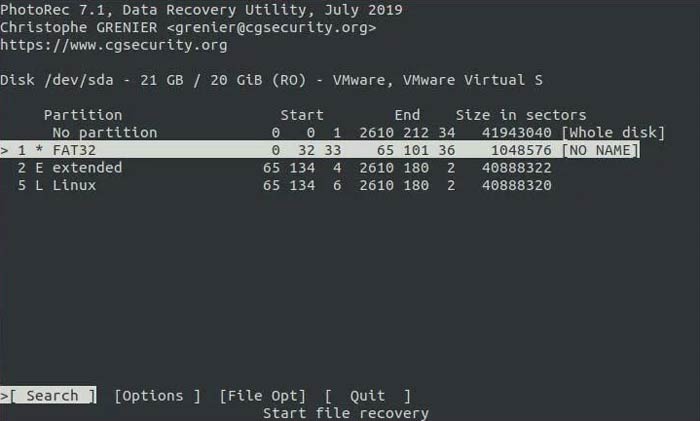
For tech-savvy users or those dealing with severely corrupted cards, PhotoRec is a powerful utility. It can completely scan your memory card and locate deleted files. However, the interface is more technical compared to other tools.
Here's how to retrieve deleted photos on a Kodak camera with PhotoRec:
Step 1: Open the application (it will look like a terminal window). Ensure your Kodak memory card is linked to the computer.
Step 2: Use the arrow keys to select your camera's SD card. Choose the partition (usually FAT32) and select the "[File Opt]" menu to ensure JPG and KDC are selected.
Step 3: Choose "Search" and then "Whole" to scan the entire drive. PhotoRec will automatically export found images to a destination folder of your choice.
Q1: Can I recover my photos from my Kodak camera when it cannot power up at all?
Yes, but you cannot do it through the camera itself. You must remove the SD card or internal storage media and connect it to a working computer using an external card reader. As long as the memory card isn't physically snapped or fried, the data recovery software mentioned above can access the files.
Q2: How long do Kodak pictures last?
Digital files (on a drive or cloud) last indefinitely, provided the storage media doesn't fail. If you are referring to physical Kodak prints, they are designed to last 50 to 100 years when stored in a cool, dry, and dark environment (like a photo album).
Q3: Where are my Kodak Gallery photos?
Kodak Gallery officially closed in 2012. Most accounts and photos were transitioned to Shutterfly. If you did not migrate your account during that window, the photos are likely no longer accessible on Kodak's servers, as the service has been defunct for over a decade.
While Kodak may be a classic name in photography, its digital files are just as susceptible to loss as any modern brand. The most important rule of recovery is to stop using the SD card immediately once you realize photos are missing. By using tools like Coolmuster Data Recovery, Recuva, or PhotoRec, you can bridge the gap between a lost memory and a restored one.
Always remember to back up your recovered files to a secondary location to prevent future loss!
Related Articles:
Ultimate Guide on How to Recover Deleted Camera Photos from Android
Canon Photo Recovery: Recover Deleted Photos from Canon Camera
Photos Disappeared from Android Phone? Causes and Solutions
How to Transfer Photos from iPad to PC Without iTunes: 6 Easy Ways







 Free Download for PC
  Free Download for Mac


