"Please recommend a "free" data recovery software with the highest recovery limit. I tried a file recovery that let me choose how far back I want to recover my data as well as what file types I want to recover. Disappointingly, the application has a tendency to crash plus it only lets you recover 3 files. No data limit just THREE files."
- From A Reddit Post
If you are scouring data recovery software for free on the Internet, you may get many options, but don't know exactly what degree of "free" they are actually referring to. To solve this problem, we've summarized 9 popular free data recovery tools, and explained the real details about the free degree.
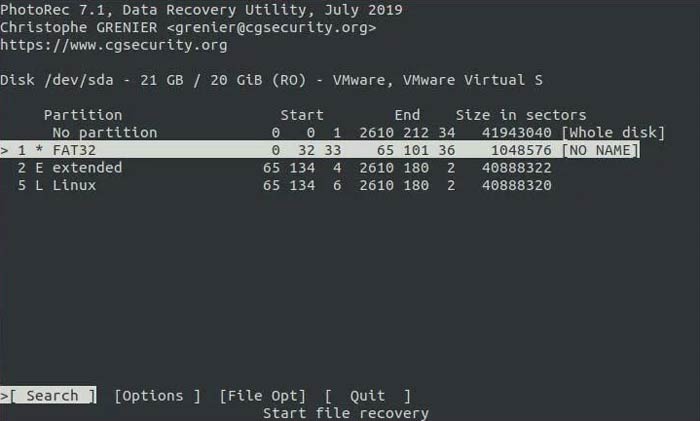
Despite its name, PhotoRec recovers far more than just photos. It is an open-source, multi-platform tool that excels at finding over 480 file extensions. It ignores the file system and goes after the underlying data, making it highly effective for severely damaged drives.
Key features:
Signature-based raw data carving (ignores file system).
Extremely powerful for formatted or corrupted drives.
Completely free and open-source (GPL) - no restrictions.
Works even when partition/file system is destroyed.
Very high success rate for raw file recovery.
Cons:
No original filenames or folder structure (files renamed).
Command-line interface (not beginner-friendly).
Cannot recover fragmented files well.
How it is free:
100% free, no limits.
No recovery cap, no paid version, no feature lock.
Funded as an open-source project.
1.2 Recuva
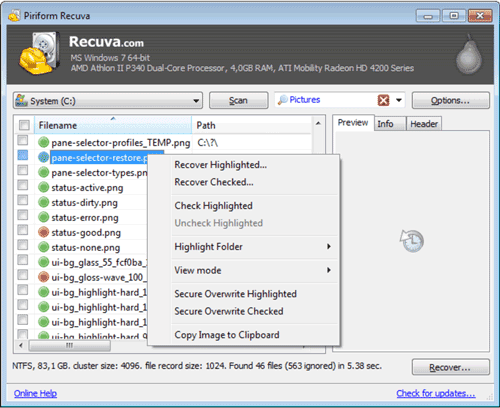
Developed by the makers of CCleaner, Recuva is famous for its user-friendly interface. It features a "Quick Start Wizard" that guides beginners through the recovery process. While the free version doesn't receive priority support, its scanning engine is remarkably robust.
Key features:
File system-based recovery (NTFS, FAT).
Quick scan + deep scan modes.
File health indicator (Excellent/Poor).
Wizard-style UI (beginner-friendly).
Pros:
Very easy to use.
Unlimited free recovery.
Fast for simple deletions (Recycle Bin, USB, etc.).
Paid version only adds: virtual disk support, and updates & support.
Core recovery = fully free.
1.3 Windows File Recovery
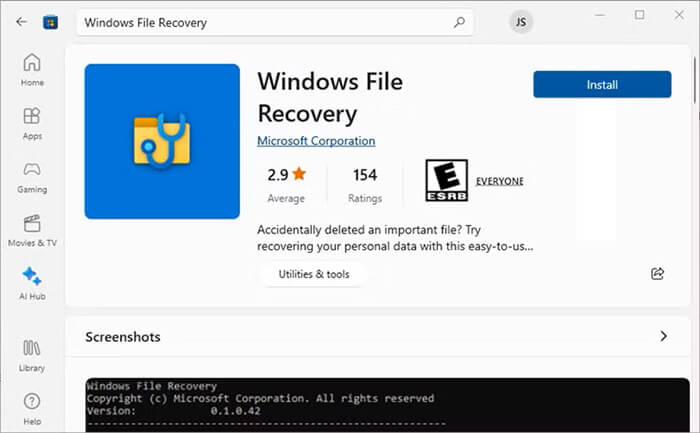
This is Microsoft's official command-line app. It doesn't have a graphical interface, which might be intimidating for some, but it is a powerful, lightweight tool for recovering deleted files from local hard drives, USB drives, and SD cards.
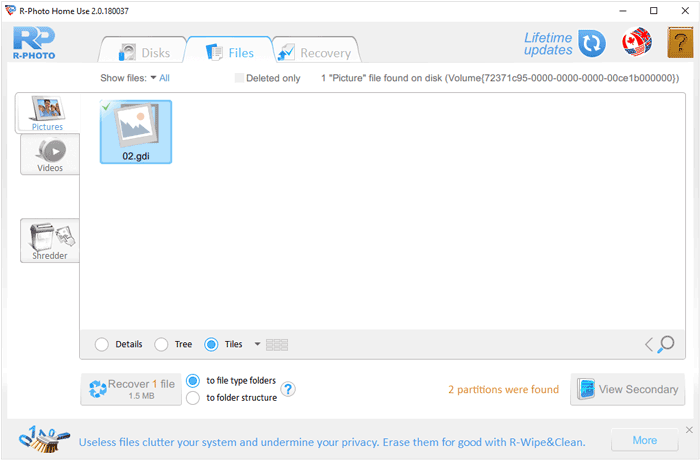
R-Photo is specifically designed to recover photo and video files. It is powered by the professional R-Studio engine but is completely free for non-commercial use. Its streamlined interface makes it a great choice for casual users.
Key features:
Specialized in photo and video recovery.
Supports FAT, NTFS, and exFAT.
Preview before recovery.
Simple graphical interface.
Pros:
Completely free (unlike other R-tools).
Good for camera SD cards.
Preserves metadata in many cases.
Cons:
Limited to media files (not full recovery suite).
Less powerful than professional tools.
Not ideal for complex disk damage.
How it is free:
Fully free for non-commercial use.
Only recovers photos/videos, not all file types.
Acts as a "lite" version of paid R-Studio tools.
1.5 TestDisk
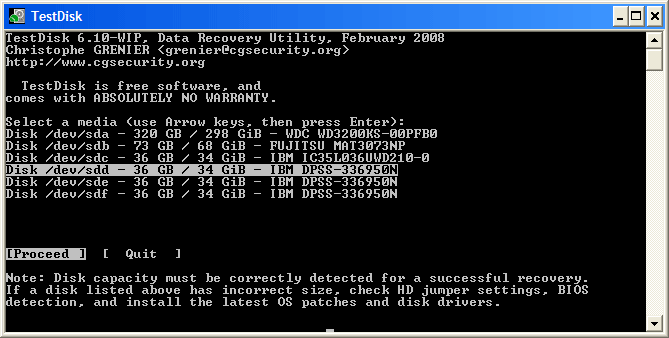
TestDisk is the companion to PhotoRec. While PhotoRec recovers files, TestDisk focuses on recovering lost partitions and fixing bootable disks. It is a powerful tool for advanced users dealing with "drive not formatted" errors.
Key features:
Partition recovery & repair tool.
Rebuilds boot sectors and partition tables.
Can restore deleted partitions.
Works with PhotoRec companion.
Pros:
Extremely powerful for: lost partitions and non-bootable drives.
Completely free and open-source.
Works at low disk level.
Cons:
Command-line interface.
Not beginner-friendly.
Not focused on file-level recovery.
How it is free:
100% open-source (GPL).
No recovery limits.
No paid version.
1.6 DiskGenius
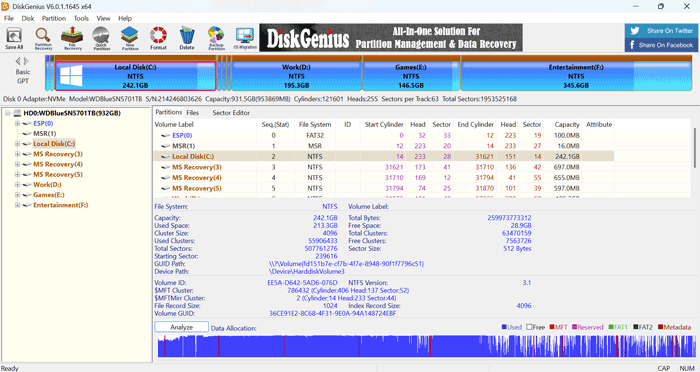
DiskGenius is a "Swiss Army Knife" for hard drives. In addition to data recovery, it offers partition management and disk utilities. The free version allows for the recovery of smaller files and provides a comprehensive preview feature.
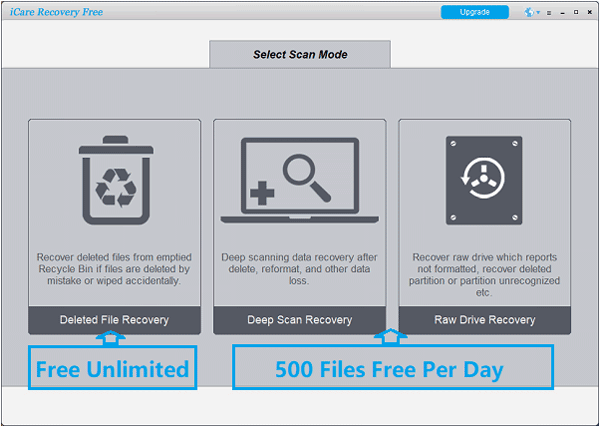
This tool offers a "Deep Scan Recovery" mode that can find files missed by other basic programs. The free version has a generous data limit, making it suitable for users who need to recover a specific folder or a batch of documents.
Key features:
Recovers deleted, formatted, and lost files.
Supports HDD, SSD, USB, SD cards.
Deep scan mode.
Pros:
Simple interface.
Covers common recovery scenarios.
Works across multiple file systems.
Cons:
Recovery size limitation.
Slower scans compared to competitors.
Less reliable for complex recovery.
How it is free:
Limited free recovery quota.
Typically capped (e.g., ~1GB).
Full recovery requires payment.
1.8 Coolmuster Data Recovery
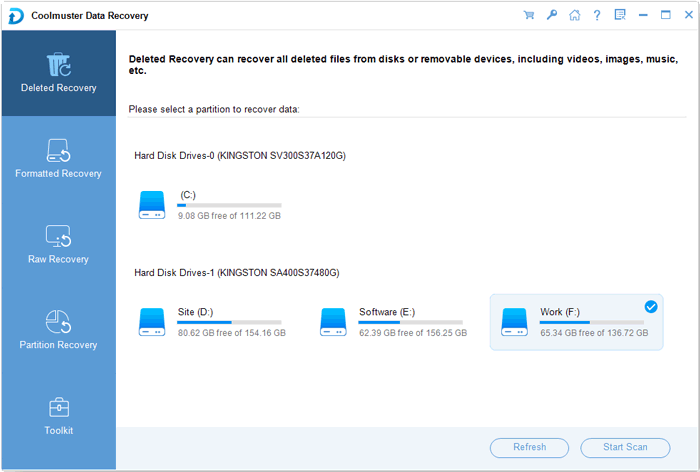
Coolmuster Data Recovery provides four different recovery modes: Deleted Recovery, Format Recovery, Raw Recovery, and Partition Recovery. This versatility ensures that regardless of how you lost your data, there is a specialized path to get it back.
Supports a wide range of file formats, such as PNG, JPG, JPEG, MP4, MP3, MOV, etc.
Cons:
Limited recovery in free version.
Fewer advanced recovery algorithms.
Not ideal for severe corruption.
How it is free:
Free trial model.
Allows scan + preview for free.
Actual recovery needs a license.
Watch the video guide to use this data recovery software:
1.9 Disk Drill
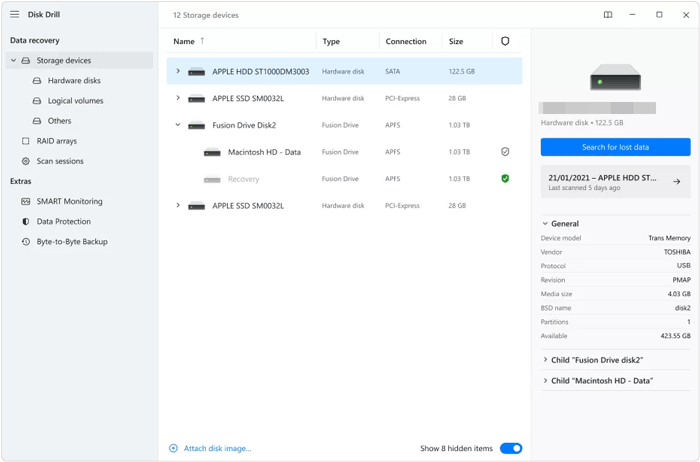
Disk Drill is known for its sleek design and "Recovery Vault" feature, which protects files from future deletion. The free version (on Windows) typically allows you to recover up to 500MB of data, acting as an excellent "trial" for the full version.
Key features:
Multiple scan modes (quick, deep, signature).
Disk health monitoring tools.
File preview before recovery.
Supports many file systems.
Pros:
Modern UI, very user-friendly.
Strong scanning engine.
Extra tools (disk backup, SMART monitoring).
Cons:
Free version has strict recovery cap.
Can be expensive to upgrade.
Some features are marketing-heavy.
How it is free:
Freemium with recovery cap.
Free version: usually up to 500MB recovery.
Full recovery requires paid license.
Often "free to scan, pay to recover" (common complaint).
Part 2: FAQs About Free Data Recovery Software
Q1: How can I know whether the data recovery software is totally free or not?
Many programs use "Freemium" models. To verify if a tool is truly free, check the data recovery limit in the terms of service. Some tools allow unlimited recovery (like PhotoRec), while others might cap free recovery at 500MB or 2GB. Always look for the "Open Source" label or a "Home Edition" that specifies no cost for personal use.
Q2: What is the difference between free data recovery programs and the paid recovery tools?
The main differences include:
Features: Paid tools may offer advanced recovery algorithms, RAID recovery, and partition repair.
Ease of Use: Paid versions usually provide more user-friendly interfaces and guided recovery.
Support: Paid software typically includes technical support and updates.
Q3: Is it worth paying for data recovery?
It depends on the value of the data. If you are a professional who lost a week's worth of billable work, the cost of a license is a small price to pay for a higher success rate. However, for accidental deletions on a healthy drive, free tools are often more than sufficient.
Conclusion
Free data recovery software can be a lifesaver when dealing with unexpected data loss. Tools like PhotoRec, Recuva, Coolmuster Data Recovery, etc., offer varying levels of functionality to suit different needs and technical skill levels. While free solutions are often adequate for basic recovery tasks, paid software may be necessary for more complex situations and a user-friendly interface.







 Free Download for PC
  Free Download for Mac


