Accidentally deleting photos on your iQOO phone can be frustrating, especially when those pictures hold important memories or work-related data. The good news is that in many cases, deleted photos are not immediately gone forever. Whether you rely on built-in features, cloud backups, or professional tools, there are several effective ways to recover deleted photos from iQOO devices.
In this guide, we'll walk you through four proven methods, starting from the easiest and most reliable options to more advanced recovery solutions.
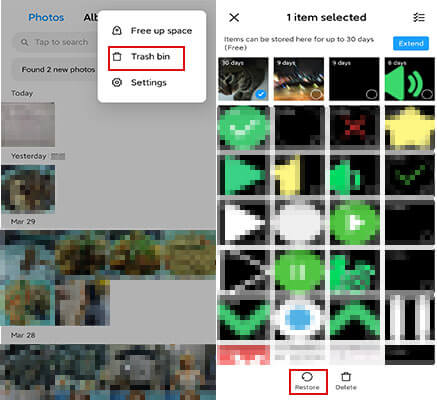
The easiest and most straightforward way to recover deleted photos from iQOO is using the built-in "Recently Deleted" folder in the Gallery app. This feature is designed to temporarily store deleted photos, giving you a grace period to restore them before they are permanently removed. Most iQOO devices keep deleted photos in this folder for 30 days, making it the first place you should check when you realize photos are missing.
Step-by-step guide:
Step 1. Open the Gallery app on your iQOO phone. It is usually located on the home screen or in the app drawer.
Step 2. Navigate to the "Albums" tab at the bottom of the screen, then scroll down to the very bottom of the album list.
Step 3. Look for the "Recently Deleted" (or "Trash" in some iQOO firmware versions) folder and tap on it.
Step 4. You will see all the photos you have deleted in the past 30 days. Browse through the list to find the photos you want to recover.
Step 5. Select the photos by tapping on the checkboxes next to them. You can select multiple photos at once.
Step 6. Once selected, tap the Restore button (usually represented by a "recycle" icon or the word "Restore") at the bottom of the screen.
The selected photos will be restored to their original location in your Gallery, either the "All Photos" album or the specific album they were deleted from.
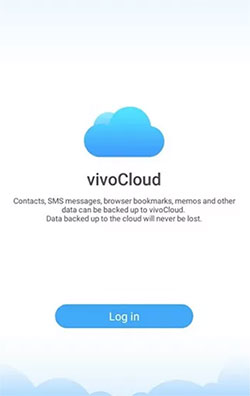
If you've ever enabled cloud backup on your iQOO phone, there's a high chance your deleted photos are still stored in vivoCloud, even if they've disappeared from your Gallery. As a built-in cloud service on iQOO devices, vivoCloud can automatically sync your photos in the background once the feature is turned on.
Following these steps to get your iQOO photos back:
Step 1. Open the Settings app on your iQOO phone, scroll down, and tap on vivoCloud (it may also appear as "Cloud" or "Accounts & Sync" depending on your system version).
Step 2. Sign in to your vivo account if you are not already logged in, since your cloud data is linked to your account rather than the device itself.
Step 3. After logging in, find and tap on "Backup & Restore" or "Device Cloud Backup".
Step 4. Tap on "Restore Data", then select "Gallery" from the list of available data types.
Step 5. Browse the available cloud data and choose the version that most likely contains your deleted photos.
Step 6. Tap "Restore" and wait for the process to complete. The time required depends on your internet speed and the number of photos being restored.
Once finished, open the Gallery app to check if your deleted photos have been successfully recovered.
Another very effective way to recover deleted photos from iQOO is by using Google Photos. Many iQOO devices come with this app pre-installed, and if you've enabled the Backup & Sync feature, your photos are automatically uploaded to your Google account.
Even if you delete photos from your phone's Gallery, they may still exist in Google Photos. More importantly, deleted images are moved to the Trash folder, where they are kept for up to 30 days before being permanently deleted. This gives you a second chance to restore your photos quickly and easily.
Before getting started, make sure you are signed in to the correct Google account, have enabled Backup & Sync in the past, and have an active internet connection.
Here is how to recover deleted photos from iQOO:
Step 1. Open the Google Photos app on your iQOO phone. If it's not installed, download it from the Play Store and sign in to your Google account.
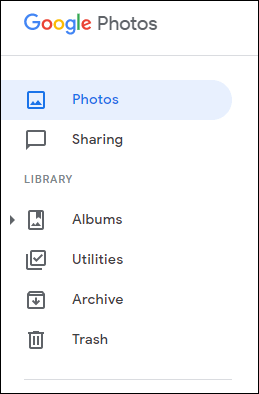
Step 2. Tap on the "Library" tab at the bottom of the screen to access your albums and folders.
Step 3. Scroll down and tap on "Trash" (or "Bin" in some regions), where deleted photos are temporarily stored.
Step 4. Browse the deleted items and tap on the photos you want to recover. You can long-press to select multiple images at once.
Step 5. Tap the "Restore" button, and the selected photos will be restored to your Google Photos library and synced back to your iQOO device.
Step 6. Open your phone's Gallery app to confirm that the recovered photos have been restored successfully.
If you don't have access to your iQOO phone, you can still recover your photos through the web version of Google Photos. Simply sign in to your Google account on a browser, go to the Trash section, select the photos you want, and click Restore to get them back.
If your photos are no longer available in the Recently Deleted folder and you don't have any cloud backup, a professional Android recovery tool becomes your best chance. Coolmuster Lab.Fone for Android is designed to dig deeper into your device's storage and locate traces of deleted files that are still recoverable.
Unlike cloud-based solutions, this method works directly on your phone's internal memory (and SD card, if applicable). As long as the deleted data hasn't been overwritten, there is still a good chance of getting your photos back.
Key features of Coolmuster Lab.Fone for Android:
How to recover deleted photos from iQOO without backup?
01Download and install the software on your Windows or Mac computer, then launch it after installation is complete.
02Connect your iQOO phone to the computer using a USB cable and enable USB debugging on your device so the program can properly access your data.
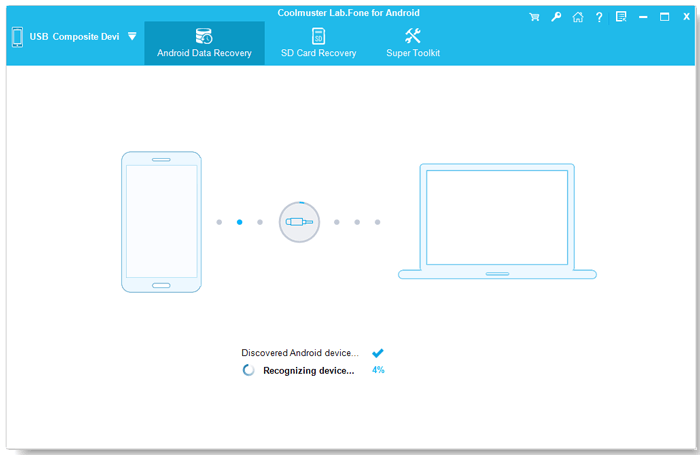
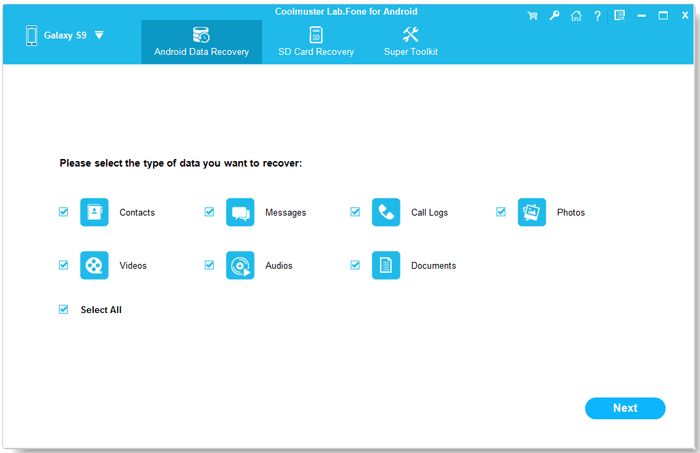
03Once your phone is detected, select the type of files you want to recover, then click "Next" to start scanning your device for deleted data.
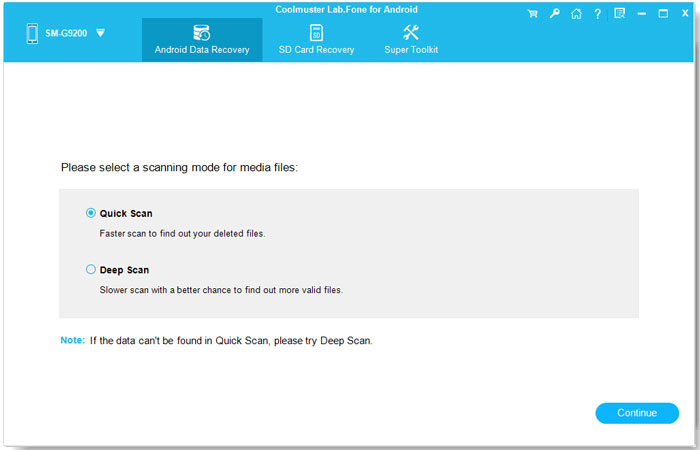
04If you are scanning media files, you can choose between "Quick Scan" for faster results or "Deep Scan" for a more thorough search. To scan all files on your device, root access may be required.
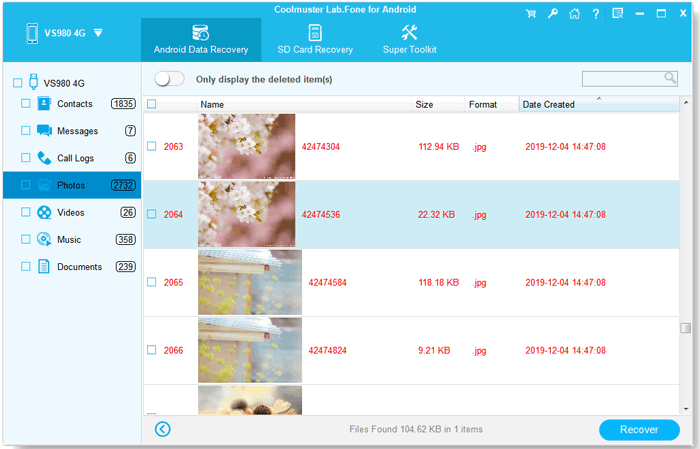
05After the scan is complete, preview the recoverable files, select the photos you want, and click the "Recover" button to restore them to your computer.
If you prefer a more visual walkthrough, you can check out the video tutorial below to see the entire recovery process in action.
Recovering deleted photos from an iQOO phone is usually possible if you choose the right method based on your situation. Whether it's checking the Recently Deleted folder, restoring from vivoCloud or Google Photos, or using a professional tool like Coolmuster Lab.Fone for Android, each option offers a different chance of bringing your photos back, depending on whether a backup exists.
Among all the methods, Coolmuster Lab.Fone for Android is often the most reliable fallback solution when cloud or local backups are not available. It gives you a real chance to retrieve lost photos even after they have been permanently deleted, making it a powerful option when other recovery methods fail.
Related Articles:
How to Recover Deleted Files from iQOO with/without Backup
How to Conduct iQOO Backup and Restore [4 Proven Methods]
How to Retrieve Deleted Text Messages on IQOO with/without Backup







 Free Download for PC
  Free Download for Mac

 Download for PC
 Download for Mac

