It is no more a strange thing to see more and more people are reading books directly on their iPhone and iPad instead of reading books on computer. But among these people, quite a few people are just reading books online. Although the books are free for your reading, you have to spend much money in paying for accessing the Internet every time you are reading books online.
Actually, the fees spent on internet can sometimes buy you a paper book. So in this passage, I will tell you several useful books applications to download free books on your iPhone and iPad, so you are free to read these books without accessing the internet.
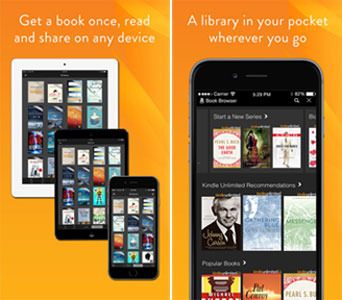
Being the most popular eReader, Amazon boasts of the most books in the world. This application has access to more than 3,000,000 books and audiobooks including over 850,000 Kindle exclusive titles. With the Kindle app, you are able to get your book once and read it on any device and share across your family's devices. You are free to choose from a wide selection of books, newspapers, and magazines from Wall Street Journal, New York Times to Reader's Digest. But not all books are free for your download, you can hit up Amazon's Kindle store and ask it to sort by price: low to high.
More Features:
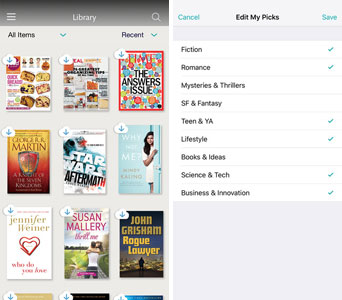
Barnes & Noble is also a powerful eReader worth for your attention, although it is not as popular as Kindle. This application is totally free for all iPhone/iPad users. Within this application, you can find your wanted books at different categories. This free reader app has a library of over 4 million free best-selling eBooks, magazines, comics, and kids' books in every genre including fiction, romance, business, sci-fi, mystery, and more - including 1 million free titles. Not all books in this application are free to iPhone/iPad users, but you can find free books within this application. You can download free sample Nook books and try any newspaper or magazine free for 14 days.
More Features:
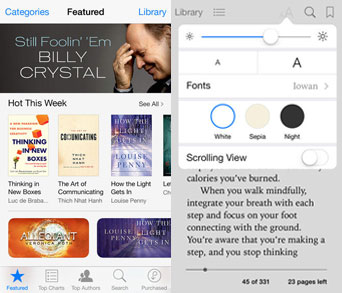
iBooks is an eReader developed and released by Apple company. This application is fully compatible with all generations of iPhone, iPad and iPod devices. With iBooks application, you can freely download or read any books on your iDevice. The iBook Store within this application allows you to download the latest bestsellers or your favorite literature works.
More Features:
As a top 5 book application for the consecutive third year, Wattpad allows you to download stories and books so you can read offline. You can search popular genres and trending topics to find any story which may suit your taste. You can follow stories as they have been finished or get updates for new chapters.
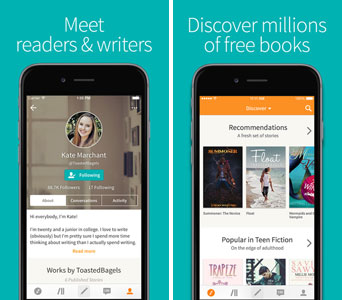
More Features:
After downloading free eBooks from online websites, many users find it inconvenient to add the books onto an iPhone, especially when files are stored on a computer. This is where Coolmuster iOS Assistant becomes a practical solution. It allows you to easily import eBooks from your computer to your iPhone without iTunes or iCloud. Supporting multiple eBook formats, this tool gives you full control over your digital library while keeping your data safe and well organized.
Key Features of Coolmuster iOS Assistant:
Steps to Import eBooks to iPhone from Computer:
01Connect iPhone to Computer
Launch Coolmuster iOS Assistant on your computer and connect your iPhone using a USB cable. Unlock your device and trust the computer if prompted.
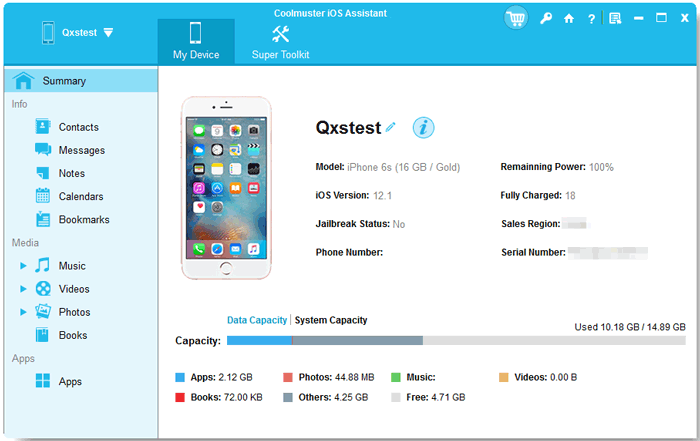
02Select Books and Add Files
Choose the "Books" or "Documents" category from the left panel, then click "Import" to select eBook files from your computer.
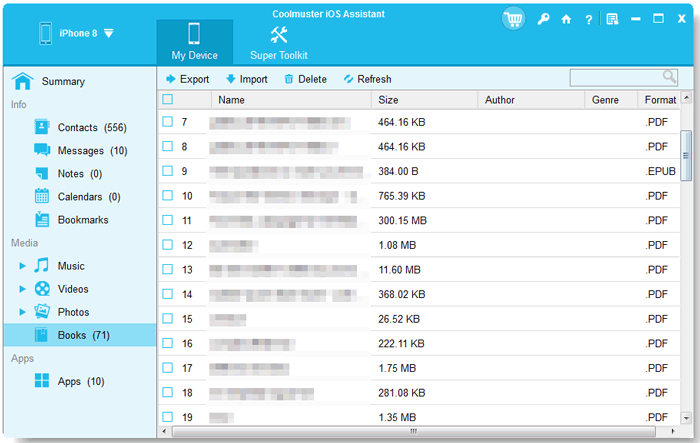
03Transfer eBooks to iPhone
Confirm your selection and start the transfer. Once completed, you can open your reading app on iPhone to access the imported books.
Video Guide:
The four ebook applications mentioned in the above are top-notch eReaders to directly download books on your iPhone and iPad. But the sharing disadvantage of the four applications is that not all books within the application are free to download. Therefore, you can also try another way, i.e. download books to computer and then transfer books from your computer to iPhone or iPad. Then this Coolmuster iOS Assistant might be the tool you will need to transfer files from computer to iPhone/iPad. Moreover, in this way, you can also save these interesting books on your computer as a backup in case of sudden data losses!
Related Articles:
8 Best Ways to Transfer PDF to iPhone without iTunes
4 Best Methods to Remove Audiobooks from iPhone in 2026




 Free Download for PC
  Free Download for Mac


