Leica cameras are known for their exceptional image quality and professional-grade performance. However, accidentally deleting photos from a Leica camera or formatting the memory card can happen to anyone. Fortunately, deleted images are often recoverable as long as the original data has not been overwritten. You can recover deleted pictures from a Leica camera by following this guide.

One of the easiest and most efficient ways to recover deleted Leica photos is by using Coolmuster Data Recovery. This tool supports photo recovery from SD cards, CF cards, microSD cards, cameras, USB drives, and more. It supports various file formats, including JPEG, PNG, BMP, TIFF, ICO, etc.
Main features of this photo recovery program:
Download Coolmuster Data Recovery.
To recover your deleted pictures from a Leica camera via this program:
01Remove the SD card from your Leica and connect it to your computer using a high-quality card reader. Then launch the software and choose a mode, e.g., "Deleted Recovery" or "Raw Recovery".
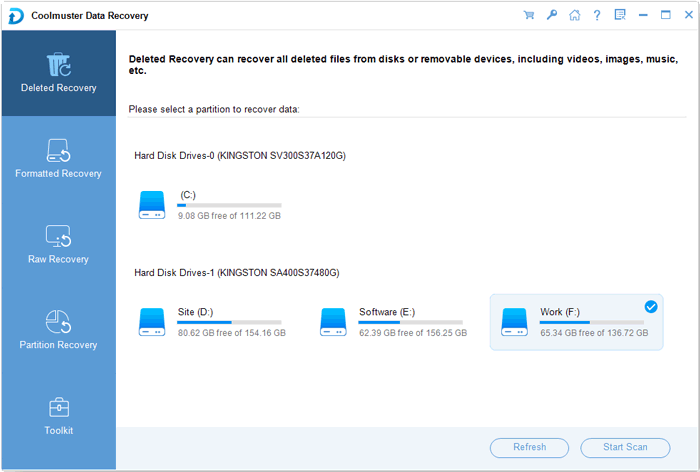
02Opt for the drive letter representing your Leica SD card and click "Start Scan" to begin scanning for lost data.
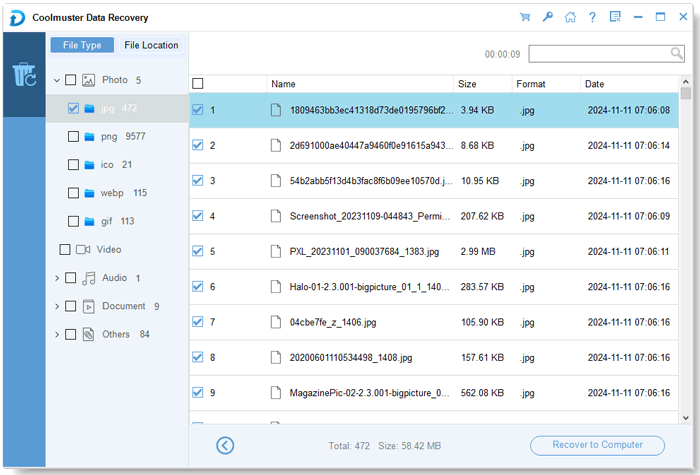
03Once the scan completes, browse the folders, preview the found images, select the ones you need, and click "Recover to Computer" to save them to your computer (not back onto the SD card).
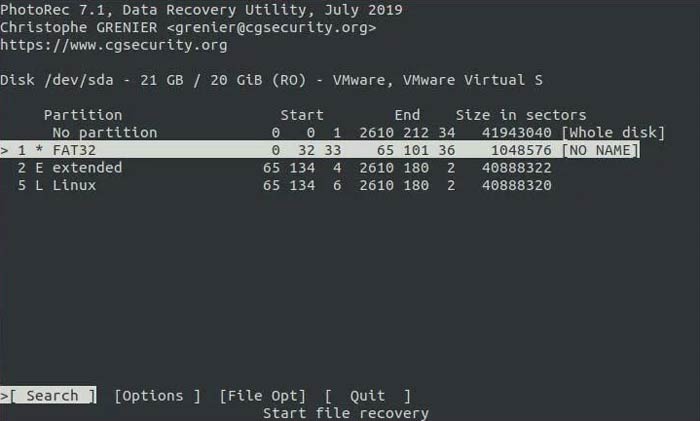
For users looking for a powerful, free, and open-source solution, PhotoRec is one of the most effective tools available. It ignores the file system and goes after the underlying data. Furthermore, it is compatible with Windows, macOS, and Linux.
Steps to use PhotoRec to recover deleted photos from Leica:
Step 1: Download the TestDisk/PhotoRec package. Open photorec_win.exe.
Step 2: Use the arrow keys to select your SD card from the list of drives. Next, select the partition (usually FAT32 or exFAT). In the "File Opt" menu, ensure DNG and JPG are selected.
Step 3: Choose a folder on your hard drive to store the recovered files. Press "C" to start the search. PhotoRec will systematically extract every identifiable image file.
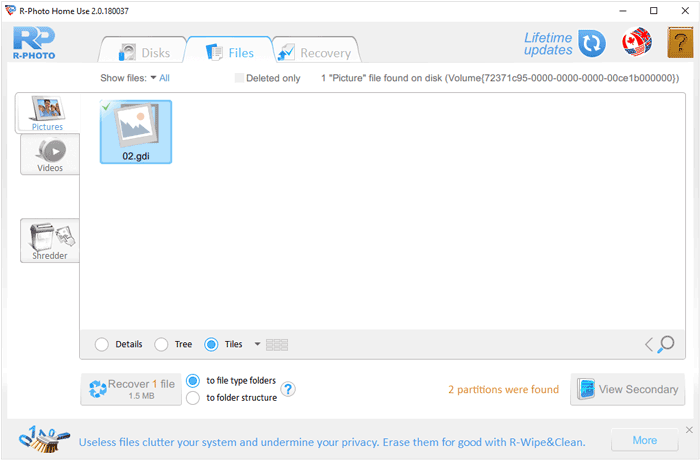
R-Photo is a free utility specifically designed for recovering videos and photos. It is known for its speed and its ability to handle corrupted partitions. You can use it to restore your deleted images from your digital camera.
Here's how:
Step 1: Download and run R-Photo on your PC. The interface will display all connected drives. Right-click your Leica SD card and select "Scan".
Step 2: Once the scan is finished, you can use the built-in search or filter by file extension, e.g., .dng or .jpg.
Step 3: Mark the files you wish to restore and click the "Recover" button.
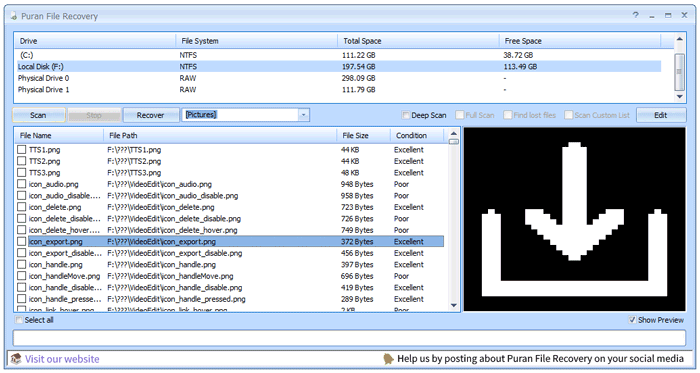
Puran File Recovery is a lightweight recovery utility capable of retrieving deleted photos from Leica camera cards. It is particularly useful for cards that have been formatted because this tool offers a "Deep Scan" feature.
To recover deleted photos from a Leica camera via Puran:
Step 1: Open the application and select the Leica memory card from the list.
Step 2: Check the "Deep Scan" box for a more thorough search of the card's clusters. Then click "Scan". Puran will list all recoverable files along with their "condition" (Excellent, Good, etc.).
Step 3: Select your deleted Leica photos and click "Recover", then choose "Just Recover" to save them to your desktop.
Sometimes, photos aren't actually deleted; they are simply hidden by a virus or a file system glitch. You can use the Windows Command Prompt (CMD) to make them visible again.
Here's the guide:
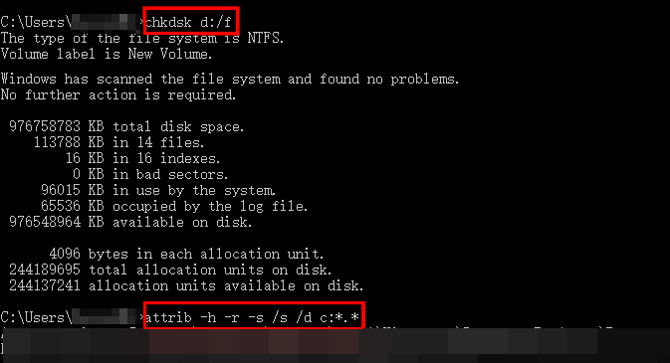
Step 1: Press "Win + R", type "cmd", and hit "Enter". Note the drive letter of your Leica SD card.
Step 2: Type the "attrib -h -r -s /s /d C:\*.*" command and press "Enter" (Replace "G" with your actual drive letter).
Step 3: This command removes the "Hidden," "Read-only", and "System" attributes from all files on the card. Check your SD card folders to see if the images have reappeared.
Recovering lost imagery from your Leica is often possible if you act quickly and avoid writing new data to the card. If you prefer simplicity, Coolmuster Data Recovery may be your best option. This software provides an intuitive interface, so you can start the recovery with several clicks. To prevent future loss, always ensure you have a "dual-backup" system—saving your files to both a local drive and a cloud service immediately after a shoot.
Related Articles:
Solved: How to Recover Deleted Photos from Kodak Camera (4 Ways)
Ultimate Guide on How to Recover Deleted Camera Photos from Android
Recover Deleted Photos from CF Card Step by Step (Proven)
Help! My Camera App Disappeared: Troubleshooting and Solutions







 Free Download for PC
  Free Download for Mac


