Factory Reset Protection (FRP) is a built-in Android security feature designed to prevent unauthorized access after a factory reset. However, if you forget your Google account credentials or buy a second-hand Android phone, FRP can lock you out of your own device.
MobileTeamOfficial FRP Bypass is one of the tools frequently mentioned as a solution to this problem. In this MobileTeamOfficial FRP Bypass review, we'll take a closer look at what it offers, how safe it is, how to use it, and whether there's a better alternative.
MobileTeamOfficial FRP Bypass refers to a set of tutorials and tools shared by Mobile Team Official that aim to help users bypass Google FRP locks on Android devices. It's important to note that Mobile Team Official does not provide mobile team management software. Instead, they focus on offering step-by-step guidance and bypass methods for removing FRP locks or resetting Android phones when users are locked out after a factory reset.
Supported Devices and Android Versions
MobileTeamOfficial FRP Bypass is commonly used on Android phones from brands such as Samsung and other popular manufacturers. However, compatibility depends heavily on the Android version and security patch level. In most cases, the bypass methods are more effective on older Android systems, while newer versions may have limited success.
Key Features and Capabilities
Safety is one of the biggest concerns when using FRP bypass tools. Since MobileTeamOfficial FRP Bypass is not an official Google solution, it may carry certain risks. These can include system instability, failed bypass attempts, or even the possibility of malware if downloaded from unreliable sources.
Additionally, the tool may stop working after system updates or security patches, making its reliability inconsistent across devices.
MobileTeamOfficial FRP Bypass is often promoted as a free tool. However, some versions may include hidden limitations, ads, or require additional steps to unlock full functionality. Users should be cautious of unofficial "paid" variants circulating online.
If you still want to try MobileTeamOfficial FRP Bypass despite its limitations and risks, it's important to follow the process carefully. This method is relatively complex, involves multiple third-party APK files, and is not recommended for beginners. The following steps describe a general usage process, and the actual operation may vary depending on the device model and Android version.
Step 1. Prepare the Required APKs
Search for and download the necessary MobileTeamOfficial FRP Bypass APK files on a computer.
Before using them, scan the files with antivirus software or an online service like VirusTotal. If multiple security engines flag the APK, delete it immediately and stop the process.
Step 2. Transfer APKs to the Locked Device
Copy the verified APK files to a USB flash drive or SD card. Then, connect the storage device to the locked Android phone using an OTG adapter.
Step 3. Enable Installation from Unknown Sources
On the FRP verification screen, activate the device's TalkBack feature (usually by pressing the "Volume Up" and "Volume Down" buttons simultaneously).
Use accessibility shortcuts to access settings and enable permission to install apps from unknown sources.
Step 4. Install and Run the APKs
Use the file manager or TalkBack shortcut to locate the APK files on the USB drive or SD card. Install the APKs one by one, then launch QuickShortcutMaker.apk
Step 5. Create a Shortcut to Bypass Verification
In QuickShortcutMaker, search for Google Account Manager or Settings, create a shortcut, and open it to modify or reset account-related settings.
Step 6. Complete the FRP Bypass
Restart the device after completing the setup. If successful, the device should skip Google account verification and enter the normal system interface.
After reviewing the usage process above, it becomes clear that MobileTeamOfficial FRP Bypass has both strengths and noticeable limitations. Below is a balanced overview of its pros and cons.
| Pros | Cons |
| Free access to bypass tutorials | Low success rate on newer Android versions |
| No professional tools required | Potential security risks from unofficial APKs |
| Can work on some older Android devices | No official support or warranty |
| Methods may stop working after system updates |
Given the complexity and risks involved in using tutorial-based FRP bypass methods, many users prefer a more stable and beginner-friendly solution. This is where Android Unlocker stands out as a reliable alternative.
Android Unlocker is a professional Android unlocking tool designed to remove different types of locks safely and efficiently. Compared with APK-based methods, it offers higher compatibility and a more stable unlocking experience.
Its key features include:
Standard Mode vs. Advanced Mode
Standard Mode: Quickly removes the Google FRP lock without upgrading the Android system version, making it suitable for most Android devices.
Advanced Mode: Available on certain Samsung models. After unlocking, the Android system will be updated to the latest version, offering better system stability and compatibility.
How to bypass Google FRP lock using Android Unlocker (Standard Mode)?
01Download and install the FRP unlocking software on your computer.
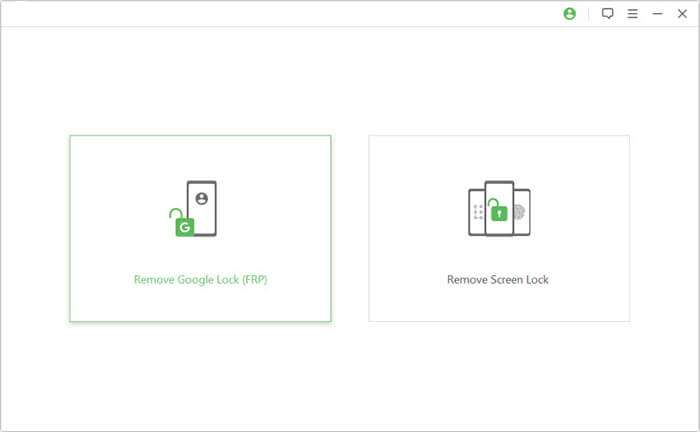
02Launch the program and select "Remove Google Lock (FRP)" from the main interface. Then connect the locked Android device to the computer using a USB cable.
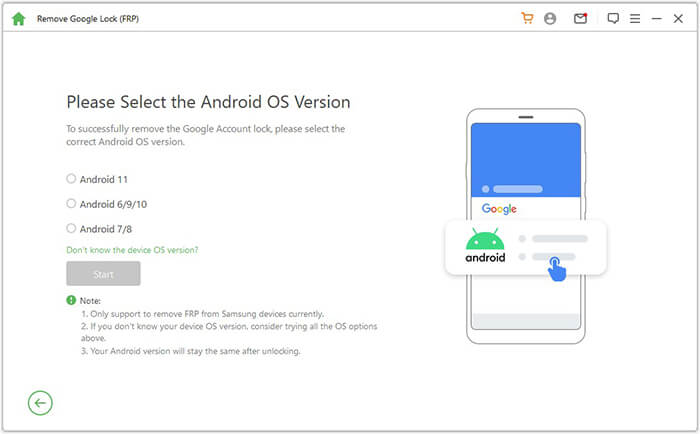
03Follow the on-screen instructions to select your Android version and click "Start".
04Proceed according to the guidance to set up your phone.
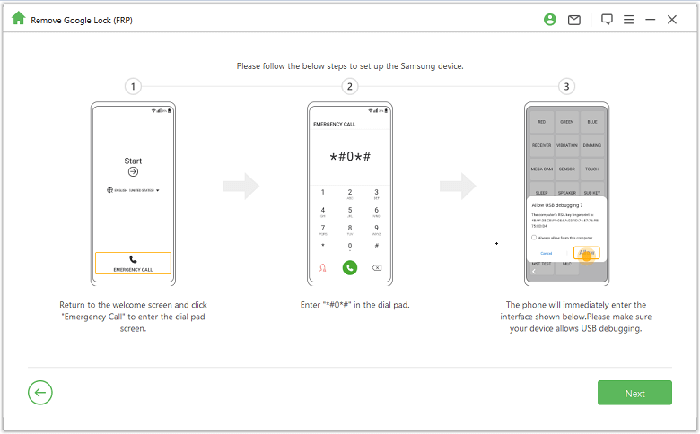
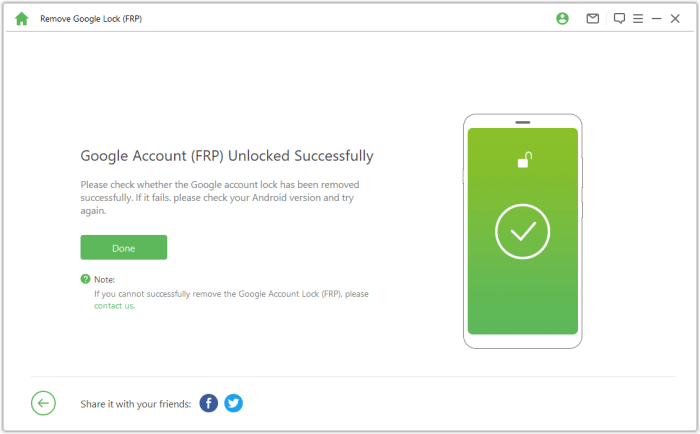
05Wait patiently while the tool removes the Google lock. Do not use the phone during this process. After completion, the screen may flicker briefly. Restart the device, and the FRP lock will be completely removed.
MobileTeamOfficial FRP Bypass can be useful in certain situations, especially for experienced users working with older Android devices. However, its reliance on complex tutorials, third-party APKs, and device-specific loopholes makes it unreliable and risky for many users, particularly on newer Android versions.
If you are looking for a safer, more efficient, and beginner-friendly solution, Android Unlocker is the recommended choice. It not only removes Google FRP locks without requiring account credentials, but also unlocks various Android screen locks, including pattern, PIN, password, fingerprint, and face recognition. With higher compatibility, guided steps, and a more stable unlocking process, Android Unlocker offers a practical and dependable way to regain access to your Android device.
Related Articles:
Google FRP Bypass - A Comprehensive How-to Guide with 6 Top Picks
How to Bypass FRP with ADB Commands and Other Android Unlock
7 Effective Samsung FRP Tools in 2026 [98% People Don't Know]
Top 11 FRP Bypass Tools for Android: Unlock Your Device Easily




 Free Download for PC


