TL;DR:
Receiving the "WhatsApp registration code was requested for your phone number" notification doesn't necessarily mean your account has been hacked, but you should take steps to protect it.
"Keep receiving the notification 'WhatsApp registration code was requested for your phone number'. The thing is I don't receive any code when this notification pops up, so I don't know what's going on. I never requested anything, and there is nothing unusual in my linked devices list. Should I do something? I received this like 4 times in the last 2 weeks."
- From Reddit
Seeing the notification "WhatsApp registration code was requested for your phone number" can be alarming, especially if you didn't initiate the request. Many users immediately worry that their WhatsApp account has been hacked or that someone has gained access to their chats.
Fortunately, receiving this notification doesn't necessarily mean your account has been compromised. In most cases, it simply indicates that someone attempted to register your phone number on WhatsApp. However, it's still important to take the situation seriously and secure your account before any unauthorized access occurs. In this guide, we'll explain what this message means, why you keep receiving it, and the best steps to protect your WhatsApp account and conversations.
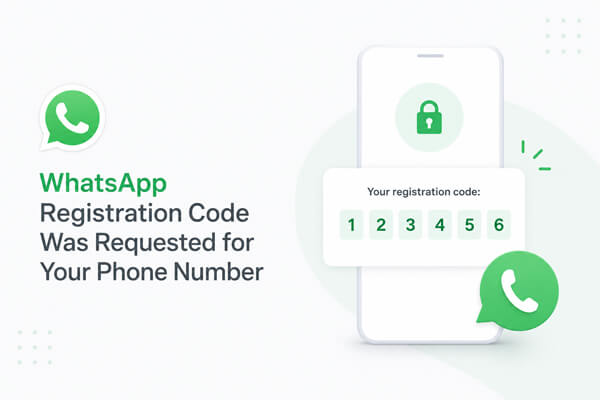
Whenever someone tries to register a phone number on WhatsApp, the platform automatically sends a 6-digit verification code to the owner of that number. This code is required to verify ownership before the account can be activated on a new device.
If you receive a notification saying "WhatsApp registration code was requested for your phone number", it means one of the following:
The important thing to remember is that requesting a verification code alone does not give anyone access to your account. Without the verification code (and your Two-Step Verification PIN if enabled), no one can successfully activate your WhatsApp account.
However, if you begin receiving multiple verification requests or notice that WhatsApp has logged you out unexpectedly, you should act immediately to protect your account.

If this notification appears repeatedly, there are several possible reasons.
Reason 1. Someone Entered the Wrong Phone Number
This is one of the most common explanations. Another user may accidentally type your phone number instead of their own while setting up WhatsApp.
Reason 2. Someone Is Trying to Register Your WhatsApp Account
Cybercriminals sometimes attempt to register other people's phone numbers in hopes of obtaining the verification code through phishing or social engineering.
For example, they may contact you pretending to be a friend or WhatsApp support and ask you to share the verification code you just received.
Reason 3. Your Phone Number Has Been Exposed
If your phone number appears on social media, business websites, or leaked databases, attackers may target it for various scams, including WhatsApp account takeover attempts.
Reason 4. You Recently Reinstalled WhatsApp
If you recently switched phones, reset your device, or reinstalled WhatsApp, the registration code request may simply be triggered by your own login attempt.
When you receive an unrequested WhatsApp registration code reminder, you need to take a set of standardized security operations, from risk assessment, account protection, and data backup, to an official appeal to eliminate hidden dangers and protect your account and data security.
The first thing you should do is check whether your account is still under your control.
Look for the following signs:
If everything is working normally, likely that no one has successfully registered your account.
However, if WhatsApp suddenly logs you out, re-register your phone number immediately using the official verification code sent to your device.
Note: Never share your WhatsApp verification code with anyone, even if they claim to be from WhatsApp support.
Two-Step Verification is one of the most effective ways to protect your WhatsApp account from unauthorized registration and access. In addition to the SMS verification code, WhatsApp requires a six-digit PIN whenever your phone number is registered on a new device.
Even if someone manages to obtain your SMS verification code, they still won't be able to activate your WhatsApp account without the PIN. This additional security layer significantly reduces the risk of account hijacking.
To enable Two-Step Verification:
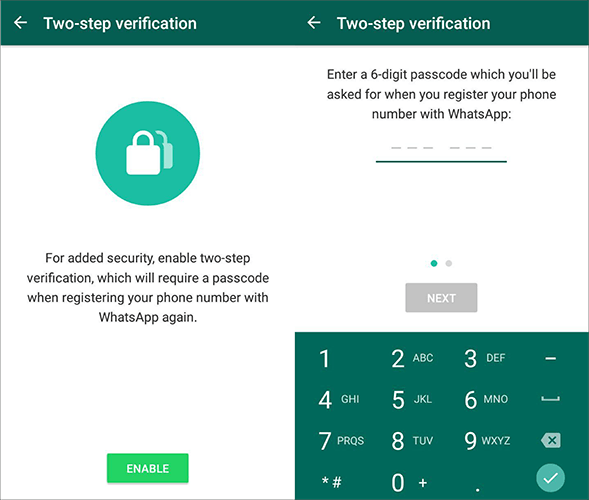
The recovery email allows you to reset your PIN if you forget it, helping you avoid being locked out of your account. Once Two-Step Verification is enabled, anyone attempting to register your phone number on another device will also need your PIN, providing an additional layer of protection against unauthorized access.
While strengthening account security, backing up WhatsApp chat data is essential to avoid permanent loss of important records caused by account theft, abnormal logout, or accidental data loss. Official cloud backup has risks such as automatic overwriting, insufficient free space, and slow recovery speed. It is more secure and stable to back up WhatsApp chats to a computer via professional tools.
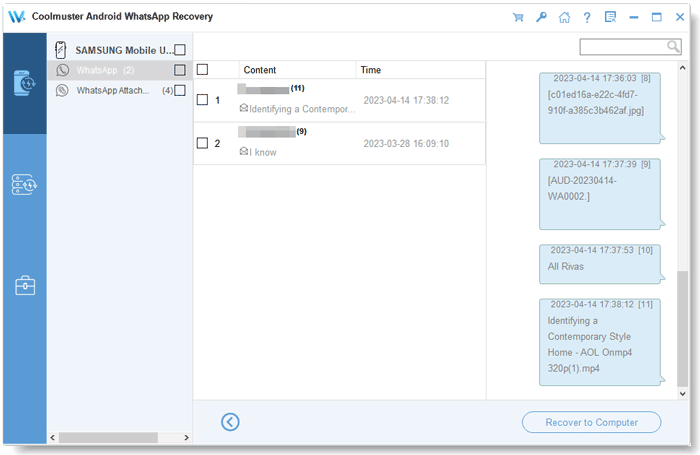
For Android users, a convenient solution is Coolmuster Android WhatsApp Recovery. It allows you to back up your existing WhatsApp chats from your Android phone to a computer, making your data safer and easier to manage than relying solely on cloud backups.
With Android WhatsApp Recovery, you can:
Steps to back up WhatsApp with Android WhatsApp Recovery:
01Download, install, and launch the software on your computer. Connect your Android phone to the computer using a USB cable.
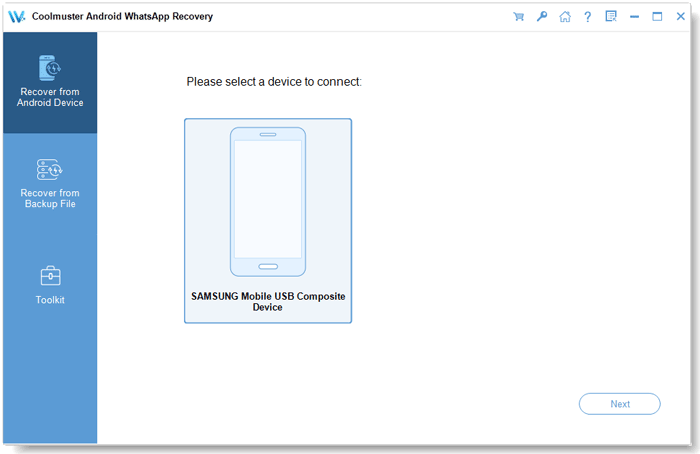
02Once your device is detected, select it from the Android WhatsApp Recovery interface and click "Next". The program will begin scanning your WhatsApp data.
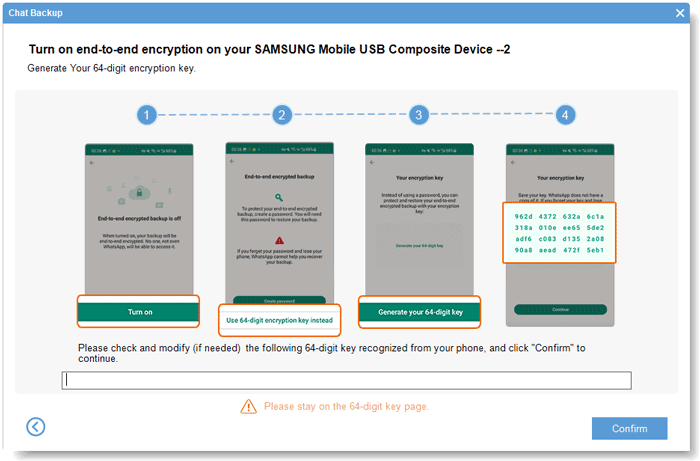
03During the process, you'll be prompted to enable end-to-end encrypted chat backup on your Android device. Simply follow the on-screen instructions to generate the encryption key. The software will automatically detect and import the key into the required field. Then, click "Confirm" to continue.
04After the scan is complete, your WhatsApp messages and attachments will be shown on your computer successfully. You can choose the data you want to back up and hit the "Recover to Computer" button to back it up to your computer.
If you prefer a visual walkthrough, watch the video tutorial below to see the entire backup process step by step.
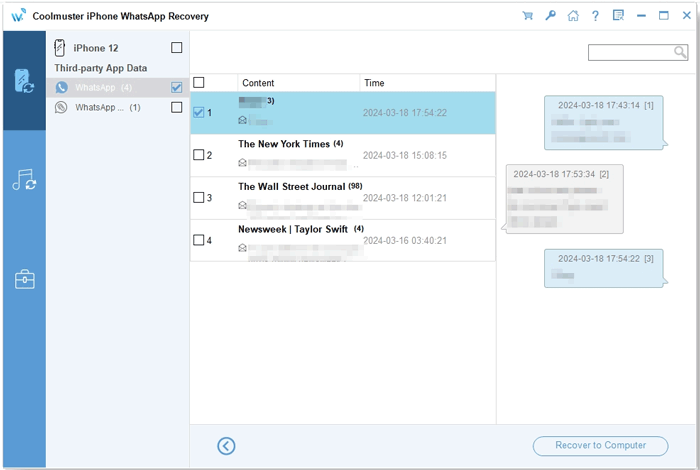
If you're using an iPhone, Coolmuster iPhone WhatsApp Recovery also lets you back up your iPhone WhatsApp chats to a computer with just one click. It supports a wide range of iPhone models and iOS versions, allowing you to create a secure local backup and reduce the risk of losing important conversations if your account becomes inaccessible.
If you continue receiving repeated registration code requests, are unexpectedly logged out of your WhatsApp account, or suspect that someone has gained unauthorized access, it's a good idea to contact WhatsApp Support as soon as possible.
When submitting your request, explain the issue clearly and include relevant details, such as:
Providing complete information can help WhatsApp Support better understand your situation and offer appropriate guidance on securing or recovering your account. You can also visit the WhatsApp Help Center for additional troubleshooting steps and account recovery instructions.
1. Can someone hack my WhatsApp just by requesting a verification code?
No. Simply requesting a verification code does not give anyone access to your WhatsApp account. They would also need the verification code sent to your phone and, if enabled, your Two-Step Verification PIN.
2. Should I ignore the WhatsApp registration code notification?
If you didn't request the code but your account is still functioning normally, you can ignore the notification. However, you should avoid sharing the verification code with anyone and enable Two-Step Verification to strengthen your account security.
If the notifications become frequent or your account behaves abnormally, investigate immediately and contact WhatsApp Support if necessary.
3. Will repeated registration code requests lock my WhatsApp account?
No. Repeated registration code requests won't permanently lock your WhatsApp account. However, WhatsApp may temporarily limit verification attempts if too many codes are requested within a short period. If you didn't request the codes, don't share them with anyone, and enable Two-Step Verification to better protect your account.
Receiving the "WhatsApp registration code was requested for your phone number" notification doesn't necessarily mean your account has been compromised, but it's a warning you shouldn't ignore. By understanding why these verification code requests occur and taking the appropriate precautions, such as verifying your account status, enabling Two-Step Verification, and contacting WhatsApp Support when necessary, you can greatly reduce the risk of unauthorized access.
To further safeguard your conversations, it's also a good idea to keep regular backups of your WhatsApp data. Coolmuster Android WhatsApp Recovery helps Android users back up WhatsApp chats and attachments to a computer, while Coolmuster iPhone WhatsApp Recovery offers the same convenience for iPhone users. With a secure local backup in place, you'll be better prepared to restore your important conversations if you ever lose access to your WhatsApp account or encounter unexpected account issues.
Related Articles:
[4 Solutions] How to Transfer WhatsApp Chats from Android to Android/Samsung
How to Transfer WhatsApp to New Phone Easily? (Android & iPhone)
How to Troubleshoot WhatsApp Contacts Not Showing Problem
How to Restore WhatsApp Backup from iCloud to Android (4 Hassle-Free Ways)







 Free Download for PC


