TL;DR:
Looking for a free way to bypass Google FRP, you may come across tools like RiseRom FRP Tool. While it provides a possible solution through FRP bypass APKs and third-party methods, its safety, compatibility, and success rate can vary depending on your device and Android version. This guide reviews RiseRom FRP Tool, including its features, risks, limitations, and a more reliable alternative for removing FRP locks.
Factory Reset Protection (FRP) is a security feature introduced by Google to prevent unauthorized access to Android devices after a factory reset. While FRP is useful for protecting personal data, it can also become a major obstacle if you forget your Google account credentials or buy a second-hand phone that is still linked to the previous owner's account.
To bypass FRP locks, many users turn to third-party tools, and RiseRom FRP Tool is one of the commonly mentioned options. In this article, we'll provide a detailed RiseRom FRP Tool review, covering its features, safety, usage steps, pros and cons, and the best alternative if it doesn't meet your needs.
RiseRom FRP Tool is an Android FRP bypass utility designed to help users remove Google account verification after a factory reset. It is usually provided in the form of an FRP Bypass APK or a small toolkit used during the Android setup process.
This tool is mainly used when:
RiseRom FRP Tool claims to support multiple Android brands and versions, offering a relatively simple method to bypass FRP without needing the original Google account credentials.
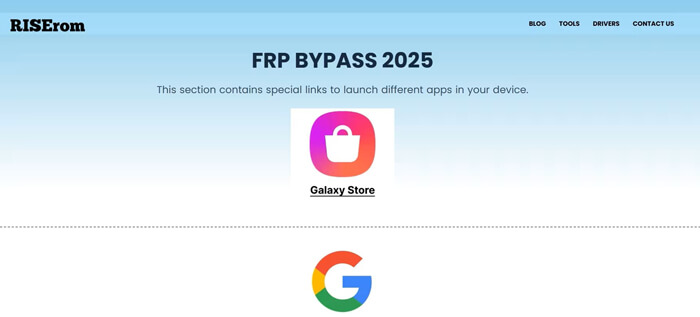
Safety is one of the biggest concerns when downloading FRP bypass APKs from third-party sources like RiseRom. In general, FRP bypass APKs are not officially verified by Google, which means:
Additionally, RiseRom does not provide clear information about official developers, update frequency, or customer support. This makes it difficult to fully guarantee the security and reliability of its FRP tools. For users who prioritize data safety and device security, using unofficial FRP bypass APKs always comes with certain risks.
The exact steps may vary depending on the Android version and device model, but the general process is as follows:
Step 1. Download the RiseRom FRP Tool or FRP Bypass APK from the official RiseRom website or a trusted source.
Step 2. Before installing the APK, make sure your Android device is set to allow apps from unknown sources.
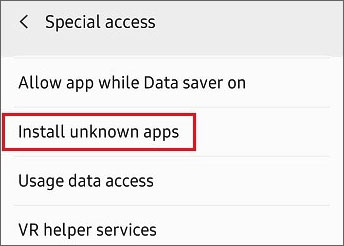
Step 3. Connect the FRP-locked Android device to a Wi-Fi network during the setup screen.
Step 4. Access the browser or APK installation option using available system loopholes.
Step 5. Install and launch the FRP bypass APK, then follow the on-screen instructions to remove the Google account lock.
Many users find that the RiseRom FRP Tool is effective in bypassing the FRP lock, but this doesn't mean it's a perfect solution. Based on user feedback and practical testing, here are the main pros and cons of the RiseRom FRP Tool.
* Free or Low-Cost Solution
RiseRom FRP Tool is often available for free or at a very low cost, making it an attractive choice for users on a budget who want to bypass FRP locks without purchasing expensive software.
* No Google Account Credentials Required
One of the key advantages is that users don't need to provide their Google account credentials to remove the FRP lock, which can be especially helpful if the user has forgotten the login details.
* Simple Interface
The tool is designed to be easy to use, even for beginners. The step-by-step instructions guide users through the process, making it accessible for people who are not very tech-savvy.
* Wide Device Compatibility
RiseRom supports a variety of Android devices from major brands such as Samsung, Xiaomi, and Huawei, which makes it versatile for users with different devices.
* Security Risks
As with many third-party APK tools, downloading and installing RiseRom FRP Tool from unofficial sources carries the risk of malware or other security issues. Users should be cautious about the source of the APK to avoid potential threats.
* Limited Compatibility with Newer Android Versions
While RiseRom is effective on older Android versions, it may not always work on the latest versions of Android or with newer security updates, leaving some devices unsupported.
* Inconsistent Success Rate
The tool's success rate can vary depending on the specific device and Android version. Some users may encounter issues with certain models, leading to failed attempts or longer setup times.
* Lack of Official Customer Support
Unlike commercial solutions, RiseRom does not offer official customer support. If you encounter problems or errors during the FRP bypass process, you may have to rely on community forums or online resources for troubleshooting.
If RiseRom FRP Tool fails to bypass FRP or you prefer a safer and more reliable solution, using a professional Android unlock tool is a better option. Android Unlocker is a dedicated Android unlocking tool designed to remove FRP locks and screen locks efficiently and securely. Unlike APK-based solutions, it works on a computer and provides guided instructions throughout the entire process.
Key features of Android Unlocker
Standard Mode vs. Advanced Mode:
Standard Mode: Quickly removes the Google FRP lock without upgrading the Android system, making it ideal for most Android devices.
Advanced Mode: Available for certain Samsung models. This mode updates the Android system to the latest version after unlocking, offering enhanced system stability and compatibility.
How to bypass Google FRP Lock using Android Unlocker [Standard Mode]?
01Download and install the FRP unlocking software on your computer.
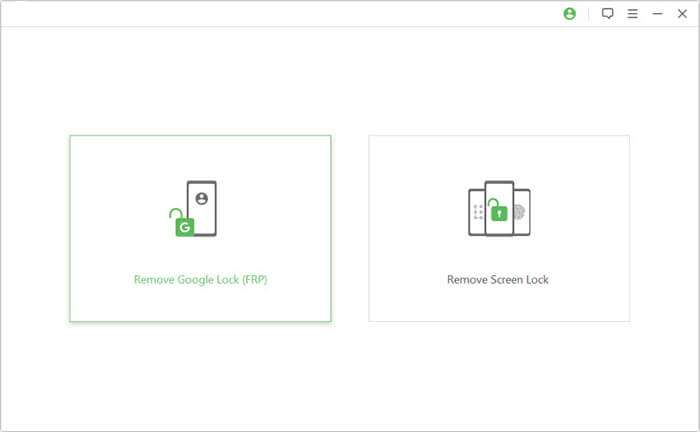
02Launch the program and select "Remove Google Lock (FRP)" from the main interface. Then, connect your locked Android device to the computer using a USB cable.
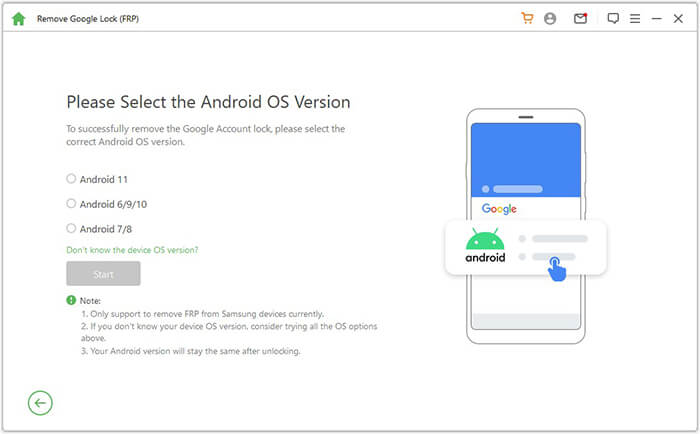
03Follow the on-screen instructions to choose your Android version, then click "Start".
04Proceed with the steps as guided to set up your phone.
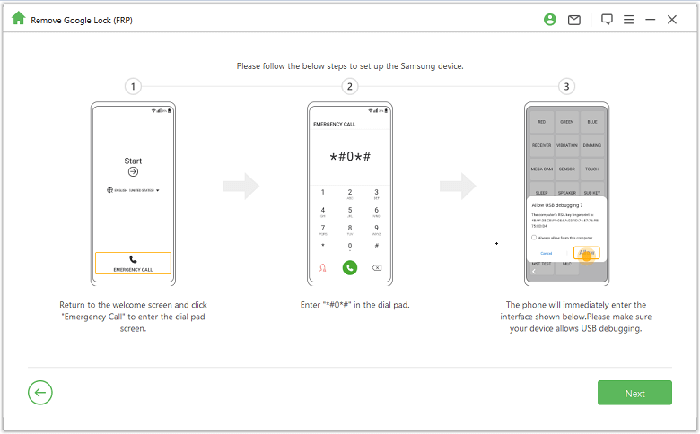
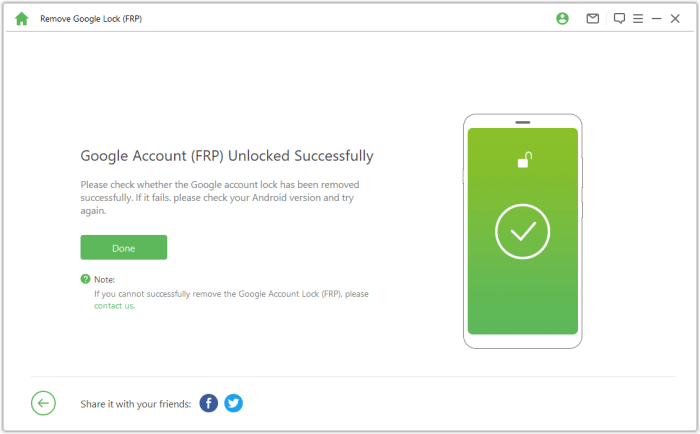
05Wait for the tool to remove the Google lock, do not use the phone during this process. Once the process is complete, the screen may flicker briefly. Restart the device, and the FRP lock will be completely removed.
RiseRom FRP Tool can be a useful option for users looking for a free or quick FRP bypass solution, especially on older Android devices. However, its reliance on third-party APKs, uncertain safety, and inconsistent success rate make it less suitable for users who value reliability and security.
If you want a more stable, secure, and user-friendly solution, Android Unlocker is a better choice. It offers a higher success rate, professional support, and a safer FRP removal process, making it ideal for both beginners and advanced users.
Related Articles:
7 Effective Samsung FRP Tools in 2026 [98% People Don't Know]
Top 11 FRP Bypass Tools for Android: Unlock Your Device Easily
How to Bypass FRP with ADB Commands and Other Android Unlock




 Free Download for PC


