TL;DR:
vnROM FRP Bypass is a commonly searched method for dealing with Android FRP lock, but its effectiveness varies between devices. Learn how it works, what problems you may encounter, and which alternatives can help when vnROM is not suitable.
Being locked out of an Android phone after a factory reset can be frustrating, especially when you cannot remember the Google account previously linked to the device. Since FRP (Factory Reset Protection) requires account verification after resetting, many users search for solutions like vnROM FRP Bypass to regain access to their phones.
However, vnROM does not work in every situation. Its success depends on factors such as the Android version, device model, and security updates. This guide explains what vnROM FRP Bypass is, how to use vnROM APK, its limitations in 2026, and a more convenient alternative when it fails.
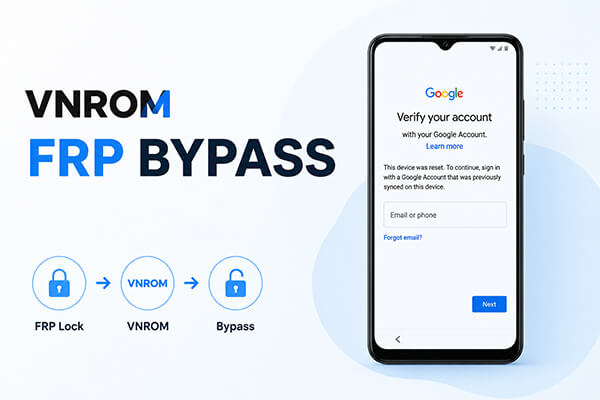
vnROM FRP Bypass is a third-party method designed to help Android users bypass the Google account verification screen after a factory reset. It uses the vnROM APK file to access certain device functions during the setup process and attempts to remove the FRP restriction.
FRP (Factory Reset Protection) is a security mechanism that requires users to verify the previously synced Google account after resetting an Android device. While it helps protect devices from unauthorized access, it can also lock out legitimate users who forget their account credentials or buy a second-hand phone that is still linked to another account.
Unlike official Google account recovery methods, vnROM is not developed by Google or Android manufacturers. Its effectiveness depends on factors such as the Android version, device model, and security patch level.
The exact steps for using vnROM FRP Bypass may differ depending on your Android phone model and software version. The following process describes the general workflow.
Before starting, make sure you download APK files carefully. Files from unreliable sources may contain modified versions or security risks.
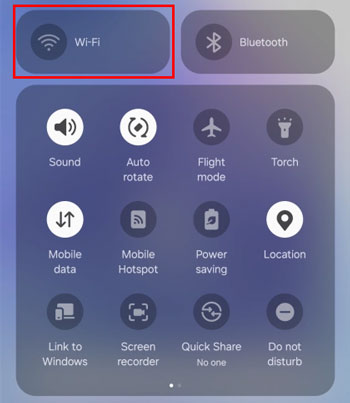
Step 1. Connect Your Phone to Wi-Fi
Turn on your Android phone and go through the setup process until you reach the Google account verification screen.
Connect the device to a stable Wi-Fi network before continuing.
Step 2. Download vnROM APK
Access a browser or available download option on the locked device and download the vnROM APK file.
Make sure the APK source is trustworthy and matches your device requirements.
Step 3. Install vnROM APK
Open the downloaded file and install the APK on your device.
If installation is blocked, you may need to allow installation from unknown sources in the device settings.
Step 4. Follow the vnROM Instructions
Launch vnROM and follow the available instructions to continue the FRP bypass process.
The available options may vary depending on your device model and Android version.
Step 5. Complete Device Setup
After bypassing the FRP restriction, restart the setup process and check whether you can complete the Android activation.
Once access is restored, you can sign in with your own Google account and set up the device normally.
Many users searching for vnROM FRP Bypass want to know whether this method still works on newer Android phones. The answer is that vnROM compatibility has become more limited as Android security continues to improve.
Older devices may have a higher chance of working with vnROM, while newer phones with updated security patches may prevent traditional bypass methods from functioning.
vnROM Compatibility Overview
| Android Version | Situation |
| Android 5-8 | More likely to work on supported devices |
| Android 9-12 | Depends on device model and security patch |
| Android 13-14 | Limited compatibility |
| Android 15 and newer | May fail on many devices |
While vnROM can be a helpful option for some Android devices, it also comes with certain limitations. Understanding its strengths and weaknesses can help you determine whether it is the right solution for your FRP issue.
| Pros | Cons |
| Free method | Does not support every Android device |
| May not require a computer | Less effective on newer Android versions |
| Simple for experienced users | Requires APK installation |
| Can help with some older devices | Unofficial solution with potential security concerns |
Although vnROM FRP Bypass is a free method that some users try when facing Google verification issues, it is not always effective. The process usually requires downloading an APK file and following device-specific steps, which can be difficult for beginners. In addition, newer Android versions and security updates may prevent vnROM from working properly.
For users who want a more convenient and guided FRP removal experience, Android Unlock offers a desktop-based alternative. Instead of manually searching for APK files or trying different bypass methods, users can follow the program's instructions to handle FRP-related issues more easily. It supports multiple Android brands and provides different unlocking modes depending on device compatibility.
Key features of Android Unlock
How to remove Android FRP lock with Android Unlock?
01Download and install Android Unlock on your computer, then launch the program to begin.
02From the main interface, choose "Remove Google Lock (FRP)" and connect your Android phone to the computer using a USB cable.
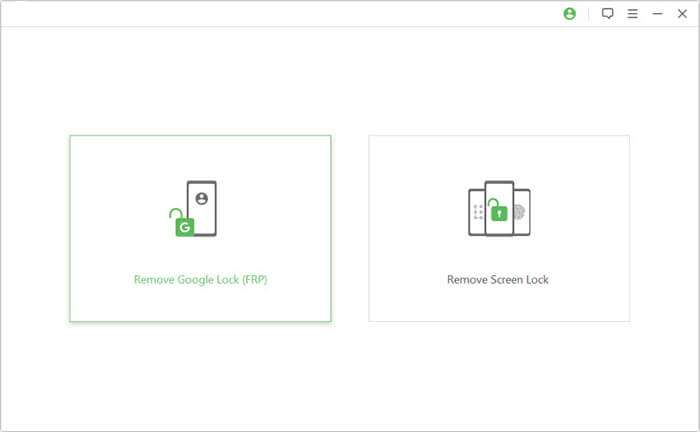
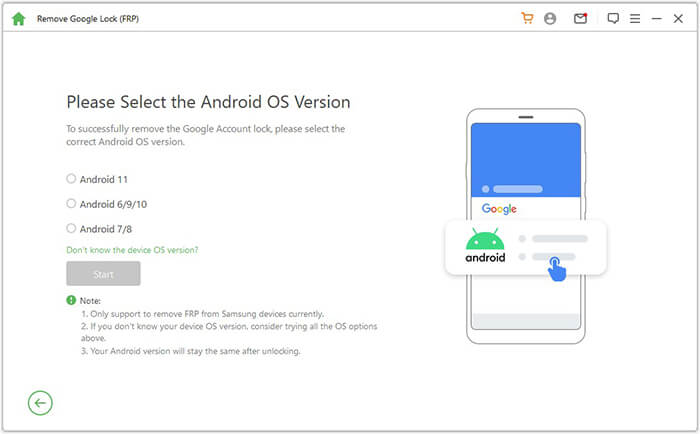
03Follow the on-screen instructions to choose your device model and Android version, then click the "Start" button to start the FRP removal process.
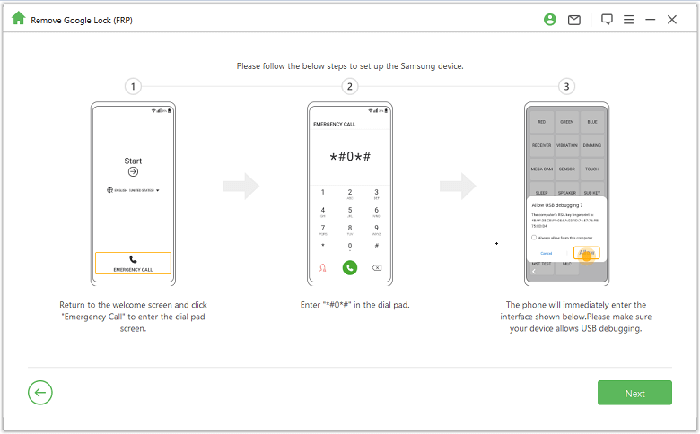
04The program will provide detailed instructions to configure your device and prepare it for FRP removal.
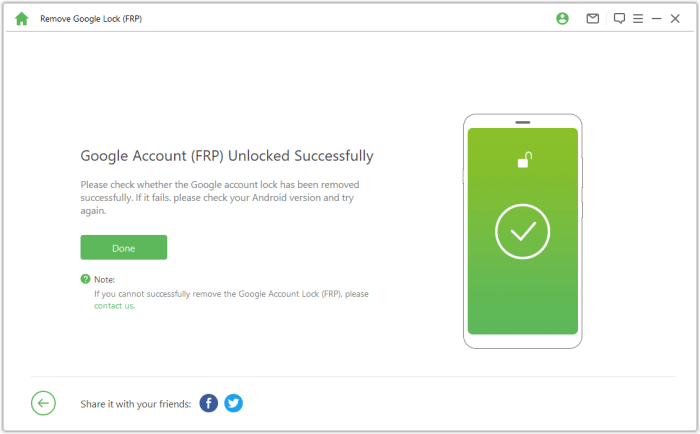
05Wait until the process is completed and avoid disconnecting your device during the operation. Once the Google FRP lock is removed, restart your phone and finish the Android setup.
1. Is vnROM FRP Bypass APK free?
Yes, vnROM APK is generally available as a free FRP bypass method. However, users should download APK files carefully because unofficial sources may provide unsafe or modified versions.
2. Why is vnROM FRP Bypass not working?
vnROM may fail because of an unsupported Android version, incompatible APK files, device restrictions, or newer security protections. When this happens, users may need to try another FRP solution.
3. Is vnROM FRP Bypass safe to use?
vnROM FRP Bypass is a third-party method, not an official tool from Google or Android manufacturers. While it may work in some cases, downloading vnROM APK from unreliable sources can pose security risks. Always use trusted sources and make sure you are using it on a device you own or have permission to access.
vnROM FRP Bypass is a popular method searched by Android users who encounter an FRP lock after a factory reset. While it may work on some supported devices, its effectiveness is limited by Android versions, security updates, and manufacturer restrictions.
If vnROM cannot bypass FRP or you prefer a simpler process, a dedicated tool like Android Unlock can provide a more user-friendly alternative. Choosing a solution based on your device model and situation can help you restore access more efficiently.
Related Articles:
Top 11 FRP Bypass Tools for Android: Unlock Your Device Easily
How to Remove Google FRP Lock on Any Phone [3 Solutions]
How to Bypass FRP with ADB Commands and Other Android Unlock
How to Bypass Google Account Without OTG [4 Practical Methods]




 Free Download for PC


