TL;DR:
Tinder is a location-based dating app, and many users want to change or spoof their GPS location to get more matches, explore different cities, or improve privacy. This guide introduces several reliable ways to fake your Tinder location, including using professional location spoofing tools, Tinder Passport, and Android mock location settings. It also explains why people change locations and answers common questions about safety and update timing.
If you're curious about online dating, Tinder is one of the most popular apps you can try. It connects you with potential matches based on your current location, making it easy to meet new people nearby with just a few swipes. However, Tinder's location-based system can also feel limiting if you want to explore matches in other cities or countries.
That's why many users look for ways to change or spoof their Tinder GPS location. Whether you want to meet people from different regions, expand your dating options while traveling, or simply keep your real location private, adjusting your Tinder location can be very useful. In this guide, we'll walk you through several effective methods to fake GPS Tinder and help you unlock more possibilities on the app.
Tinder is a location-based dating platform that grants users the opportunity to craft profiles and connect with potential suitors. This process has been made easy by its swipe mechanism. If you find someone appealing, give them a left swipe approval. If not, it's just one right swipe away from being gone forever. The simplicity of this method makes meeting new people stress-free and fun. So, why would Tinder users want to change their location? Below are some common reasons:
One of the main reasons people might want to spoof Tinder location is to connect with potential matches outside of their range. This can be a great way to meet people from different backgrounds and cultures while making new friends or finding love.
Want to explore new cities without ever leaving your home? Fake GPS technology can help you do just that. Easily switch your Tinder profile location to another city and start discovering potential matches in the area. It's as easy as a few clicks of a button.
If you're eager to meet people from all walks of life, altering your location on Tinder is an excellent way. You can conveniently discover other cities and countries while still enjoying the same extraordinary outcomes.
For those who frequently travel, changing your location is a great way to maintain a consistent presence in multiple countries at once. With fake GPS technology, you can easily switch between different cities without ever having to leave the comfort of your home.
If you're a little shy about your online dating exploits or don't want people you know to find you on Tinder, changing your location is a great way to maintain anonymity. By shifting your location, no one will be able to track your profile and swipe activity.
You can spoof your Tinder location, and one of the most reliable and efficient methods is using a location spoofing app. These applications will allow you to switch your GPS coordinates to appear as if you are located anywhere in the world. Below are some methods of faking GPS Tinder.
The most efficient way of changing your location on Tinder is by using a specialized location spoofing app, such as Location Changer. If you ever feel the need to share exciting places with friends on social media, hide your location from prying eyes, or access services only available in a certain region, Location Changer is the ultimate solution.
With just one click of a button, it can spoof your GPS coordinates and help keep your activities secure. This professional app will give you the ability to manipulate both your current and home location, letting you travel anywhere in the world and access all of Tinder's features. Below are the main features of this app:
Follow the simple instructions below to learn how to use the Tinder Location Change app to spoof your Tinder location:
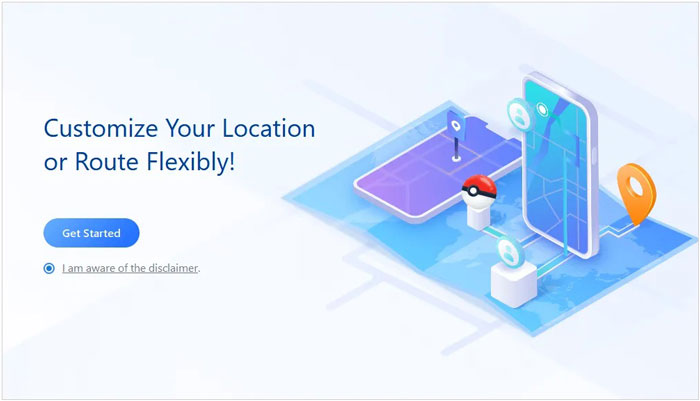
01Launch the location spoofing app on your computer. Launch the program and click on the button named Get Started.
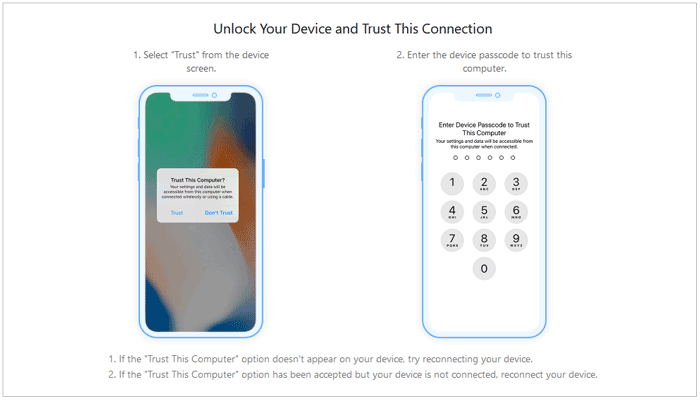
02Connect your phone to the computer using a lightning cable to get started. Unlock it and hit Trust when prompted on your iPhone.
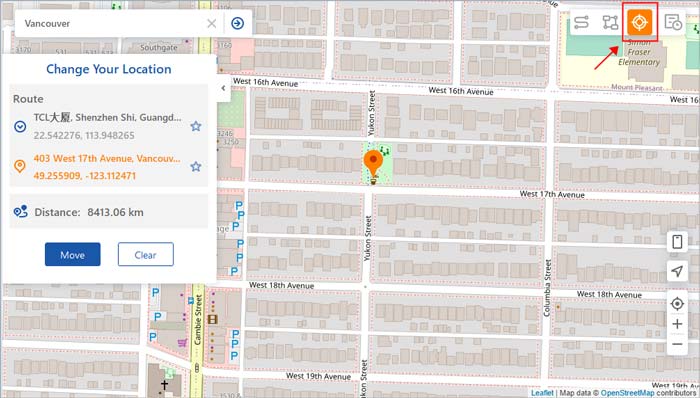
03The map will begin loading, and once it is done, you can easily pinpoint your location on the map.
04To get started, select the Teleport Mode at the upper right corner of your screen. Following that, you can scroll with your mouse to zoom in and out of a map before selecting a destination or alternatively enter an address/GPS coordinates at the top left to find the location quicker. Click Move to proceed.
If you're seeking an easy way to fake your GPS location on Tinder, signing up for the incredible Tinder Passport feature is one of your best options. Although it's a premium service and only accessible via subscription to either Tinder Plus or Gold, its built-in location-changing feature allows users to appear as if they are anywhere around the globe. With this outstanding resource at hand, there's no need to worry about where exactly you can find compatible matches anymore. Follow the steps below to fake GPS Tinder using this method:
Step 1. Tap on the profile icon of your Tinder app.
Step 2. Navigate to the Discovery Settings and scroll down to locate the Location option.
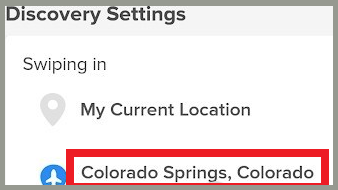
Step 3. Add the location of your choice.
Step 4. Tinder will use the modified location for all your potential matches upon completion.
By using the Tinder Passport feature to switch locations, you can get a surge of new users who will instantly view your profile. Although this sounds like a fantastic benefit, it comes with a hefty price tag. One must pay at least $9.99 per month or around $120 annually for access, far more than ordinary people are willing to spend.
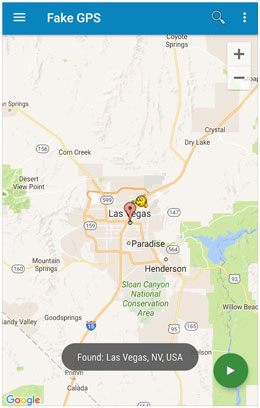
For Android users, changing your location on Tinder is easy with apps like Fake GPS. These applications cheat your device and app into believing you are somewhere else than where you are. With it installed, you can now easily set a new location on Tinder.
Follow the simple steps below to learn how to use the Fake GPS application to change Tinder's location.
Step 1. Begin the procedure by downloading and installing the application on your Android phone.
Step 2. Launch your phone's Settings application and go to the Developers Options. Enable this option by tapping on it seven times.
Step 3. Navigate to the Allow Mock Location feature and enable it.
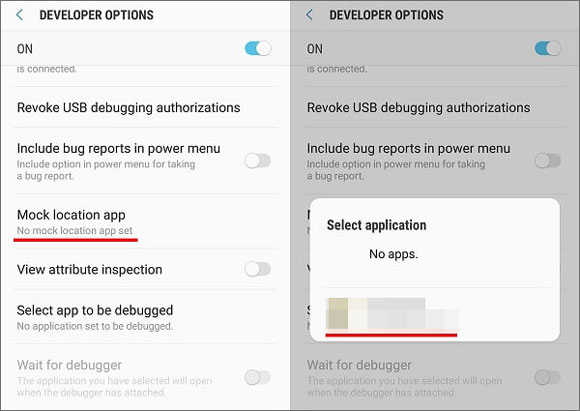
Step 4. Tap on Select Mock Location App and choose the Fake GPS app.
Step 5. Launch Settings and choose the location option. After that, select the options that allow the GPS to determine a location.
Step 6. On the Discovery Settings of your Tinder application, change the location to your place of choice.
Q1. Is a Fake GPS app safe?
Generally speaking, yes, using a fake GPS application is considered safe. But it may lead to potential risks if you are not careful enough. So if you're going to use one of these applications, make sure that you download it from the official website or other reliable sources.
Q2. How long does it take for Tinder to update the location?
You should expect to wait around 5 minutes for Tinder to update your new GPS location. This may vary depending on the number of users and the current load on their servers.
Q3. Is there a way to change your location on Tinder without using GPS?
Yes, using the Tinder Passport feature, you can easily switch to a new location without relying on GPS. But remember that it's a premium service and is only accessible via subscription.
Changing your location on Tinder can help you expand your match pool, explore new cities, and improve your privacy while using the app. As we've discussed, there are several ways to achieve this, including Tinder's official Passport feature and Android mock location settings.
If you're looking for a more flexible and convenient solution, Location Changer is worth considering. It allows you to easily spoof your GPS location on both iOS and Android devices with just a few clicks, making it simple to discover more matches anywhere in the world and enjoy a more open Tinder experience.
Related Articles:
[2026 Updated] How to Change Location on Tinder Without Paying?
Is Your Tinder Location Wrong? 7 Quick Ways to Fix It Now
What to Know About the Mock Location Android Feature & How to Use It
How to Fake Location on iPhone iOS 26/18 in 4 Ways? [2026 Updated]




 Free Download for PC
  Free Download for Mac


