Losing important WhatsApp messages, photos, videos, or attachments can be extremely frustrating, whether caused by accidental deletion, system issues, or a broken screen. Many users turn to third-party recovery tools to get their data back. Among the most popular options is Tenorshare UltData WhatsApp Recovery.
In this full Tenorshare UltData WhatsApp Recovery review, we will take an in-depth look at what it is, how it works, its key features, pricing, advantages, disadvantages, real user feedback, and a reliable alternative worth considering.
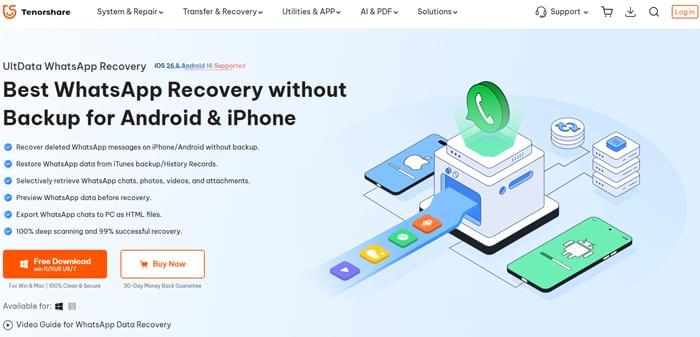
Tenorshare UltData WhatsApp Recovery is a data recovery tool designed to help users retrieve deleted or lost WhatsApp data from iPhone and Android devices. It focuses on recovering chats, media files, and attachments without requiring complicated operations.
It is commonly used in situations such as accidental deletion, system errors, virus attacks, device jailbreak/root issues, or even when the phone screen is broken and data becomes inaccessible.
Key features of Tenorshare UltData WhatsApp Recovery:
Using Tenorshare UltData WhatsApp Recovery is relatively straightforward, even for users without technical experience. The software is designed with a clear interface that guides you through the recovery process step by step.
In this section, we will walk you through how to recover WhatsApp data from an iOS device as an example. The process for Android devices is quite similar.
Step 1. First, visit the official website and download the latest version of Tenorshare UltData WhatsApp Recovery.
Step 2. Run the installer file, and once the installation is complete, click the "Start" button to launch the program.
Step 3. After opening the application, switch to the "Device" section on the left panel.
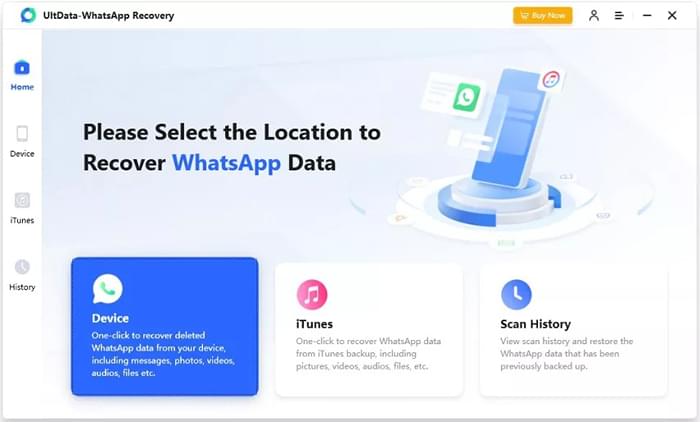
Step 4. Select your device type, either Android or iOS. Here, we take recovering WhatsApp from iOS as an example.
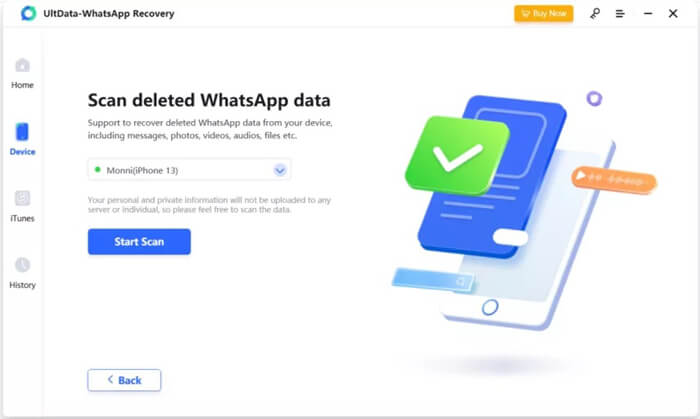
Step 5. When prompted, connect your phone to the computer using a USB cable. If the device is already trusted, the software will automatically detect your iPhone. Click "Start Scan". During this process, you may be asked to enter your iPhone passcode, simply follow the on-screen instructions.
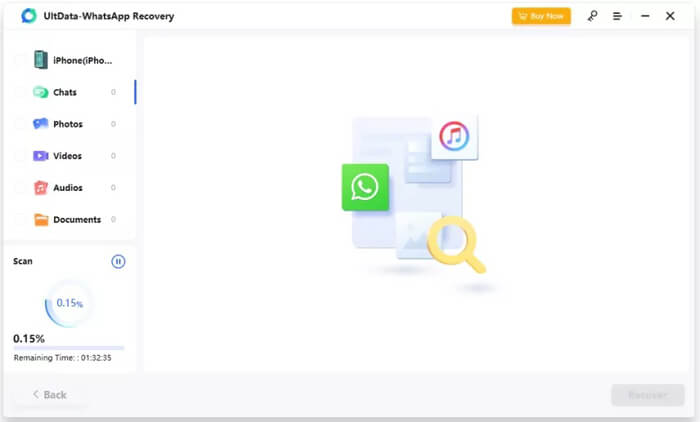
Step 6. The program will begin scanning WhatsApp data on your iPhone. Depending on the amount of data stored, this process may take up to an hour or longer.
Step 7. Once the scan is complete, all recoverable files will be displayed by category. To save time, you can directly select the deleted or lost data you want to recover.
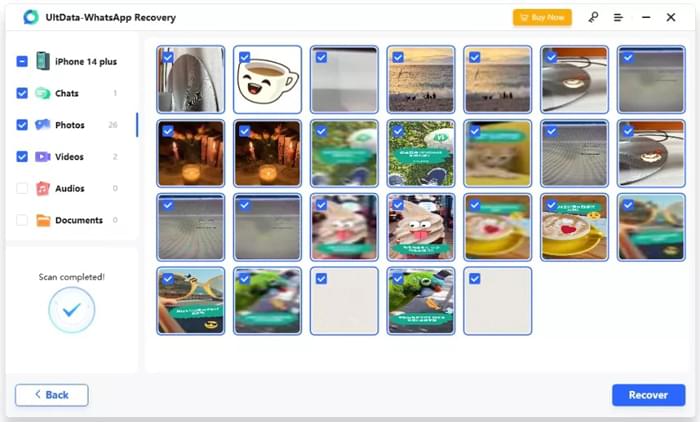
Tenorshare UltData WhatsApp Recovery offers a free trial version, but it only allows you to scan and preview recoverable data. To actually recover and export data, you need to purchase a license.
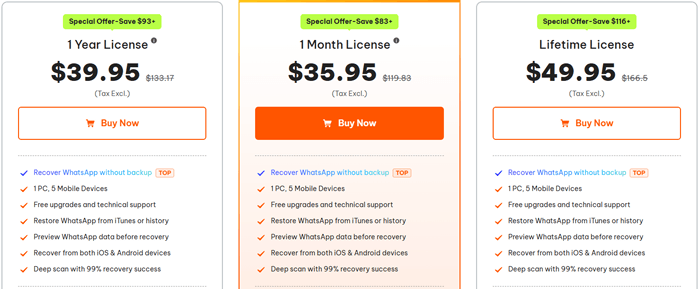
The pricing structure is straightforward, including monthly, yearly, and lifetime plans, all of which support one computer and up to five mobile devices.
The pricing for Windows is as follows:
The pricing for Mac is as follows:
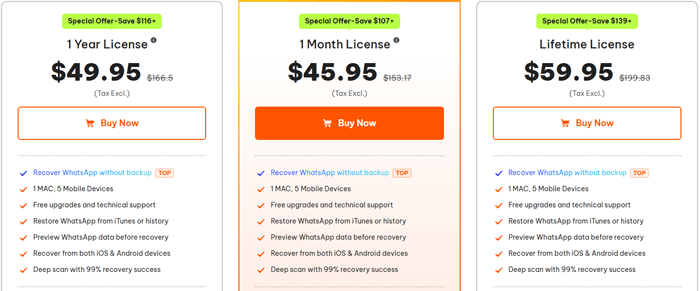
Note: The prices shown in images are for reference only. Actual pricing may vary depending on promotions and the time of purchase.
After testing its features and going through the recovery process, it is clear that Tenorshare UltData WhatsApp Recovery offers both advantages and limitations. Like most data recovery tools, its performance can vary depending on the situation and the condition of the data.
Below is a balanced overview of its main pros and cons based on actual usage.
Pros
Cons
To better understand how Tenorshare UltData WhatsApp Recovery performs in real-world scenarios, we looked at feedback from actual users. Their experiences provide a more practical perspective beyond official claims.
Here are some representative user reviews:
"If you're looking for a reliable way to recover deleted WhatsApp messages, I highly recommend Tenorshare UltData. I managed to get back everything I lost, including photos and videos."
"Tenorshare UltData helped me recover deleted WhatsApp chats without any problems. The tool was easy to use and worked much better than I expected. I'll definitely recommend it!"
"It works fine for recently deleted data, but don't expect miracles for older files. The software is decent overall, but the free version is quite limited."
"The interface is simple and easy to follow, even for someone who is not very tech-savvy. I liked that I could preview the chats before recovering them. However, not all my old messages were found."
If you are looking for an alternative, WhatsApp File Recovery is another popular WhatsApp recovery tool worth considering. It also supports recovering deleted WhatsApp messages from iOS and Android devices, with options to restore from backups or directly scan the device.
Compared with Tenorshare UltData, it delivers a comparable feature set while supporting both WhatsApp and WhatsApp Business on iOS and Android. In addition, some users find it easier to use, with a smoother and faster recovery process.
Key features of WhatsApp File Recovery:
How to use the alternative to Tenorshare UltData WhatsApp Recovery? (iPhone Example)
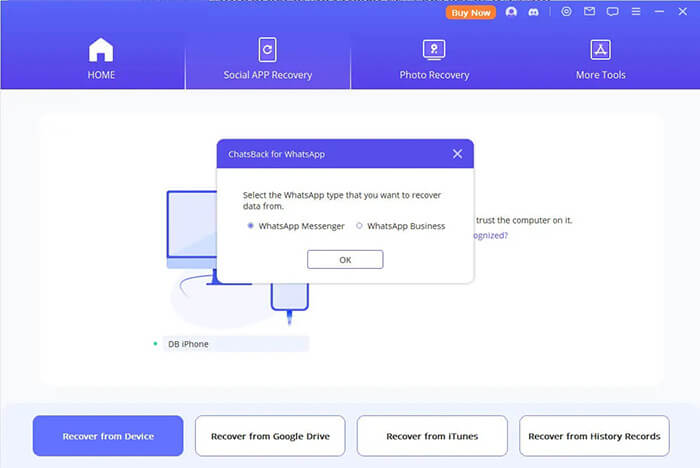
01Start by downloading and installing WhatsApp File Recovery on your computer. After launching the program, connect your iPhone to the computer using a USB cable and choose "Recover from Device" on the main interface.
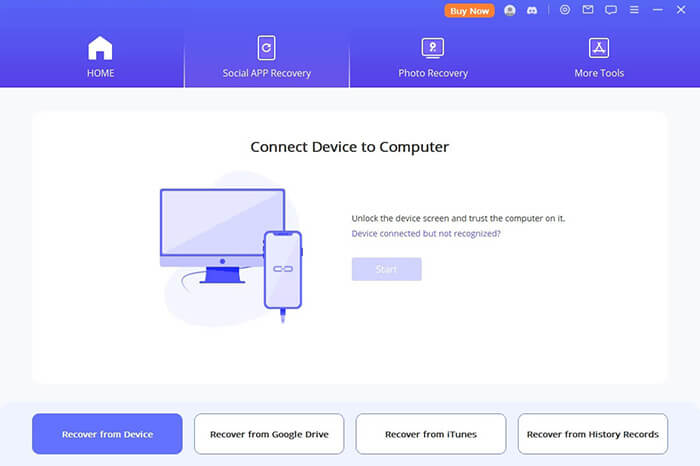
02When your iPhone is recognized by the software, select "WhatsApp Messenger" or "WhatsApp Business" from the list and click "Start" to begin scanning your device for WhatsApp data.
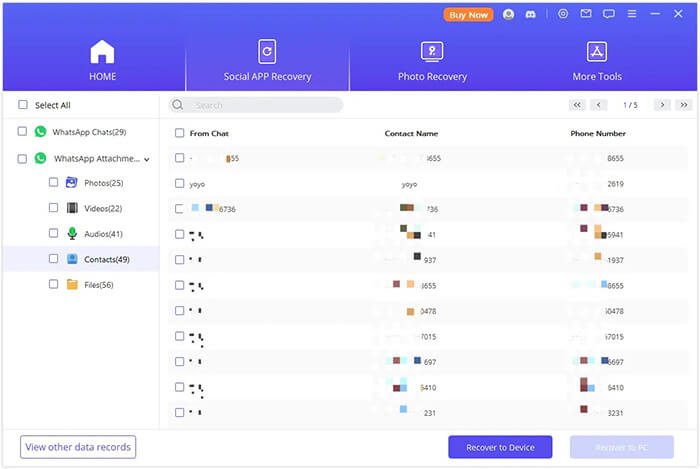
03Once the scan is finished, all detected data will be displayed. You can browse through the results, locate the files you need, and then click "Recover to PC" or "Recover to Device" to complete the recovery process.
If your goal is simply to restore WhatsApp data from an iTunes backup, Coolmuster iPhone WhatsApp Recovery is also a solid option.
Tenorshare UltData WhatsApp Recovery is a practical option for users who want to retrieve deleted WhatsApp data without relying on backups. With features like preview, selective recovery, and support for both iOS and Android, it can handle most basic recovery needs.
That said, its effectiveness still depends on factors such as how long the data has been deleted and whether it has been overwritten. In addition, the limitations of the free version may not meet the needs of users who require full recovery.
If you are looking for a more flexible and potentially smoother recovery experience, WhatsApp File Recovery is also worth considering. It offers a similar range of features while supporting both WhatsApp and WhatsApp Business, and some users report a more intuitive interface and faster recovery process.
Related Articles:
Tenorshare Ultdata for Android Review: A Comprehensive Review
How to Recover WhatsApp Images Deleted by Sender for Android & iPhone
WhatsApp Deleted Messages Recovery Online [A How-to Guide]
How to Recover Deleted Messages on WhatsApp on Android with/without Backup






 Free Download for PC

 Download for Mac

