TL;DR:
This guide explains how to unlock an Android phone from a PC with 3 practical methods. You can use Android unlock software for a simple and effective solution, Google Find My Device to remotely erase the device, or ADB commands for a manual method if USB debugging was enabled beforehand.
"I have a friend who is disabled and wants to be able to unlock his phone and control it with his PC. He can use the PC fine, but needs physical assistance whenever he needs his phone. Is there a way to remotely control the phone from his PC? And potentially also unlock it without having to touch the screen? Like with ADB or something?"
- From Reddit
Getting locked out of your Android phone can be extremely frustrating, especially when you forget the PIN, password, or pattern lock. Fortunately, there are several ways to unlock an Android phone from a PC without needing direct access to the device itself. Depending on your phone model, Android version, and whether certain features were enabled beforehand, you may be able to remove the lock screen using professional unlock software, Google services, or ADB commands.
In this guide, we will show you how to unlock an Android phone from a PC using 3 practical methods. Whether you want the easiest solution or a free manual method, you can find the right option below.
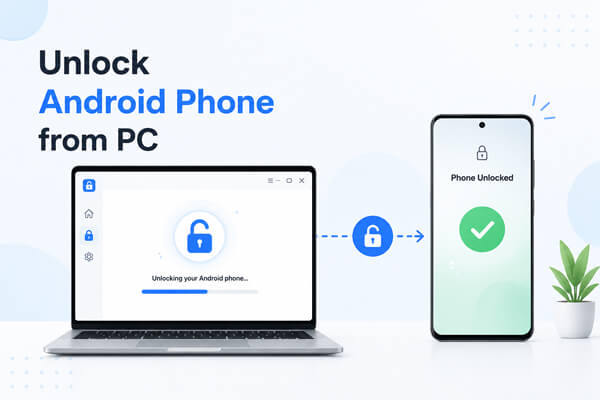
Yes, you can unlock your Android phone from your computer in many situations. A PC can help remove screen locks through specialized Android unlock tools, Google Find My Device, or ADB commands.
However, the success rate depends on several factors, including:
There are several ways to unlock an Android phone from a PC, ranging from beginner-friendly unlock software to more advanced manual solutions. Below are 3 effective methods you can try based on your situation and device settings.
If you are looking for the easiest and most reliable way to unlock an Android phone from a PC, using professional Android unlock software is usually the best choice. Unlike manual methods that require technical knowledge or specific settings enabled in advance, unlock software can directly remove various screen locks with a much higher success rate. This method is especially useful when you forget your PIN, password, pattern, fingerprint, or face unlock and cannot access the device normally.
Among many available tools, Android Unlocker is one of the most popular options because it supports many Android brands and provides a beginner-friendly unlocking process. The software works by downloading the proper firmware package for your device and removing the lock screen through Recovery Mode or Download Mode.
Why choose Android Unlocker?
How to unlock Android phone from a PC using Android Unlocker?
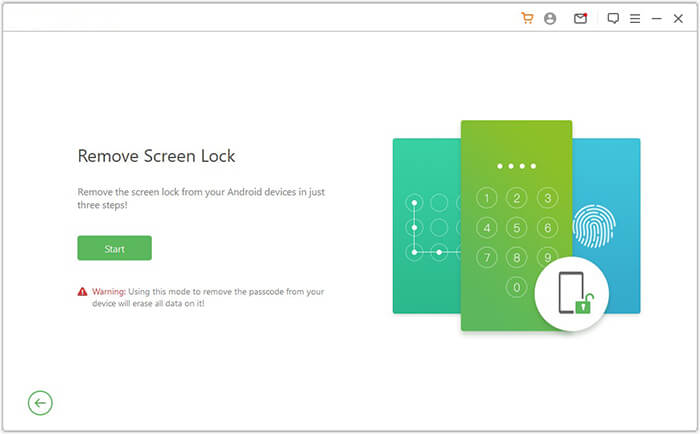
01Download and install Android Unlocker on your Windows PC. Open the software and choose the "Remove Screen Lock" option from the home interface.
02Connect your locked Android phone to the computer with a USB cable. The program will automatically detect your device information, including the brand and model. Check whether the displayed information is correct before continuing.
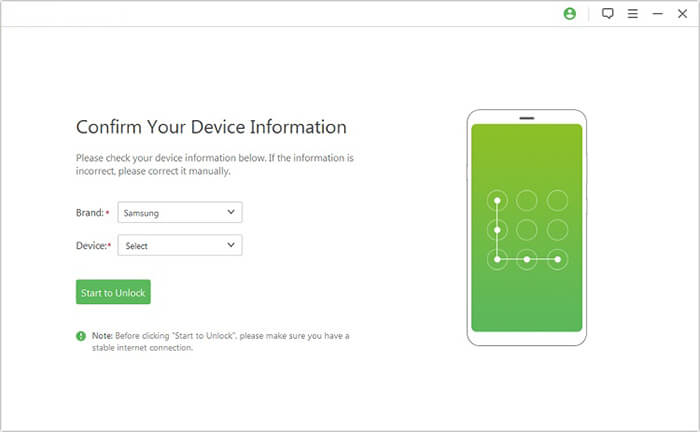
03Click the "Start to Unlock" button and follow the instructions provided by the software to put your Android phone into Recovery Mode or Download Mode. Different phone brands may require different button combinations.
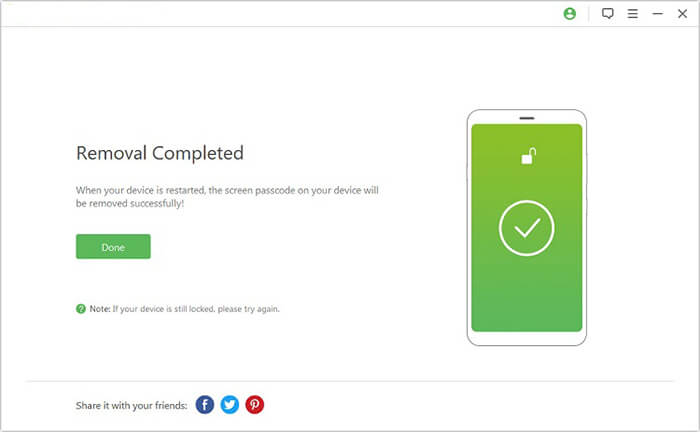
04After your device enters the required mode, the software will automatically download and prepare the matching firmware package for your phone. Once the preparation is complete, click "Remove Now" to begin removing the Android lock screen automatically.
Google Find My Device can also help unlock Android phones in certain situations. This method mainly works by remotely erasing the locked device, which removes the screen lock as well.
Requirements:
Steps to unlock an Android phone from a PC with Find My Device:
Step 1. Open the official Find My Device website on your computer and sign in with the same Google account connected to the locked Android phone.
Step 2. Select your locked device from the device list on the left panel.
Step 3. Click the "Erase Device" option.
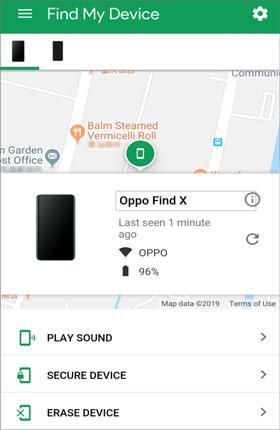
Step 4. Confirm the erase operation. Google will remotely factory reset the phone and remove the lock screen.
Step 5. After the reset, restart the phone and sign in with your Google account to set it up again.
This method deletes all data stored on the device, so it is strongly recommended to back up your Android's important data before proceeding.
ADB (Android Debug Bridge) is a command-line tool that allows advanced users to communicate with Android devices from a computer. If USB debugging was enabled before the device was locked, you may be able to remove the lock screen files using ADB commands.
Requirements:
How to unlock Android phone from PC using ADB?
Step 1. Download and install Android SDK Platform Tools on your computer.
Step 2. Connect your Android phone to the PC with a USB cable.
Step 3. Open Command Prompt or Terminal in the Platform Tools folder.
Step 4. Enter the following command: adb shell rm /data/system/gesture.key.
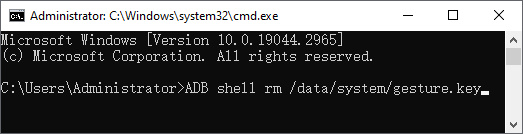
Step 5. Restart the Android phone. The pattern lock may be removed temporarily.
If your device uses a PIN or password instead of a pattern, you can also try: adb shell rm /data/system/password.key.
Note: This method does not work on many newer Android devices because of stronger system security protections.
This article summarizes three practical methods to unlock an Android phone from a PC, covering different user needs from beginners to advanced users.
Each method has its own requirements and limitations, so the best choice depends on your device's condition and prior settings.
Related Articles:
How to Unlock a Locked Android Phone Without Losing Data [5 Ways]
How to Access a Locked Android Phone via USB? [Solved]
How to Unlock Android Phone Without Password with 5 Methods
Forgot Pattern Lock? Here's How to Unlock Pattern Lock on Android




 Free Download for PC


