TL;DR:
If you are searching for a way to unlock FRP with IMEI for free, you may find many online tools and services claiming to remove the Google lock instantly. However, IMEI alone cannot directly bypass FRP, and many free methods come with limitations or security risks. This guide explains how IMEI-based FRP unlock methods work, what to watch out for, and a safer way to regain access to your Android device.
FRP (Factory Reset Protection) is a security feature designed to prevent unauthorized access to your Android device after a factory reset. While it provides security, it can become frustrating if you forget your Google account credentials or purchase a second-hand phone with an FRP lock.
In this article, we will discuss how to unlock FRP with IMEI for free, the potential risks, and a safer way to bypass FRP without compromising your device's security.
Many people mistakenly believe that by simply providing the IMEI number, they can unlock the FRP (Factory Reset Protection) lock using certain online tools or services for free. This idea seems simple: input the IMEI, and the lock is automatically removed.
However, FRP is closely tied to your Google account, not just your device's IMEI number. This means that IMEI alone cannot directly remove the FRP lock.
Many websites and services claim to unlock FRP via IMEI for free. However, it is crucial to approach these services with caution, as many of them are unreliable or come with hidden risks.
Common Tools and Services
FRP Bypass APK Websites: These websites provide APK files that claim to bypass FRP locks. While they may work on older devices, most of these tools do not function properly on newer Android versions.
Online IMEI Unlock Portals: Websites such as FRPUnlockOnline and UnlockJunky claim to unlock FRP using your IMEI number. However, many of these services either require payment or provide unreliable results.
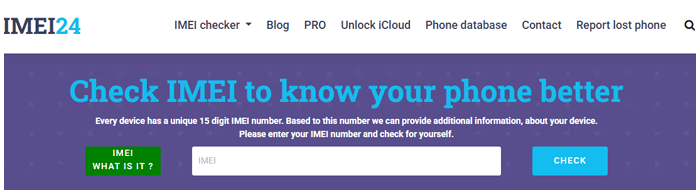
IMEI Check Websites: Websites like IMEI24.com allow you to check your device's status, including whether it has a Google lock. While useful for checking compatibility, they do not actually remove the FRP lock.
YouTube/Forum Shared Tools: Users frequently share FRP bypass tools on platforms like XDA or YouTube. However, these tools often have inconsistent success rates and may not work on newer Android versions. Some even carry risks such as malware or viruses.
If you still wish to try unlocking your FRP lock with IMEI for free, you can attempt the below steps. However, remember that these methods may not work for all devices and can come with risks.
Step 1. Verify Device Compatibility (Free IMEI Check)
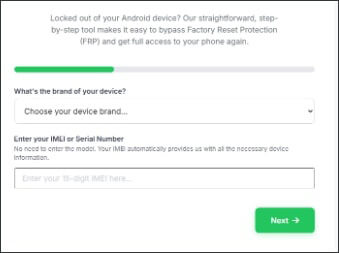
Before attempting to unlock FRP, first verify that your device is compatible with the IMEI unlocking method. Use a free device compatibility check tool by entering your IMEI or SN (serial number), and you'll get detailed information such as:
Step 2. Visit Online IMEI Unlock Websites
Find a website that claims to offer IMEI-based FRP unlocking. Enter your device's IMEI number and model. You may need to complete a simple registration (email, CAPTCHA).
Step 3. Receive Temporary Login Info
After registration, the website usually provides temporary login details or an unlock code to bypass the FRP lock.
Step 4. Follow the Guide to Bypass FRP Lock
Once you have the temporary login information or unlock code, follow the website's instructions to unlock the FRP. This typically involves restarting your device and entering the provided details.
Given the risks and limitations of free IMEI-based FRP unlocking services, a more reliable and effective solution is to use a professional Android unlock tool. One of the top choices is Android Unlocker, which can bypass Google FRP locks without the need for the original Google account credentials. It supports a wide range of Android devices and provides a straightforward, safe way to unlock your phone.
Key Features of Android Unlocker
Standard Mode vs. Advanced Mode:
Standard Mode: Standard Mode quickly removes the Google FRP lock without upgrading the Android system, making it ideal for most Android devices.
Advanced Mode: Available for certain Samsung models, Advanced Mode updates the Android system to the latest version after unlocking, providing better system stability and compatibility.
How to bypass Google FRP Lock using Android Unlocker with the standard mode?
01Download the Android Unlocker software and install it on your computer.
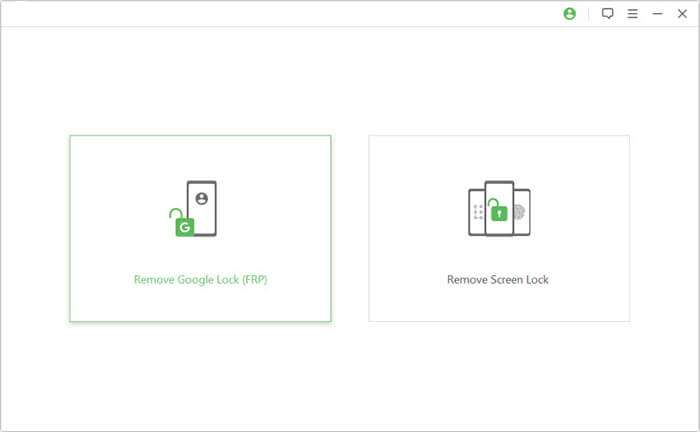
02Open the program and select "Remove Google Lock (FRP)" from the main interface. Connect your locked Android device to the computer using a USB cable.
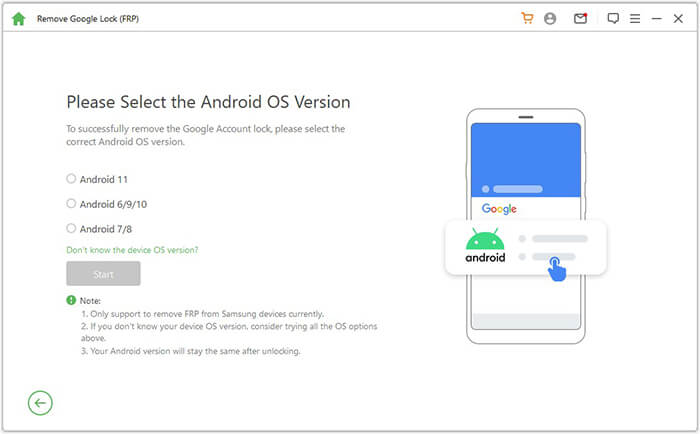
03Follow the on-screen instructions to select your device's Android version, then click "Start".
04Proceed with the on-screen instructions to set up your device.
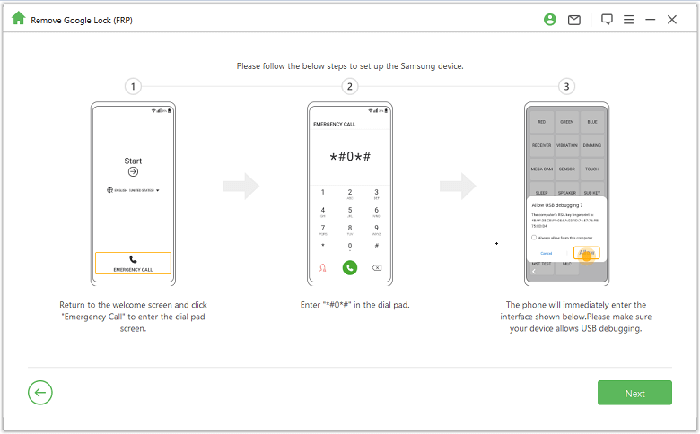
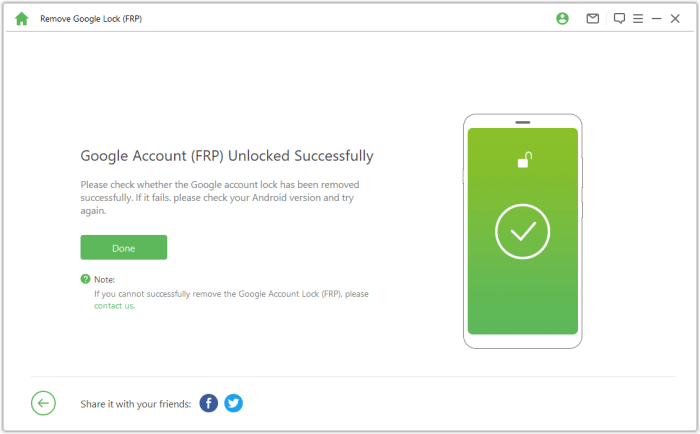
05Allow the software to remove the Google lock. Avoid using the phone during this process. Once completed, the screen may flicker briefly. Restart the device, and the FRP lock will be completely removed.
1. Is IMEI unlocking legal?
IMEI unlocking itself is not illegal, but using unauthorized services can be against your device's terms of service.
2. Is IMEI unlocking safe?
Using official methods from your carrier or manufacturer is safe. However, third-party services may involve risks.
3. Will my personal data be exposed when using free IMEI unlock tools?
Yes, there is a significant risk of personal data leakage when using free IMEI unlock tools. These tools may collect your device's IMEI code, personal information, and even have access to your data. For your security, it is strongly recommended to use a trusted and legitimate tool, such as Android Unlocker, to ensure the safety and privacy of your data.
Unlocking FRP with IMEI for free may sound appealing, but in reality, it comes with many limitations and risks. As discussed in this article, IMEI itself cannot directly remove the Google FRP lock, and most "free IMEI FRP unlock" websites either fail to work on newer Android versions or lead users to hidden fees, scams, or security threats. The success rate of IMEI-based methods varies greatly depending on the device model, brand, and Android version.
If you want a safer and more reliable way to bypass FRP, using a professional tool like Android Unlocker is often a better choice. It does not rely on IMEI, works with a wide range of Android devices, and provides a clearer, more stable unlocking process. By understanding the truth behind free IMEI FRP unlock methods, you can avoid common pitfalls and choose a solution that helps you regain access to your device efficiently and securely.
Related Articles:
How to Unlock Phone Free with IMEI Number [Detailed Guide]
How to Bypass FRP with ADB Commands and Other Android Unlock
7 Effective Samsung FRP Tools in 2026 [98% People Don't Know]
Google FRP Bypass - A Comprehensive How-to Guide with 6 Top Picks




 Free Download for PC


