The egg hatching system in Pokémon GO is an interesting feature. If you are a veteran player of this game, you will know that it is not easy to obtain rare and powerful Pokémon by hatching eggs. To help you play it with ease, we have explained how to hatch eggs in Pokémon GO without walking. You can even complete it at home.
The levels of eggs in Pokémon GO include 2km, 5km, 7km, 10km, and 12km.
Here's how to get eggs (including 2km, 5km, 10km) in Pokémon GO:
1. Visit PokéStops
The most common way to get eggs is to visit PokéStops. When you're near a PokéStop, spin the photo disc and you'll receive items, including eggs. PokéStops refresh every few minutes, so you can keep visiting them to collect more eggs.

2. Buy eggs from the shop
Another way is to purchase them from the in-game shop using PokéCoins. You can choose from different types of eggs, each with different distance required to hatch them. The further the distance, the rarer the Pokémon that can hatch from the egg.
3. Receive eggs as rewards
You can also receive eggs as rewards for completing certain tasks or as part of special events. Keep an eye out for notifications about events and tasks in the game that offer eggs as a reward.
Note: You can only get 7km eggs from your friends' gifts and can only get 12km eggs from defeating a Team Go Rocket Leader.
To hatch an egg, a player must walk the required distance while the egg is incubating. This distance can be covered by walking, running, or cycling, but it cannot be completed by driving or traveling at high speeds. The game uses GPS tracking to ensure that players are actually walking the required distance. It can be time-consuming and require a lot of walking. Fortunately, there are some possible tricks you can try to hatch eggs without having to physically walk the required distance. Read on and see the Pokémon GO egg hatching strategy.
If you want a more efficient way to hatch eggs in Pokémon GO without physically walking, using a location spoofing tool can be a practical solution. One of the commonly used tools is Location Changer, which allows you to simulate GPS movement and create virtual walking routes directly on your device. It helps your character move in the game as if you were actually walking, making it easier to accumulate distance for egg hatching.
Let's see some of the features that make this tool standout:
Here's how you can use Location Changer to hatch eggs in Pokémon GO:
01Download and install iOS Location Changer on your computer. Then connect your Android or iPhone to the PC using a USB cable. Once the device is detected, click Get Started on the main screen to begin.
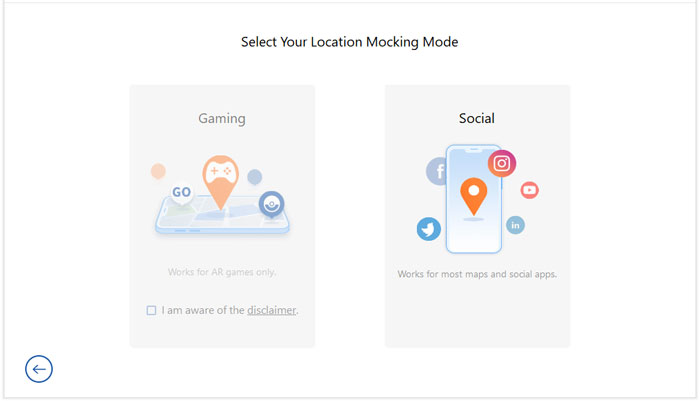
02Make sure USB debugging is enabled on your Android device (or trust the computer connection on iPhone). After successful connection, you will enter the mode selection page, for Pokémon GO, choose the Gaming mode.
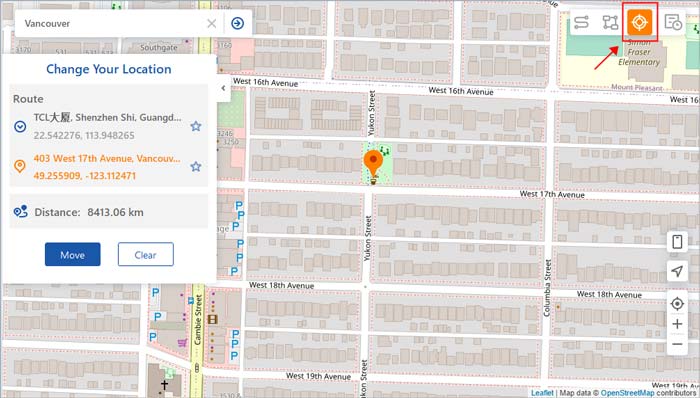
03Choose Teleport Mode from the upper-right section. Then, enter a location in the search bar or manually select a point on the map. Finally, click Move to change your GPS location instantly and start accumulating distance in Pokémon GO for egg hatching.
A phone spinner is a device that rotates your phone at a steady pace, simulating the motion of walking.

Here's how you can use a phone spinner to hatch eggs in Pokémon GO:
Step 1. Open Pokémon GO and go to your Pokémon collection.
Step 2. Select the egg you want to hatch and tap on Start Incubation.
Step 3. Choose an incubator to use and then attach your phone to the phone spinner.
Step 4. Set the phone spinner to the desired speed and start the rotation.
Pokémon GO will recognize the motion of your phone spinner as walking, and your avatar will start moving in the game. Once you've rotated the phone for the required distance, the egg will hatch, and you'll get a new Pokémon for your collection!
A phone spinner does not have to be a specially designed device for this game; it can also be something else that is able to carry your phone and make it at a state of motion. You can put your phone on a slowly-moving vehicle, a sweeping robot, or anything like that. (Some players even come up with methods, such as shaking your phone or bouncing it in a sock.) Just keep in mind that the distance shall be accumulated only when your moving speed is lower than 10.5 km/h.
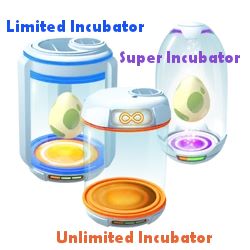
Once a player has collected an egg, they must place it in an incubator to start the hatching process. Each player is given an unlimited-use incubator that can be used to hatch eggs indefinitely, as well as a limited number of three-use incubators that can be obtained via various ways. Apart from the orange unlimited Egg Incubator, there are also a blue kind and a purple kind, the latter of which can hatch an egg in a 33% faster speed. See more introduction about the three types of Egg Incubator in game >>
Here are some ways to get more incubators in Pokémon GO:
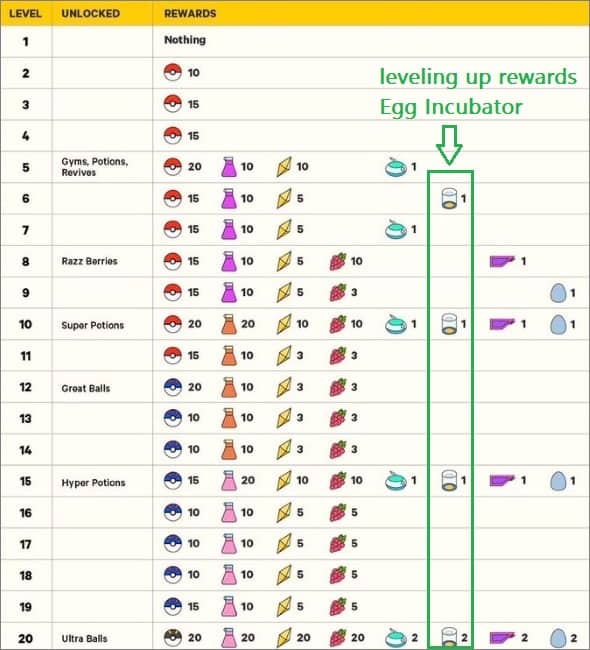
1. Leveling up
You can obtain incubators by leveling up your trainer. As you progress through the levels, you'll unlock various rewards, including incubators.
2. Purchasing incubators
You can buy incubators from the in-game shop using PokéCoins, which can be obtained by purchasing them with real money or by completing in-game tasks.
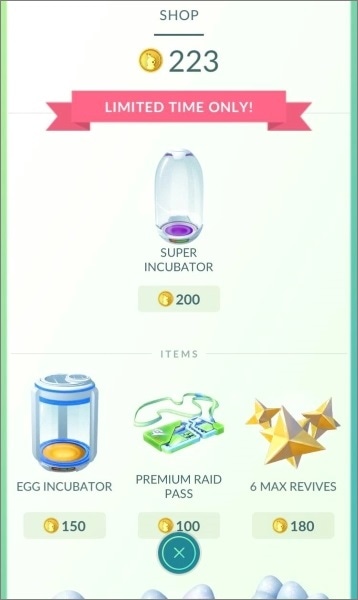
3. Special events
During special events, such as Community Day or the Eggstravaganza, you can obtain incubators as rewards for completing specific tasks.
In Pokémon GO, you can add friends by exchanging codes with other players. Once you've added friends, you can send and receive gifts, participate in raids together, and even trade Pokémon. One of the benefits of having friends in Pokémon GO is that you can receive eggs as gifts, which you can hatch without having to walk the required distance.
Here's how to hatch eggs in Pokémon GO via friends:
Step 1. Share your friend code with other players in your community or on social media.
Step 2. Add other players' friend codes to your friend list.
Step 3. Exchange gifts with your friends by spinning PokéStops and Gyms. Gifts can contain items such as PokéBalls, potions, and eggs.
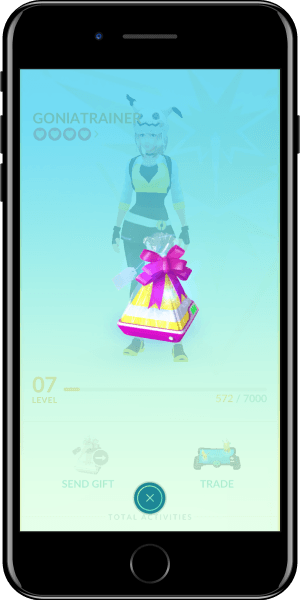
Step 4. Once you receive an egg as a gift, place it in an incubator and start the hatching.
Step 5. Keep exchanging gifts with your friends to receive more eggs.
By making friends and exchanging codes, you can receive eggs as gifts and hatch them without having to walk the required distance. This is an excellent way to hatch eggs, especially if you don't have the time to walk long distances.
It's important to note that there is a limit to the number of gifts you can receive per day, and not all eggs received as gifts are guaranteed to be rare or valuable. However, the more friends you have, the higher your chances of receiving rare and valuable eggs.
Google Fit is a health and fitness app that tracks your physical activity, including steps taken, distance traveled, and calories burned. Here's how to hatch eggs in Pokémon GO using Google Fit:
Step 1. Install Google Fit and DeFit from Google Play Store.
Step 2. Enable Adventure Sync feature in Pokémon GO.
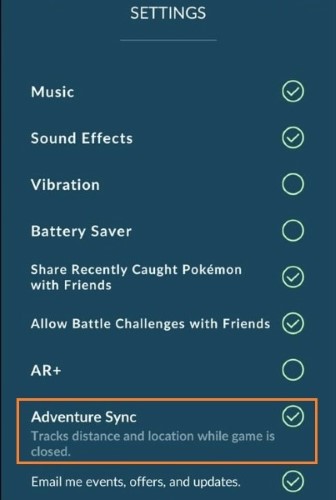
Step 3. Login with the same Google account as in DeFit and Google Fit. Shut down Pokémon GO and disable GPS on your phone.
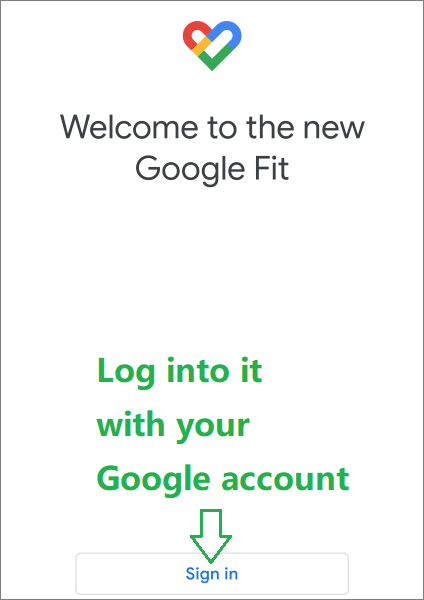
Step 4. Enable sync in the DeFit app, and choose Human setting. Wait for some time then turn off sync in Defit.
Step 5. You can then see the distance you've walked in Pokémon GO.
Overall, the egg hatching system is a fun and engaging feature of Pokémon GO that encourages players to explore your surroundings and collect eggs in order to obtain the Pokémon you want. If you want to make it easy, you can use Location Changer to change your GPS in 1 click. Or use other tricks to hatch the eggs fast.
Related Articles:
Easy Pokémon GO Spoofing on iOS Devices in Top 7 Ways
Best Spoofing Apps for Pokémon GO on iOS and Android




 Free Download for PC
  Free Download for Mac


