TL;DR:
Apeaksoft Android Unlocker is a tool designed to remove Android screen locks and bypass FRP verification when users are locked out of their devices. This review introduces its key features, pricing, pros and cons, usage steps, and a reliable alternative to help you better understand whether it is the right Android unlocking solution for your needs.
If you are locked out of your Android phone because of a forgotten PIN, pattern, fingerprint, or FRP lock, using a professional Android unlocking tool can save you a lot of trouble. Apeaksoft Android Unlocker is one of the popular options designed to remove Android screen locks and bypass Google FRP verification.
In this Apeaksoft Android Unlocker review, we will explore its features, pricing, advantages, disadvantages, and how to use it step by step. We will also introduce a powerful alternative in case you want to compare more options before making a decision.
Note: It is worth noting that the product has now been renamed to Apeaksoft DroidAide, but on its official website and promotional pages, the name "Apeaksoft Android Unlocker" is still used frequently. Therefore, throughout this review, we will use both names interchangeably.
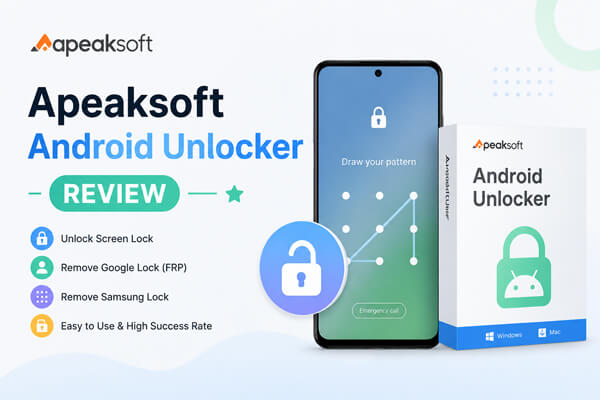
Apeaksoft Android Unlocker is a desktop-based Android unlocking program designed to help users remove various screen locks and bypass Google FRP locks without requiring technical skills.
The software supports many Android brands and is suitable for users who forget passwords, purchase second-hand devices with FRP restrictions, or encounter biometric unlocking failures.
As an Android unlocking tool designed for both beginners and general users, Apeaksoft Android Unlocker comes with several practical features for handling different lock-related situations.
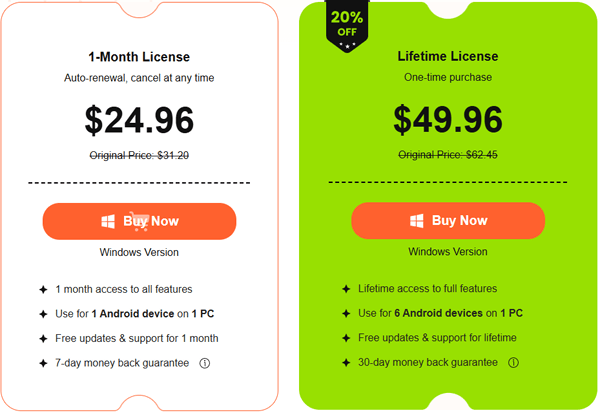
The software offers a free download, but the full unlocking features require a paid license.
Currently, there are two main subscription plans available:
1-Month License
Lifetime License
Like most Android unlocking tools, Apeaksoft Android Unlocker has both strengths and limitations that users should consider before purchasing the software.
Pros
Cons
The operation process of Apeaksoft Android Unlocker is extremely simple, with no complicated settings. Below is a step-by-step detailed tutorial to remove the Android screen password:
Step 1. Install and Launch the Program
Download and install the Android unlocking software on your computer. After installation, launch the program.
Then, connect your Android phone to the computer using a USB cable.
Step 2. Choose Unlock Mode
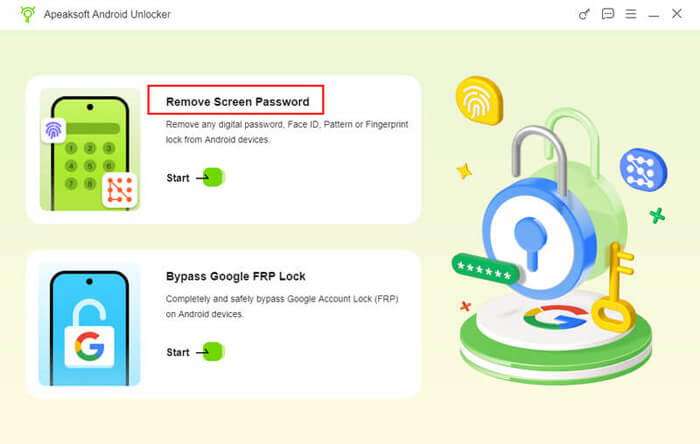
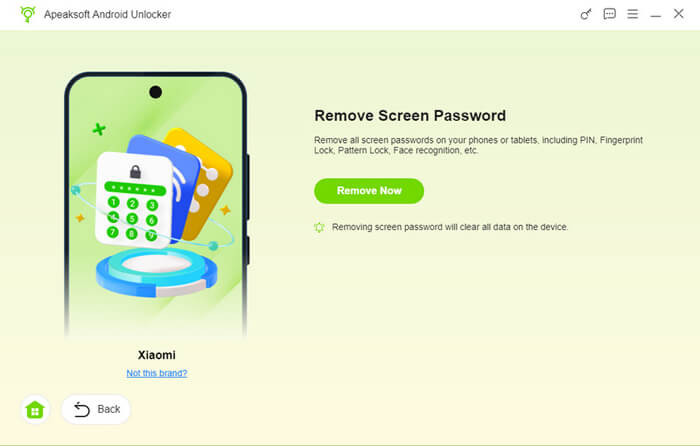
From the main interface, select the unlocking feature you need. Here, choose "Remove Screen Password" to remove the Android screen lock.
Step 3. Select Your Device Brand
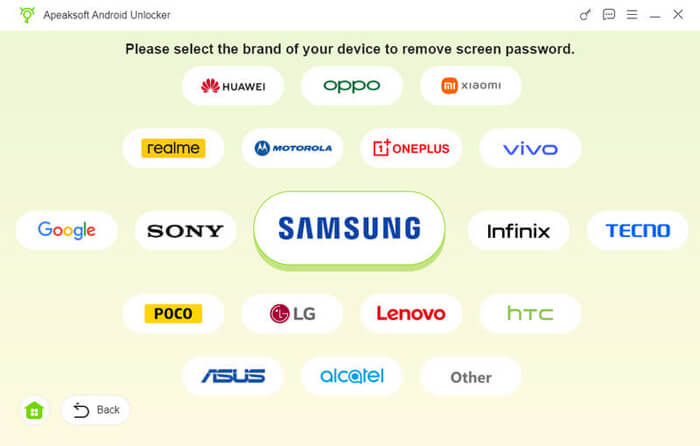
Choose your phone manufacturer, such as Samsung. The software will automatically detect your connected device.
Step 4. Start Unlocking
Once everything is ready, click the "Remove Now" button to begin unlocking your Android device.
The software will then remove the screen lock from your phone. Depending on the device model, the process may take several minutes.
If you are looking for a more powerful and stable solution that goes beyond basic unlocking functions, Android Unlock Assistant is one of the strongest alternatives worth considering, especially for users who want broader device support and higher success rates.
Android Unlock Assistant is a professional Android unlock tool that supports multiple unlocking scenarios and is widely used for both screen lock removal and FRP bypass tasks.
Key Features of Android Unlock Assistant
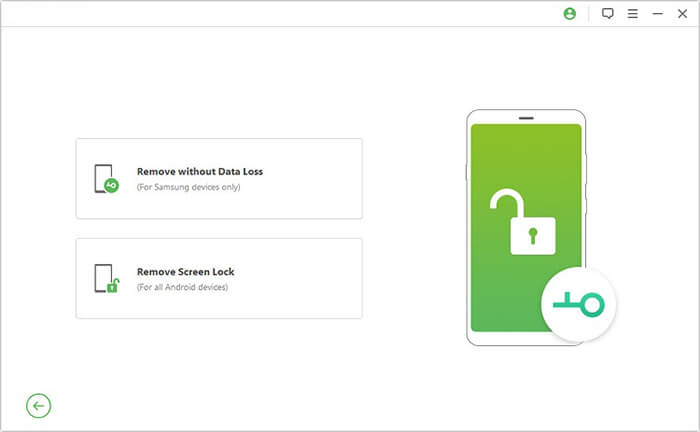
Android Unlock Assistant offers two unlocking modes: Remove without Data Loss (for Samsung devices only) and Remove Screen Lock (with data loss on most Android devices). Here, we will show how to unlock a Samsung phone without losing data:
01Download and install the software on your computer, then launch it to get started.
02On the main interface, select "Remove Screen Lock", then choose "Remove without Data Loss" to continue.
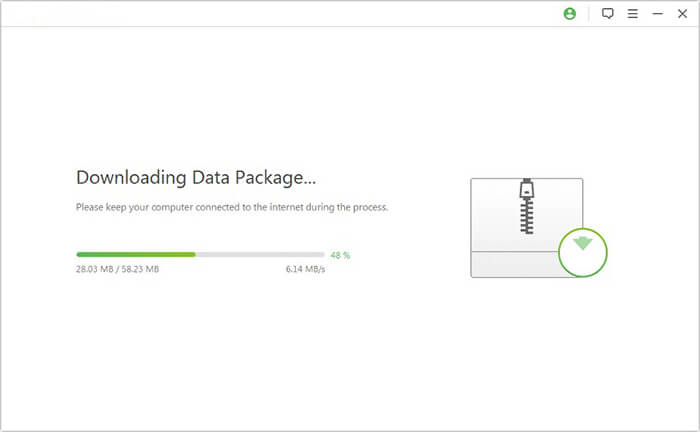
03Connect your Samsung device to the computer using a USB cable. Once detected, confirm the correct device information and download the matching firmware package.
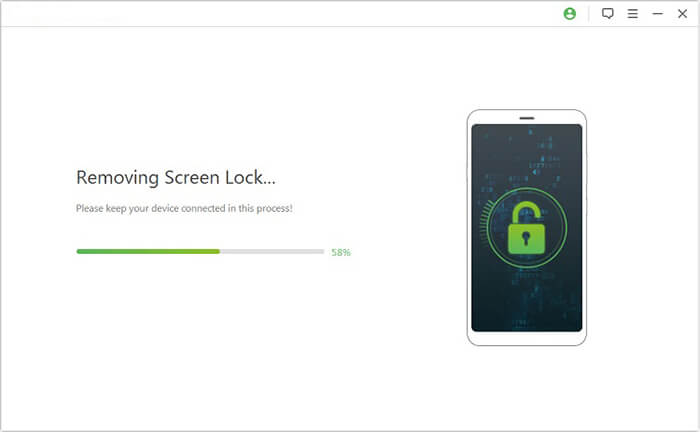
04After preparation is complete, the program will automatically begin unlocking your device. Wait for the process to finish, and your Samsung phone will restart with the screen lock removed successfully.
1. Is Apeaksoft Android Unlocker safe to use?
Yes, Apeaksoft Android Unlocker is generally considered safe when downloaded from its official website. However, as with any system-level unlocking tool, users should carefully follow instructions to avoid unexpected data loss or device issues.
2. How long does the unlocking process take?
The process typically takes a few minutes, but it can vary depending on the device model, system version, and the type of lock being removed.
3. What should I do if the unlock fails?
If the process fails, you can try switching USB cables, reinstalling drivers, or using an alternative tool such as Android Unlock Assistant for better compatibility and higher success rates.
After this Apeaksoft Android Unlocker review, we can conclude that Apeaksoft Android Unlocker (also known as Apeaksoft DroidAide) is a beginner-friendly Android unlocking tool designed for removing common screen locks on devices like Samsung, Xiaomi, and Huawei. It offers a simple workflow and works well for basic unlocking needs, especially on older Android devices.
However, it still has limitations such as possible data loss, license restrictions, and inconsistent performance on newer systems. For users who need higher success rates and broader compatibility, Android Unlock Assistant is often a more reliable alternative.
Related Articles:
Apeaksoft iOS Unlocker Review: Features, Price, Pros, Cons & Best Alternative
Apeaksoft Phone Mirror Review: Features, Price, Pros & Cons, and Best Alternative
Apeaksoft iPhone Eraser Review: Features, Pricing, Pros & Best Alternative
Apeaksoft iOS Data Backup & Restore Review: A Comprehensive Guide




 Free Download for PC


