If you are locked out of your iPhone or iPad because you forgot the screen passcode, can't remove the Apple ID, or your device is disabled after too many failed attempts, you may start looking for a reliable iOS unlocking tool. One solution that frequently appears in search results is Apeaksoft iOS Unlocker.
So, how does it actually perform? Is it worth using? In this Apeaksoft iOS Unlocker review, we'll take a closer look at what this software can do, how much it costs, its pros and cons, and how to use it step by step. Let's look together.
Apeaksoft iOS Unlocker is a versatile tool available for both Windows and Mac that allows you to remove and erase the passcode on your iOS device, granting you access. It can be used in various situations, such as forgotten passcodes, second-hand devices, broken screens, non-functioning Face ID, and more.
What can Apeaksoft iOS Unlocker do for you? The main features are as follows:
* Remove Screen Lock: Unlock 4-digit/6-digit passcodes, custom numeric passwords, Touch ID, or Face ID.
* Bypass MDM Lock: Remove MDM lock without data loss, even without a username or password.
* Remove Apple ID Password: Delete Apple ID and create a new one to access Apple services if locked out.
* Unlock iTunes Backup Encryption: Disable encrypted iTunes backup passwords and restore access to your backups.
* Recover Screen Time Password: Unlock and remove Screen Time restrictions without losing data.
* SIM Card Unlock: Remove carrier restrictions and use any SIM card from different carriers or while traveling.
* Support All iOS Versions: Compatible with all iOS devices and versions, including the latest iOS 26 and iPhone 17 series.
Apeaksoft iOS Unlocker is not completely free software. Although the official website offers a free download and trial, the trial version typically only allows device detection and cannot actually perform the unlock. The Windows and Mac versions are priced the same.
Generally, Apeaksoft iOS Unlocker provides the following licensing options:
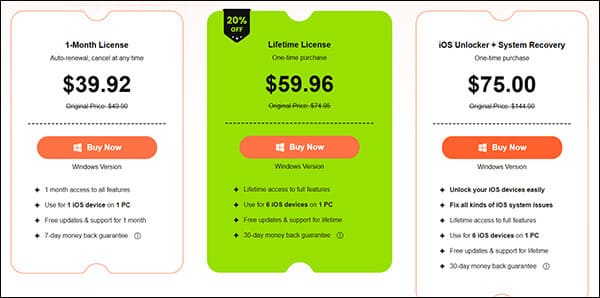
No software is perfect, and Apeaksoft iOS Unlocker is no exception. After reviewing its features and pricing, let's take a balanced look at the pros and cons of Apeaksoft iOS Unlocker.
Pros:
* Access locked iOS devices without needing a password.
* Support various common unlocking scenarios.
* Simple, user-friendly interface, ideal for beginners.
* Reliable customer service with 24/7/365 technical support.
* 30-day money-back guarantee.
* Compatible with both Windows and macOS.
* Work with most iOS versions and devices.
Cons:
* The free version has limited functionality, and a paid subscription is required to unlock full features.
* Some unlocking operations may erase device data.
* The full version subscription is quite expensive.
After understanding the software's purpose and features, many users' main concern is: Is the process complicated? Can an average user complete it independently? The good news is that Apeaksoft iOS Unlocker has a relatively simple process. Here's an example using the "unlock screen passcode" feature to explain:
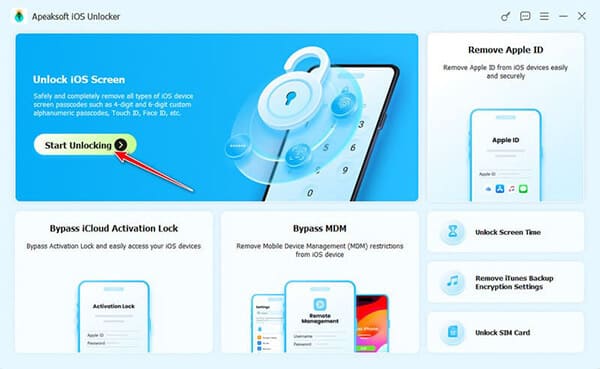
Step 1. Launch iOS Unlocker and select the "Unlock iOS Screen" mode. Then, connect your iOS device to your computer using a USB cable.
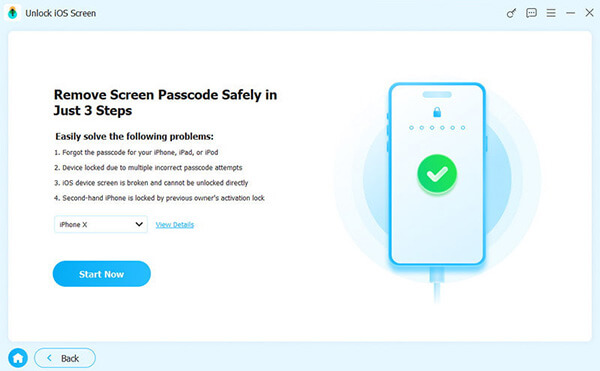
Step 2. The software will load your device information—please verify the details and click the "Start Now" button to continue.
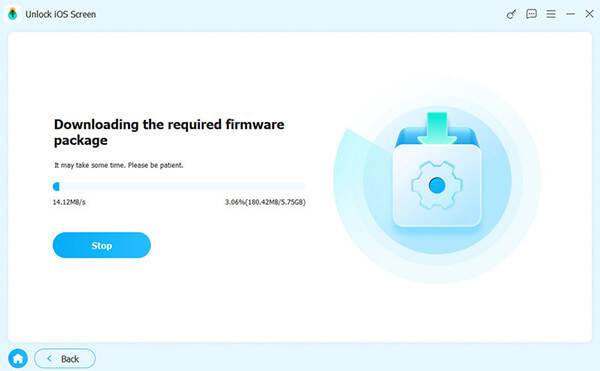
Step 3. Next, the program will begin downloading the firmware package. Once the firmware is successfully downloaded, a confirmation window will appear. Read it carefully and click "OK". Then, click the "Confirm Again" button to allow the program to verify the firmware.
Step 4. Wait while the software verifies the firmware. Once the verification is complete, the unlocking process will begin automatically. Simply be patient, and your iOS screen will soon be unlocked.
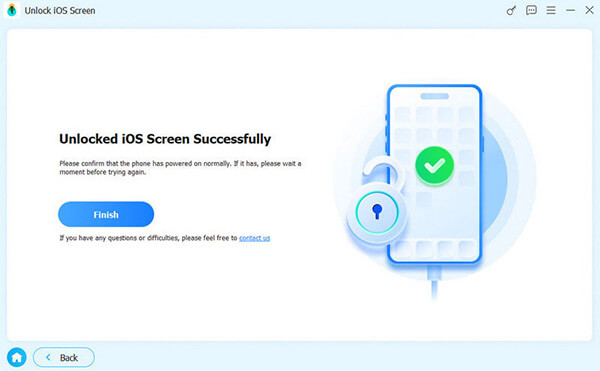
Apeaksoft iOS Unlocker is a solid iOS unlocking tool, but its high subscription cost has led many users to seek alternative options. If you're looking for a more affordable software with both basic and advanced features, iPhone Unlocker is an excellent choice. This versatile software, available for both Windows and Mac, effectively removes all types of locks and passwords on your iPhone with just a few quick and easy steps.
Main features of iPhone Unlocker:
* Unlock all types of screen locks, including 4-digit/6-digit passcodes, Face ID, and Touch ID.
* Remove Apple ID from your device in minutes—no password needed.
* Bypass MDM (Mobile Device Management) restrictions and remove MDM profiles without requiring login credentials.
* Recover or reset Screen Time passcodes without any data loss.
* Fully compatible with all iPhone models and iOS versions, including the latest iPhone 17 series and iOS 18/26.
Here is how to unlock an iPhone without a passcode using iPhone Unlocker:
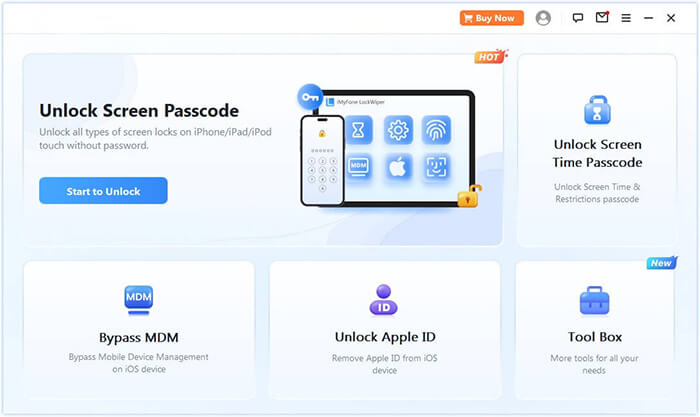
01Launch iPhone Unlocker, select the "Unlock Screen Passcode" mode, and click "Start to Unlock". Then, connect your iPhone to your computer via USB.
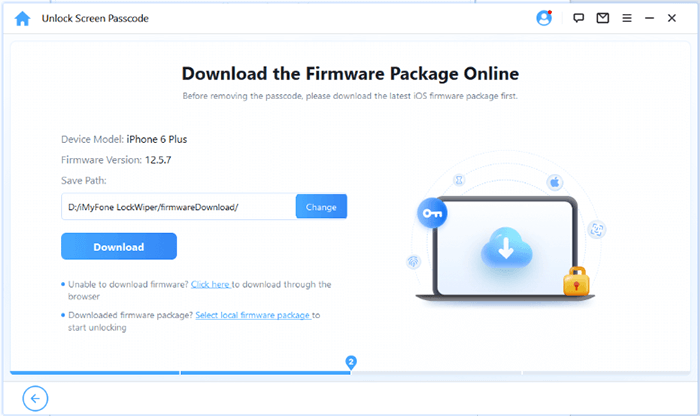
02Follow the on-screen instructions to put your device into Recovery Mode or DFU Mode. Once detected, choose a location to save the firmware package and click "Download".
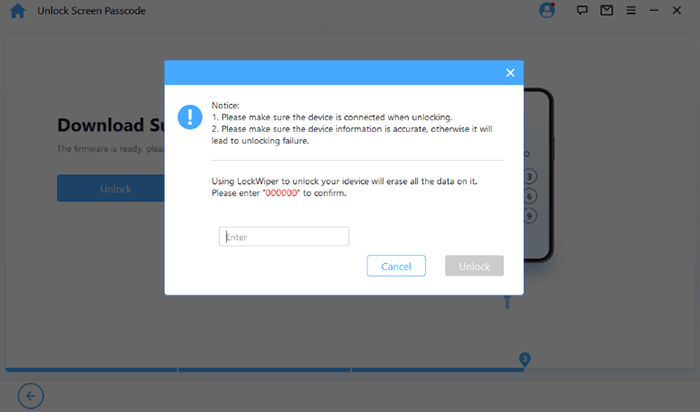
03After the firmware is downloaded, click "Unlock". Carefully read the warning message, enter "000000" to confirm, and click "Unlock" again to proceed.
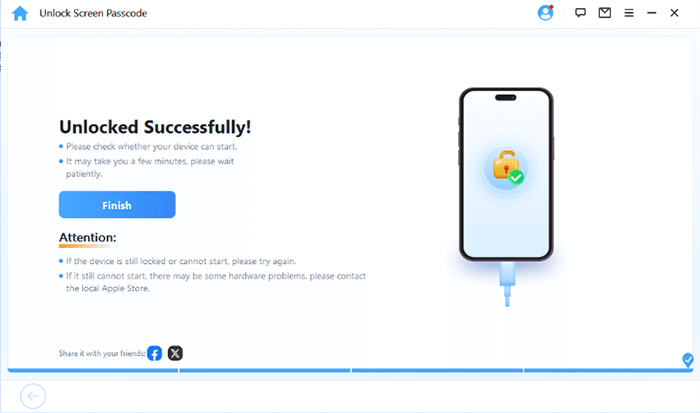
04In just a few minutes, your iPhone's screen passcode will be removed. You can then set up a new passcode, Face ID, or Touch ID as needed.
Q1. Is Apeaksoft iOS Unlocker Safe?
Yes, as long as you download it from the official website. However, like most iOS unlocking tools, it performs system-level operations that may erase data.
Q2. Is Apeaksoft iOS Unlocker Free?
No. While you can download and install the software for free, unlocking features requires a paid license.
Q3. Will Apeaksoft iOS Unlocker delete my data?
In most unlocking scenarios, yes. Especially when removing screen passcodes or Apple IDs, data loss is expected.
To sum up this Apeaksoft iOS Unlocker review, the software is a decent option for users who need a simple and beginner-friendly way to unlock an iPhone or iPad. If you're looking for a more affordable option, iPhone Unlocker is also a good choice.
Related Articles:
How to Erase iPhone Without Passcode in 5 Simple Ways? (Step-by-Step)
FoneGeek iPhone Passcode Unlocker Review and Alternatives
Top 9 Best iPhone Unlock Service of 2026 You Cannot Miss
iToolab UnlockGo for iPhone Review: Is It Safe and Worth Buying?




 Free Download for PC
  Free Download for Mac


