TL;DR: Apeaksoft iPhone Eraser is a reliable iOS data erasure tool that permanently deletes private data from iPhones, iPads, and iPod touch devices using multiple overwrite levels. It offers features like complete data wiping, storage optimization, and support for various iOS devices, but requires iTunes and has limited free features. For users looking for a more flexible alternative, Coolmuster iOS Eraser provides secure data deletion, wider compatibility, and a simpler user experience.
If you're planning to sell your old iPhone, give it away, or simply want to permanently erase private data, a factory reset may not be enough. Deleted data can sometimes be recovered with professional iPhone data recovery tools. That's why many users search for a reliable solution like Apeaksoft iPhone Eraser.
In this in-depth Apeaksoft iPhone Eraser review, we'll analyze its features, pricing, advantages, disadvantages, and real usability, helping you determine whether it is worth choosing.
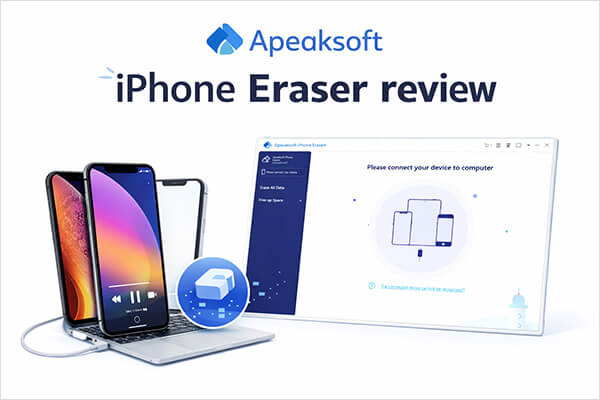
Apeaksoft iPhone Eraser is a data erasure tool designed specifically for iOS devices, supporting iPhone, iPad, and iPod touch. Its core function is to permanently delete data through professional algorithms that overwrite the data multiple times, making it "irrecoverable". Unlike regular deletion or factory reset, it ensures that personal data such as photos, text messages, account information, browsing history, and more cannot be recovered by data recovery software.
Next, we will analyze its features, pricing, and pros and cons in detail.
The functionality of a data erasure tool is the key factor in determining its effectiveness, and Apeaksoft iPhone Eraser comes with a range of features tailored to meet different user needs. Its main features include:
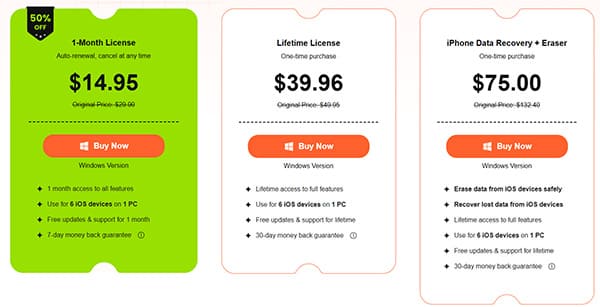
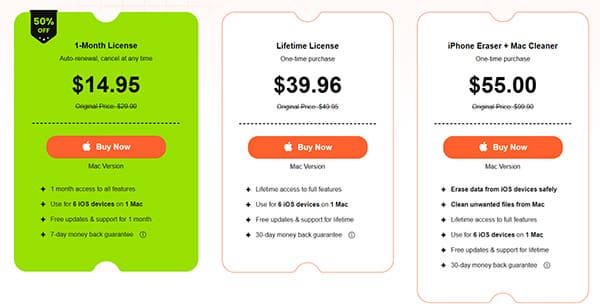
After understanding the features, let's take a look at the pricing structure. Price often determines whether the software has long-term value. Apeaksoft iPhone Eraser offers flexible pricing plans to suit different budgets and usage scenarios.
For Windows:
For Mac:
To provide an unbiased Apeaksoft iPhone Eraser review, it‘s important to weigh its strengths and weaknesses. No tool is perfect, and understanding both pros and cons will help you make an informed decision based on your specific needs. Below is a detailed analysis of the advantages and disadvantages of Apeaksoft iPhone Eraser, based on user feedback and hands-on testing.
Pros:
* Secure and permanent data erasure with three levels to ensure data is unrecoverable.
* Simple and intuitive interface, suitable for users of all technical levels.
* Include storage optimization features like junk file cleaning and app uninstallation.
* Support all iOS devices and versions, compatible with both Windows and Mac.
* Paid plans include free updates, technical support, and a money-back guarantee.
Cons:
* Free version has limited features; a license is required to unlock full functionality.
* Require iTunes installation to detect iOS devices, adding an extra step.
* High-level erasure is slow, especially for large storage devices.
* Does not support selective erasure of specific personal data, only entire data or specific categories.
One of the key advantages of Apeaksoft iPhone Eraser is its user-friendly operation. Even if you have no technical experience, you can complete the data erasure. Here is a step-by-step guide on how to erase all data on your iPhone:
Step 1. Connect your iPhone to the computer using a USB cable. Unlock your iPhone and tap "Trust" when the prompt appears.
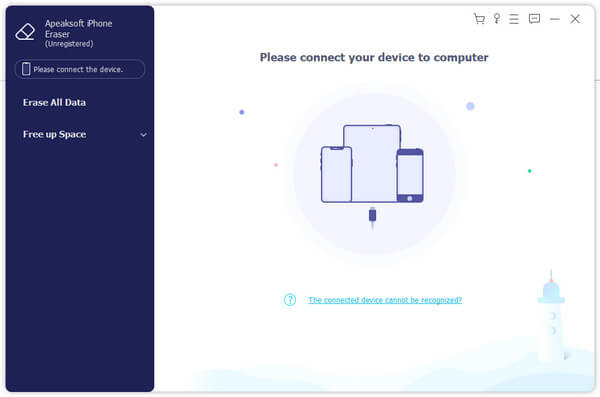
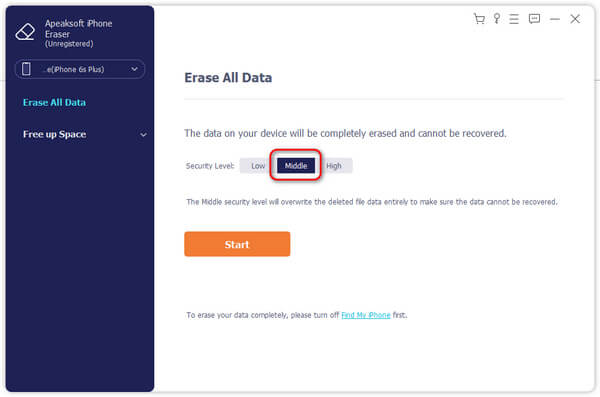
Step 2. The software offers three erasure levels: Low, Medium, and High. Select your preferred security level. Once confirmed, click the "Start" button.
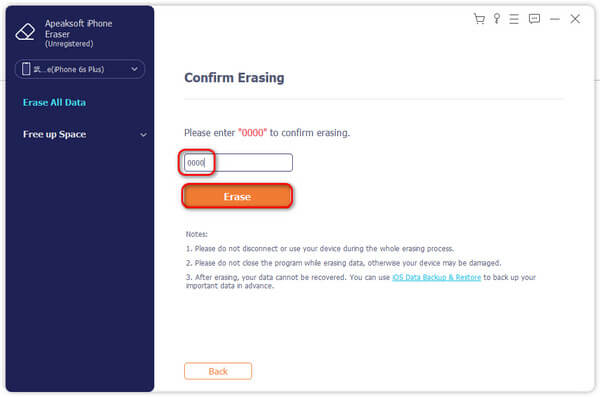
Step 3. In the pop-up window, enter "0000" to confirm the erasure. Finally, click "Erase" to delete all data from your iOS device.
Although Apeaksoft iPhone Eraser performs well, some users may be looking for a more stable or cost-effective alternative. In this part of our Apeaksoft iPhone Eraser review, we introduce a recommended alternative—Coolmuster iOS Eraser. It is also a professional iOS data erasure tool designed to permanently erase iOS data with high security standards. It offers similar core features but is often praised for its stability and compatibility.
The core features of iOS Eraser:
Here's how to erase all content and settings on your iPhone using iOS Eraser:
01Connect your iPhone to the computer with a USB cable. The software will automatically detect your device, and the main interface will appear, ready for the erasure process.
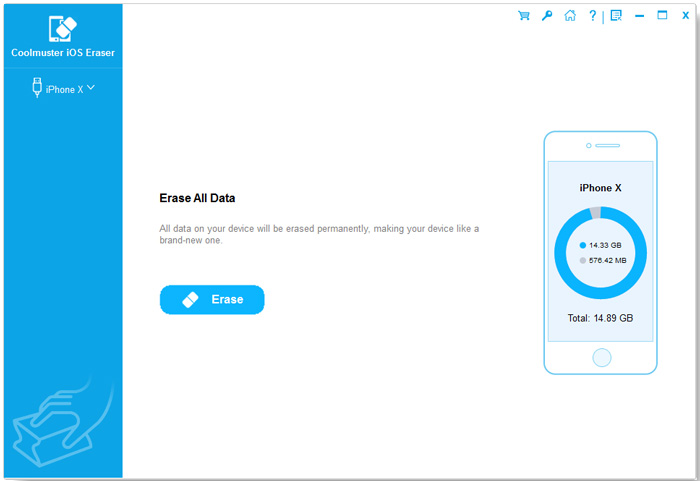
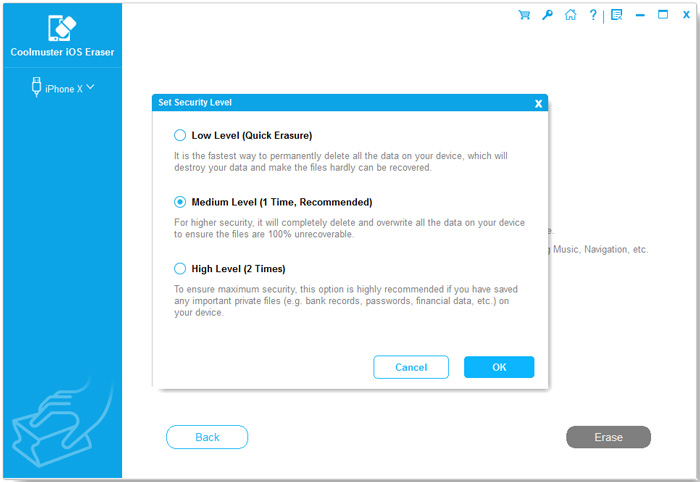
02Click the "Erase" button, select your preferred security level (Low, Medium, or High), and confirm by clicking "OK".
03When prompted, type "delete" to confirm, then click "Erase" again. A final confirmation message will appear—click "OK" to proceed with permanent data deletion.
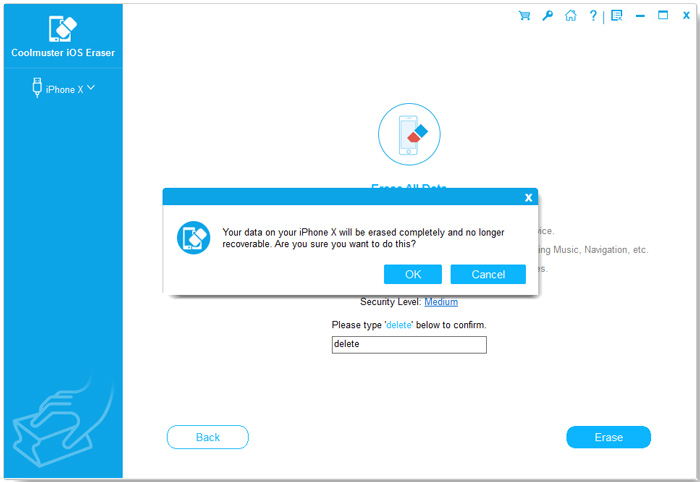
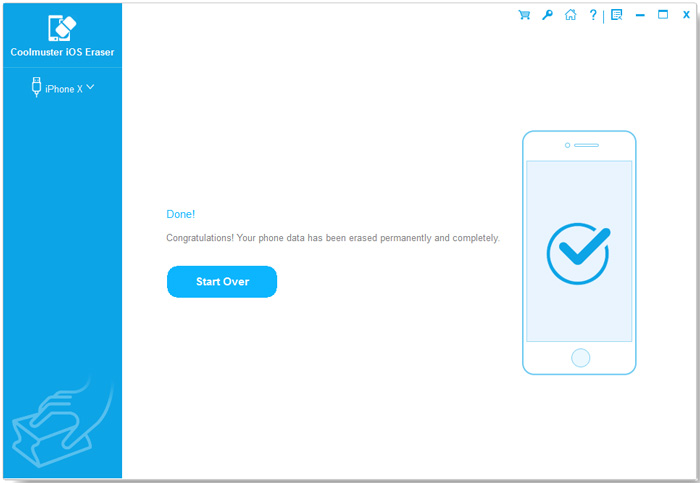
04Once the process is complete, all data on your device will be permanently erased and unrecoverable. You can now set up your iPhone as new.
Video Tutorial:
Q1. Why is my device not detected when connected?
Make sure you have the latest version of iTunes or Finder. If iTunes detects your device, close it, reconnect the device, and try a different USB cable or port. Ensure your device is not in Recovery or DFU mode.
Q2. Can Apeaksoft iPhone Eraser erase locked iOS devices?
If your iOS device is locked, it may not connect to the computer. Apeaksoft iPhone Eraser can't detect the device unless it has trusted by the computer. In this case, unlock your device first. Once unlocked, iPhone Eraser can automatically recognize and erase data from your iPhone, iPad, or iPod.
Q3. Can Apeaksoft iPhone Eraser erase data from a jailbroken device?
Yes, Apeaksoft iPhone Eraser can erase data from jailbroken iOS devices, and the device will remain in its jailbroken state after the erasure.
Q4. Is Apeaksoft iPhone Eraser free?
Apeaksoft iPhone Eraser is not completely free software. It offers a trial version for users to experience the interface and some features, but to access its full data erasure capabilities (including core features like permanent deletion with different security levels), a paid license is required.
Q5. What are the differences between the three erasure levels?
The main difference between the three erasure levels is the number of data overwrite cycles. The Low level performs a single overwrite, the Middle level doubles it with two overwrites, and the High level applies three overwrites, following the U.S. DoD 5220.22-M security standard for thorough data destruction.
After a comprehensive Apeaksoft iPhone Eraser review, it is clear that this software is a reliable and effective tool for iOS data erasure and storage optimization. Its three erasure levels, wide compatibility, and user-friendly interface make it suitable for both personal and professional use, especially for users who need to protect privacy before selling or donating their iOS devices. While it has some drawbacks, such as requiring iTunes and lacking full functionality, its strengths outweigh the weaknesses for most users.
However, if you need a tool that does not require iTunes or offers more flexible selective erasure, Coolmuster iOS Eraser is the best alternative. It provides similar security features with a simpler setup process and broader compatibility, making it a great choice for users seeking a reliable Apeaksoft iPhone Eraser alternative.
Whether you choose Apeaksoft iPhone Eraser or Coolmuster iOS Eraser, both tools ensure that your personal data is permanently erased, protecting your privacy in the digital world.
Related Articles:
Apeaksoft iOS Unlocker Review: Features, Price, Pros, Cons & Best Alternative
Apeaksoft iPhone Data Recovery Review: Features, Pros & Cons
Apeaksoft Phone Mirror Review: Features, Price, Pros & Cons, and Best Alternative
Stellar Eraser for iPhone Review: Features, Price, Pros, Cons & Guide






 Free Download for PC
  Free Download for Mac


