TL;DR:
Locked out of your LG phone and forgot the screen password? This guide explains how to bypass LG lock screen without reset using effective methods, including professional unlock tools, Google Find My Device, ADB, and other built-in features.
Do you want to know how to bypass LG lock screen without reset? For the security of the private data on our LG phone, we will set a screen lock such as a pattern, PIN, password, or fingerprints. But there are times you may lock yourself out of the phone. Maybe you set the fingerprint screen lock and forgot the backup passcode after a restart. Maybe you bought a used LG phone, but the screen lock hasn't been removed. Or, maybe you just don't remember the complex passcode that you just set.
Luckily, there are ways to get back into your LG. Here we collected the most effective solutions for you to bypass lock screen on LG phone without reset.
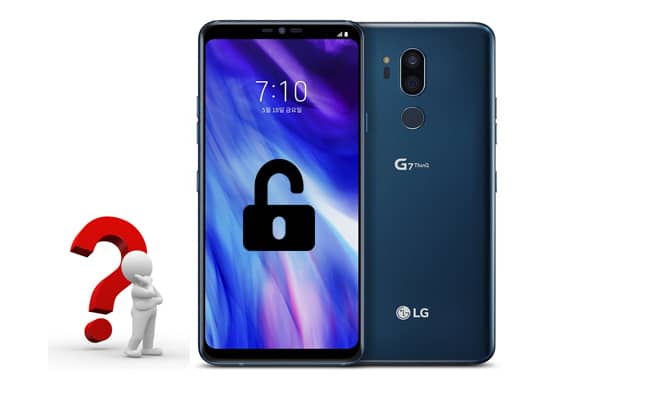
The first and most effective way to bypass LG lock screen without reset is to use an Android unlock tool called Android Unlock. With it, you can not only bypass pattern lock on LG phone but also PIN, password, and fingerprints. The whole process is easy and quick, with no technical knowledge required.
Highlights of Android Unlock:
* Support removing 5 types of screen lock: pattern, PIN, password, fingerprints, and Face ID.
* Bypass Samsung phone models' lock screen without data loss.
* Supports 6,000+ Android phones and tablets, such as LG, Samsung, HTC, Motorola, Huawei, Xiaomi, Meizu, etc.
* Unlock screen lock in minutes, easy-to-use & highly secure.
How to bypass LG lock screen without reset via Android Unlock:
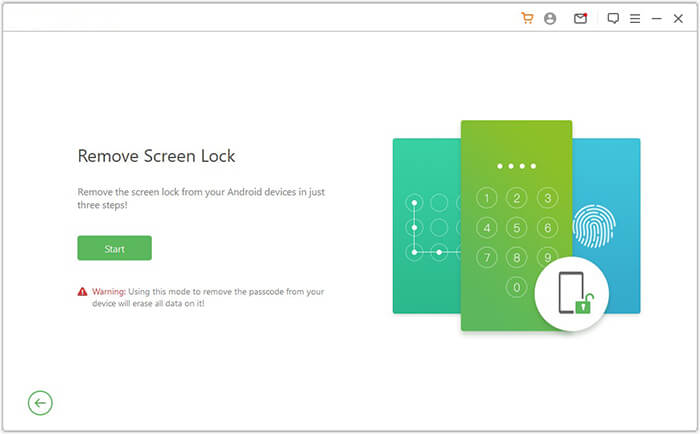
01After installing Android Unlock on PC, open it and select Remove Screen Lock and connect your LG phone to PC with a USB cable.
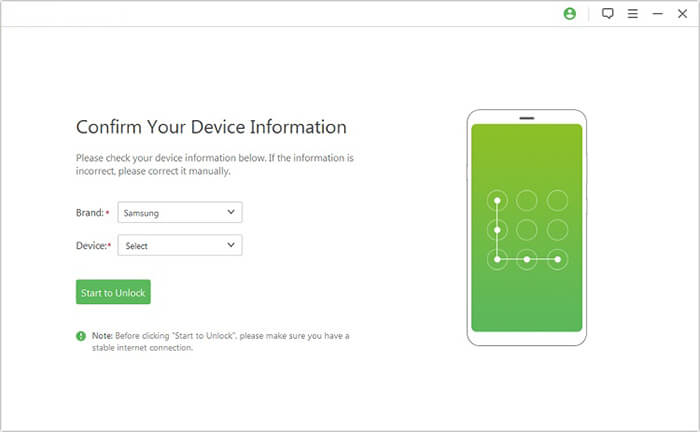
02Choose your phone model from the list and then click Start to Unlock to continue.
03Follow the instructions on the screen to put your LG phone into Download mode, and then a recovery package will be downloaded automatically to your LG phone.
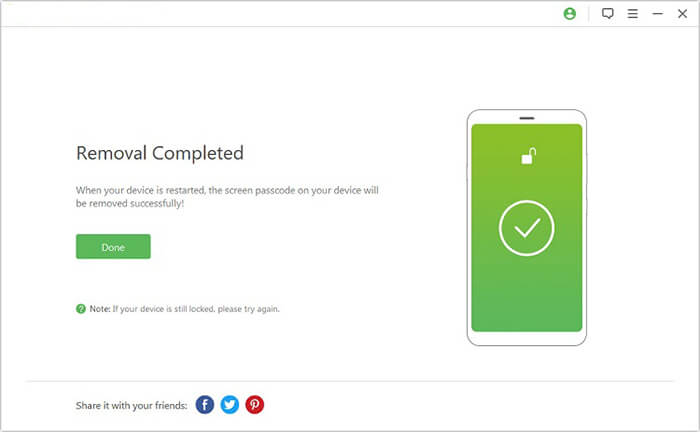
04Once the recovery package finishes downloading, the LG lock screen will be successfully removed as well.
Google's Find My Device aims to help users remotely find, lock, or erase the lost or stolen Android device. It used to allow users to change the lock screen PIN without reset from the website. However, this feature is no longer available.
Still, you can use Find My Device to bypass lock screen on LG phone with its Erase feature. The downside is that it will erase all the files on your phone. To use this method, your LG phone needs to be signed into Google account and connected to Wi-Fi or mobile data.
Check the steps below to see how to remove the screen lock on LG Stylo via Find My Device:
Step 1: Visit Google's Find My Device website on your computer or any other device.
Step 2: Select your LG phone and then select SET UP SECURE & ERASE from the left sidebar.
Step 3: Click Erase Device to confirm, and then you will be asked to sign into your Google account. After this, the erasing process will begin.
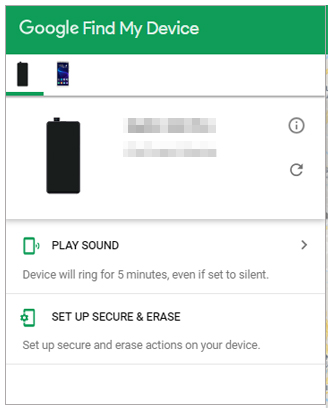
Once the process has completed, your phone will reboot, and all the data on your LG will be wiped out.
If your LG phone is running Android 4.4 or older, you can use the forgotten pattern feature to bypass LG lock screen without reset or computer. This feature lets you reset a new pattern after entering the wrong pattern multiple times. The steps are easy, check out how:
Remove screen lock on LG via Forgotten pattern feature:
Step 1: Enter the wrong password 5 times on your LG phone, then you will see the Forgot pattern at the bottom of the screen.
Step 2: Select Enter Google account details and then tap Next to continue.
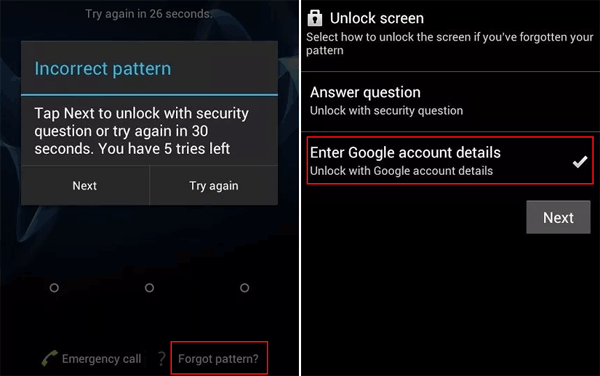
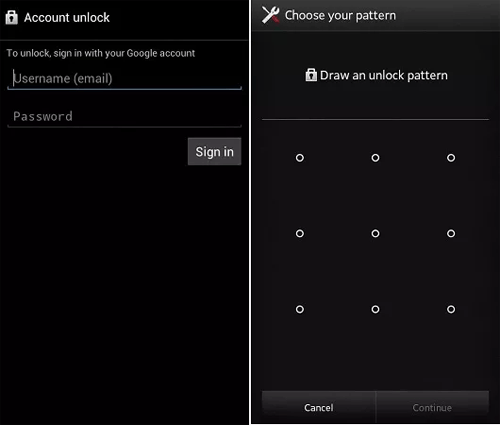
Step 3: Sign in with your Google account and then it will lead you to a screen that allows you to draw a new unlock pattern. Add a new pattern, and then you are good to go.
This method is workable only if you have USB debugging enabled on your locked LG phone. And you need to perform this on a computer that has ADB tools installed. Besides, as some users reported that this is not working for their non-rooted device, rooting is necessary for some phone models.
If you are familiar with the ADB tools and have some coding knowledge, this is actually a very quick and easy way to operate.
Check out how to bypass the LG lock screen via ADB mode:
Step 1: Connect LG phone to the computer with a USB cable.
Step 2: Press Win + R and then enter CMD to open a command prompt window.
Step 3: Type in the command adb shell rm/data/system/gesture.key and then press Enter.
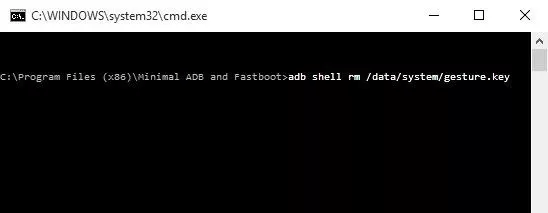
Step 4: Restart your LG phone, and then you will find that the screen lock has been removed. Now you can set a new screen lock for your LG.
Rebooting an Android phone to safe mode can temporarily stop third-party apps from running and remove the app. Therefore, if you are using a third-party lock screen app on your LG phone, then you can put your device into safe mode to bypass the third-party lock screen.
Learn how to bypass the lock code on LG phone via Safe Mode:
Step 1: Boot your LG device into safe mode. To do so, press and hold the Power button until the Power Off option appears on the screen.
Step 2: Long press the Power Off option and you will be prompted to reboot to safe mode. Tap OK to reboot your device into safe mode.
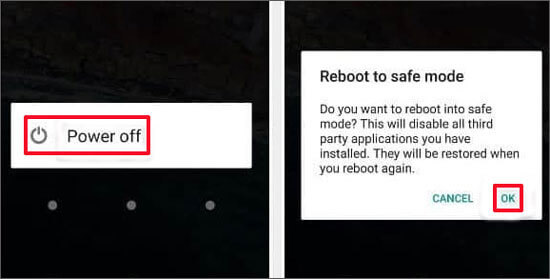
Step 3: In safe mode, you can uninstall the third-party lock screen app on LG mobile phone.
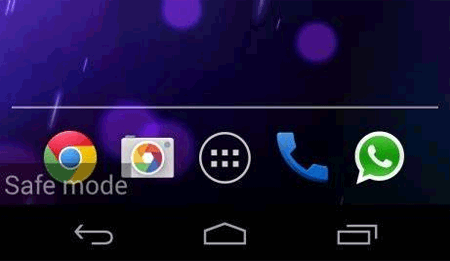
Step 4: After removing the app, you can exit the safe mode by restarting your LG. You can then access your phone without the lock screen.
If you lock yourself out of the LG phone, don't panic; there are still ways to fix the problem. But many of the methods mentioned above have some restrictions and may not work for all LG phones, especially for the phones running newer Android versions. Comparably, the most effective solution would be using Android Unlock. This tool enables you to bypass lock screen on LG without reset in minutes. If you encounter the problem of "how do I bypass the lock screen on my LG?" Give Android Unlock a try.
Related Articles:
[Solved] How to Unlock LG Phone Forgot Password Quickly?
Forgot Pattern Lock? Here's How to Unlock Pattern Lock on Android
How to Bypass Android Lock Screen Using Camera [Comprehensive Guide]
How to Factory Reset an LG Phone That Is Locked [5 Methods Introduced]




 Free Download for PC


