TL;DR:
Many users look for Android secret codes hoping to remove a forgotten password instantly. However, these codes are often misunderstood and may only reset the device instead of unlocking it. This guide covers how Android unlock codes work and the practical alternatives available when they cannot restore access.
Forgetting your Android phone password can be frustrating, especially when you urgently need access to your device. Many users search online for a "secret code to unlock Android phone password" hoping to bypass the lock screen instantly. You may have also seen claims about Android master codes or hidden unlock codes that can remove passwords without losing data.
But do these secret codes actually work? The answer depends on your device model and Android version. Some Android secret codes can open hidden menus or reset certain settings, while others are outdated and no longer supported on modern phones. In this guide, we'll explain what the secret code to unlock Android phone is, how it works, and the best alternative solution if the code method fails.
Many users believe there is a hidden master code that can instantly unlock any Android phone without restrictions. In reality, modern Android devices do not have a truly universal unlock code that bypasses the lock screen while keeping all data intact. Most of the so-called "secret codes to unlock Android phone password" are actually factory reset commands designed by manufacturers for system maintenance or troubleshooting purposes.
These secret codes are generally known as USSD or hidden Android codes. They are entered through the phone dialer and can access certain hidden functions, such as device testing, software information, or system reset options. Some older Android phones allowed users to trigger a factory reset using these codes, which removed the screen lock along with all personal data stored on the device.
Although many websites describe them as Android unlock codes or master unlock codes, they do not directly crack or bypass the password itself. Instead, they restore the phone to its factory state, which deletes the existing lock screen settings.
Below are two commonly mentioned secret codes for Android password unlocking:
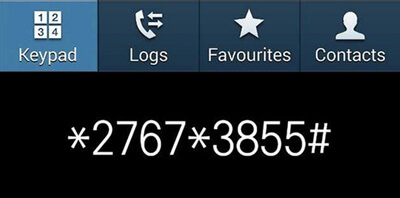
1. *2767*3855#
This code is mainly associated with older Samsung devices. After entering the code, the phone may immediately start a full factory reset process without additional confirmation. It not only removes the screen lock but also erases photos, apps, messages, contacts, and other stored data. On some devices, it may also reinstall the original firmware configuration.
2. *#*#7780#*#*
This code is used to restore certain Android devices to their factory default settings. Once executed, it can remove saved settings, installed apps, and screen lock configurations. However, support for this code varies depending on the phone manufacturer and Android version, and many newer devices no longer respond to it.
Before trying any Android secret unlock code, you should understand that:
If your device supports a factory reset code, you may be able to use it to remove the lock screen password. However, this method only works on limited older Android devices and may not function on newer Samsung, Xiaomi, OPPO, vivo, Google Pixel, or Motorola phones.
Here's how to try a secret code to unlock Android password:
Step 1. Turn on your Android phone and open the Emergency Call screen or Phone Dialer if accessible.
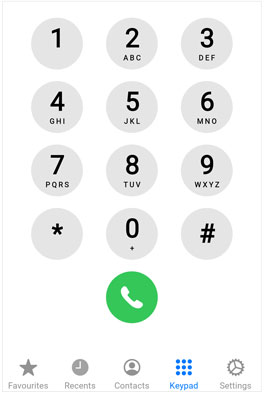
Step 2. Enter one of the commonly used reset codes.
Step 3. Wait for the phone to process the command. If supported, the device may begin a factory reset automatically.
Step 4. After the reset is complete, set up your Android phone again and create a new screen lock password.
Since Android secret codes are no longer reliable on most modern devices, many users find that these methods often fail or only lead to a factory reset with data loss. In most cases, users are still unable to access their phones even after trying different dialer codes.
Because of this limitation, relying on a dedicated Android unlocking tool has become a more practical and efficient solution. These tools are designed to directly remove screen locks instead of depending on hidden system codes. One of the widely used options is Android Unlock, which is designed to remove different types of screen locks without relying on hidden dial codes.
Highlights of Android Unlock:
How to unlock Android phone without the secret code?
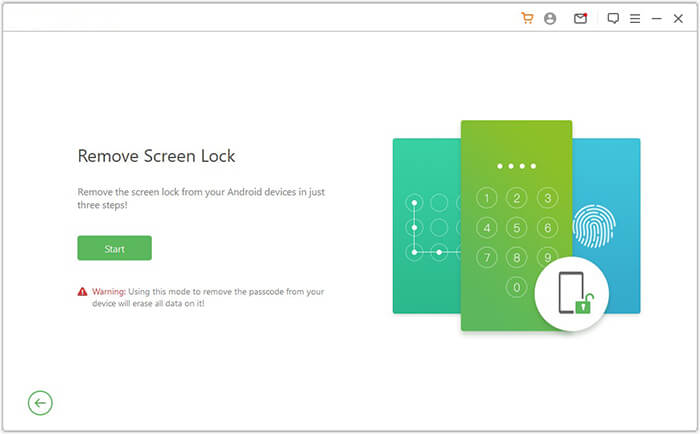
01Download and install Android Unlock on your computer, then launch the program and choose the "Remove Screen Lock" option from the main interface.
02Connect your Android phone to the computer using a USB cable. Once the device is detected, confirm the displayed device information and proceed to the next step.
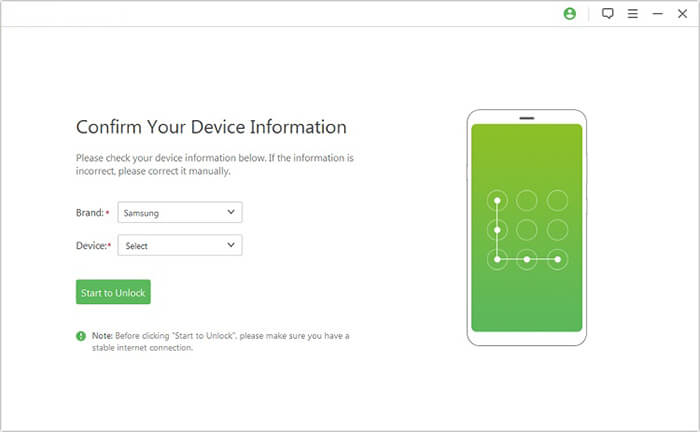
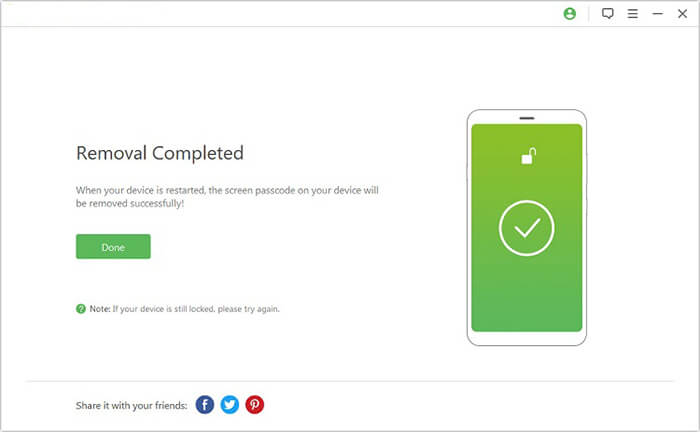
03Follow the on-screen instructions to put your Android device into the required mode (such as Recovery Mode or Download Mode, depending on your phone model), then click "Remove Now" to begin the unlocking process.
1. Is there a universal secret code to unlock Android phones?
No. There is currently no universal secret code that can unlock every Android phone. Most online "master codes" either no longer work or only perform a factory reset on specific older devices.
2. Will using a secret code delete my data?
In many cases, yes. Most Android unlock-related codes trigger a factory reset, which removes all data stored on the phone, including photos, apps, contacts, and messages.
3. Do Samsung secret codes really unlock screen passwords?
No. Samsung secret codes, such as diagnostic or reset codes, cannot directly remove screen locks. Some older codes may trigger a factory reset, but they do not bypass the password itself. Modern Samsung devices have stronger security protection that blocks unauthorized unlocking attempts.
To sum up, the popular "secret code to unlock Android phone password" is largely a misconception in modern Android devices. Most of these hidden codes are originally designed for system testing or maintenance purposes, and they cannot directly bypass screen locks on newer smartphones. Attempting to rely on unknown unlock codes may even lead to unnecessary data loss or unexpected system issues.
When you forget your Android password and get locked out, it is more practical to avoid ineffective code-based methods and turn to a professional unlocking solution such as Android Unlock. It is designed to handle a wide range of Android lock situations, helping users regain access to their devices in a few simple steps while reducing the risks associated with unreliable "secret code" methods and third-party online tricks.
Related Articles:
How to Unlock a Google Locked Phone with Effective Methods
Everything You Need to Know About Network Unlock Code for Samsung
How to Bypass Android Lock Screen Using Emergency Call
[5 Ways] How to Remove Google Account from Samsung Without Password




 Free Download for PC


