TL;DR:
Forgot your HTC phone password? You can try several methods to regain access to your device, including using a Google account, factory reset, ADB, Find My Device, or a professional unlock tool. While some methods have limitations, such as requiring specific conditions or erasing data, Android Screen Unlock offers a simpler way to remove HTC screen locks.
The HTC lock screen is a vital feature that gives you privacy and helps you protect important information on your device. But sometimes, we forget our phone's password, which can be annoying. Can you imagine not using your smartphone just for a day? That's how terrible it can become. But this should not give you nights because we'll show you how to unlock HTC phone forgot password. Just go through this guide to know how to go about this problem.
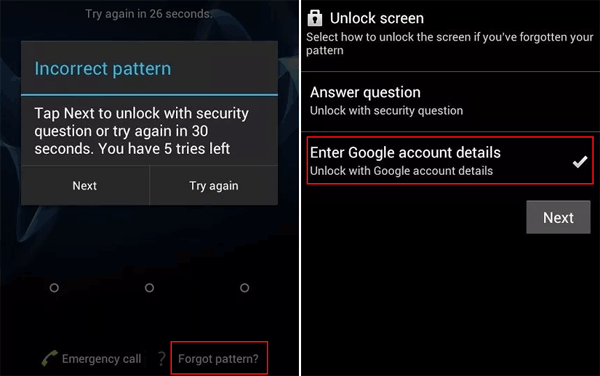
To use this method, you need to have a good internet connection and a Google ID linked to your HTC phone. Usually, when you buy a brand new HTC smartphone, it's necessary to set it up with an email to back up your contacts and other data to your email. Besides acting as a backup system, Google accounts can also help you unlock your device when you can't remember the PIN, password, or pattern of an HTC phone. Follow the steps below to crack HTC pattern lock via Google Account:
Step 1. Enter the wrong password as many times as possible. Then tap the "Forgot Pattern" option.
Step 2. You'll see a Google login on the screen, asking you to log in. Now enter your Google ID linked to the HTC phone and enter the password.
Step 3. Once logged in, navigate to the "Settings" application and proceed to "Security." From there, select the option named "Choose screen lock."
Step 4. Choose a new screen lock feature to unlock your HTC phone.
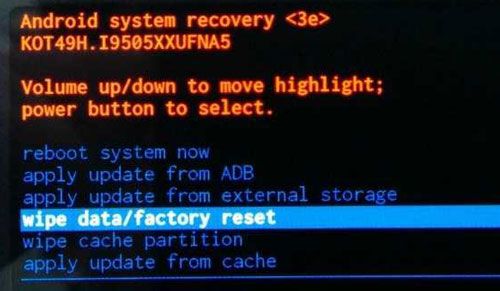
You can perform a factory reset to reset HTC pattern lock. However, you should remember the points below before you begin:
* Factory resetting the HTC smartphone will delete all your data, files, and media from its storage. You cannot restore your data unless from a backup.
* Ensure your smartphone battery is charged up to at least thirty-five percent before you begin factory resetting.
To perform a factory reset on your locked smartphone, follow the steps below:
Step 1. Switch off the HTC smartphone. Press and hold the Power and Volume Down buttons until you see the Recovery Menu on the screen.
Step 2. Scroll using the button for Volume Down till you get to the Factory Reset mode. Use the button for Power to select it.
Step 3. Wait for some time for the resetting process to finish. Set up your device again once done resetting.
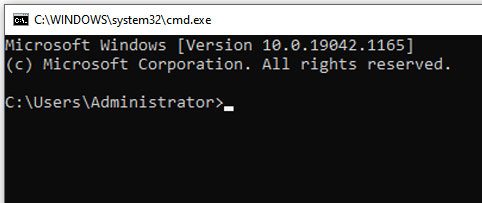
Another method you can consider when you want to remove screen lock on HTC is using ADB. This technique is complicated and time-consuming compared to the above methods.
Step 1. First, you must download the SDK Manager on your PC
Step 2. Next, run the installer, then download the necessary packages.
Step 3. Then, connect the HTC device to your PC with a USB cable.
Step 4. Go to "Settings," proceed to the "About Phone" icon, and then "Build Number." Click on it seven times.
Step 5. Again, navigate to "Settings" and then to Developer options to turn on USB debugging.
Step 6. Connect the phone to the program, then go to the command prompt in your ADB installation directory.
Step 7. Once here, enter this command "ADB.shell rm/data/system/gesture.key"
Step 8. Tap "Restart" on the HTC device to use it.
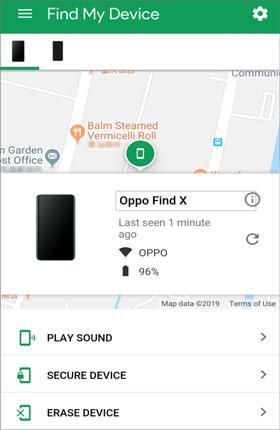
The fourth method to deal with HTC phone locked screen is by using Find My Device, a feature of Google. This technique requires you to switch on your gadget and connect it to a strong internet connection. You must sign in to the Google account linked to the locked HTC phone from another gadget to delete the device lock screen.
Follow the steps below to bypass the HTC pattern lock through Find My Device:
Step 1. To use this technique, you need to turn on an HTC phone and connect it to a strong internet connection.
Step 2. Next, sign in to Android Device Manager. Using another smartphone or computer, open the feature, then enter your Google ID and password to sign in. The feature will search for HTC phones.
Step 3. Once Find My Device finds the HTC phone, click on the tab for "Erase Device" to erase the screen lock.
If you forgot your HTC phone password and cannot access your device, Android Screen Unlock provides a simple way to remove the screen lock. It can help unlock HTC phones by removing different types of locks. With an easy-to-follow process, it allows you to regain access to your locked device without requiring complicated technical knowledge.
Key Features of Android Screen Unlock:
* Remove HTC screen locks, including password, PIN, pattern, fingerprint, and face recognition locks.
* Support various Android brands, such as HTC, Samsung, Huawei, Xiaomi, and more.
* Provide a simple unlocking process without advanced technical skills.
* Help unlock devices when you forget the screen password or cannot access your phone.
* Support FRP removal and Google account verification bypass on supported devices.
How to get past HTC lock screen with Android Screen Unlock
01Launch Android Screen Unlock
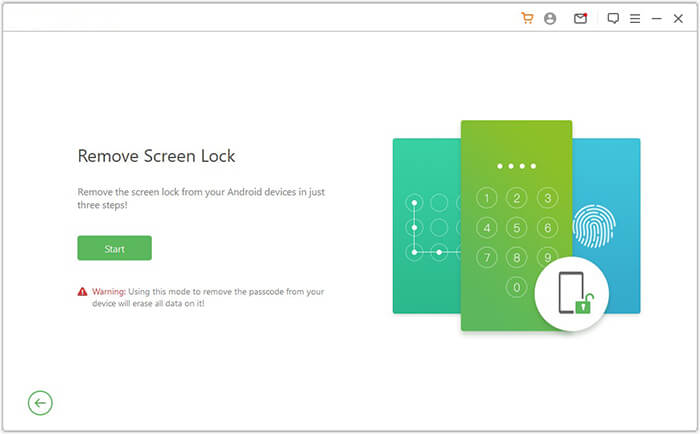
Launch the software on the computer, and choose the "Remove Screen Lock" option from the module. Ensure the HTC phone is connected to the PC via a USB cable.
02Choose your device's information
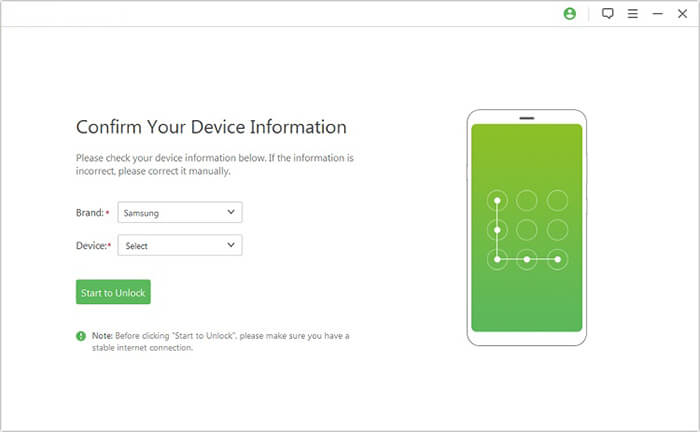
From the many phone brands displayed, choose your brand and click "Start to Unlock".
03Unlock HTC phone forgot password
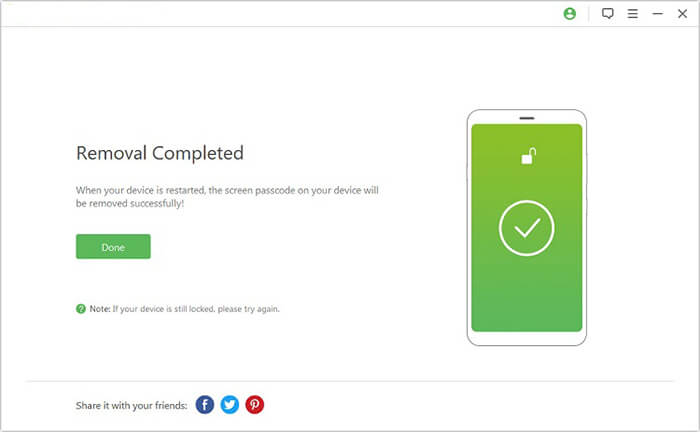
Wait a few minutes while the data package downloads and is sent to your device. Follow the on-screen instructions to reset your device, then wait for it to remove the screen lock password on the device.
Forgetting your HTC screen password can be a frustrating experience because it prevents you from accessing your phone. Fortunately, you can regain access using the methods mentioned above. Among them, Android Screen Unlock is a convenient solution to remove the HTC screen lock. It is fast, simple to operate, and suitable even for users without technical experience.
Related Articles:
How to Reset Android Phone When Locked? Top 5 Reliable Ways
How to Unlock Android Phone Without Password with 5 Methods
HTC to HTC Transfer: How to Transfer Files from HTC to HTC? [Updated]




 Free Download for PC


