When purchasing a second-hand phone or switching from a carrier-locked phone to another network, many users encounter a common issue — the phone displays a message saying "Network Locked" or "SIM Not Supported". This means the device is restricted to only use a specific carrier's SIM card, and if you try to insert a SIM from another carrier, the phone will be locked. So, can you unlock a network-locked phone? Of course, this article will explain in detail how to unlock a network-locked phone step by step.
"Network lock", "carrier lock", and "SIM lock" all describe the same limitation: your phone is locked to its original carrier and cannot connect to other networks until it is unlocked. You may come across error messages such as:
Why do carriers do this? To make phones more affordable, some carriers offer discounts on devices but lock them to their network. This ensures you stay with the carrier long enough for them to recover the cost.
Can you unlock a network-locked phone? Sure. Here are two ways you can use to do it.
iPhone Unlocker is a professional iPhone/iPad unlocking tool that helps users bypass various types of locks, including network locks (SIM locks) and iCloud activation locks. You can use it to unlock any type of SIM card, including those from AT&T, Vodacom, Sprint, T-Mobile, Verizon, and more. If you urgently need to unlock your device and can't do so through your carrier, using iPhone Unlocker is one of the fastest methods available.
Key features of iPhone Unlocker:
* Simply remove the SIM lock on iPhone/iPad devices from various carriers.
* Easily bypass the iCloud activation lock screen without an Apple ID or password.
* Quickly remove the screen lock without any activation limitations.
* Effortlessly disable the camera shutter sound on iOS devices.
How do I unlock a network-locked phone? Follow the steps below:
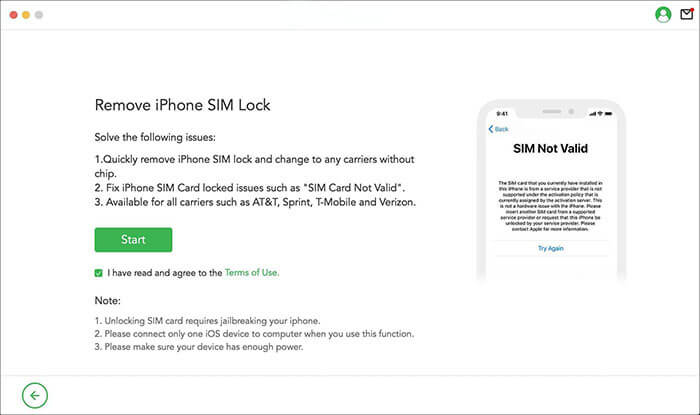
01Download and install iPhone Unlocker on your computer. Open the program and select the "Remove iPhone SIM Lock" mode. Read the instructions and notes, then click "Start".
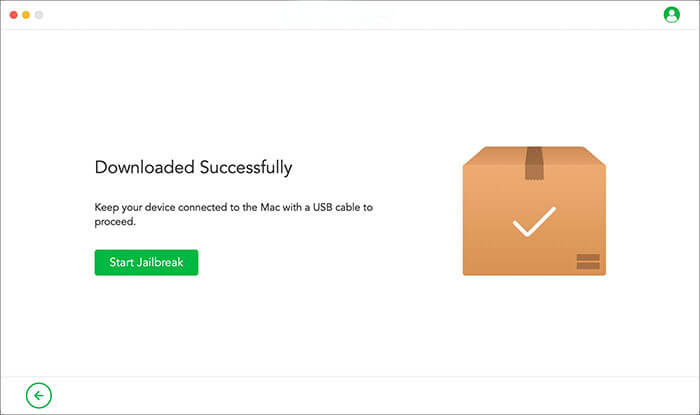
02Connect your iDevice to your computer via a USB cable. It will automatically download the appropriate jailbreak package for your iOS device. Once the download is complete, click "Start Jailbreak".
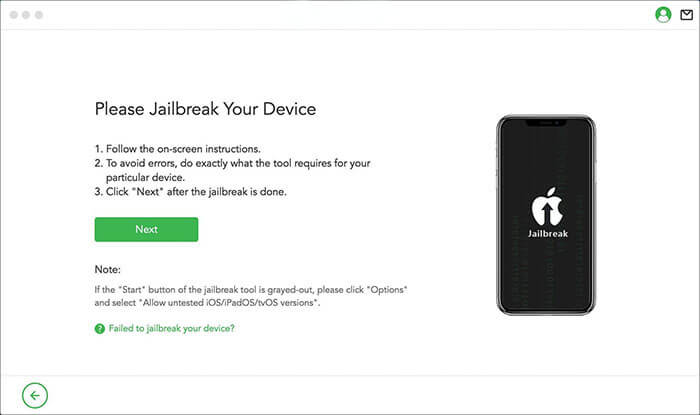
03Follow the on-screen instructions to put your device into DFU mode, then wait for the program to finish jailbreaking your device. Click "Next" to proceed.
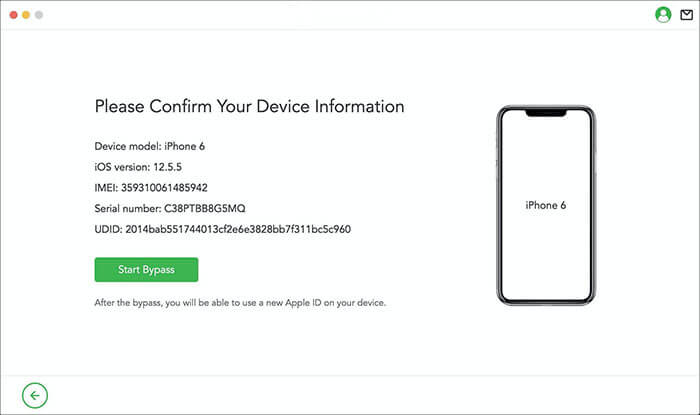
04Confirm your device's details, then click "Start Bypass". iPhone Unlocker will begin removing the SIM lock. Please be patient as the process completes.
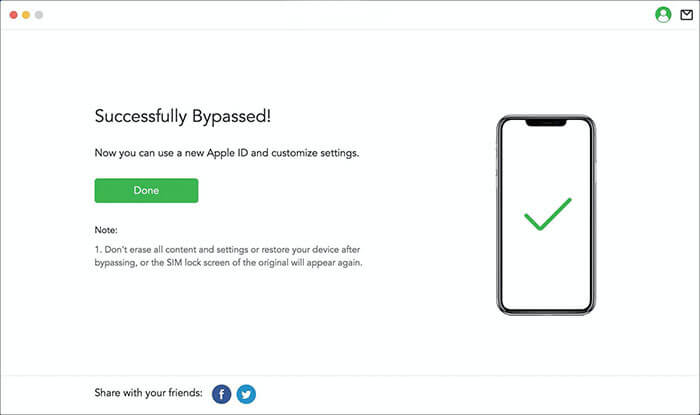
05Once finished, the SIM lock on your phone will be successfully removed, allowing you to use a new SIM card.
Can you unlock a network-locked phone for free? If your phone is still under a carrier contract or locked, the most official method is to directly contact the carrier for an unlock. Most carriers will unlock your network lock for free once the device meets certain conditions.
Typically, the following conditions must be met:
Here is the general process:
Step 1. Contact the carrier's customer service and request a network unlock.
Step 2. Provide your phone's IMEI number (you can find it by dialing *#06#).
Step 3. Wait for the carrier to review and complete the unlock (this may take anywhere from a few hours to a few days).
Step 4. Insert a new SIM card to confirm if the unlock was successful.
There are several ways to check the status of your iPhone's unlock.
The first method is to insert a new SIM card from a different network carrier. Then, open the dial pad and try making a call. If the call goes through, your phone is unlocked.
The second method involves checking the cellular network on your phone. You can also go to the cellular settings to verify this. If you see your current carrier's network listed, your device is not locked to that carrier.
The third method is to check the iPhone Settings. To check the network unlock status through the Settings app, follow these steps:
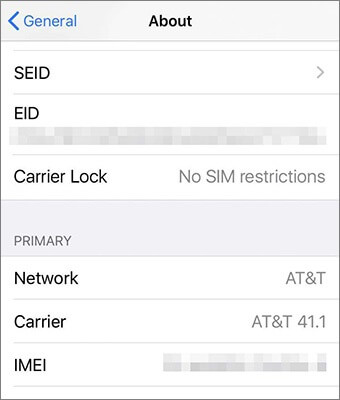
Step 1. Go to "Settings" > "General" > "About".
Step 2. Scroll down to "Carrier Lock".
Step 3. If it shows "No SIM restrictions", your device is fully unlocked. If a specific carrier name is shown, the phone is still locked.
Unlocking a network-locked phone doesn't have to be complicated. Whether you prefer an official carrier unlock or need a faster solution, both methods are effective. For users who want immediate results without waiting for carrier approval, iPhone Unlocker is the most convenient and user-friendly tool to quickly unlock SIM restrictions.
Related Articles:
How to Get Free Unlock Code to Unlock Your iPhone & Android Phones?
Android SIM Unlock - How to Unlock SIM Card on Android with Ease?




 Free Download for PC


