Although YouTube TV is considered a substitute for cable television with various restrictions, certain content may not be accessible in specific locations due to copyright and regional limitations. In order to ensure that users are watching content in the correct geographical location, YouTube TV will verify their locations. Many users, therefore, face the inconvenience of being unable to access their favorite content. This article will delve into how to bypass YouTube TV to verify location and introduce effective methods for using location-changing tools and VPNs to help you easily access restricted content. Please continue reading to learn more about these methods.
To access YouTube TV from a specific region, you can use virtual location tools for Android and iOS devices. These tools let you change your device's GPS location, making it appear as if you are in a city or area where YouTube TV is available.
One of the most reliable options is Location Changer. It's easy to use, works without any technical setup, and helps you unlock region-specific channels and features on YouTube TV quickly and safely.
Main features of Android Location Changer:
To bypass YouTube TV location restrictions using Location Changer, follow these instructions:
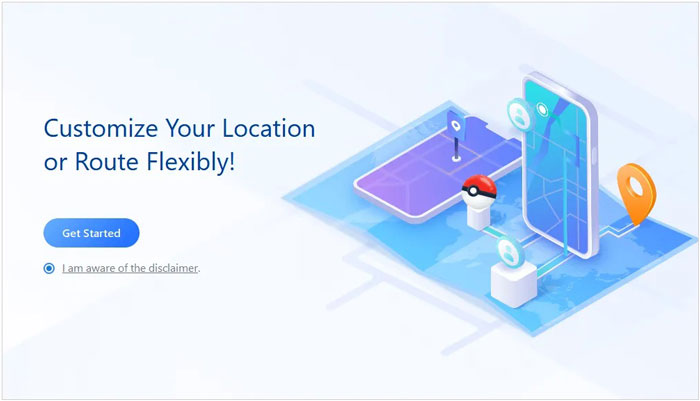
01Visit the official website to download and install the app. Once enabled, tap "Get Started" on the home screen.
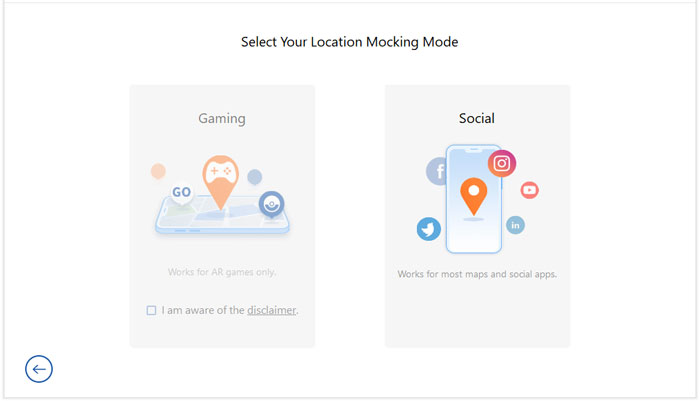
02Connect your Android or iOS phone to your computer, ensuring USB debugging is enabled. Upon connection, you will be directed to the mode selection interface, where you can choose the mode you wish to use.
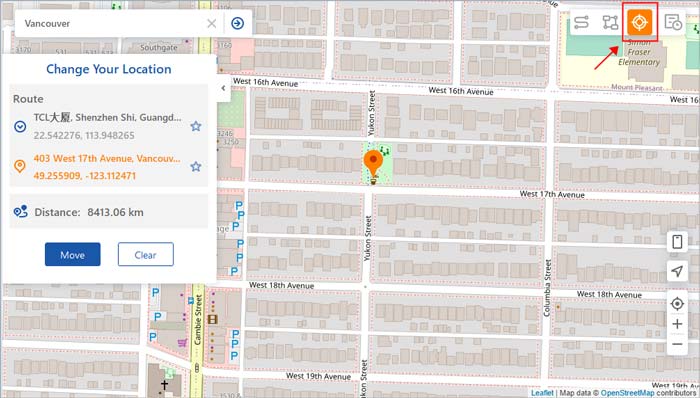
03Select the third button in the top right corner labeled "Teleport Mode". Choose a region where YouTube TV is allowed (e.g., a state in the USA), and click "Teleport" to change your location on the map to the new one you selected.
Using a VPN is another effective way to bypass geographical restrictions, although it may lack positional accuracy. A VPN (Virtual Private Network) can encrypt your internet connection and change your IP address to the address of the selected server, thereby helping you access restricted content. Here are the steps for using a VPN to bypass a YouTube TV location hack:
Step 1. Choose a reputable VPN service provider such as ExpressVPN or NordVPN, which are known for their fast connection speeds and strong security.
Step 2. Download and install the selected VPN app on your device.
Step 3. Open the VPN app, and select a server located in a region supported by YouTube TV (such as the United States).
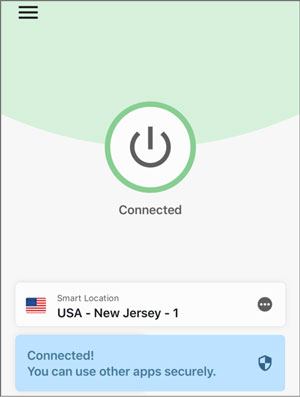
Step 4. After a successful connection, open YouTube TV, and you will be able to access all the content available in that region.
1. What is geographic location verification on YouTube TV?
Geographic location verification on YouTube TV refers to the service's use of users' IP addresses and GPS information to pinpoint their actual locations, ensuring they can only access content available in their respective regions.
2. Why would someone want to bypass YouTube TV's geographic location verification?
Users might want to bypass location verification to access content specific to a certain region, watch programs while traveling or on business trips, or gain access to content restricted due to copyright issues.
3. Does using a VPN affect my internet speed?
Using a VPN can potentially result in a slight reduction in internet speed, as data needs to be encrypted and transmitted through the VPN server. However, opting for a high-quality VPN service can minimize this impact.
By following the methods above, you can easily bypass YouTube TV’s location verification and enjoy shows, channels, and content from any region where the service is available. While using a VPN is a quick and convenient option, it may not always offer precise location control.
On the other hand, Location Changer provides a more accurate and reliable way to set your device’s location, giving you full access to region-specific features and channels without any technical hassle. With this tool, managing your YouTube TV location becomes simple, safe, and hassle-free, ensuring you never miss out on your favorite content.
Related Articles:
Detailed Guide | How to Change Location on YouTube TV for Free [Can't Miss]
How to Change iPhone Location Without VPN? [Solved with 5 Ways]
[Skout Change Location] How to Change Skout Location in 4 Simple Ways




 Free Download for PC
  Free Download for Mac


