TL;DR:
Looking for an honest FonesGo Location Changer review? This guide covers its key features, pricing, user reviews, pros and cons, and how to use it. We will also introduce a reliable alternative, Location Spoofer, for users who need more advanced location-changing features.
Changing your GPS location can be useful in many situations, such as testing location-based apps, protecting privacy, accessing region-specific content, or enjoying location-based games. Instead of physically traveling to another place, a location changer allows users to simulate a different GPS position directly from their devices.
Among the available tools, FonesGo Location Changer has gained attention for its simple interface and location spoofing features. But is it reliable enough for everyday use? In this FonesGo Location Changer review, we will explore its main features, pricing, user feedback, advantages, disadvantages, and a powerful alternative to help you make a better decision.
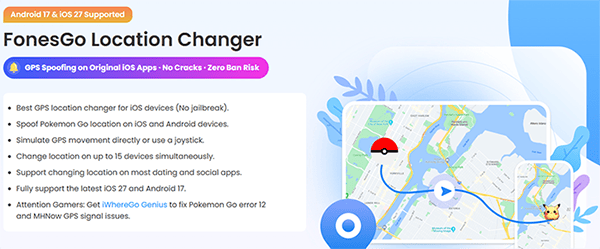
FonesGo Location Changer is a GPS spoofing tool designed to help users change their device location without physically moving. It supports changing GPS positions on smartphones and provides features such as location simulation, route customization, and movement control. The tool is mainly used by users who want to test location-based applications, play location-dependent games, or hide their real location for privacy reasons.
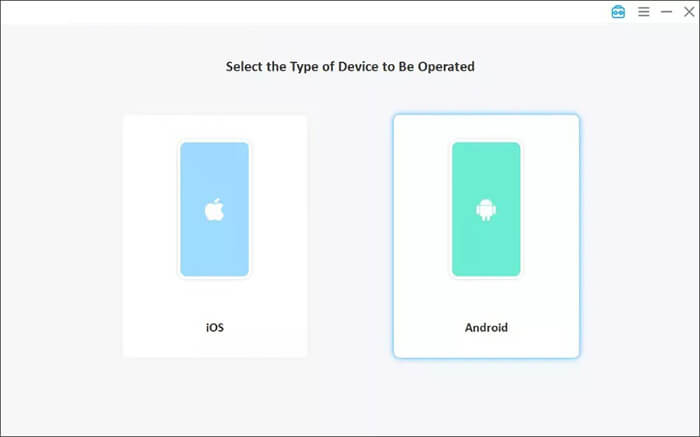
FonesGo Location Changer provides solutions for both Android and iOS users. With a simple connection process, users can select a target location on a map and make their device appear as if it is located somewhere else.
FonesGo Location Changer is a GPS spoofing tool that allows users to change their virtual location on iOS and Android devices. It offers several practical features for gaming, app testing, and privacy protection.
FonesGo Location Changer enables iOS users to change their iOS GPS location without jailbreaking their devices. Users can select a location on the map and instantly update their virtual position.
The tool supports location-based apps, including Pokémon GO, dating apps, and social platforms. Users can access location-based features without physically moving to another place.
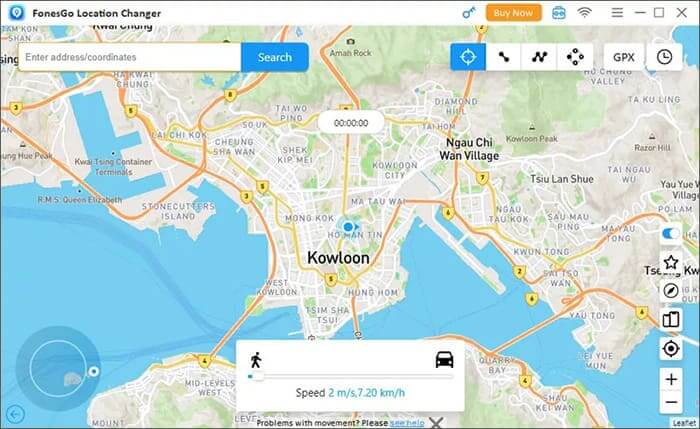
FonesGo Location Changer provides multiple movement modes, including 2-spot movement, multi-spot movement, and jump teleport movement. These options allow users to either instantly change locations or simulate realistic GPS movement.
FonesGo Location Changer can change locations on up to 15 devices simultaneously and supports the latest iOS 27 and Android 17 systems.
FonesGo Location Changer offers different pricing plans for users with different needs. The available options usually include short-term subscriptions and lifetime plans. The price may vary depending on the supported platform and subscription duration.
| Plan Type | Windows | Mac | iOS | Android (Basic) | PST File Backup |
| 1 Month Plan | $9.95 | $12.95 | $19.95 | $14.99 | $19.99 |
| 1 Quarter Plan | $6.65/Month(Billed quarterly at $19.95) | $6.65/Month(Billed quarterly at $19.95) | $13.31/Month(Billed quarterly at $39.95) | / | / |
| 1 Year Plan | $4.16/Month (Billed annually at $49.95) | $5.82/Month (Billed annually at $69.95) | $6.66/Month (Billed annually at $79.95) | $4.16/Month (Billed annually at $49.99) | $4.99/Month (Billed annually at $59.99) |
| Lifetime Plan | $79.95 | $89.95 | $119.95 | $59.99 | $69.99 |
The Android version of FonesGo Location Changer is available in two plans: Basic and Premium. The Basic plan supports unlimited location changes and up to 15 Android phones, while the Premium plan supports 5 iOS devices and 15 Android devices. In addition, the Premium plan includes extra features such as spoofing Pokémon GO on iOS via Bluetooth and support for original Pokémon GO and Monster Hunter Now (MHN).
To better understand the actual user experience, we collected feedback from users on Reddit and Trustpilot. Overall, users appreciate its easy operation and location-changing features, while some users also mention concerns about security alerts and customer service.
User Review on Reddit
Reddit users have shared mixed experiences with FonesGo Location Changer. Some users like its updated features, such as Android Bluetooth Joystick support, and find it useful for location spoofing.
"Recently, I discovered that FonesGo has updated the new feature of the Android Bluetooth Joystick feature, which may spoof iOS location now."
However, some users have also reported issues such as security warnings or occasional concerns during use.
"I use it to spoof the location of my phone, but McAfee's Scam Detector flags threats."
User Review on Trustpilot
Trustpilot reviews show that many users find FonesGo Location Changer easy to use thanks to its intuitive interface.
"Easy to use and intuitive interface to get me out of stress."
At the same time, some users have expressed dissatisfaction with the refund process.
"It doesn't honor the refund policy. I had it for less than 24 hours, and they offered me 30%."
After reviewing its features, pricing, and user feedback, we can see that FonesGo Location Changer has both strengths and weaknesses. The following pros and cons summarize what users may like and dislike about this tool.
| Pros | Cons |
| Easy-to-use interface for beginners | Some users report security warnings or stability issues |
| Supports location spoofing without jailbreak | Advanced features are limited compared with some competitors |
| Provides multiple movement modes, including joystick control | Customer support and refund experience receive mixed feedback |
| Works with popular location-based apps and games | Premium features require a higher-priced plan |
| Supports the latest iOS and Android versions | Performance may vary depending on devices and apps |
Using FonesGo Location Changer is relatively simple, even for first-time users. Before changing your GPS location, you need to install the program, connect your phone, and complete the basic setup. Follow the steps below to get started.
Step 1. Download and Install FonesGo Location Changer
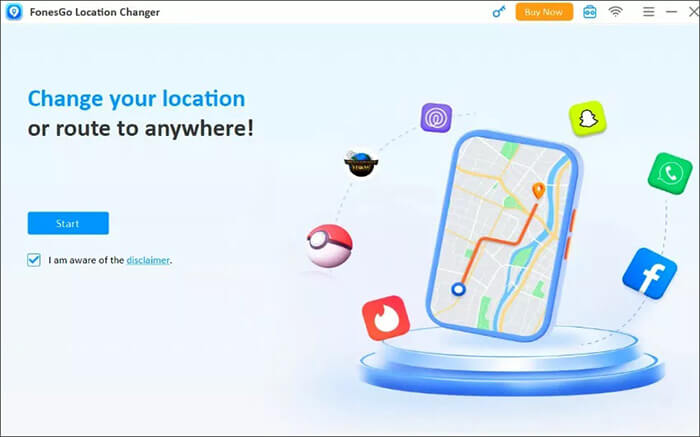
First, download and install FonesGo Location Changer on your Windows or Mac computer. Launch the program after installation and prepare your smartphone for connection.
Step 2. Connect Your Phone
Connect your Android or iPhone to the computer using a USB cable. For Android devices, you may need to enable Developer Options and USB debugging. For iPhone users, tap "Trust" when prompted to allow the computer to access your device.
Step 3. Select a Location-Changing Mode
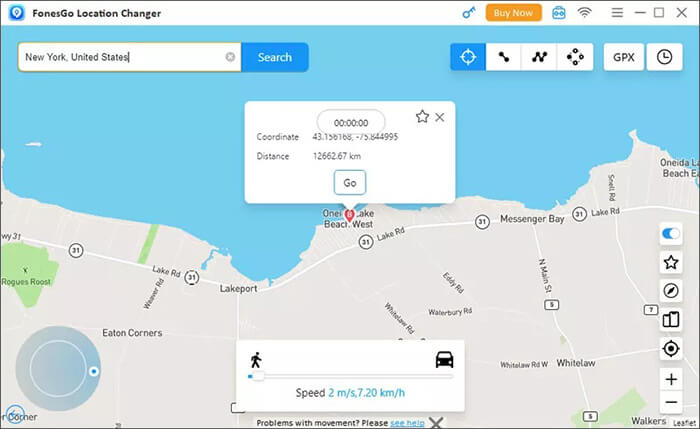
After your phone is successfully connected, FonesGo Location Changer will display different modes on the main interface, such as Teleport Mode and Multi-Spot Mode. Choose the mode that best fits your needs.
Step 4. Change Your GPS Location
Select your desired location on the map and confirm the change. FonesGo Location Changer will update your device's GPS position to the selected place. You can also use movement simulation features to create a more realistic route.
Although FonesGo Location Changer provides convenient GPS spoofing features, some users may prefer a more feature-rich and stable solution. In this case, Location Spoofer is a popular alternative worth considering.
Location Spoofer is a professional location changer that allows users to modify GPS positions on Android and iOS devices. It provides similar functions to FonesGo, while adding more customization options for users who need flexible location control.
Key features of Location Spoofer:
How to use the FonesGo Location Changer alternative to change your location?
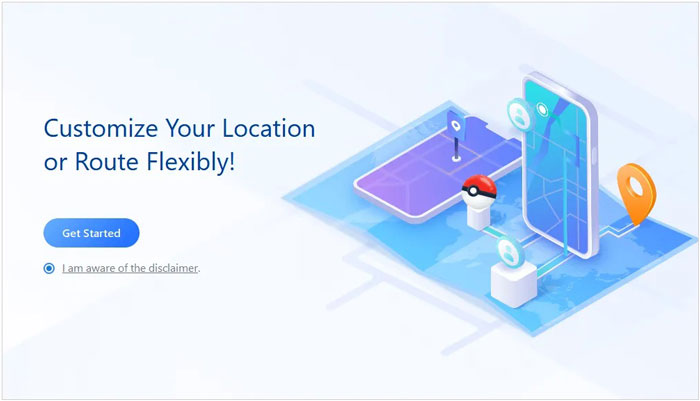
01Download and install Location Spoofer on your computer, then click "Get Started" to enter the main interface.
02Connect your smartphone to the computer via USB. For Android devices, turn on USB debugging; for iPhone users, tap "Trust This Computer" when prompted.
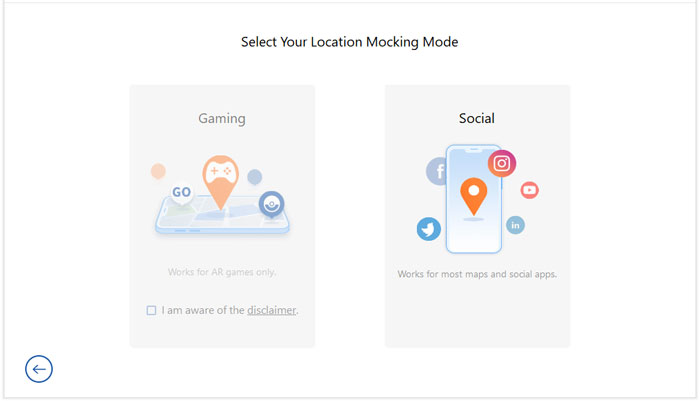
03After the device is detected, choose a suitable mode from the homepage, such as "Gaming" for games or "Social" for location-based apps.
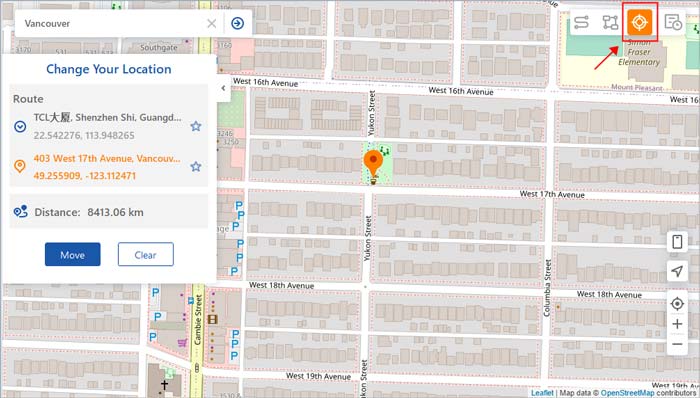
04Search for the target location you want to use, select it on the map, and click "Move" to change your GPS location instantly.
FonesGo Location Changer is a convenient GPS spoofing tool that provides essential features such as location changing, movement simulation, and support for popular location-based apps. Its simple interface and compatibility with the latest iOS and Android versions make it a suitable choice for users who need basic location spoofing functions.
However, after reviewing its features, pricing, and user feedback, FonesGo Location Changer still has some limitations in terms of advanced controls and overall user experience. If you are looking for more flexible location management features, Location Spoofer is a powerful alternative that offers joystick control, realistic route simulation, and broader compatibility for different location-changing needs.
Related Articles:
Best Location Changer Apps for Android and iPhone in 2026
[2026] How to Change Work and Home Location on Google Maps
How to Share Location on Android with Your Family and Friends
How to Share Location Between iPhone and Android in Real Time




 Free Download for PC
  Free Download for Mac


