People change their GPS locations for different reasons, such as playing AR games, accessing location-based services, or protecting their online privacy. Do you want to change your GPS location without leaving home? Have you ever tried to modify the location on your Android device but found it difficult? In fact, spoofing GPS on Android can be tricky, especially for beginners.
Fortunately, there are simple ways to do it. No matter the reason, this article will guide you through how to change your GPS location on Android easily and reach your desired virtual location within minutes.
Before we look at how to fake GPS location, you have to know why it's vital to spoof your location.
To update your Android system: Sometimes, an Android OS update is released in certain countries, and you have to download the update on your phone after it's released in your place. But when you change your GPS location, you can still download it before the release.
Watch TV shows and movies: Popular streaming platforms like Netflix display content according to the user's current location. However, you can watch Netflix shows that are not yet released in your place if you change your location.
To give you online privacy: These days, you never know when your private life will be invaded. It can happen when surfing the internet, checking your mail, or even talking to a friend on social media. Since different apps use your geolocation data differently, it is ideal to fake your GPS location to hide your actual location.
To boost your weak signal: You may also change your location when you feel like your signal is weak. Manually setting your real location with a location spoofing app can help.
To prevent sharing your actual location with social media applications: Many social media apps, like Instagram, access your location to customize the user experience. So, to keep online privacy intact, you should change your current location.
Are you looking for an easier way to change the GPS location on Android? A simple, easy, and fast way to spoof your location is to use this GPS Changer software. You can spoof your location in any country using this app. All you have to do is provide a specific address or latitude and longitude. It will automatically detect the actual location based on your address and then change it to the address entered. You can also add a custom movement speed.
If you are an enthusiast of AR games, this tool is what you need. The app can help you fake GPS locations effectively and efficiently without stress. You'll be able to create routes on the map and modify the location according to your requirements. The app has many features that you can use to meet your purpose.
Some of its key features include:
* Fake GPS location on Android and iOS devices instantly.
* Work well with apps like AR games.
* Joystick feature to simulate your movement.
* Saves all favorite routes by exporting or importing GPS files.
* Support the latest versions of Android and iOS.
Download this GPS location changer below.
How to change GPS location on Android in 1 click via this program:
01Install the GPS location changer on your computer and tap Get Started.
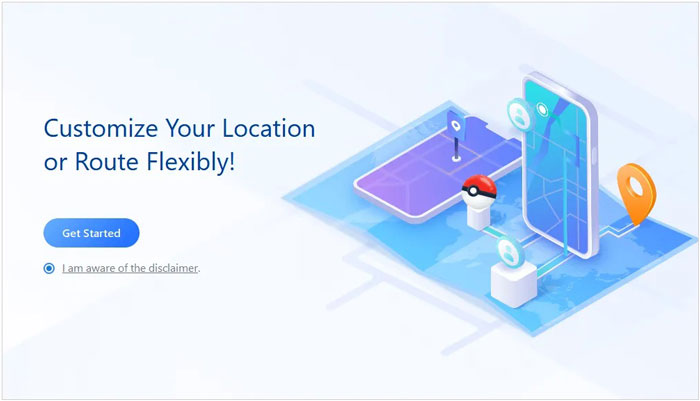
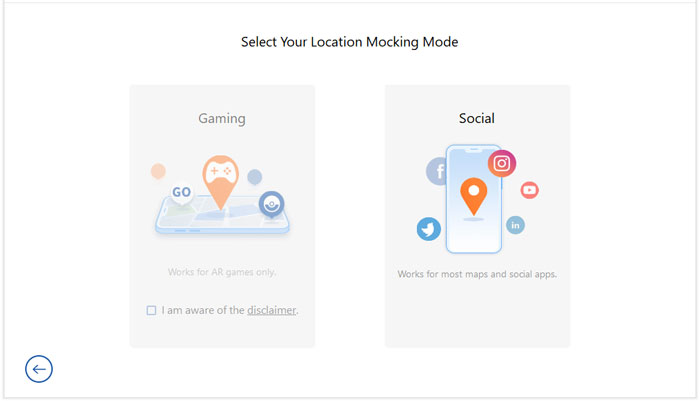
02Connect the Android device to the computer with a USB cable. Then choose your device and tap OK. Allow USB debugging on your phone, and choose a mocking mode on the interface.
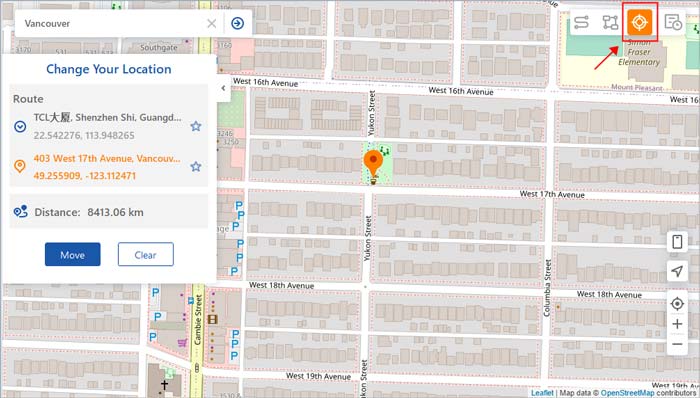
03Select the Teleport Mode button from the upper right corner. Then, enter your desired location, and tap the Move button. It will change your GPS location.
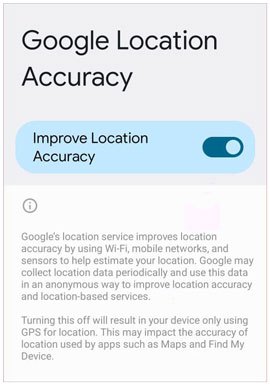
Another way of changing your location on your Android phone is to use Google Location Services. This method isn't as reliable as the first one, but it still works. The only downside is that it can't spoof your location to another place; it only hides your actual location.
Step 1: Open the Settings app on your device.
Step 2: Look for the Location option, tap Advanced, and proceed to the Google Location Accuracy button.
Step 3: Toggle off the Improve Location Accuracy option.
The Google Play Store offers several fake GPS apps to help create fake locations on Android. The app allows you to use various features like moving simulation and location history while changing the location on an Android phone. However, this method may not be very stable on some devices and can sometimes be detected by certain apps.
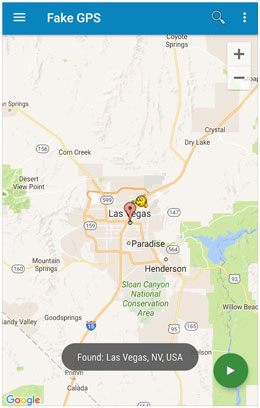
Fake GPS Location is the first app you can use to change your Android phone's location. Just download the app from the Google Play Store and start using it immediately. No need to use a computer here; just press a few buttons on your phone, and you'll be in your desired location. Here is how to change location on an Android using this app:
Step 1: Go to the Google Play Store, search for Fake GPS Location in the search bar, and install and launch it.
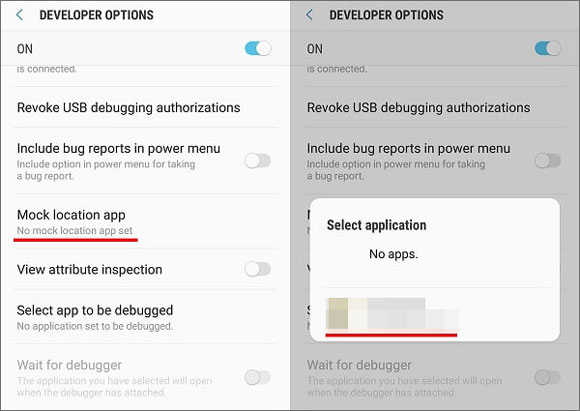
Step 2: Navigate to the Settings app and switch on the Developer Options. Once done, click Select mock location app and proceed to the Fake GPS option.
Step 3: Now, go to the application and choose the location you wish to go to.
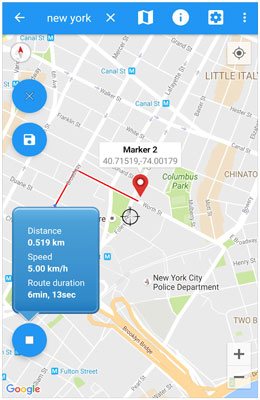
As the name suggests, this app can spoof your GPS location quickly. It can work on almost all Android devices. The best thing is that it comes with a joystick feature that makes it easy to create and customize routes.
Step 1: Download and install the app on your Android device from the Google Play Store. Allow the app to access the location of your device.
Step 2: Go to the Settings app, look for Developers options, and select this app as a mock location application.
Step 3: Go to the app and click the Teleport button to search for your location. Finally, tap the Play button after you select a new location.
As you can see, there are many ways to change the virtual location on an Android device. Each way can at least trick the Android device into thinking you are in a different location. However, if you want to hide your location completely, use the GPS Location Changer software. It is a powerful software that does location-changing tasks professionally. It's very easy to use, thanks to its intuitive interface.
Related Articles:
Easily Fake Google Maps Location with 4 Methods [Ultimate Guide]
What to Know About the Mock Location Android Feature & How to Use It
How to Share Location on Android with Your Family and Friends




 Free Download for PC
  Free Download for Mac


