TL;DR:
Want to know how to hack Pokémon GO without endless walking? This guide covers three popular Pokémon GO hacks:
You'll also learn additional Pokémon GO hacks such as using Lure Modules, Incense, Pokémon GO Plus accessories, and other strategies to attract more Pokémon while reducing the need to walk long distances.
To collect more Pokémons or game items on Pokémon GO, you must walk or at least move from place to place. This could be tiring when you're exhausted or the weather isn't just good. In such situations, you may find yourself researching how to hack Pokémon GO. Well, this guide discusses some of the best third-party location spoofers for hacking Pokémon GO. You'll also learn the hacks to help reduce walking on Pokémon GO.
If you're interested in learning how to hack Pokémon GO on an Android or iOS device, this section is tailored to your needs. There exist various methods to hack this widely popular game on a device.
If you want to hack Pokémon GO on your phone, the most recommended GPS fake tool is Location Changer. This powerful tool allows you to fool the game about your movement and collect extra Pokémons in the long run. While just sitting on your couch, you can use this tool to move to virtual locations based on a customized route.
During the virtual movement, this third-party tool allows you to regulate your speed so the game doesn't suspect anything fishy.
Key Features:
Below are the simple steps to walk virtually on Pokémon GO using Location Changer:
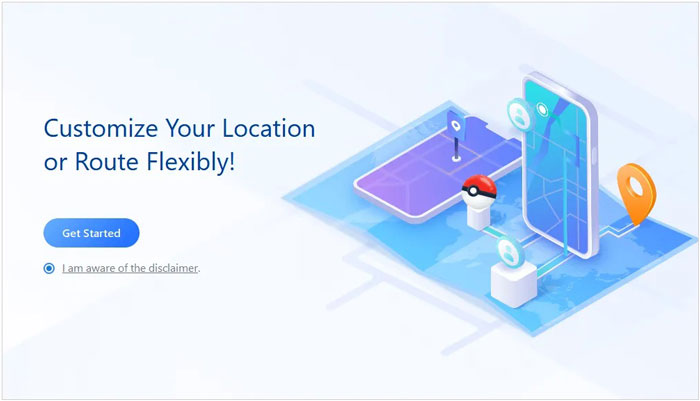
01 Launch Location Changer on your computer and click the Get Started button in its main interface. Next, connect your Android or iPhone via USB.
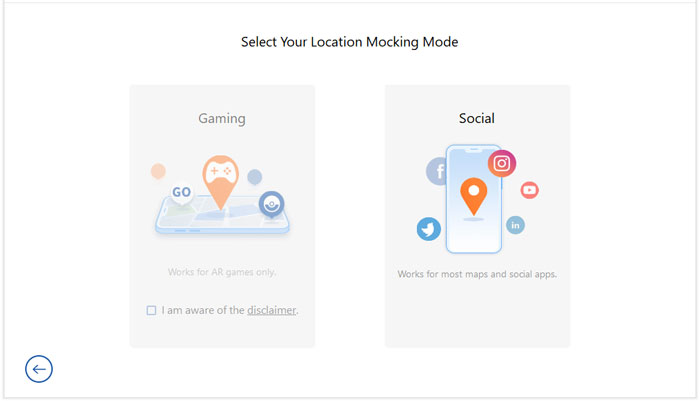
02After your device is successfully connected, select the Gaming mode from the available options to optimize Location Changer for Pokémon GO gameplay.
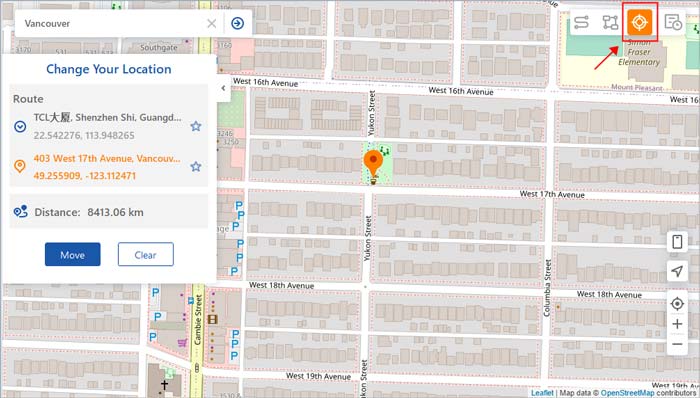
03To start simulating your GPS movement, select the Two-spot mode icon in the upper right of the screen. Next, enter the address or coordinate for your destination on the search box (the system will automatically detect your start point). Drag the speed bar to adjust your movement. Click on the Move button to start moving.
04Your GPS location will start changing based on the simulated location. Pokémon GO will also detect the location changes as you move by. You can pause or stop the movement anytime by clicking the relevant buttons. Once you reach the endpoint, you'll receive a sound notification and a popup. Your route history will then get saved to the records.
Utilizing Pokémon GO++, you can employ hacking techniques to manipulate the game and simulate your location, enabling you to capture rare Pokémon without leaving your residence. Nevertheless, it is important to note that this application exclusively functions on iPhones that have undergone jailbreaking.
If your iPhone hasn't undergone the process of jailbreaking, it's possible that you may not have the ability to utilize this particular app. However, if you're willing to accept the potential risks involved, you can follow these straightforward steps.
Step 1. Begin by visiting the Tutu app after successfully jailbreaking your iPhone, making sure that it is the latest version available.
Step 2. Next, locate the Pokémon GO++ application within the Tutu app and proceed to install it on your device. Remember to grant all the required permissions during the installation process.
Step 3. After successfully installing the app, log in to your Pokémon account. From there, you can modify your location by either activating the Fake Location setting or selecting your desired location on the map through the radar feature.
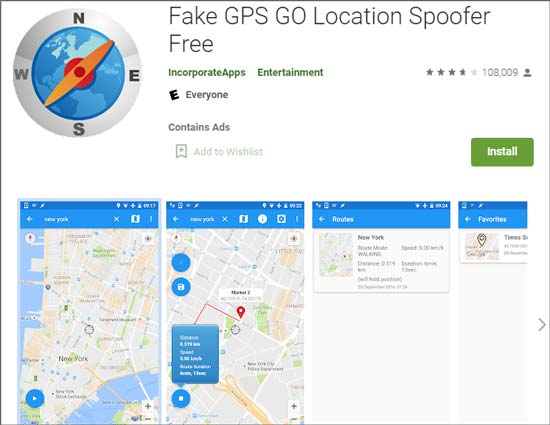
Fake GPS Go Location Spoofer Free is an application available on the Play Store that facilitates the falsification of your GPS location for the Pokémon GO game. This app is compatible with most Android devices and offers a user-friendly experience, making it relatively simple to operate.
Step 1. Proceed to download and install the application from the Google Play Store onto your device.
Step 2. Open the app and initiate it. Then, search for the desired location that you wish to simulate.
Step 3. Tap the play button within the app, and it will commence faking your location accordingly.
Since Pokémon GO requires you to move around so that you collect Pokémons and other incentives, this may not be possible all the time. You could be feeling unwell, or the weather conditions aren't favorable. It's important to know some hacks to play the game without walking and collecting more Pokémons without the system suspecting you. Below is a review of common Pokémon GO hacks you can apply:
Inserting a lure module into nearby Pokestops will help attract more Pokémons to that area. A lure module attracts Pokémons for up to thirty minutes. You can acquire lures through purchase, visiting the Pokestops, or when you level up. Follow the steps below:
Step 1. Select a Pokestop on the map and visit it.
Step 2. Click on Empty Module slot.
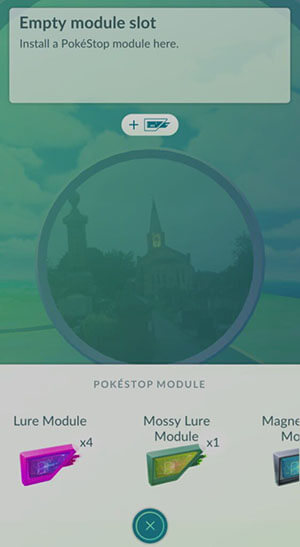
Step 3. Navigate to the bottom of the screen and tap on Pokestop Module. Lastly, tap on Lure Module. This will start attracting Pokémons to the selecting Pokestop.
Accessories help to enhance your activity and the overall experience of playing Pokémon Go. Some of the accessories to try out include the following:
Accessories are, therefore, very important when playing Pokémon GO.
Acquiring incense enables you to attract wild Pokémon to a Pokestop for about thirty minutes. You can purchase incense from the store or during level-up. Follow the steps below to use incense for catching wild Pokémon:
Step 1. Click on Pokeball > Items, then tap on Incense.
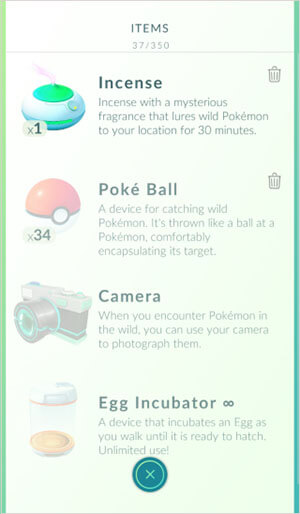
Step 2. The system will activate incense for thirty minutes. The incense will be displayed as a pink circle around your avatar and attract wild Pokémons.
You can try cycling or skateboarding if you want to cheat the game and collect more Pokémons. Before doing that, ensure you select a route with more gyms and Pokestops to collect the maximum number of game items. Applying this Pokémon GO hack is also a great way to exercise and keep fit while playing the game. Ensure you heed all the safety precautions before skating or cycling.
If you're tired of walking or feeling unwell, you can ask a friend to drive you around while playing Pokémon GO inside the car. The game will detect that you're moving and allow you to acquire extra Pokémons and game items. Ensure you collect PokeBalls at every turn when using this Pokémon GO travel hack.
Q1. Can I Hack Pokémon GO Today?
Yes, it's still possible to hack Pokémon GO. This allows you to get extra Pokémon and other game items. To efficiently hack Pokémon GO, you need a well-established location spoofer.
Q2. What Are the Benefits of Having Pokémon GO Hacked?
The first benefit of hacking Pokémon GO is that you can play the game without leaving your house. This is because location spoofers allow you to access virtual locations from where you can play the game. Another benefit is that you can easily catch water Pokémons (this is great if you live in landlocked areas). Hacking also allows you to catch rare Pokémons of the game.
Q3. What Is the Possible Risk if I Hacked Pokémon GO?
If you consistently use a Pokémon GO walking cheat, you may get banned. These bans could be short-term or long-term. To minimize this risk, limit the number of times you use hacking tools, i.e., only use them when need be.
You can conveniently hack Pokémon GO using reliable location spoofers like Location Changer. This article has discussed the 3 methods in detail and outlined their steps. You've also learned about the hacks you can apply to reduce walking on Pokémon GO. Ensure you try out each of the hacks mentioned to find the one that works best for you.
Related Articles:
Easy Pokémon GO Spoofing on iOS Devices in Top 6 Ways
Pokémon GO Hack App: 5 Best Pokémon GO Hacking Apps
Best Spoofing Apps for Pokémon GO (2026 Updated List for Android & iOS)
Most Reliable Pokémon GO Auto Catcher App on iOS and Android




 Free Download for PC
  Free Download for Mac


