TL;DR:
A Pokémon GO hack app lets players change their GPS location to explore different areas without traveling. It is commonly used to access region-exclusive Pokémon, join remote raids, and find high-spawn locations.
Looking for a reliable Pokémon GO hack app? While Pokémon GO is designed around real-world exploration, traveling to different cities or countries isn't always practical. That's why many players use GPS spoofing tools to access region-exclusive Pokémon, join remote raids, visit popular farming spots, and explore new locations without physically moving.
Most Pokémon GO hack apps work by changing your device's GPS location, making the game believe you're somewhere else. Some even offer advanced features like joystick controls, route simulation, and automatic movement. In this guide, we'll review the best Pokémon GO hack apps in 2026, comparing their features, pros, cons, and setup processes to help you choose the right tool for your gameplay needs.

Rating: 4.9/5
Location Changer is one of the most popular Pokémon GO hack apps available today. Designed for both iOS and Android devices, it allows players to change their GPS location instantly and explore virtually anywhere in the world without physically traveling. Whether you want to catch region-exclusive Pokémon, join raids in different countries, or visit popular Pokémon GO hotspots, Location Changer provides an easy and beginner-friendly solution.
Beyond simple location spoofing, Location Changer offers advanced tools such as joystick movement, route planning, and multi-spot navigation, making virtual travel appear more natural. Its intuitive interface and broad device compatibility make it a top choice for both casual and experienced Pokémon GO players.
Key Features
Cons
Below are the easy steps to get started with Location Changer on how to hack in Pokémon GO:
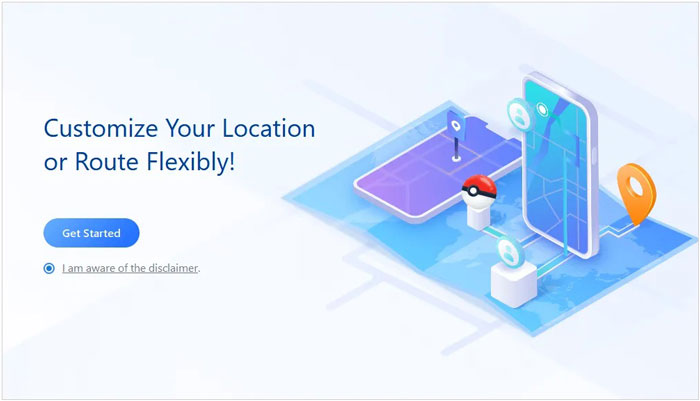
01Launch Location Changer on your computer and click the "Get Started" button in its main interface. Next, connect your phone via USB.
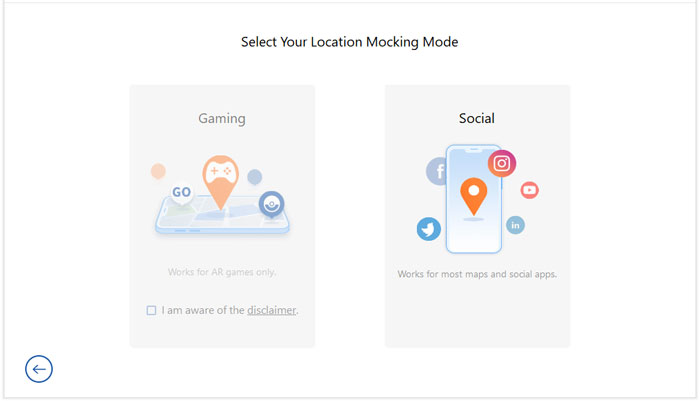
02You need to choose the "Gaming" mode for Pokémon GO. Wait for a moment, and a map will load showing your current location.
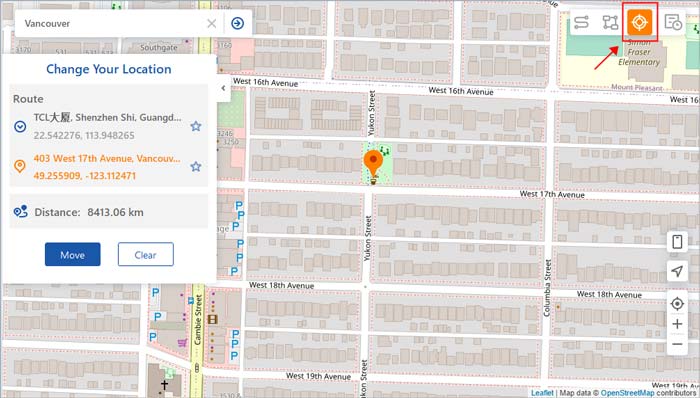
03Next, click on "Teleport Mode" at the top right to pick a new virtual location. This allows you to hack Pokémon GO and fool it with a fake location. Then click the "Move" button to switch to the new location you've selected from the map. You can then start playing Pokémon GO from here.
Rating: 3.9/5
PGSharp is a well-known Pokémon GO hack app designed specifically for Android devices. Unlike many PC-based spoofers, PGSharp works directly on Android and includes built-in Pokémon GO enhancement features such as joystick controls, teleportation, auto-walk, and quick catch options.
Pros
Cons
How to Use PGSharp
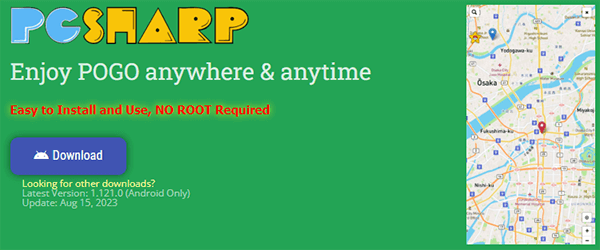
Step 1. Visit the official PGSharp website and download the APK file directly to your Android device.
Step 2. Before installation, go to your phone settings and enable "Install from Unknown Sources" to allow third-party apps.
Step 3. Install PGSharp and open the application once the installation is complete.
Step 4. Log in using your Pokémon GO account credentials and wait for the game interface to load.
Step 5. Use the built-in map or joystick feature to choose a location or start moving in-game.
Step 6. Tap on a destination on the map to teleport or use the joystick to simulate walking. Then start playing Pokémon GO normally within the modified location.
Rating: 4.5/5
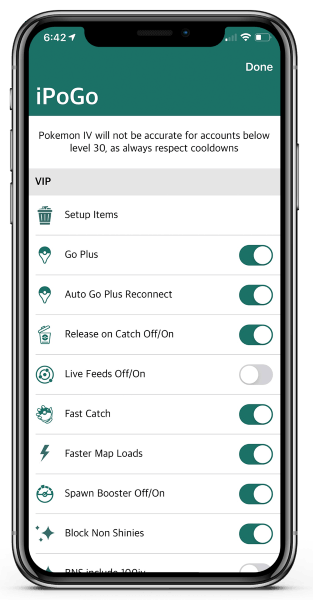
iPogo is another popular Pokémon GO spoofing tool that offers advanced features beyond simple GPS spoofing. It includes enhanced Pokémon tracking, IV checking, route generation, quick catching, and raid assistance tools. It is available for both iOS and Android users.
Pros
Cons
How to Use iPogo
Step 1. Download and install iPogo based on your device (iOS or Android) using the official installation method provided on their website.
Step 2. Launch the app and sign in with your Pokémon GO account to access the modified game interface.
Step 3. Allow any required permissions such as location access and notifications so the app can function properly.
Step 4. Open the in-app map and search for your desired location or Pokémon hotspot.
Step 5. Select the teleport option to instantly move your character, or enable auto-walk to simulate movement along a route.
Step 6. Return to gameplay and start catching Pokémon, joining raids, or exploring new areas.
Rating: 4.7/5
Tenorshare iAnyGo is a GPS location changer that supports Pokémon GO location spoofing without requiring jailbreak or root access. It offers teleport mode, route simulation, joystick control, and multi-device support, making it a strong alternative to Location Changer.
Pros
Cons
How to Use Tenorshare iAnyGo
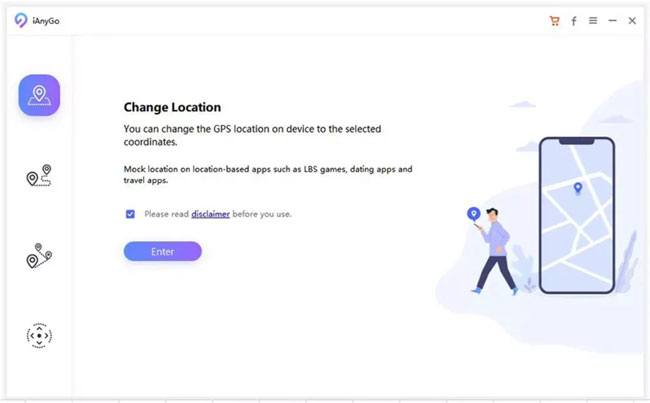
Step 1. Install Tenorshare iAnyGo on your computer and launch the program. By default, it will open in the "Change Location" mode, which is used for GPS modification.
Step 2. Connect your iPhone or Android device to the computer using a USB cable. After unlocking your device, click the "Enter" button to continue. If you are using an Android device, make sure USB debugging is enabled before proceeding.
Step 3. After the device is successfully detected, select the target device from the list to confirm which phone you want to modify.
Step 4. In the search bar, type the location you want to teleport to, such as a city name or GPS coordinates. Once you choose the destination, click "Start to Modify" to apply the new GPS location instantly.
Rating: 4.3/5
NordVPN is not a dedicated Pokémon GO hack app, but many players use it alongside GPS spoofing tools to improve privacy and change their apparent network location. While a VPN alone cannot change your GPS coordinates, it can help mask your IP address and add an extra layer of online security.
Pros
Cons
How to Use NordVPN
Step 1. Download NordVPN from its official website or app store and install it on your device.
Step 2. Open the app and log in with your NordVPN account credentials.
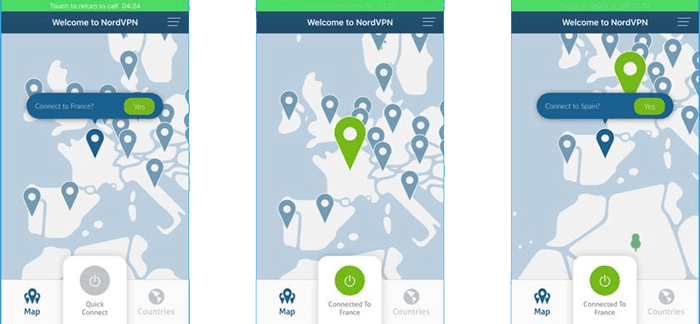
Step 3. Browse the server list and choose a country or region you want to connect to.
Step 4. Tap the "Connect" button and wait until the VPN connection is successfully established.
Step 5. Once connected, open your GPS spoofing tool or Pokémon GO. NordVPN will mask your IP address while you play, adding an extra layer of privacy and security.
1. Can you get banned for using Pokémon GO hacks?
Yes. Niantic actively monitors suspicious in-game behavior such as sudden long-distance location changes, modified game clients, and automation tools. If your activity is flagged as non-compliant with the game's Terms of Service, your account may receive penalties ranging from warnings to permanent bans.
To reduce the risk, players usually try to avoid frequent long-distance teleporting, respect cooldown times, and avoid using overly aggressive automation features.
2. What are the risks of using a Pokémon GO hack app?
Using a Pokémon GO hack app or location spoofing tool may lead to several risks, including:
Because of these factors, users should carefully consider the potential consequences before using any third-party tools.
3. How long does a Pokémon GO soft ban last?
Niantic uses a three-strike system to handle violations related to spoofing or unauthorized gameplay modifications.
A warning phase is applied, typically lasting around seven days. During this time, certain gameplay features may be limited, such as reduced encounter rates for rare Pokémon and restricted access to specific in-game content.
A temporary suspension is issued, usually lasting around 30 days. Players will not be able to log in to their accounts during this period.
A permanent ban is applied. The account is permanently disabled and cannot be restored.
A Pokémon GO hack app can help you access region-exclusive Pokémon, join global raids, and explore new locations without leaving home. Among all the options discussed above, Location Changer stands out as the most beginner-friendly solution thanks to its intuitive interface, realistic movement simulation, joystick controls, and support for both iOS and Android devices. If you're looking for a balance between functionality, ease of use, and reliability, it's an excellent place to start.
That said, every spoofing method carries some degree of risk. To protect your account, always use location-changing tools responsibly, follow cooldown rules, and avoid suspicious in-game behavior that could trigger Pokémon GO's anti-cheat system.
Related Articles:
[Solved] How to Use Pokémon GO Spoofer on iOS with No Jailbreak
How to Play Pokémon GO Without Moving [Detailed Steps for Android and iOS]
[New] Top 6 Pokémon GO Walker Apps for a Better Gaming Experience




 Free Download for PC
  Free Download for Mac


