In today's world, where location-based apps dominate everything from gaming and socializing to navigation, GPS spoofing tools have become essential for users seeking more flexibility, privacy, or enhanced experiences. MocPOGO stands out as a cross-platform GPS simulator, offering a solution to change your device's location without the need for complicated modifications. Whether you're a Pokémon GO enthusiast trying to catch rare creatures from the comfort of home, a traveler hoping to meet new people on Tinder, or a professional testing location-based apps, MocPOGO promises a seamless and easy-to-use experience.
This in-depth MocPOGO review will break down everything you need to know about the tool, from its core features and pricing to user feedback and alternatives. Our goal is to help you decide whether MocPOGO is the right GPS spoofer for your needs, providing you with all the information you need to make an informed choice.
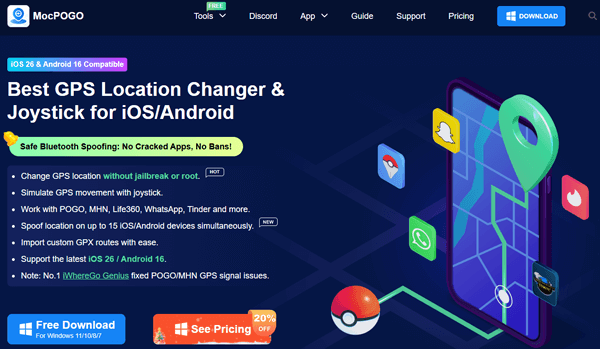
MocPOGO stands out due to its impressive list of features that cater to both casual users and advanced ones. Here are the key features:
One of the biggest advantages of MocPOGO is that you don't need to root or jailbreak your device to use it. This ensures the safety and security of your phone while still providing powerful location spoofing capabilities.
You can simulate GPS movement using a joystick, making it easy to customize the speed and route of your virtual movement. This feature is perfect for gamers who need a precise movement for their in-game characters.
MocPOGO works seamlessly with various applications like POGO, MHN, Life360, WhatsApp, and even Tinder, making it ideal for users who want to change their locations in multiple apps simultaneously.
You can spoof your GPS location on up to 15 different devices at the same time, including both iOS and Android devices. This is particularly useful for people managing multiple accounts across different platforms.
You can easily import custom GPX routes, which allows for more specific, detailed location changes, perfect for those looking to take a scenic route or follow a pre-planned path.
MocPOGO is fully compatible with the latest versions of iOS 26 and Android 16, ensuring it works smoothly on most modern devices.
MocPOGO offers a free trial version that lets you test out its features with some limitations. You can see how it works by changing your location and teleporting to various places, but it's only available for one device, and some features are locked.
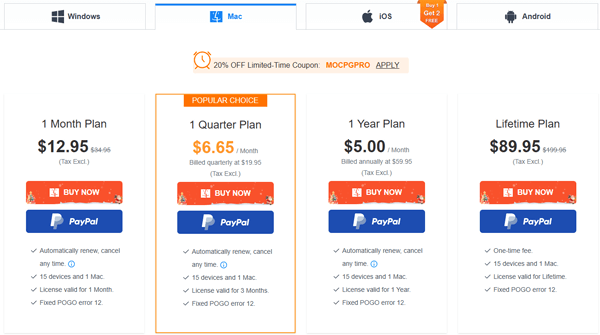
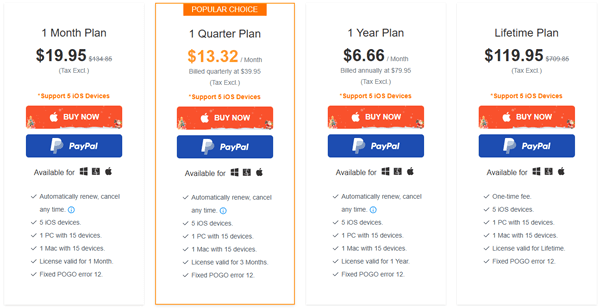
For those who require full functionality, MoCPOGO offers different payment plans for different devices. As follows:
Windows:
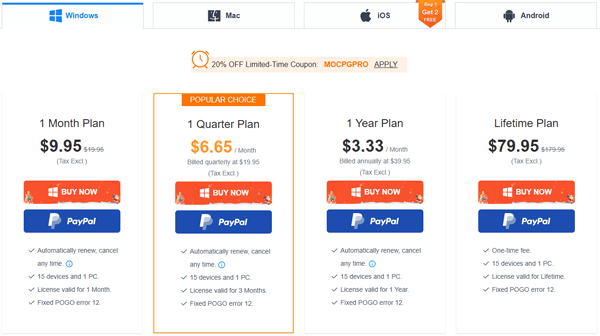
Mac:
iOS:
Android Basic:
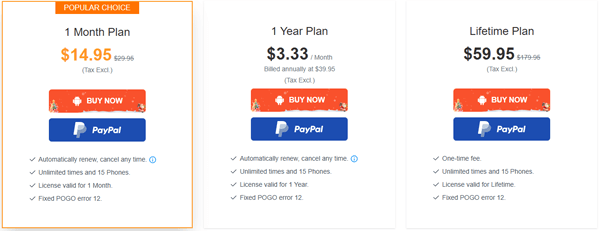
Android Premium:
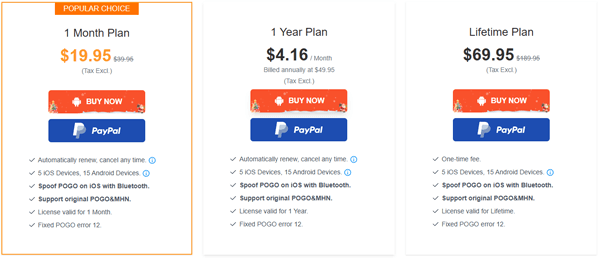
MocPOGO prides itself on a user-friendly interface, and the setup process is straightforward, even for those with limited technical expertise. Follow these steps to get started:
Step 1. Download & Install
Visit MocPOGO's official website and click the "Download" button to install the software on your computer.
Step 2. Register & Launch
After installation, create a MocPOGO account using your email address and password. Log in and click the "Start" button to initiate the device connection process.
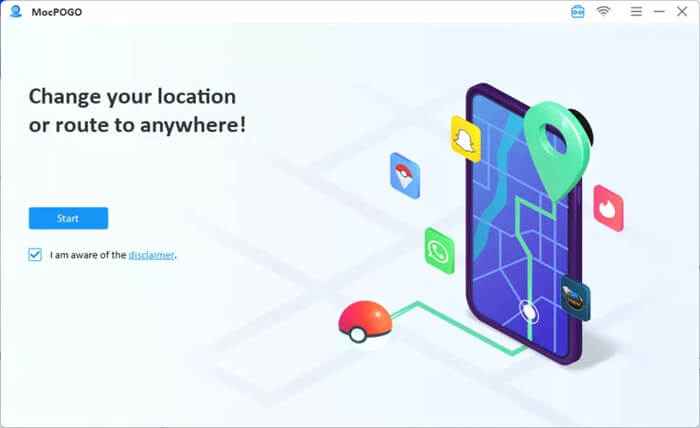
Step 3. Connect Your Device
Select your device's operating system (iOS or Android) from the dashboard. Connect your device to the computer using a USB data cable or Wi-Fi (Wi-Fi connection requires prior setup via USB for initial pairing). For first-time users:
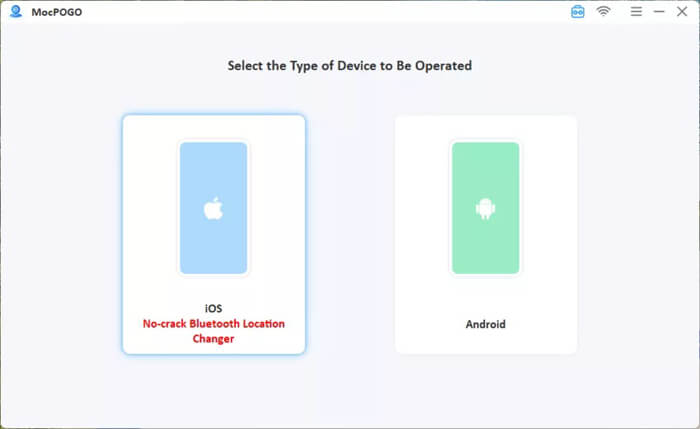
Step 4. Choose a Spoofing Mode
Once connected, select from five location modification modes:
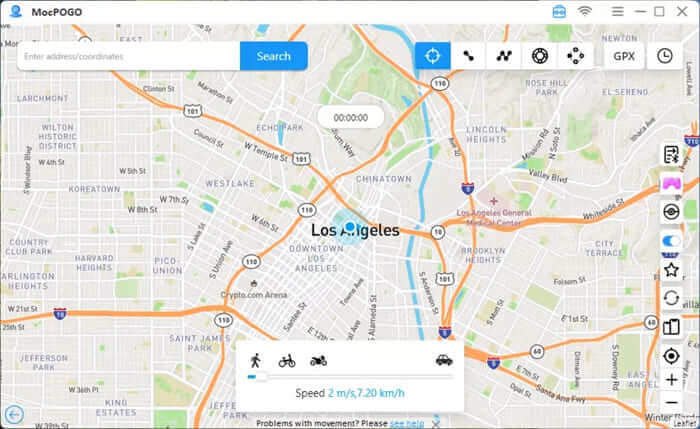
Step 5. Start Spoofing
After configuring your preferred mode, the on-screen prompts will guide you through the process, making it easy for beginners to use.
To provide a balanced MocPOGO review, let's weigh its strengths and weaknesses:
Pros:
Cons:
User reviews of MocPOGO highlight both positive experiences and areas for improvement. Here's a snapshot of real user feedback from tech forums, app stores, and social media:
"I'm really pleased with this program! It's been like being there, picking up locals, wandering the streets, and raiding while I've been playing Pokémon GO, waking all over the world with no problems. I'm very thankful and delighted that a jailbreak is not necessary!"
"I use MocPOGO to spoof my location on Tinder when I'm planning trips. It's easy to set up, and the multi-device support lets me manage my personal and work accounts at the same time. Worth every penny."
"Setting up Wi-Fi connection was a hassle, ended up sticking with USB. Also, the free trial is too limited; I couldn't test the joystick speed before subscribing."
If MocPOGO doesn't quite meet your needs, there are alternatives like Location Spoofer. It's another powerful location spoofing tool that offers similar features, including GPS teleportation, joystick control, and support for multiple devices.
Key Features of Location Spoofer
How to Use Location Spoofer to Change Your Location?
01Firstly, download and install Location Spoofer on your computer, then click "Get Started".
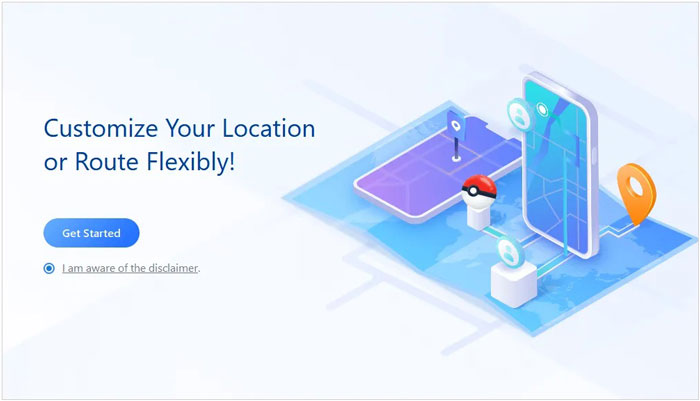
02Connect your phone via USB. For Android, enable USB debugging; for iPhone, tap "Trust This Computer".
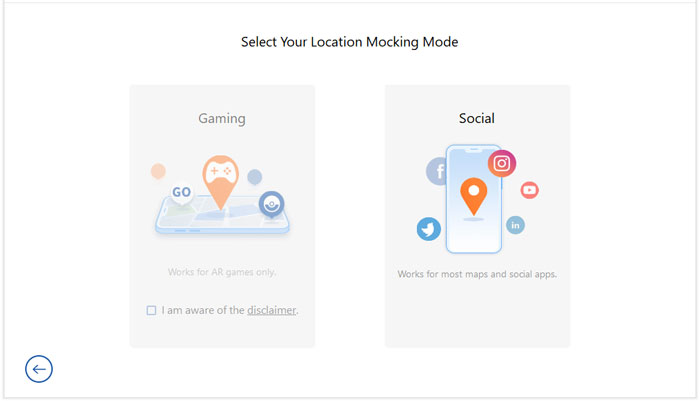
03Once connected, choose your desired mode: Gaming or Social.
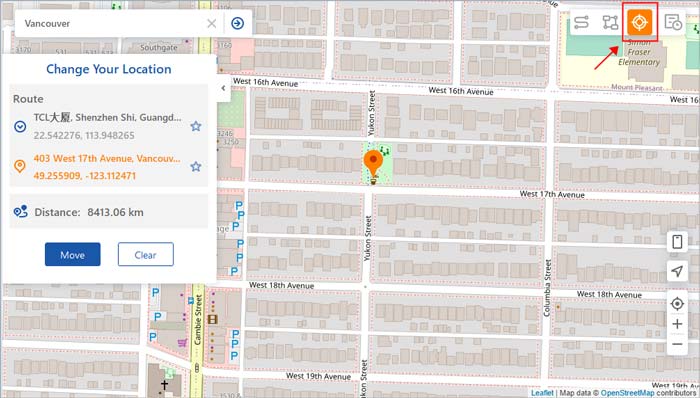
04Enter the location you'd like to spoof, then hit "Move" to instantly change your GPS location.
1. What is MocPOGO used for?
MocPOGO is used to change or spoof your GPS location on both iOS and Android devices. It's ideal for gaming, privacy, and social media applications.
2. Is MocPOGO a trusted service?
Yes, MocPOGO is a trusted service used by many individuals who want to spoof their location without rooting or jailbreaking their devices.
3. Is MocPOGO available in other languages?
Currently, MocPOGO is available in multiple languages, though you should check their official website for the most up-to-date list of supported languages.
MocPOGO is a reliable and user-friendly GPS spoofing tool that offers a wide range of features for both casual users and tech-savvy individuals. Whether you're gaming or simply protecting your privacy, MocPOGO provides a safe and efficient way to fake your location. If you're looking for an alternative, Location Spoofer offers similar functionality with its own set of features.
Related Articles:
[Skout Change Location] How to Change Skout Location in 4 Simple Ways
How to Change Country in Google Play Store in 3 Easy Methods
How to Share Location on Android with Your Family and Friends
How to Change Your Location on Snapchat for iPhone & Android




 Free Download for PC
  Free Download for Mac


