TL;DR:
PoGoskill is a GPS spoofing tool designed for Pokémon GO and other location-based apps, allowing users to change locations, simulate movement, and explore new areas without physical travel. This review covers its key features, pricing, pros and cons, step-by-step usage guide, and also introduces a powerful alternative, Location Changer, for users looking for a more advanced option.
Location spoofing tools have become increasingly popular among Pokémon GO players who want to explore different regions, catch rare Pokémon, join remote raids, and participate in global events without physically traveling. Among the many GPS-changing tools available today, PoGoskill has attracted attention for its user-friendly interface and Pokémon GO-focused features.
But is PoGoskill really worth using? In this PoGoskill review, we'll take an in-depth look at its features, pricing, advantages, disadvantages, and usage process. We'll also introduce a powerful alternative that may better suit your needs.
PoGoskill is a GPS location changer designed primarily for Pokémon GO players. It allows users to modify their device's GPS location and simulate movement without jailbreaking or rooting their devices.
The software supports both iOS and Android devices and aims to help players access region-exclusive Pokémon, participate in events worldwide, and explore different locations from home.
Key features of PoGoskill
PoGoskill provides different pricing plans depending on how many computers you want to install the software on. All plans support up to five mobile devices, but the cost varies between single-PC and two-PC licenses.
For the single-PC license (one computer + up to 5 mobile devices):
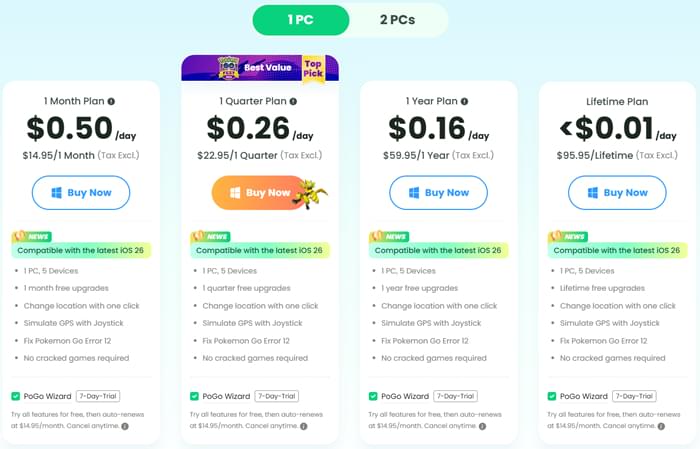
For the two-PC license (two computers + up to 5 mobile devices):
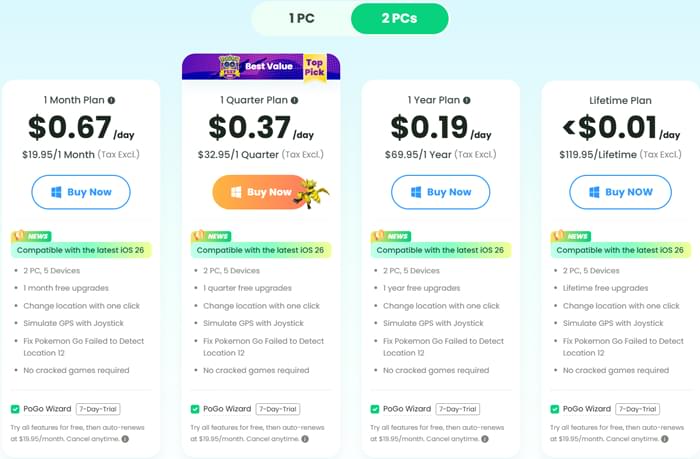
Overall, the pricing is relatively flexible, allowing users to choose between short-term subscriptions and long-term lifetime access depending on their needs. However, users who require multi-computer usage should expect a higher cost compared to the standard single-PC license.
Like any GPS spoofing tool, PoGoskill comes with both strengths and weaknesses.
Pros
Cons
Many users often ask: Is PoGoskill safe to use? PoGoskill is generally safe to install and use since it does not require jailbreaking or rooting your device. However, because it involves GPS location modification, it should still be used responsibly, especially in location-based games.
Here is the guide on how to use PoGoskill:
Step 1. Download PoGoskill from its official website and install it on your Windows or Mac computer. After installation, launch the software and click the "Start" button to begin.
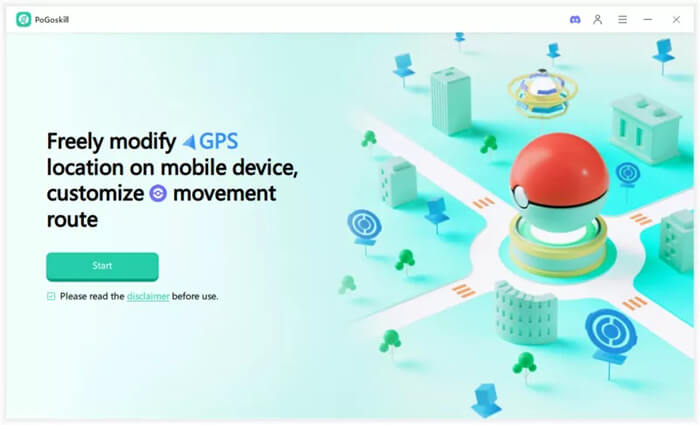
Step 2. Connect your smartphone to the computer using a USB cable or Wi-Fi. Follow the on-screen instructions to complete the connection process and ensure your device is successfully recognized.
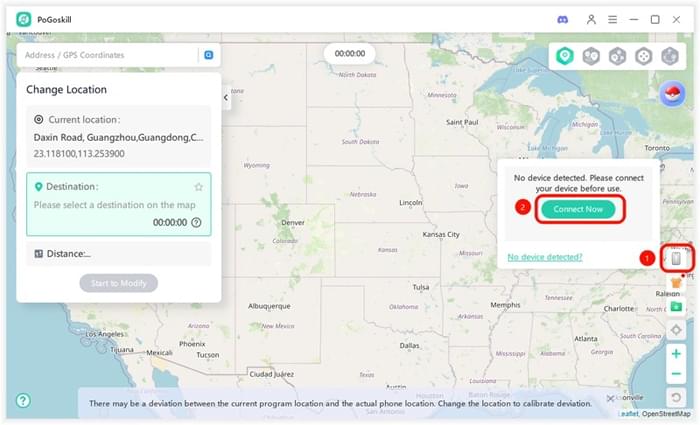
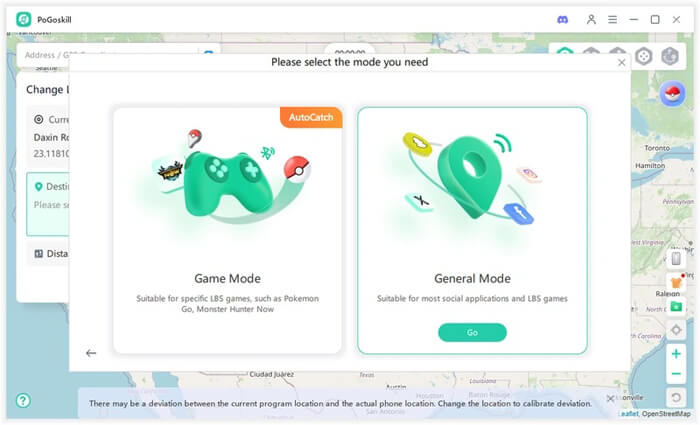
Step 3. Once connected, select the appropriate mode based on your needs. Choose "General Mode" for apps like Snapchat or Facebook, and select "Game Mode" for Pokémon GO, Monster Hunter Now, and other location-based games.
Step 4. Choose your preferred movement method from the control panel. Then select a destination on the virtual map according to where you want your location to be changed.
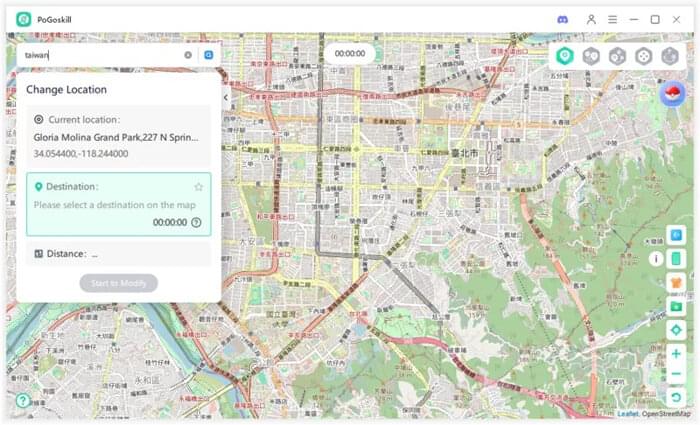
Step 5. Click the "Start to Modify" button to instantly change your GPS location and begin using the new virtual position.
If you're looking for a more established and feature-rich GPS spoofing solution, Location Changer is one of the strongest alternatives to PoGoskill.
Location Changer is a professional location changer that supports both iOS and Android devices. It allows users to teleport to any location worldwide, simulate realistic movement routes, and control GPS movement using a joystick.
Why choose Location Changer?
How to use the PoGoskill alternative to change Android location?
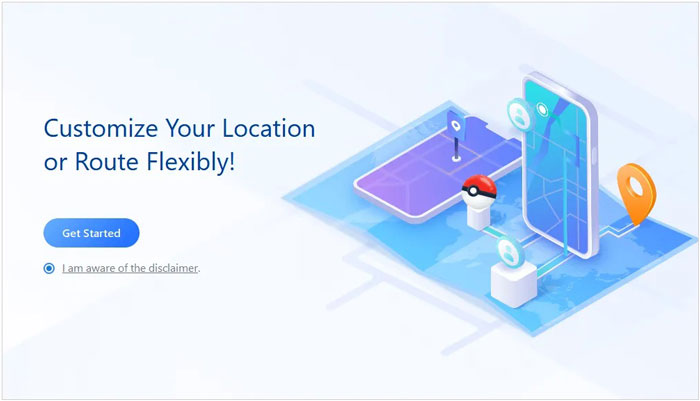
01Download and install Location Changer on your computer, then connect your Android device via a USB cable and approve the required permissions on your phone. After that, open the program and click the "Get Started" button to begin. The software will automatically recognize your device once the connection is established.
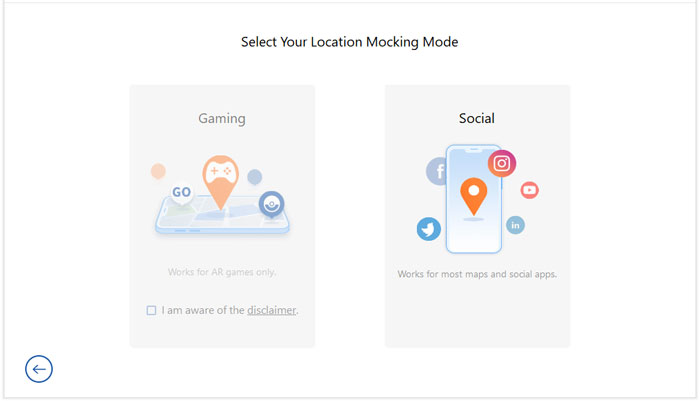
02Once inside the interface, select either the "Social" or "Gaming" mode depending on your intended usage. Then navigate the map to pick your target location. You can either search directly using the search bar or manually adjust the map by zooming and dragging to find the exact area.
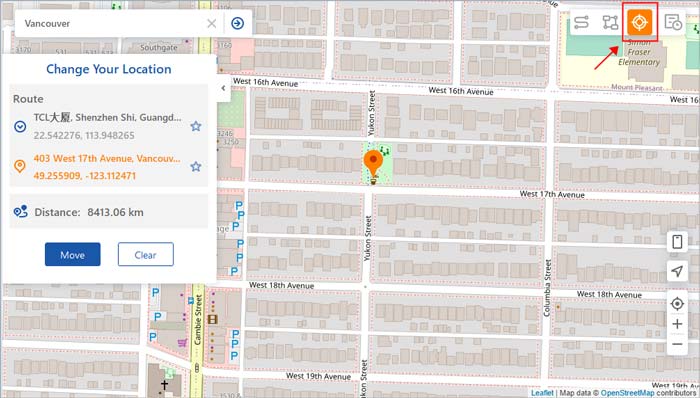
03After choosing your destination, click the "Move" button to immediately change your virtual location to the selected spot.
PoGoskill is a capable GPS spoofing tool that offers essential features such as location changing, joystick movement, and route simulation for Pokémon GO players. Its simple interface makes it accessible to beginners, while its cross-platform support adds flexibility.
However, if you want a more established solution with broader compatibility, frequent updates, and advanced location simulation features, Location Changer is a compelling alternative worth considering. Ultimately, the best choice depends on your budget, device type, and the features that matter most to your Pokémon GO experience.
Related Articles:
Best Spoofing Apps for Pokémon GO (2026 Updated List for Android & iOS)
How to Play Pokémon GO Without Moving [Detailed Steps for Android and iOS]




 Free Download for PC
  Free Download for Mac


