TL;DR:
Apeaksoft Android Data Backup & Restore is a desktop tool that helps users back up and restore Android data, including contacts, messages, photos, videos, and documents.
Losing important Android data such as contacts, messages, photos, and documents can be frustrating. To prevent accidental data loss, many users choose professional Android backup tools to create secure backups on a computer. Apeaksoft Android Data Backup & Restore is one of the popular Android backup programs designed for both Windows and Mac users.
In this Apeaksoft Android Data Backup & Restore review, we will examine its features, pricing, advantages, disadvantages, usage steps, and the best alternative to help you decide whether this software meets your needs.
Apeaksoft Android Data Backup & Restore is a desktop program that helps users back up and restore Android data without data loss. It supports selective backup and recovery, allowing users to save only important files instead of creating a full device backup every time.
The software works with most Android brands and supports various data types, including contacts, messages, call logs, photos, videos, music, and documents. Below are its core key features in detail.
Apeaksoft Android Data Backup & Restore has a concise and intuitive user interface, requiring no professional technical knowledge. Both beginners and experienced users can master the operation quickly. Here is a step-by-step usage guide for data backup and restoration.
Step 1. Install and launch Apeaksoft Android Data Backup & Restore on your computer. Connect your Android phone to the computer with a USB cable. The software will prompt you to enable USB debugging mode on your Android device.
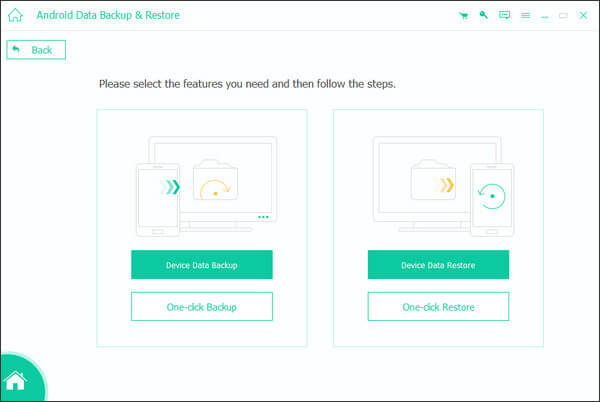
Step 2. Click "Device Data Backup" to selectively back up Android files. Then, the program will display supported data categories, including Contacts, Messages, Call Logs, Gallery, Videos, Audio, and Documents.
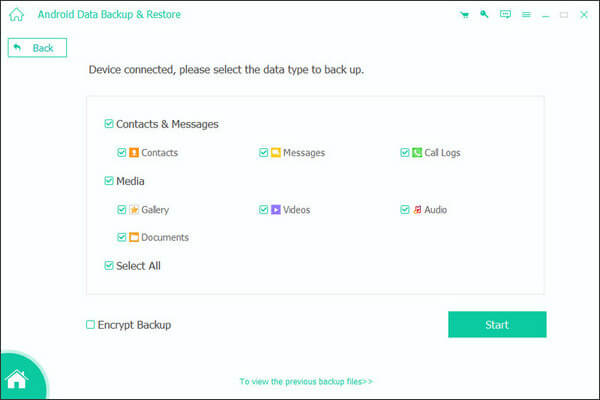
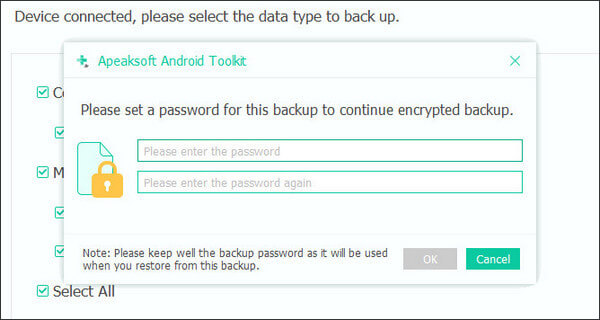
Step 3. If necessary, enable the "Encrypted Backup" option and set a password to protect your backup file.
Step 4. Choose the content you want to back up and click "Start". The program will immediately begin backing up data from your Android device. After the process finishes, you can check whether the backup has been completed successfully.
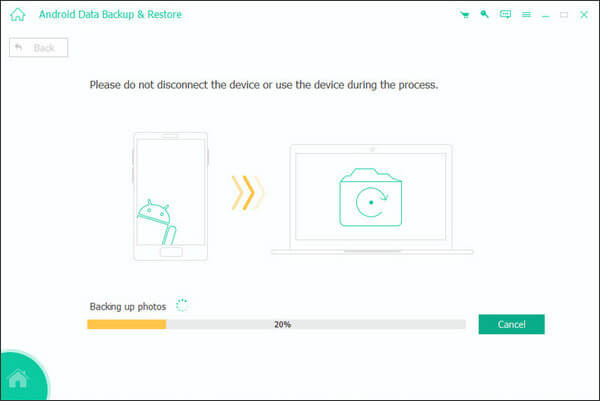
Step 1. Open the software and select "Device Data Restore".
Step 2. Choose a previous backup file from the backup history list. For encrypted backups, you need to enter the password you previously created.
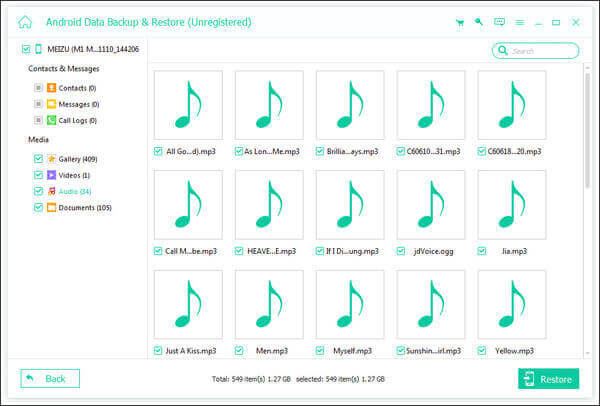
Step 3. Preview and select the data you want to restore, then click "Restore". After the restoration is completed, disconnect your Android device safely.
According to the official website of Apeaksoft, the software currently offers several pricing plans for Windows and Mac users:
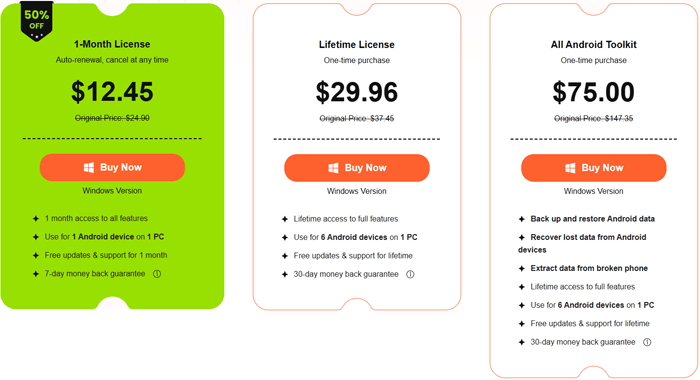
To objectively evaluate this software, we sort out its obvious advantages and existing limitations based on actual usage experience, helping users make rational purchase decisions.
If you want a more comprehensive Android management solution, Coolmuster Android Backup Manager is one of the best alternatives to Apeaksoft Android Data Backup & Restore.
Unlike Apeaksoft's tool, which mainly focuses on backup and restore, Android Backup Manager provides a more stable and efficient backup experience with one-click operations and broader Android compatibility.
Key features of Android Backup Manager
How to use Android Backup Manager?
01Download and install Android Backup Manager on your computer.
02Connect your Android phone via USB and enable USB debugging.
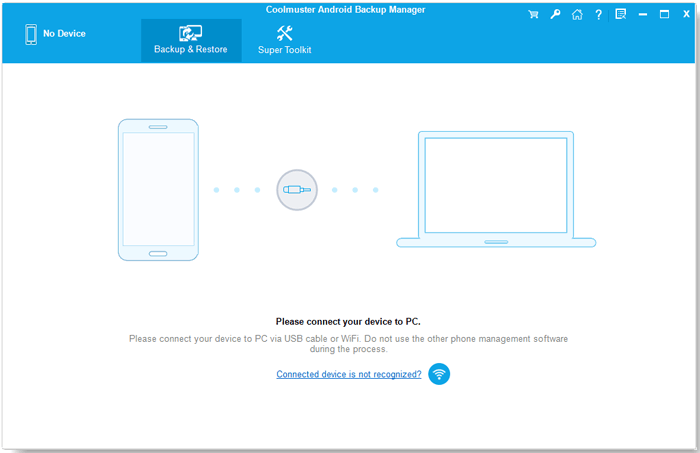
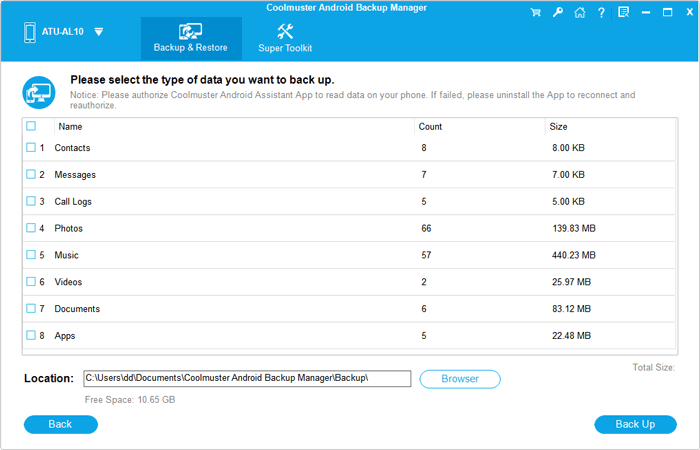
03Choose the "Backup" module, select the data types you want, and specify a storage location on your computer.
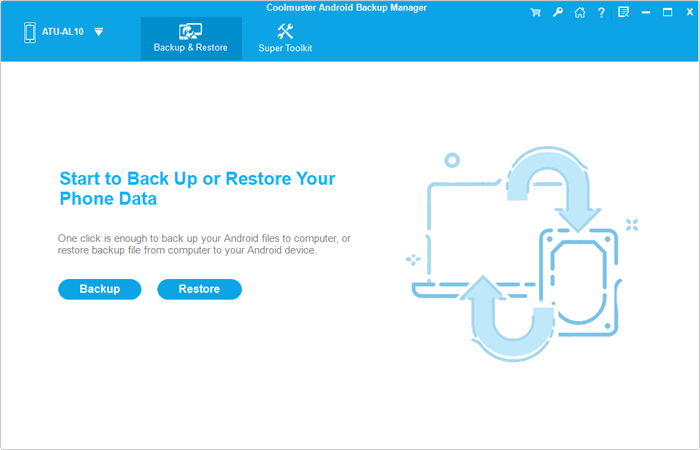
04Click "Back Up" to save your Android data safely.
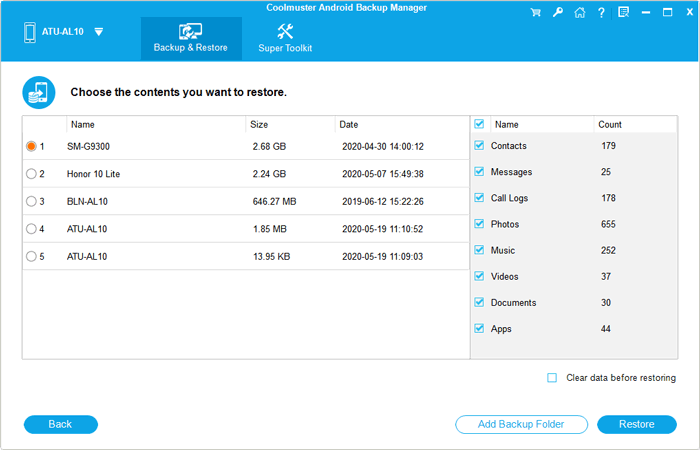
To restore data, simply enter the "Restore" module, choose a backup file, select the wanted data, and start the restoration process.
If you prefer a visual guide, you can also follow the video tutorial below to learn how to use the software more easily.
1. Is Apeaksoft Android Data Backup & Restore safe to use?
Yes, Apeaksoft Android Data Backup & Restore is generally considered safe to use. The software mainly performs local backup and restore operations on your computer and does not permanently delete existing Android data during the process.
2. What should I do if the software cannot detect my Android phone?
First, make sure USB debugging is enabled on your Android device. You can also try changing the USB cable, reconnecting the device, updating Android USB drivers, or restarting both the phone and the computer.
3. Can I restore backup data to a different Android phone?
Yes. Apeaksoft Android Data Backup & Restore supports restoring backup files to different Android devices. In most cases, you can transfer data from an old Samsung phone to another Android brand, such as Xiaomi, Huawei, or Motorola, without major compatibility issues.
4. Will restoring backup data overwrite existing files on my Android phone?
Normally, the restoration process will not automatically erase your current Android data. Instead, the software restores selected backup content to your device. However, to avoid unexpected data conflicts or duplication, it is still recommended to back up your important files before restoring data.
Overall, Apeaksoft Android Data Backup & Restore is a practical Android backup solution for users who want a simple way to protect important files on their devices. It offers selective backup, encrypted protection, and broad Android compatibility at a reasonable price.
However, if you need a more stable backup experience, easier operation, and broader device management features, Coolmuster Android Backup Manager is worth considering as a more comprehensive alternative.
Related Articles:
Apeaksoft Android Data Recovery Review: A Comprehensive Guide
Apeaksoft iOS Data Backup & Restore Review: A Comprehensive Guide
Apeaksoft iPhone Transfer Review 2026: Full Features, Pricing, Pros & Cons
Apeaksoft iOS Unlocker Review: Features, Price, Pros, Cons & Best Alternative





 Free Download for PC
  Free Download for Mac


