iOS Assistant
 
Coolmuster iOS Assistant

Best iPhone Data Manager for Local Backup & Transfer

  • 1-Click Local Backup & Restore: Safely back up your entire iPhone, iPad, or iPod to your computer and restore archives without without cloud storage limits.
  • Selective Data Transfer: Preview and select files to transfer. Export contacts and text messages to your computer in common formats like CSV, VCF, or XML.
  • Backup iPhone without iTunes: Easily manage iTunes backups and iOS data on your computer without any risk of erasing your current phone data.
  • Desktop Device Control: Effortlessly add, edit, or delete contacts directly on your iOS device via a computer screen.
  • Universal Compatibility: Fully works seamlessly with all major iOS devices and supports the latest iOS 27 Beta and the iPhone 17 series.
Available for: Windows Mac
Free Try Windows 11/10/8/7

ios assistant banner Watch the Video Tutorial

Why Should You Choose Coolmuster iOS Assistant?

transfer iphone data to computer

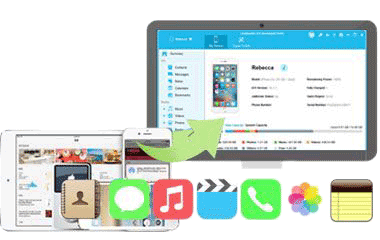
Transfer Data from iPhone to Computer (PC/Mac) Easily

Running out of local device storage or tired of managed cloud fees? Break free from restrictive file-sharing ecosystems with a rapid desktop extraction pipeline built for offline data protection.

  • Transfer Files to Computer: Directly move your music, videos, photos, text messages (SMS), contacts, notes, calendars, and Safari bookmarks from iPhone/iPad/iPod to your PC or Mac.
  • Preview Before Transfer: Lists all your data clearly on the screen, allowing you to selectively export only the specific files you actually want to save.
  • No Quality Loss: Copies files in their original quality, ensuring no photo or video resolution downscaling after the transfer process.
import files from computer to ios device

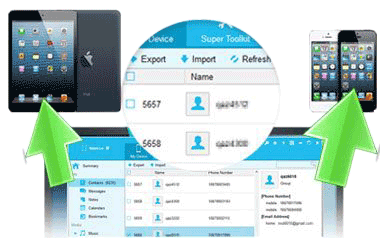
Import Files from Computer to iPhone/iPad without iTunes

Putting files back onto your iPhone is no longer complicated. This software bypasses official sync restrictions, making it simple to copy files from your computer to your iOS device.

  • Import Files to iPhone: Easily copy contacts, calendars, bookmarks, eBooks, and even iTunes backup files from your computer back to your iOS device.
  • 100% Offline Transfer: Move files between your computer and phone without needing a Wi-Fi connection or cellular data, keeping your data transfer private and secure.
manage ios data

Powerful iPhone Data Manager: Edit, Organize, and Delete Files

Clean up messy directories and organize your phone storage on a larger screen. This program provides a powerful desktop console to manage your iPhone data efficiently.

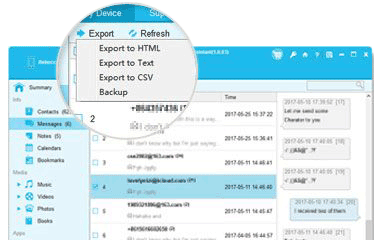
  • Manage Contacts & Messages: Save iPhone contacts as CSV, VCF, or XML files. You can edit contact info, add or delete contacts, and view or export text messages directly on your computer.
  • Uninstall Apps in Bulk: Free up iPhone storage space quickly by uninstalling unwanted apps from your computer with 1 simple click.
  • Manage Photos & Music: Easily organize your iPhone photo albums, music playlists, books, and calendars. Group, add, or delete files on your computer to keep your iPhone organized. (Notice: Notes is supported in iOS 17.)
itunes backup manager

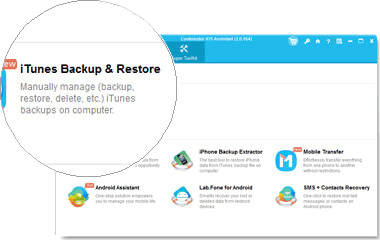
Advanced iTunes Alternative: Secure Local Backup Customization

Frustrated by frequent iTunes connection errors, complex interfaces, losing data during syncs, and non-readable system image files? Take control of your iPhone backup and restore processes using a cleaner, flexible desktop environment.

  • 1-Click Backup to Computer: Back up all your iOS data to the default iTunes location or choose a custom folder on your computer to save local drive space.
  • Restore Backup without Data Loss: Quickly restore iTunes backup files to your iPhone selectively, without overwriting or deleting your existing phone data.
  • Delete Old Backups: View and safely remove unwanted iTunes backup files from your computer to instantly free up hard drive storage.

Don't Take Our Word For It

FAQs and Tips for Coolmuster iOS Assistant

How to Transfer Photos from iPhone to Computer How to Transfer Videos from iPhone to Computer How to Back Up iPhone to Computer How to Save Texts from iPhone to Computer How to Back Up Contacts on iPhone How to Transfer Files from iPhone to PC

Our Customers Are Also Downloading

iPhone Data Recovery
As a top iOS data recovery software, it enables you to recover iPhone deleted/lost data.
iCloud Backup Recovery
This recovery software will assist you in recovering your iCloud backup data without trouble.
iPhone SMS + Contacts Recovery
It can easily recover lost and deleted contacts and text messages on iPhone, iPad & iPod.
10 year of experience
20+ Years of Experience
100% secure
100% Secure
90 day money back guarantee
30-Day Money Back Guarantee
free customer support
Free Customer Support
Terms & Conditions Privacy (UPDATED) License Agreement Uninstall Copyright © 2026 Coolmuster. All Rights Reserved.
feedbackFeedback