TL;DR:
Transferring videos from iPhone to HONOR is easier with the right method. This guide introduces five practical ways, including:
When switching from an iPhone to a HONOR phone or using both devices at the same time, many users quickly realize that sending videos from an iPhone to HONOR is not as straightforward as expected. Since iOS and Android operate on completely different systems, features like AirDrop are unavailable. That's why learning how to send video from iPhone to HONOR using reliable methods is essential, especially if you want to keep the original video quality intact. In this guide, we'll walk you through four effective ways to transfer videos.
If you're looking for the fastest and most reliable solution, using a professional phone-to-phone transfer tool is the best option. Coolmuster Mobile Transfer is designed specifically for cross-platform data migration, allowing you to transfer videos directly from iPhone to HONOR in just one click. This method is ideal for users who need to move multiple or large video files without compression, internet dependency, or complicated steps. The entire transfer process is completed locally, ensuring both speed and data security.
Key features of Mobile Transfer:
* Transfer data from iPhone to HONOR, including videos in 1 click.
* Effortlessly transfer contacts, text messages, music, videos, eBooks (PDF & ePub), and photos from iOS to Android.
* Choose from four simple transfer options: iOS to iOS, Android to iOS, iOS to Android, or Android to Android.
* Fully compatible with iOS 27 and Android 17 systems.
* Experience quick, seamless, and secure transfers with no data loss.
How do I transfer videos from iPhone to HONOR? Follow the steps below:
01Download and install the tool on your computer (compatible with both Windows and Mac). After installation, launch the program and connect your iPhone and HONOR phone to the computer using their USB cables. Ensure both devices are detected by the software.
02Once connected, your iPhone will be set as the source device, and your HONOR phone will be the destination device. If this isn't the case, click "Flip" to switch them.
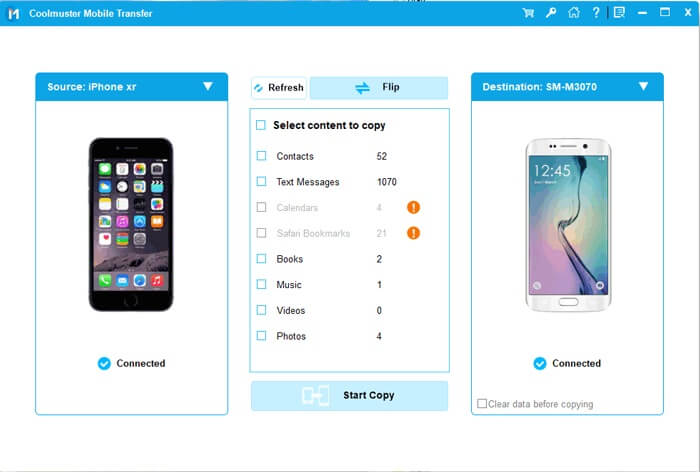
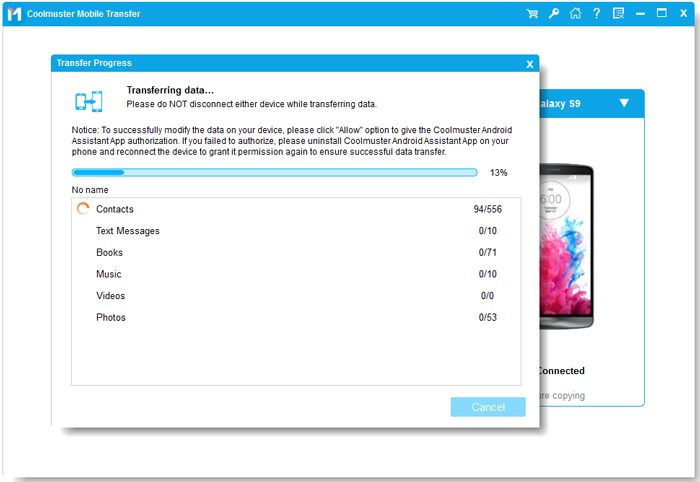
03The software will display a list of files on your iPhone. Select the "Videos" category, choose the videos you want to transfer, and then click the "Start Copy" button. The transfer from your iPhone to the HONOR will begin.
Video guide
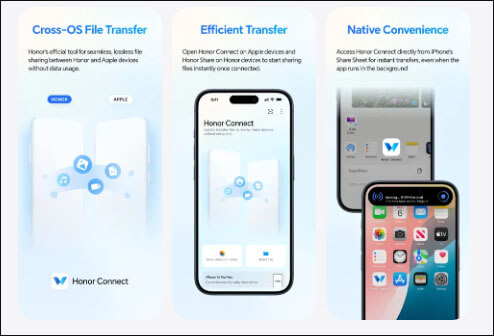
For users who prefer wireless transfer without using a computer, the HONOR Connect app can be an alternative. This method relies on device-to-device connectivity and works best when both phones are connected to the same Wi-Fi network. However, due to iOS system restrictions, compatibility and transfer speed may vary depending on app versions and network conditions.
Here is how to send a video from an iPhone to HONOR using the HONOR Connect app:
Step 1. Open "HONOR Connect" or the related connection feature on your HONOR phone.
Step 2. Install the HONOR Connect app from the App Store on your iPhone.
Step 3. Turn on Wi-Fi and Bluetooth on both devices.
Step 4. Open the app on your iPhone, select the videos, click "Send", then choose your HONOR phone when it appears.
Step 5. Receive and save the videos on your HONOR phone.
Cloud storage services like Google Drive provide a flexible way to send videos across different platforms. By uploading videos from your iPhone and downloading them on your HONOR phone, you can bypass system limitations entirely. This method works well when you don't have access to a computer or need to transfer files remotely. Please note that it will consume network data and cloud storage space.
Here is how to sync videos from iPhone to HONOR with Google Drive:
Step 1. Install and log in to Google Drive on your iPhone.
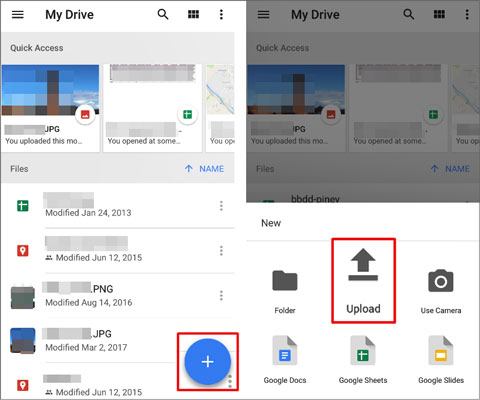
Step 2. Tap the "+" icon, select "Upload", and upload the video to the cloud.
Step 3. Wait for the video to upload (the time depends on the video size and network speed).
Step 4. Log in to the same Google Drive account on your HONOR phone.
Step 5. Find the corresponding video and download it to local storage.
If you prefer the traditional manual method, you can use your computer as an intermediary to transfer the video via the file manager. This method requires first exporting the video from your iPhone to the computer, then copying it from the computer to your HONOR phone. Although it involves more steps, it doesn't require additional software or cloud services.
Here is how to copy videos from your iPhone to your HONOR using File Explorer:
Step 1. Connect your iPhone to the computer using a USB cable.
Step 2. Open File Explorer and navigate to "iPhone" > "Internal Storage" > "DCIM" folder.
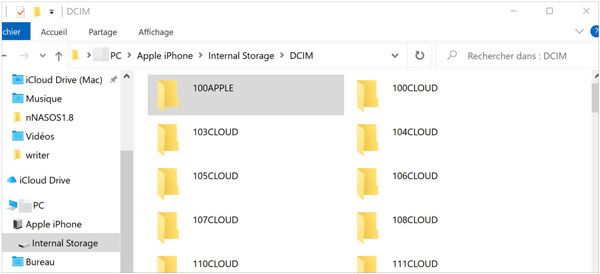
Step 3. Copy the desired video files to your computer.
Step 4. Disconnect the iPhone and connect your HONOR phone to the computer.
Step 6. Open HONOR storage and paste the videos into the Videos or Movies folder.
Step 7. Safely disconnect your HONOR phone and access the videos.
Email is one of the simplest ways to export videos from iPhone to HONOR, especially when you only need to send short or low-resolution videos. Most email services allow file attachments, making this method accessible without additional apps or tools.
However, email services usually impose attachment size limits, so this approach works best for smaller video files.
Here is how to download videos from iPhone to HONOR through email:
Step 1. Open the Photos app on your iPhone and select the video.
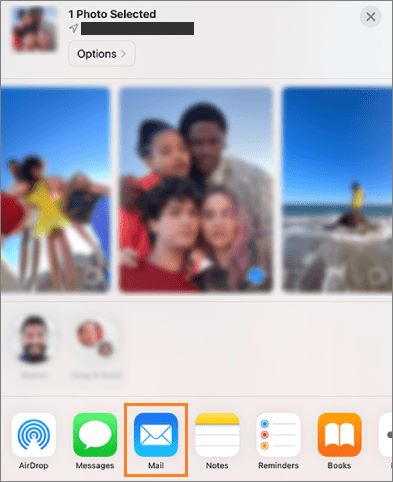
Step 2. Tap the "Share" icon and choose "Mail".
Step 3. Enter your email address as the recipient, and then send the email.
Step 4. Open the email on your HONOR phone and download the video attachment.
These are the 5 common methods for sending videos from an iPhone to HONOR. In terms of ease of use, speed, and stability, Coolmuster Mobile Transfer is undoubtedly the most time-efficient, effortless, and reliable choice, especially for users who need to transfer a large number of videos at once. If you're only sending a few videos occasionally, you can choose the method that best suits your needs.
No matter which method you choose, we hope this guide helps you successfully solve the problem of how to send videos from an iPhone to HONOR.
Related Articles:
How to Send Video from iPhone to Android Effectively [Solved]
How to Transfer Music from iPhone to HONOR: Complete Guide
HONOR Device Clone Review | Key Features, Pros, Cons & Alternatives






 Free Download for PC
  Free Download for Mac


