WhatsApp plays an essential role in our daily communication, but transferring WhatsApp data can be challenging, especially when moving between Android and iOS devices. That's where a professional WhatsApp transfer tool becomes necessary.
Syncios WhatsApp Transfer is one of the tools designed to simplify this process.
But how effective is it really? Can it truly help us transfer WhatsApp data smoothly? Don't worry; this Syncios WhatsApp Transfer review will give you a detailed overview of this software, including its features, drawbacks, pricing, user feedback, and the best alternative. Let's get started.
Syncios is a well-known software company specializing in mobile data management and transfer tools. Syncios WhatsApp Transfer is one of its flagship products designed to help users transfer, back up, and restore WhatsApp data efficiently. In this section, we'll walk you through its main features and limitations.
You may wonder, "Is Syncios WhatsApp Transfer free?" The answer is not complete. It offers a free trial version that allows you to back up WhatsApp data and preview backups. However, to unlock full functionality, such as transferring data between devices or restoring backups, you'll need a paid license.
To activate your subscription, you must register with your email and use the license code sent to your inbox. Syncios currently offers several plans:

Syncios WhatsApp Transfer is relatively easy to use. Here's how you can transfer WhatsApp data between Android and iOS devices:
Step 1. Install and launch Syncios WhatsApp Transfer on your computer. You'll see the main interface.
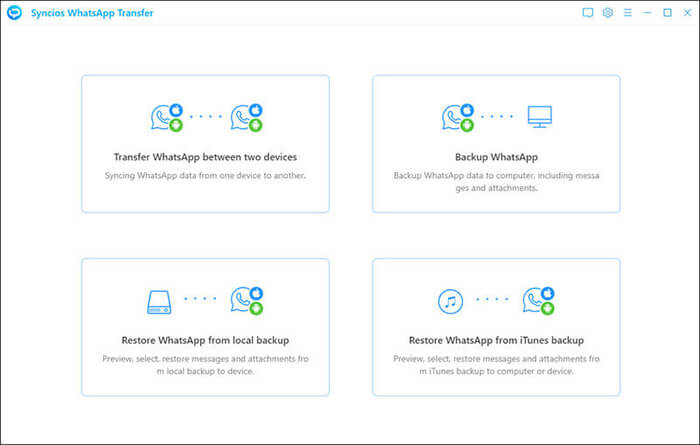
Step 2. Select "Transfer WhatsApp between two devices" from the menu.
Step 3. Connect both your source and target phones to the computer using USB cables. Click "Flip" if you need to switch their positions.
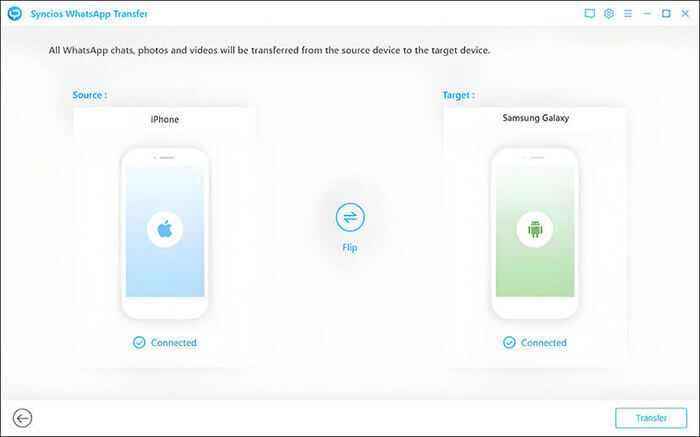
Step 4. Click the "Transfer" button to start the process. The WhatsApp data will automatically transfer from the source to the target device.
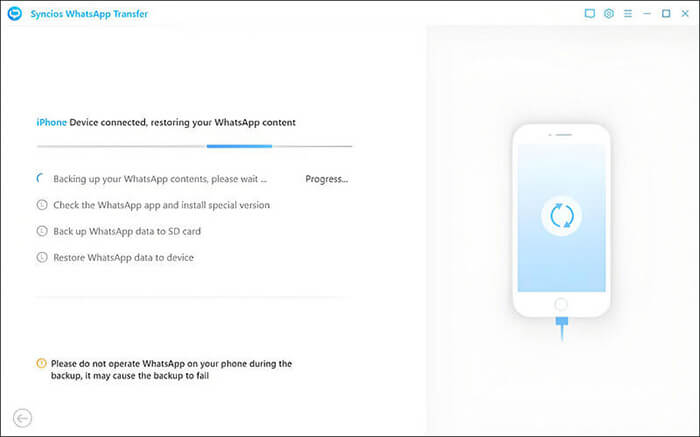
When transferring from iPhone to Android (or Android to Android), you'll be prompted that existing WhatsApp data on the target device will be erased.
When transferring from Android to iPhone (or iPhone to iPhone), you can choose whether to merge or delete old data on the target device.
Here are a few genuine user comments and reviews gathered from sources such as Trustpilot, SiteJabber, and Reddit. They give you a balanced view of what real users experienced.
"Nice tool to transfer WhatsApp messages. This tool helps me transfer my WhatsApp messages to my new phone, and I won't lose them anymore."
"This is very nice of the product that it can give a fast way to migrate the WhatsApp chats on my phone to a computer. Everything is alright when I did the backup, so I can remove the history from my phone, free up more space to continue using my phone. Thank you for their patient instruction when I ask for help and give me a prompt reply. That is really surprising me a lot."
"Used to be an awesome go-to app. Bought a lifetime license, and now Syncios is not compatible with Android 16. Support says they are considering an update. I feel ripped off."
If you're looking for a faster and more reliable solution to manage your WhatsApp data, WhatsApp Mover is an excellent alternative to Syncios WhatsApp Transfer.
This tool stands out for its high transfer speed, simple operation, and wide compatibility with the latest Android and iOS systems. Whether you need to back up, restore, or transfer WhatsApp data between different devices, WhatsApp Mover makes the process effortless.
Why Choose WhatsApp Mover?
How to Transfer WhatsApp from Android to iPhone via WhatsApp Mover
01Download and install WhatsApp Mover on your computer, then launch the program.
02Connect your Android and iPhone devices to the computer via USB cables.
03Select the "Transfer" option, confirm the source and destination devices, and click "Flip" if you need to switch them.
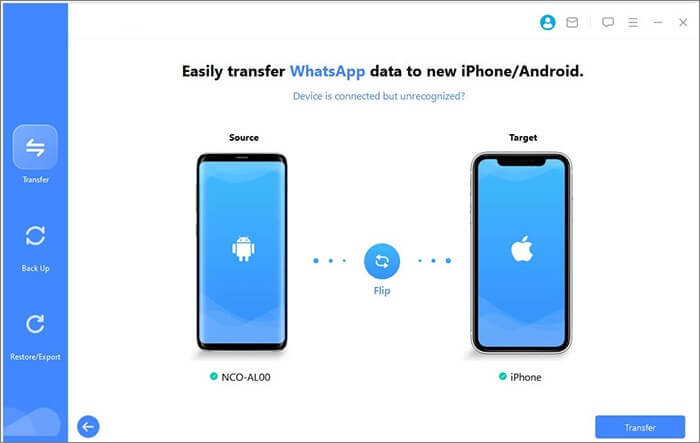
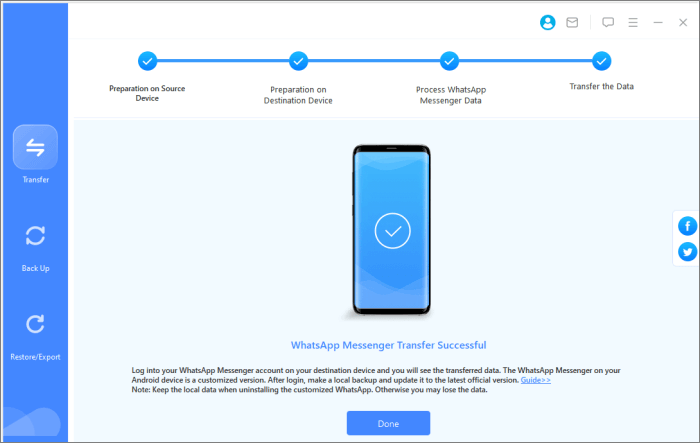
04Click "Transfer" to begin. WhatsApp Mover will automatically transfer your WhatsApp data to the target phone without complicated setup.
1. Is Syncios WhatsApp transfer safe?
Yes, it's 100% secure. The software is read-only and does not store, modify, or leak your data. Your privacy and account information are well protected.
2. Will using Syncios WhatsApp Transfer affect other data on my phone?
No. It only manages your WhatsApp data. Other files or apps on your phone won't be changed or deleted.
3. What happens to the existing WhatsApp data on the target device?
When transferring data between devices, Syncios will prompt you before erasing or merging existing WhatsApp data on the target device.
Syncios WhatsApp Transfer provides a convenient solution for users who want to back up and transfer their WhatsApp data between devices. However, if you prefer a faster, more compatible, and more flexible alternative, WhatsApp Mover is worth considering. No matter which tool you choose, keeping your chat history safely backed up ensures that your important conversations and media files are always within reach.
If you have any questions about using these tools, feel free to leave a comment below.
Related Articles:
Syncios Review: Managing Your Phone Data Has Never Been Easier
Top 6 Ways to Transfer WhatsApp from iPhone to iPhone [Updated]
How to Transfer WhatsApp Messages from Android to iPhone Using Google Drive
How to Transfer WhatsApp Messages to New Phone Without Backup [4 Ways]






 Free Download for PC
  Free Download for Mac


