Forgetting your iPhone passcode or getting locked out of your device can be extremely frustrating. Apple's strong security design protects your privacy, but it also means that once you forget your password, regaining access isn't easy. That's where third-party unlocking tools like Syncios Passcode Unlocker come in.
In this Syncios Passcode Unlocker review, we'll take a deep look at what the software does, how much it costs, its pros and cons, and exactly how it works. We'll also introduce a better alternative for users who want a faster and more reliable solution.

Syncios Passcode Unlocker is a professional iOS unlocking software primarily designed to quickly unlock iPhones, iPads, or iPod touches when you forget the password, Touch ID/Face ID fails, or the device gets locked. Whether it's the screen passcode, Apple ID, or Screen Time passcode, it can help you unlock it within minutes. Its main features are as follows:
* Unlock any iPhone screen lock without needing the passcode.
* Remove Apple ID, Face ID, or Touch ID even if you don't have the password.
* Recover access to Screen Time with no data loss.
* Work with most iPhone model and iOS version.
* Safely unlock iPhone or iPad without jailbreaking.
Price is always an important consideration in any Syncios Passcode Unlocker review. Syncios offers several licensing plans to suit different needs. The Windows version and Mac version are priced the same.

Before deciding whether this software is right for you, it's important to weigh its advantages and disadvantages.
Pros:
* Support multiple lock screen types (Password, Face ID, Touch ID, Apple ID).
* Simple interface with clear steps.
* One-click unlock, no technical experience required.
* No jailbreaking or technical knowledge needed, with higher security.
Cons:
* After unlocking, the device will be restored to factory settings, and data cannot be retained.
* Cannot remove iCloud Activation Lock or MDM restrictions.
* The free version has limited functionality and cannot actually perform the unlock.
* Some devices may experience lag or firmware download failures.
* Require a computer to operate; cannot be done directly on the phone.
* Does not support the latest iPhone 17 series and iOS 26.
One of the main reasons users choose Syncios is that it's extremely easy to use. The software walks you through the entire process, step by step. Here's how to unlock your iPhone with Syncios Passcode Unlocker:
Step 1. Go to the official Syncios website and download the latest version of the software. Install it on your Windows PC or Mac and launch the program.
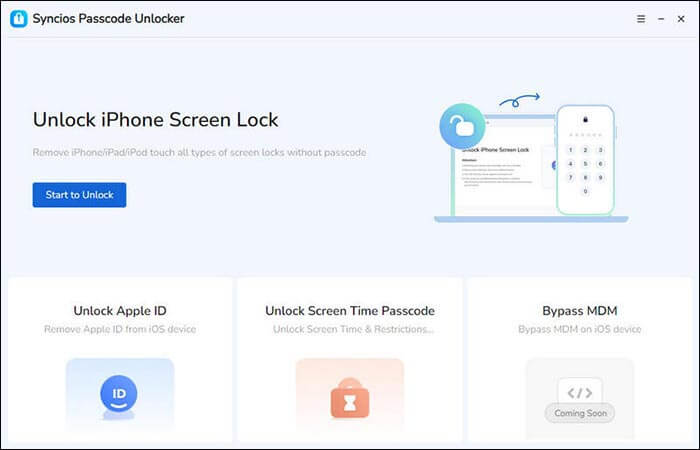
Step 2. On the main interface, select the "Unlock iPhone Screen Lock" module by clicking the "Start to Unlock" button.
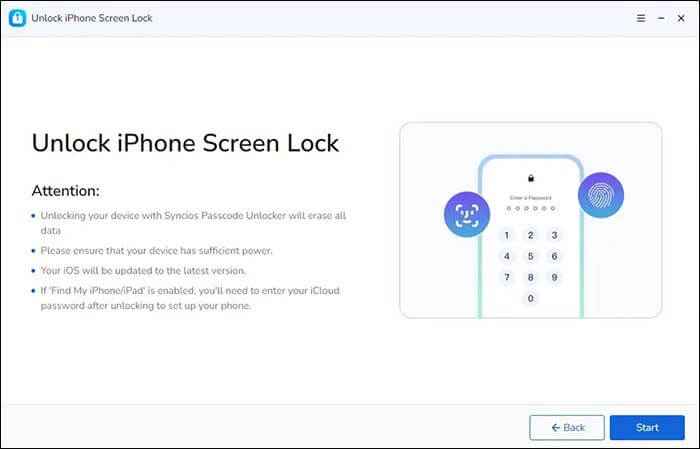
Step 3. Next, connect your iOS device to your PC using a high-quality USB cable. Once connected successfully, the interface shown below will appear. Click the "Start" button to begin unlocking your iPhone.
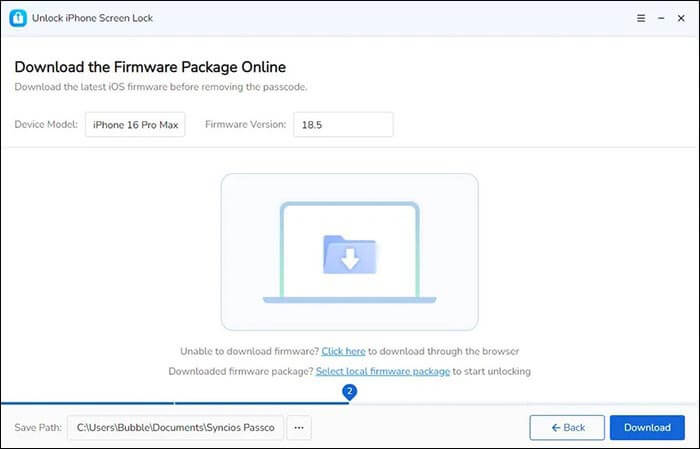
Step 4. Syncios Passcode Unlocker will automatically detect your device and recommend the appropriate firmware for your device. You can also choose the download location for the firmware package. Make sure your device is properly connected and that your network is stable throughout the process. Once everything is set, click the "Download" button to begin downloading the firmware.
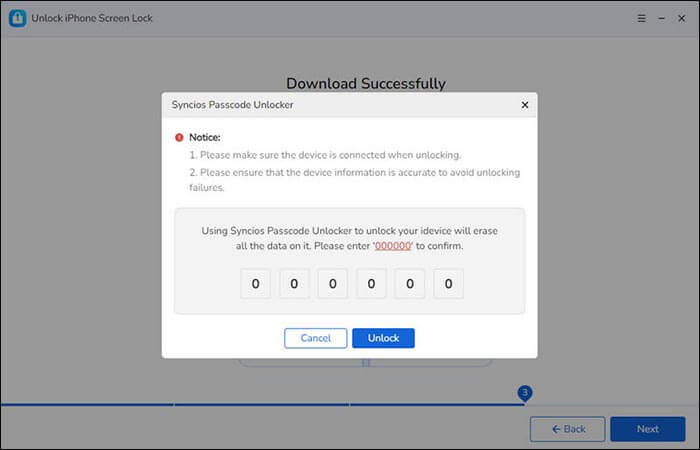
Step 5. Once the download is complete, click "Next" to begin the official unlocking process. A confirmation window will pop up, asking you to enter a verification code to proceed. Input the required numbers and click the "Unlock" button.
Step 6. Syncios will instantly unlock your iPhone. With Syncios Passcode Unlock, you can successfully unlock your iPhone screen lock in just a few seconds.
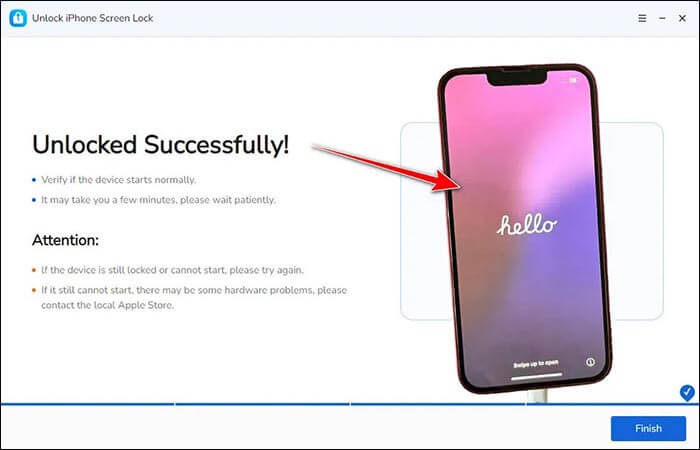
If you're looking for a reliable alternative, iPhone Unlocker is a strong option worth considering. Unlike Syncios, iPhone Unlocker not only removes standard screen locks, Apple ID locks, and Screen Time passcodes, but in some scenarios it can also bypass Mobile Device Management (MDM) restrictions, a capability that makes it useful for users who need to regain full control of a legitimately owned device that is stuck under MDM policies.
Moreover, it's fully compatible with the latest iPhone 17 models and iOS 26, making it a more versatile and future-proof choice for iPhone users.
Highlights of iPhone Unlocker:
Here is how to unlock an iPhone without a passcode using iPhone Unlocker:
01Open iPhone Unlocker, select the "Unlock Screen Passcode" mode, and click "Start to Unlock". Then, connect your iPhone to your computer via USB.
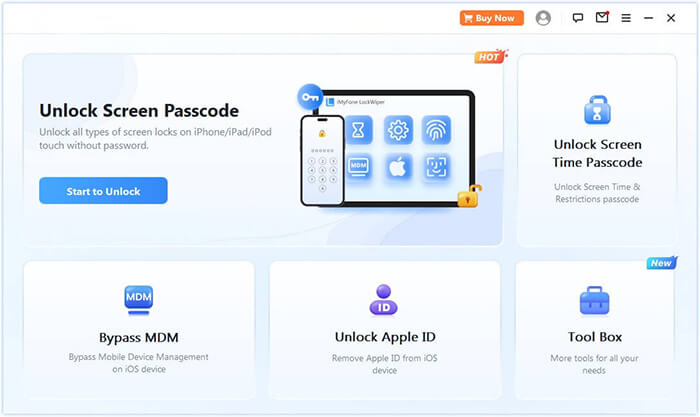
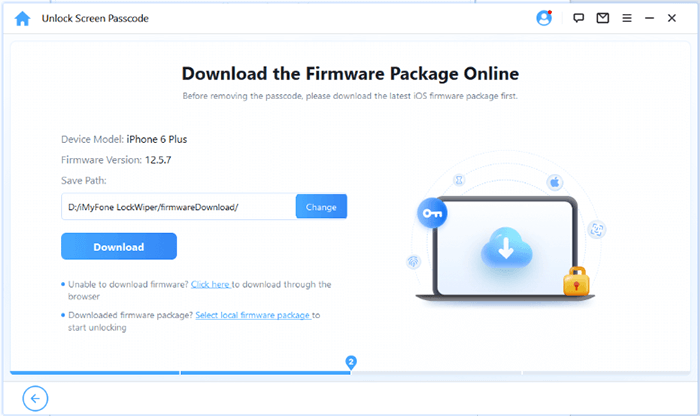
02Follow the on-screen instructions to put your device into Recovery Mode or DFU Mode. Once your iPhone is detected, choose a location to save the firmware package and click "Download".
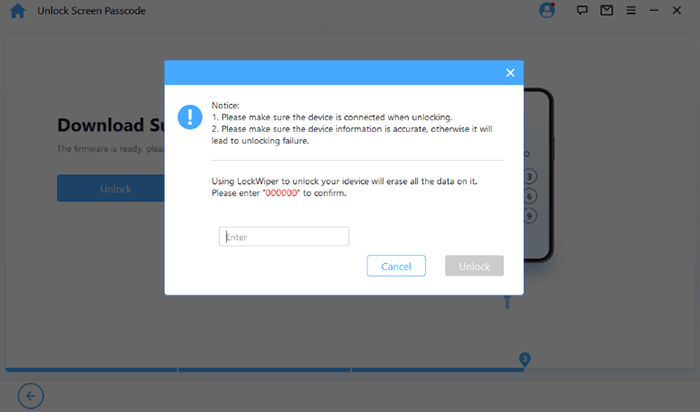
03After the firmware download completes, click "Unlock". Carefully read the warning message, type "000000" to confirm, and click “Unlock” again to proceed.
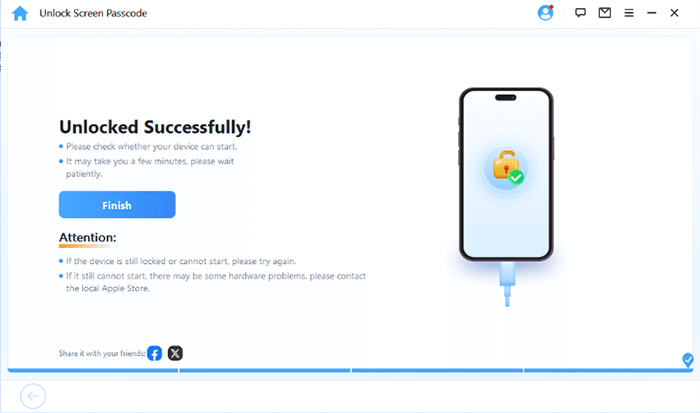
04Within minutes, your iPhone's screen passcode will be completely removed. You can now set up a new passcode, Face ID, or Touch ID as needed.
Q1. Is Syncios Passcode Unlocker safe to use?
Yes, it's a legitimate program developed by a trusted company. However, always download it from the official website to avoid malicious versions.
Q2. Is Syncios Passcode Unlocker free to use?
No. The free version only lets you detect your device, but it cannot actually unlock it. You'll need a paid license to remove any lock.
Q3. Can Syncios Passcode Unlocker remove iCloud Activation Lock?
No. It cannot bypass "Find My iPhone" or iCloud Activation Lock. It only removes screen passcodes and Apple ID logins.
Q4. Will my data be erased during unlocking?
Yes, the unlocking process completely resets your iPhone to factory settings, deleting all data.
To sum up this Syncios Passcode Unlocker review, the tool is a convenient and easy-to-use solution for removing forgotten iPhone passcodes. It's safe, affordable, and effective for basic lock types. However, it's an inability to bypass iCloud Activation Lock and MDM restrictions.
If you're looking for a more advanced and reliable unlocking tool, iPhone Unlocker is the best alternative. It offers more features, better stability, and higher success rates, making it a top choice for anyone who wants to unlock their iPhone safely and efficiently.
Related Articles:
Syncios iOS Data Recovery Review: Features, Pros, Cons, Prices & Best Alternatives
How to Unlock Android Phone Without Password with 5 Methods
UltFone iPhone Unlock Review: Features, Pricing, Pros & Cons, and Best Alternative




 Free Download for PC
  Free Download for Mac


