TL;DR: Choosing the best GoPro editing software depends on your skill level and needs.
Overall, if you want a balance between ease of use and functionality, Video Converter Ultimate is the most beginner-friendly all-in-one option, while DaVinci Resolve and Premiere Pro offer the most professional-level capabilities.
When shooting sports, travel, or extreme action scenes, GoPro is one of the most commonly used devices. However, filming is only the first step—the final quality of your video largely depends on the editing software used in post-production. Choosing the right GoPro editing software can make your footage smoother, more dynamic, and better suited for social media sharing.
Below are some of the best GoPro video editing software available today, ranging from beginner-friendly options to professional-grade software.
Video Converter Ultimate is a powerful and beginner-friendly solution for users who want a simple but effective GoPro video editor. It supports 4K/5K GoPro footage and allows users to trim, merge, rotate, add filters, subtitles, and convert video formats easily. This makes it ideal for users searching for the best GoPro editing software for beginners, especially on Windows and MacBook systems. It is also widely used as the best video editing software for GoPro on PC when users want fast editing without a complicated timeline interface.
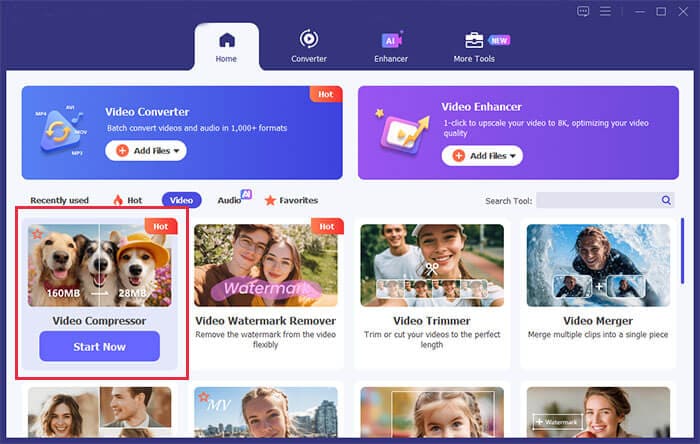
Key features of Video Converter Ultimate:
Pros:
* Edit GoPro videos, convert formats, enhance quality, and compress files in one place.
* Simple, beginner-friendly interface—great for GoPro editing beginners.
* Lightweight and fast on most PCs and MacBooks.
* Support all GoPro resolutions and frame rates, including 4K and 5.3K high-frame-rate footage.
* Fast processing with no noticeable quality loss, ideal for batch editing and conversion.
Cons:
* No fully free lifetime version; full features require a one-time paid license.
* Lack advanced cinematic color grading and VFX tools for professional filmmaking.
* No advanced multi-track editing.
* Not suitable for Hollywood-level editing.
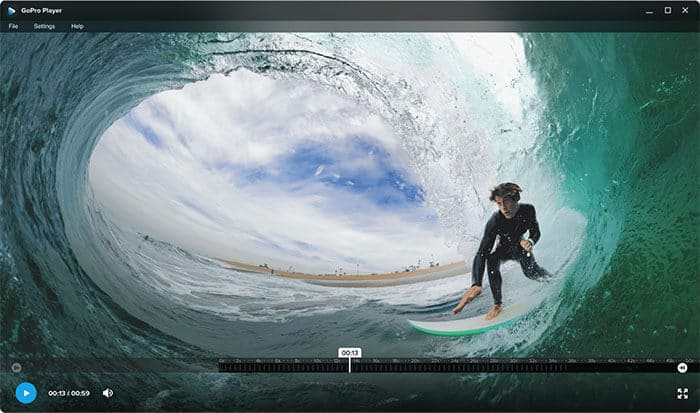
Does GoPro have its own editing software? Of course. GoPro Player is the official GoPro editing software, designed specifically for GoPro cameras and 360° footage. It allows users to play, trim, and reframe immersive videos, making it ideal for basic post-production and quick edits.
Pros:
* Official GoPro software with 100% native compatibility for all GoPro footage formats and models.
* Specialized tools for 360° GoPro video reframing, trimming, and slow-motion adjustment.
* Lightweight and stable, with no lag when editing high-frame-rate 4K GoPro clips on PC and Macbook.
* Simple interface, easy to master for both beginners and casual creators.
* Completely free to download and use with no watermarks or hidden fees.
Cons:
* Very limited creative editing features; no templates, filters, transitions, or color grading tools.
* Only supports basic clip adjustment, unsuitable for complex video production.
* Cannot combine multiple clips or create multi-layer edited videos.
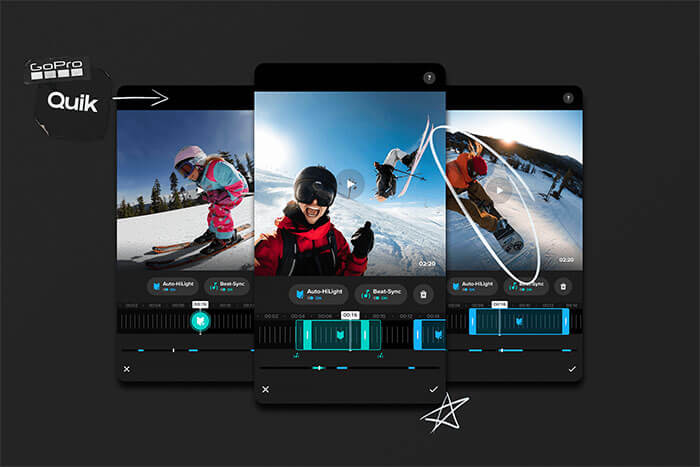
GoPro Quik is a free GoPro video editing software that makes editing quick and easy. It is designed for automatic editing, where the software selects highlights, syncs music, and generates ready-to-share videos. It is especially useful for users looking for a fast GoPro video editor for social media content.
Unfortunately, GoPro discontinued the desktop version of Quik for Windows in 2022 as it shifted its focus to mobile apps. You can still use GoPro Quik on your smartphone or tablet.
Pros:
* 100% free official GoPro editing software for iPad/iPhone/Android with no watermarks for basic editing.
* Zero learning curve, undisputed best GoPro editing software for beginners.
* Automated GoPro-specific tools: stabilization, color correction, and smart clip sorting.
* Built-in templates and music library for fast social media content creation.
* Seamless GoPro cloud integration for instant backup and one-click sharing.
Cons:
* Almost no manual advanced editing controls for professional customization.
* Premium templates and exclusive effects require a paid subscription.
* Cannot handle complex multi-layer editing or cinematic color grading.
* Limited output customization compared to desktop professional editors.
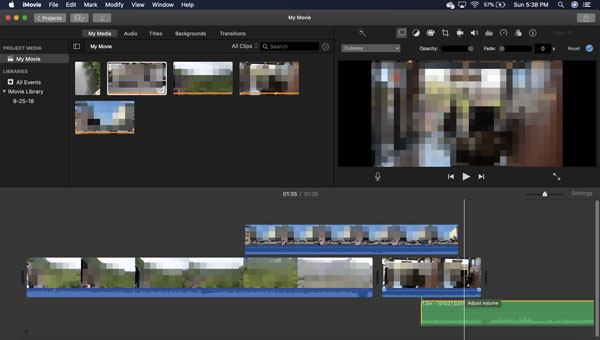
iMovie is a popular choice for Mac users searching for the best GoPro editing software for Mac or MacBook. It is free, stable, and optimized for Apple devices, making it one of the easiest tools for editing GoPro footage.
It supports 4K video editing and offers basic timeline editing, transitions, and title templates. Thanks to its deep integration with the Apple ecosystem, importing and exporting media is very smooth.
Pros:
* Completely free and pre-installed on all Mac and iPad/iPhone devices.
* Ultra-intuitive interface with no learning curve for beginner GoPro editors.
* Native Apple optimization for lag-free 4K GoPro footage playback and export.
* Reliable stabilization and color tuning for action-style GoPro clips.
* Seamless iCloud cross-device sync for flexible editing workflows.
Cons:
* Apple-exclusive software, no version for Windows.
* No dedicated fisheye correction tool for GoPro wide-angle distorted footage.
* No advanced multi-track editing, VFX, or professional color grading features.
* Limited export customization options for high-end content creation.
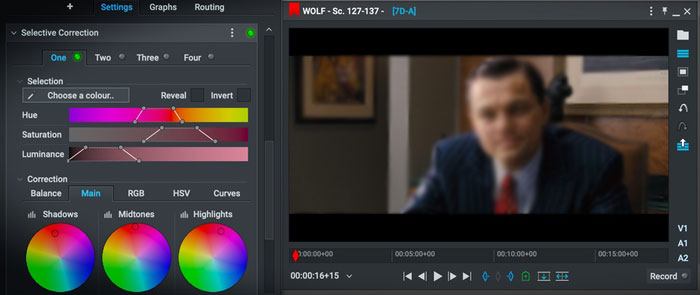
Lightworks is a professional-grade GoPro editing software for Windows/Mac/Linux systems, often used in film and documentary production. This robust GoPro video editor offers advanced timeline editing, precise clip trimming, professional color correction, and royalty-free audio and video stock assets for GoPro content creation. It supports all standard GoPro video formats and provides reliable footage stabilization for shaky action clips.
Lightworks features customizable UI layouts, real-time effect previews, and advanced audio mixing tools, allowing creators to polish GoPro travel, sports, and adventure videos with studio-level precision. Its lightweight engine ensures smooth performance even on mid-range PC and Mac devices.
Pros:
* Cross-platform support for Windows, Mac, and Linux.
* Lightweight and efficient engine with smooth playback for 4K GoPro footage.
* Built-in royalty-free stock media for enhancing GoPro action videos.
* Advanced multi-track timeline and precise frame-by-frame editing controls.
Cons:
* Free version only supports 720p export, requiring a premium upgrade for 1080p/4K GoPro footage.
* Steep learning curve, not friendly for absolute beginners.
* Many advanced features are hidden in nested menus, slowing down quick edits.
* Interface feels outdated.
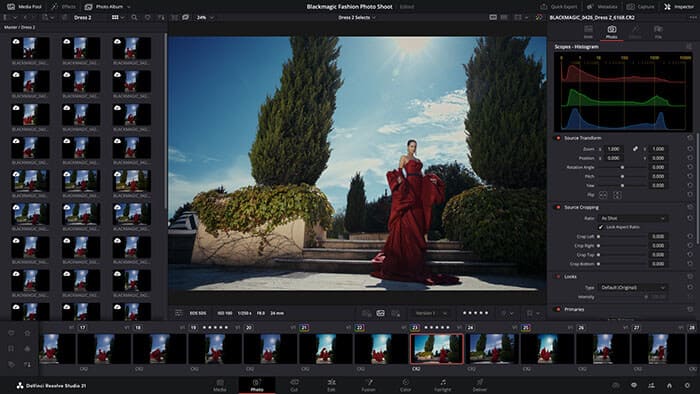
Looking for Hollywood-level software to edit GoPro videos? That's DaVinci Resolve. It's a professional-grade editor widely used by advanced creators thanks to its powerful and comprehensive feature set.
It brings together video editing, motion graphics, color grading, and audio post-production in a single platform. With support for 8K resolution, HDR grading, Fusion visual effects, and Fairlight audio tools, it's capable of producing high-end cinematic content. However, its extensive capabilities also make it quite complex, with a steep learning curve for new users.
Pros:
* Support integrated video editing, color grading, and audio post-production.
* The free version is already highly complete and powerful.
* Support high-resolution footage.
* Hollywood-level video editing software.
* Industry-leading color correction tools.
Cons:
* Steep learning curve, not suitable for complete beginners.
* Require a high-performance computer for smooth 4K GoPro editing and playback.
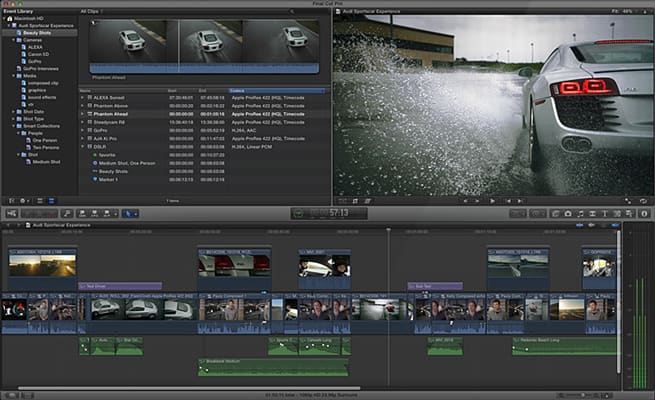
Final Cut Pro is Apple's high-end professional video editing software and one of the best GoPro editing software for MacBook. As a top-tier GoPro video editor, it is favored by professional creators for its extremely fast rendering speed and deep optimization within the Apple ecosystem.
Final Cut Pro's magnetic timeline has revolutionized GoPro editing, allowing users to trim, rearrange, and merge clips freely without timeline conflicts. Its Metal-optimized engine significantly accelerates export speeds for large 4K/5.3K files, greatly reducing rendering time. It also supports custom presets, motion graphics, and multi-layer editing, making it ideal for creating high-quality GoPro adventure videos and vlogs.
Pros:
* Blazing-fast rendering and playback for 4K/5.3K GoPro footage on Mac.
* Intuitive magnetic timeline that simplifies multi-clip GoPro action editing.
* Professional stabilization, fisheye correction, and color grading tools.
* One-time purchase with no recurring subscription fees.
* Fully optimized for macOS with zero lag on Apple hardware.
Cons:
* Mac-exclusive, no support for Windows.
* High one-time purchase price, not ideal for casual beginner users.
* Limited third-party plugin support compared to Adobe Premiere Pro.
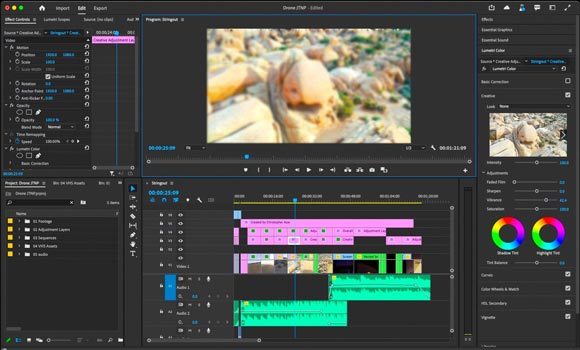
Adobe Premiere Pro is an industry-standard high-end GoPro video editing software available on both Windows and Mac. This professional GoPro video editor natively supports all GoPro formats, resolutions, and frame rates, allowing precise manual control over every editing detail.
It offers advanced stabilization, Lumetri cinematic color grading tools, and seamless integration with Adobe After Effects and Photoshop for custom visual effects and graphics creation. Its flexible multi-track timeline supports complex layered editing, making it ideal for detailed GoPro vlogs, short films, and commercial action content.
Pros:
* Industry-leading professional editing tools with unlimited customization for GoPro videos.
* Full cross-platform support for Windows and Mac.
* Seamless integration with the Adobe ecosystem.
* Ideal for commercial projects.
* Huge third-party plugin ecosystem to enhance GoPro video effects.
* Excellent for handling high-resolution, professional-grade GoPro footage.
Cons:
* Require a monthly subscription, with no lifetime free version.
* Steep learning curve, not suitable for beginners.
* High hardware requirements; a powerful computer is needed for smooth 4K GoPro editing.
* Relatively complex, not ideal for quick and simple GoPro clip editing.
What is the best program to edit GoPro videos? Among the many GoPro video editing tools available, different software suits different user needs: beginners can choose GoPro Quik or iMovie for quick and simple editing, while professional users are better suited to DaVinci Resolve or Adobe Premiere Pro.
If you're looking for a balance between ease of use and functionality, Video Converter Ultimate is a highly recommended option. It is not only easy to operate but also meets basic GoPro video editing and format conversion needs, making it an efficient tool suitable for both beginners and more advanced users.
Related Articles:
10 Hot MP4 Video Editors - Edit MP4 Videos with Powerful Features
Top 7 Split Screen Video Editors: Review and How-To Guide
Best Free Video Editing Software with No Watermark: In-Depth Review
10 Best MOV Editor Options - Edit MOV Files Easily [Updated Guide]




 Free Download for PC
  Free Download for Mac


