TL;DR:
This article reviews 8 of the best video converter software for Windows (free and paid) to help users handle format compatibility:
Among them, Video Converter Ultimate is highlighted as the top overall choice due to its support for 1,000+ formats, fast GPU-accelerated conversion, 4K–8K video support, and built-in editing and AI enhancement tools.
As video formats become increasingly diverse, many users encounter issues such as videos failing to play, device incompatibility, or excessively large file sizes. In such cases, a high-quality video converter becomes especially important. Whether you want to convert videos into formats like MP4, MOV, or AVI, compress or edit videos, or even enhance video quality, choosing the right tool can significantly improve efficiency.
So, what is the best video converter software for Windows worth recommending? This article will provide a detailed review of 8 popular Windows video converter tools to help you find the one that best suits your needs.
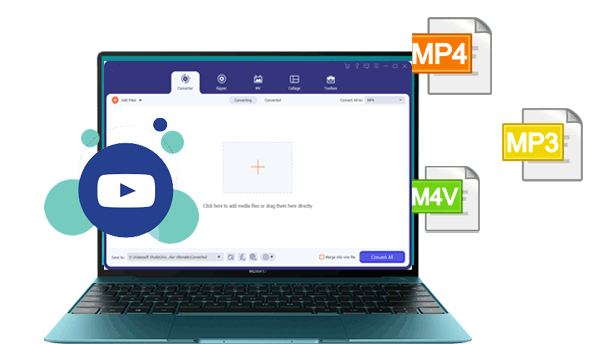
Among the many Windows video converter tools, Video Converter Ultimate has long remained a popular choice thanks to its powerful format compatibility and rich set of additional features. It is not just a video converter but a complete video processing solution. The software supports over 1,000 video and audio formats, including common formats such as MP4, MOV, AVI, MKV, WMV, FLV, M4V, MP3, AAC, and can also handle 4K, 5K, and even 8K ultra-high-definition videos.
Beyond format conversion, it comes with a built-in video editor, video compressor, GIF maker, MV creation tool, video enhancer, and other practical features. With GPU hardware acceleration technology, conversion speeds can be increased by up to 120 times, making it ideal for users who need to process large video files in batches.
Key features of Video Converter Ultimate:
Here is how to use Video Converter Ultimate to change a video format:
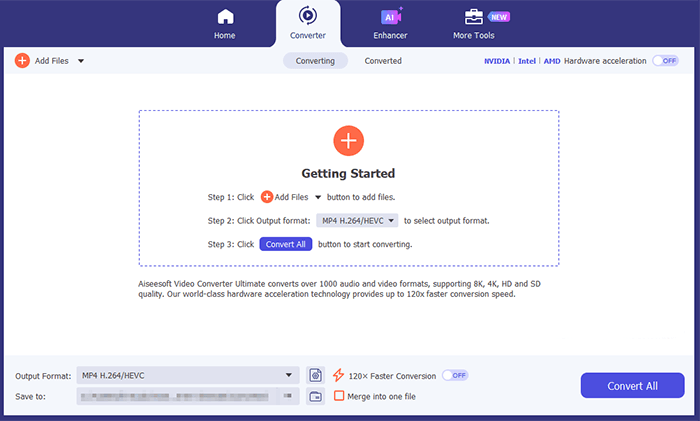
01Download, install, and launch Video Converter Ultimate. Click the "Getting Started" area to import your video/audio files, or simply drag and drop them into the program. Once added, you can view information such as the original format, resolution, and duration on the interface.
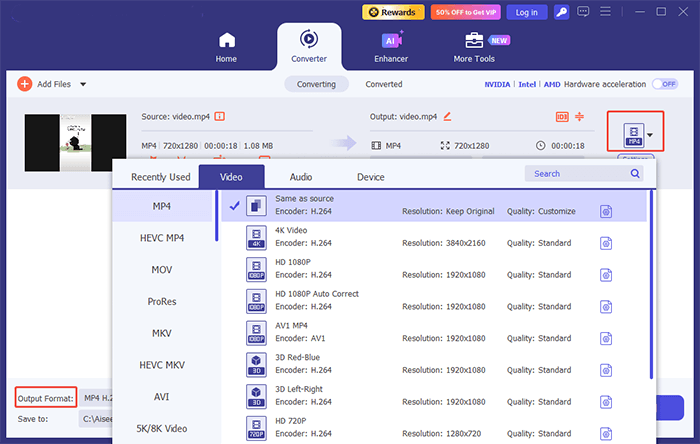
02You can set the output format for each file individually using the format drop-down on the right, customize parameters via "Settings", or choose a preset format directly from the "Output Format" bar at the bottom.
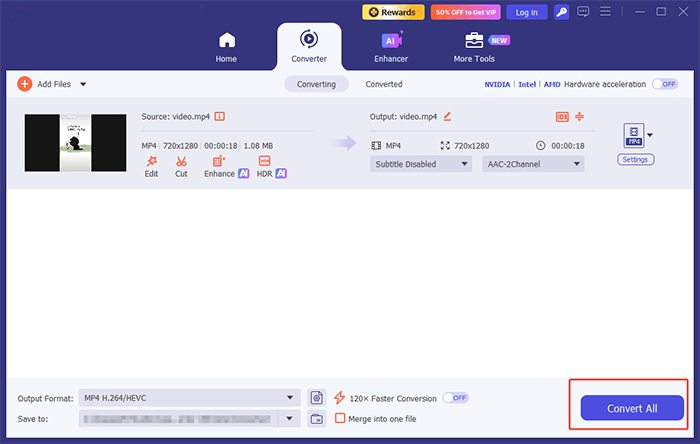
03Finally, click the "Convert All" button on the main interface to start high-speed conversion. You can click the folder icon next to the "Save to" bar to open the folder containing the exported files.
Pros:
* Extremely fast conversion speed.
* Support a wide range of formats.
* Powerful video editing features.
* Minimal quality loss during conversion.
* User-friendly interface.
Cons:
* Free version has export limitations.
* Some advanced features require a paid upgrade.
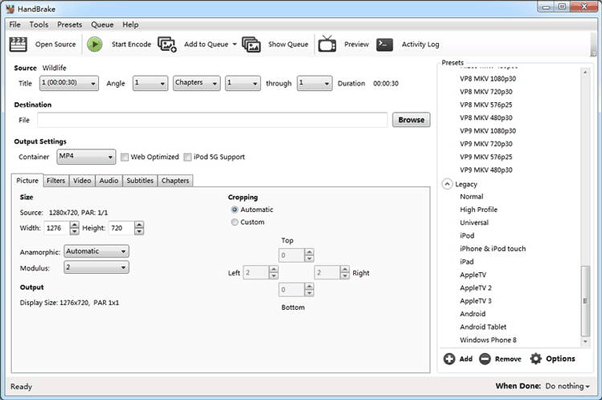
HandBrake is one of the most popular free, open-source video converter software for Windows, widely favored by budget users and tech enthusiasts. Completely free with no hidden fees, watermarks, or bundled ads, it is a lightweight, cross-platform tool fully compatible with all Windows versions.
The software allows users to convert videos into MP4, MKV, and WebM formats while offering advanced controls for bitrate, frame rate, codecs, subtitles, and audio tracks. Its powerful compression capabilities make it especially useful for reducing large video files without sacrificing too much quality.
Pros:
* 100% free and open-source, with no ads or watermarks.
* Lightweight and runs smoothly on low-spec Windows PCs.
* Advanced encoding customization and video parameter controls.
* Excellent video compression with good quality retention.
* Regular community updates and format support.
Cons:
* Steeper learning curve for beginners.
* Limited output format options.
* Technical interface that may feel less intuitive.
* No official technical support; relies on community forums for help.
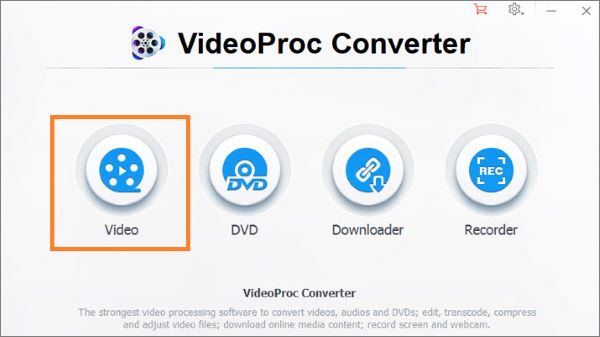
VideoProc is a video converter with comprehensive features. It offers comprehensive features to fulfill all the basic and advanced editing needs. It allows you to convert, edit, resize, and adjust videos, audio, and DVDs. It also enables you to adjust speed, add effects, make MKV, remove noise, etc.
The highlight of this video converter software is its quick video processing speed. It empowers you to smoothly transcode video at a fully accelerated speed without losing quality. You can use it to process large or 4K videos from any device without hassle.
It also has a built-in media downloader that supports more than 1000 video and audio sites. You can use it to download online videos or music from Facebook, YouTube, Instagram, etc. It supports most conversion needs, such as MKV to iPhone/MP4, 3D to 2D, AVI to YouTube, etc.
Pros:
* Industry-leading 47x fast conversion speed with full GPU acceleration.
* Low system resource occupancy, suitable for all Windows PC configurations.
* Support 4K/8K HDR video conversion and lossless remuxing technology.
* Multi-functional: convert, download, compress, record, and edit videos in one tool.
* Practical AI video enhancement features for better visual quality.
Cons:
* Free version limits conversion duration and disables some advanced AI functions.
* Fewer professional manual parameter settings for advanced video creators.
* Occasional minor compatibility issues with rare old video formats.
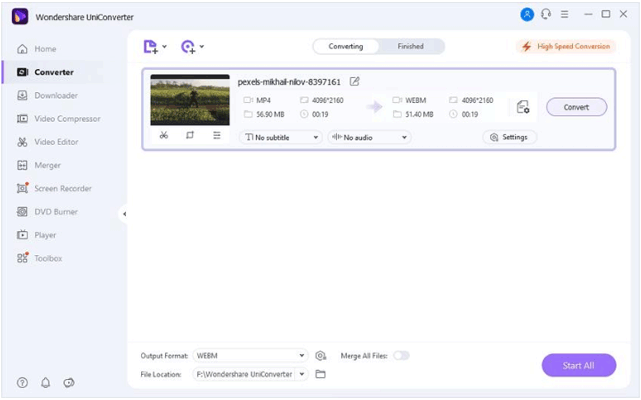
Wondershare UniConverter is one of the most comprehensive multimedia conversion suites on the market. Supporting over 1,000 formats, it offers video conversion, compression, DVD burning, screen recording, AI-powered tools, and more. Recent versions have introduced AI features such as noise removal, video enhancement, subtitle generation, and background removal, making UniConverter attractive to professional creators.
Pros:
* Extensive format compatibility with 1000+ supported video/audio formats.
* Intuitive drag-and-drop interface, extremely easy for Windows beginners to use.
* Rich built-in media tools to meet all daily video processing needs.
* Efficient batch conversion and fast GPU-accelerated processing.
* Regular version updates to support new codecs and Windows system iterations.
Cons:
* The full version subscription price is relatively expensive.
* The free trial version adds watermarks to all output videos.
* Takes up relatively large Windows system storage space.
* Occasional quality attenuation when converting ultra-high-definition 8K videos.
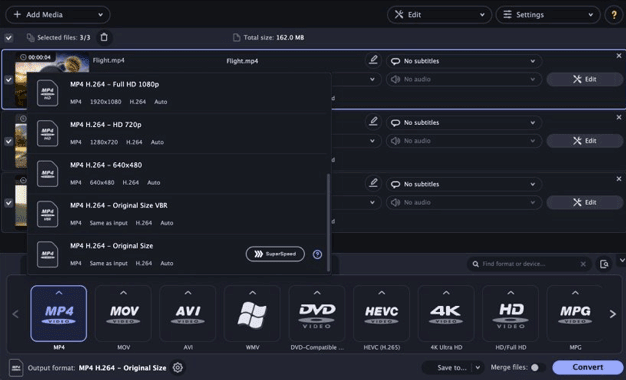
Movavi Video Converter is another of the best video converters for PC. It is designed with simplicity in mind. It provides a clean and intuitive interface that allows users to convert videos in just a few clicks. The software supports over 180 media formats and includes features like batch conversion, basic editing tools, and AI upscaling technology. It balances ease of use with solid performance, making it a great choice for casual users.
Pros:
* Super simple and clean interface, zero learning curve for novice users.
* Lightweight installation package, fast startup and operation on Windows.
* Support 180+ formats and practical one-click device presets.
* Stable conversion performance with few crashes or errors.
* Affordable one-time purchase and subscription pricing options.
Cons:
* Free trial version outputs watermarked videos with limited functions.
* Poor processing performance for large 8K ultra-HD video files.
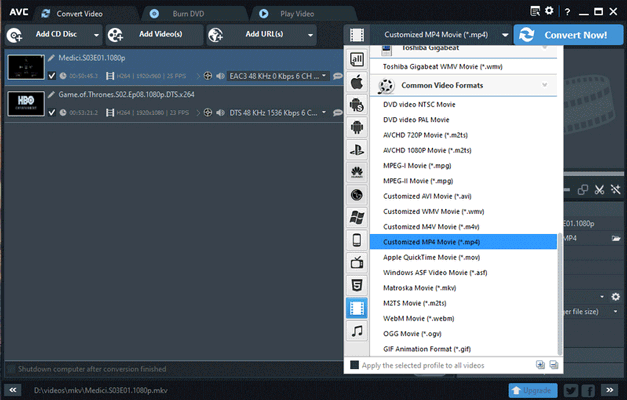
Any Video Converter (AVC) has been a popular choice for years thanks to its balance of functionality and affordability. It supports a wide range of video formats and includes video downloading, basic editing, and DVD burning features. The free version offers enough functionality for most casual users, while the premium version unlocks additional conversion and editing tools.
Pros:
* Industry-leading wide format compatibility, supporting rare and legacy video formats.
* Free version includes core conversion features with no watermarks.
* Built-in basic editing tools and online video downloading features.
* Simple to use with low system resource consumption.
* Support both Windows and macOS.
Cons:
* Outdated software interface design.
* May include promotional content during installation.
* Average conversion speed.
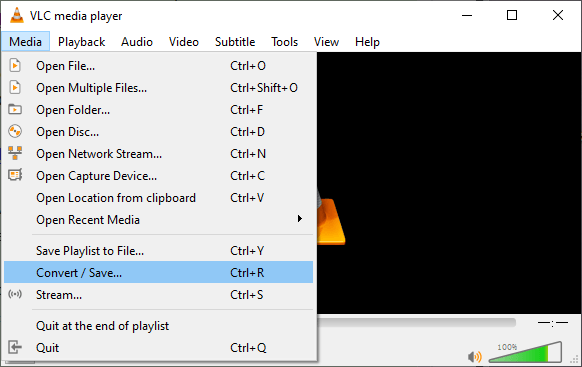
VLC Media Player is a free, open-source, and multi-functional media tool that doubles as practical video converter software for Windows 10/11. Most users know it as a universal video player, but it also hides a built-in video transcoding and conversion function, completely free for all Windows users. It supports converting mainstream video and audio formats, and can play and convert incomplete or damaged media files, which is a unique advantage over other converters.
Pros:
* Support a wide range of media formats.
* Completely free, ad-free, and no bundled software, ensuring high security.
* Extremely lightweight and runs smoothly on all Windows devices.
* Can convert damaged or incomplete video files.
* Combine both player and converter functions, offering multiple uses in one tool.
* Converted files have no watermarks or usage limits.
Cons:
* Conversion function is hidden, with cumbersome and non-intuitive steps.
* Does not support advanced editing features.
* Limited batch conversion capabilities.
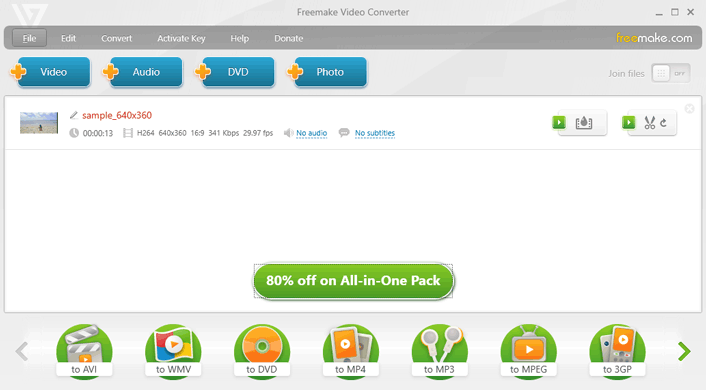
Freemake Video Converter is a classic free-to-use video converter software for Windows, with a history of more than 10 years in the industry. It supports over 500 video and audio formats, covering mainstream formats and device-specific formats. It integrates multiple practical functions such as video conversion, DVD ripping and burning, video editing, and audio extraction, meeting the daily media processing needs of Windows users.
The software provides one-click conversion presets for mobile devices and social platforms, with simple and easy-to-use operation steps. It supports batch conversion and basic video editing operations such as trimming, cropping, and adding subtitles.
Pros:
* Support 500+ formats with a wide range of device and platform presets.
* Integrate DVD ripping, burning, and audio extraction features.
* Simple interface, suitable for Windows beginners.
* Free version meets most basic daily conversion needs.
Cons:
* Average conversion speed.
* Decreasing update frequency.
* Free version adds noticeable watermarks to exported videos.
* Only supports Windows, with no cross-platform compatibility.
* Frequent upgrade prompts during use.
That's all about the best video converter for PC. The best video converter software for Windows ultimately depends on your needs and budget. However, if you're looking for the best overall combination of format support, conversion speed, video quality, and built-in editing tools, Video Converter Ultimate is our top recommendation. With support for over 1,000 formats, powerful AI-enhanced features, and an intuitive interface, it is an excellent choice for both beginners and professionals.
Related Articles:
The Best MP4 to MP3 Converter: 13 Hot Software You Can't Miss
Best Free Video Editing Software with No Watermark: In-Depth Review
[Updated] The Best 9 Tools for M4A to MP4 Conversion in 2026
[2026 Updated] The Best 10 MP3 Converters for Mac You Can't Miss




 Free Download for PC
  Free Download for Mac


