TL;DR: Looking for the best MOV editor? This guide reviews the 9 best MOV editors for Windows, Mac, and online.
Among them, Video Converter Ultimate stands out for its ease of use, comprehensive editing features, broad format support, AI-powered enhancements, and fast batch processing, making it an excellent all-around choice for editing MOV files.
MOV is a common video format developed by Apple, widely used on iPhone, iPad, and Mac devices as well as in professional video production. Because MOV files are usually large in size and have relatively specific compatibility requirements, many users encounter difficulties when editing, converting, or publishing videos. As a result, MOV editor has become a frequently searched term.
If you are looking for a reliable MOV video editor, this article will introduce several commonly used desktop and online MOV editing tools to help you choose the most suitable software based on your different needs.
Desktop software is the best choice if you frequently edit MOV videos or need advanced features like timeline editing, video enhancement, format conversion, and high-quality exporting. Compared with online tools, a desktop MOV editor usually offers faster performance, better stability, and more comprehensive editing capabilities.
Below are the top 8 trusted MOV editors, including free and paid options to meet different user needs.
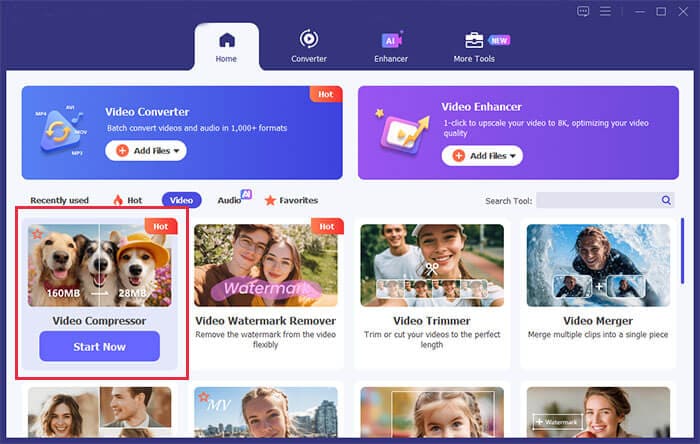
Video Converter Ultimate is a powerful all-in-one MOV editor for Windows and Mac. It allows users to trim, merge, rotate, compress, and enhance MOV videos with ease. Beyond basic editing, it also supports format conversion—it can convert edited MOV files into more than 500 formats, including MP4, AVI, and MKV, and compress large MOV files without any loss of quality, making them easier to upload to social media platforms.
This software is designed for both beginners and casual editors who want a simple but effective solution without complex timelines or professional learning curves.
Pros:
* Fully compatible with all Windows and Mac versions.
* Support 100% lossless MOV video editing.
* Intuitive, user-friendly interface that is easy for beginners to use, with no steep learning curve.
* Powerful AI-powered video enhancement features.
* Support batch editing and conversion of multiple MOV files.
* Offer a wide range of output formats to meet different needs.
Cons:
* Full access to advanced features requires a paid license.
* The free version has limitations on exported video resolution and duration.
* Lack professional-grade color grading and VFX tools for high-end film and video production.
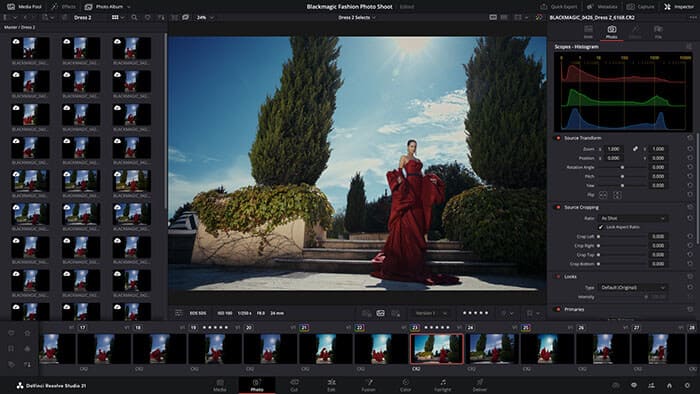
DaVinci Resolve is a world-renowned professional MOV video editor available for Windows, Mac, and Linux. Renowned for its industry-leading color grading capabilities, it is widely trusted by professional filmmakers, video editors, and production studios.
In addition to essential MOV editing tools such as trimming, splitting, and cropping, DaVinci Resolve offers advanced features including multi-track editing, curve-based adjustments, motion tracking, green screen chroma keying, and professional audio mixing. Its color grading system is among the best available, providing precise primary and secondary color correction tools that enable users to fine-tune the color, tone, and overall visual style of MOV videos. The latest version also introduces AI-powered editing features, such as automatic subtitle generation and intelligent scene detection and cutting, significantly improving the efficiency of MOV video editing.
Pros:
* Core professional editing features are completely free.
* Industry-leading color grading and professional audio editing capabilities.
* Support 4K and 8K high-resolution MOV video editing.
* Compatible with Windows, Mac, and Linux.
* Include a wide range of professional VFX and post-production tools.
* Regularly updated with continuous performance improvements and technical optimizations.
Cons:
* Steep learning curve for beginners.
* Require a powerful computer (CPU, GPU, and sufficient RAM) for smooth MOV video rendering.
* Large installation package that takes up significant disk space.
* Not ideal for quick or simple video editing tasks.
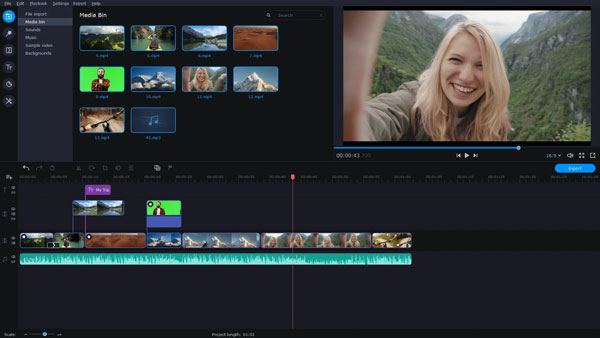
Movavi Video Editor is a user-friendly and feature-rich MOV video editor designed for casual creators and beginners. Available for both Windows and Mac, it strikes an excellent balance between ease of use and functionality, making it one of the best lightweight tools for everyday MOV video editing. As a practical MOV editor for Windows and Mac, it fully supports importing, editing, and exporting MOV files without requiring format conversion or compromising video quality.
This MOV editor covers all the essential editing features users need for daily projects, including trimming, splitting, merging MOV clips, adjusting playback speed, and adding transitions, filters, stickers, text, and background music. It also comes with a wide range of built-in templates optimized for platforms like YouTube, Instagram, and TikTok, allowing users to create polished MOV vlogs and short videos with ease. In addition, it offers basic color correction, video stabilization, and noise reduction, along with one-click enhancement features, making it an excellent choice for beginners and users looking for a simple, user-friendly editing experience.
Pros:
* The drag-and-drop interface is intuitive and easy to use, allowing beginners to get started quickly.
* The software is lightweight, launches quickly, and delivers efficient rendering for MOV videos.
* Come with a wide variety of built-in templates and creative effects.
* Offer stable compatibility with the MOV format, ensuring a smooth editing experience.
* Easy to learn, making it suitable for users of all skill levels.
Cons:
* Advanced professional editing features are relatively limited.
* The free version adds a watermark to exported MOV videos.
* Color grading customization is less comprehensive than that of professional video editing software.
* Support for ultra-high-resolution 8K MOV videos is limited.
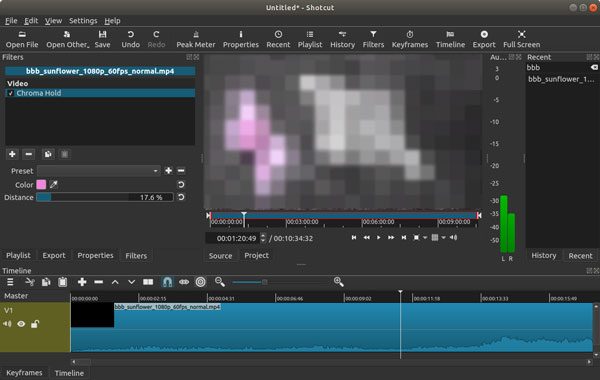
Shotcut is an open-source, cross-platform free MOV video editing software compatible with Windows, Mac, and Linux systems. It is highly popular among users who prefer a lightweight and clean editing experience.
With Shotcut, you can perform frame-by-frame precise trimming, cutting, and merging of MOV clips. It supports flexible cropping and rotation, multi-track audio and video editing, as well as custom adjustments of parameters such as brightness, contrast, and saturation. It also supports 4K MOV video editing, video filters, audio noise reduction, and subtitle embedding.
Pros:
* Open-source, completely free, with no watermarks or ads.
* Cross-platform support (Windows and Mac).
* Lightweight and fast to run with quick responsiveness.
* Support frame-by-frame precise MOV editing.
* Support custom plugin extensions.
Cons:
* No built-in creative templates or advanced visual effects.
* The interface design is relatively rough and not very visually polished.
* Rendering can be slow when processing long MOV videos.
* Limited official tutorial resources for beginners.
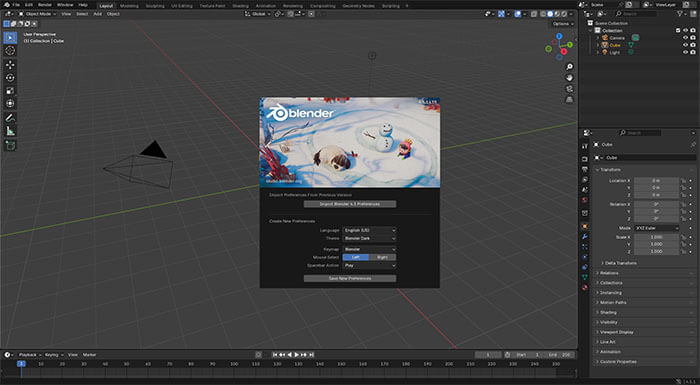
Blender is a free and open-source all-in-one creative software that combines video editing, 3D modeling, and visual effects (VFX). It also works as an advanced professional MOV video editor and supports both Windows and Mac systems. It is more than a simple video editor and is ideal for users who want to create cinematic and highly creative MOV videos.
For MOV editing, Blender supports importing and exporting MOV files, with powerful multi-track editing, frame-by-frame adjustments, and video cutting and merging. Its main strength is advanced creative capabilities, allowing users to add 3D effects, motion graphics, and VFX such as 3D text and animated models. It also supports color grading, audio mixing, and video stabilization.
Pros:
* Completely free and open-source.
* Combine video editing with professional 3D VFX creation.
* Extremely strong creative and customization capabilities.
* Cross-platform support.
* Great for high-end creative video production.
Cons:
* Steep learning curve.
* Video editing is not its main focus, so the workflow can be complex.
* Require relatively powerful hardware.
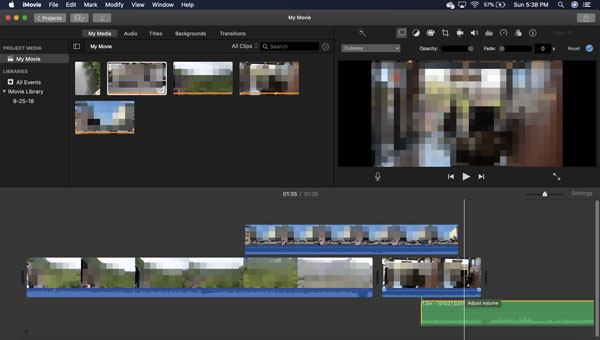
iMovie is Apple's official built-in free MOV video editing software, available only for Mac, iPhone, and iPad users. It is the most compatible native MOV editor for Apple devices, perfectly optimized for MOV footage captured on iPhone, iPad, and Mac, with smooth playback and editing and no format issues.
iMovie focuses on simple and efficient MOV editing, offering an easy one-click workflow for everyday video creation. Users can quickly trim, split, merge, and crop MOV videos, and add Apple-designed filters, transitions, text, subtitles, and background music. It also includes built-in movie templates, trailer templates, and social media aspect ratios, making it easy for beginners to create high-quality MOV vlogs, travel videos, and short films. It supports lossless MOV export and one-click sharing within the Apple ecosystem.
Pros:
* Pre-installed on Mac devices, completely free and ad-free.
* Excellent compatibility with MOV files on Apple devices.
* Very easy to use, no learning curve.
* Beautiful built-in templates and filters.
* Support lossless MOV export.
Cons:
* Only available on Mac/iOS, not Windows.
* Basic editing features, lacks advanced color grading and VFX tools.
* Limited customization options.
* Not suitable for very long or heavy high-resolution video projects.
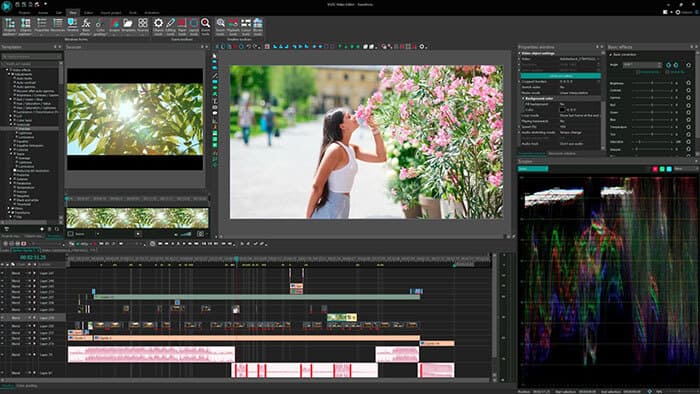
VSDC Free Video Editor is a powerful free MOV editor tool exclusive to Windows users, widely recognized for its non-linear editing mode and comprehensive format compatibility. It is a professional-level free MOV editor on Windows that perfectly supports all types of MOV files, including standard definition, high definition, and variable frame rate MOV footage.
Different from ordinary free simple editors, VSDC supports non-linear multi-track editing, allowing users to overlay multiple MOV clips, audio tracks, and effect layers freely. It provides rich MOV editing functions: cut, crop, rotate, merge MOV videos, adjust video parameters, add mask effects, motion animations, and transition effects. It also has built-in video stabilization, color correction, and audio editing tools, enabling users to complete full post-production of MOV videos without paid software.
Pros:
* Basic editing features are 100% free, with no watermark on exported videos.
* Support non-linear multi-track MOV video editing.
* Offer powerful custom effects and masking tools.
* Run smoothly with relatively low hardware requirements.
* Fully compatible with all Windows operating systems.
Cons:
* Available only for Windows; no Mac version.
* The interface is relatively complex, requiring a learning curve for beginners.
* Rendering can be slow when processing large MOV files.
* Free users do not receive official technical support.
* Does not include built-in templates.
For users who do not want to download and install desktop software, a reliable online MOV editor is the best choice. Online MOV editors support quick editing of MOV files on any browser, compatible with Windows, Mac, and mobile devices, suitable for temporary and simple MOV video polishing. Below are the two most practical MOV editor for free online.
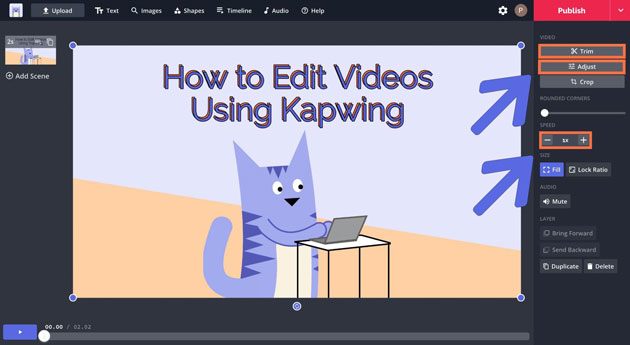
Kapwing is a popular cloud-based online MOV editing platform that requires no software installation and works on most browsers on Windows and Mac. It has strong MOV compatibility, allowing users to import, edit, and export MOV files directly online without format conversion.
Kapwing offers a full set of online MOV editing tools, including trimming, splitting, merging, and cropping videos, as well as adjusting speed, adding subtitles, filters, stickers, and transitions. It also includes a wide range of social media templates for one-click formatting to platforms like TikTok, YouTube, and Instagram. Its AI tools can automatically generate subtitles, remove backgrounds, and intelligently crop videos to improve editing efficiency.
Pros:
* No download or installation required, works across devices.
* Simple and intuitive, beginner-friendly.
* Built-in AI tools and social media templates.
* Support collaborative editing.
* Easy subtitle and text tools.
* Work on any device with a browser.
Cons:
* Free version exports include a watermark.
* File size and duration limits for free users.
* Depend on internet connection; unstable for large MOV files.
* Fewer advanced editing features compared to desktop software.
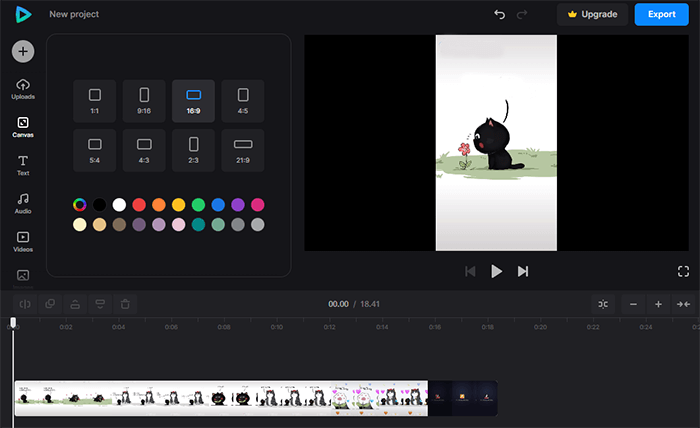
Clideo is a professional all-in-one online MOV editing tool focused on simple, fast, and lossless video processing. As a high-quality free MOV editing platform, it offers a range of targeted tools, including online trimming, cropping, rotating, merging, and compressing MOV videos, as well as adding music, subtitles, and watermarks. It is mainly designed for quick editing tasks rather than advanced video production.
Pros:
* Clean interface with no intrusive ads.
* Support lossless online MOV editing and compression.
* Simple operation and fast processing speed.
* Provide various practical one-click MOV tools.
* Compatible with all browsers and devices.
Cons:
* Free version exports include a noticeable watermark.
* Basic functionality, lacks advanced effects and color grading tools.
* Strict file size limits for free users.
* Slow processing for high-definition MOV files.
This is the best MOV editor for Windows, Mac, and online use. Overall, if you need a MOV editor that balances ease of use and functionality, Video Converter Ultimate is a very well-rounded choice. It not only supports MOV editing but also offers format conversion, video enhancement, and batch processing, making it suitable for most everyday video editing and content creation needs.
Related Articles:
10 Hot MP4 Video Editors - Edit MP4 Videos with Powerful Features
Best Free Video Editing Software with No Watermark: In-Depth Review
How to Change Video Format Like a Pro? [Online & Offline Tools]




 Free Download for PC
  Free Download for Mac


