When it comes to location spoofing, iToolab AnyGo stands out as one of the best tools available on the market. Whether you're playing AR games like Pokémon GO, using location-based social apps, or testing location-based services, this software provides an easy and efficient way to change your GPS location. Compatible with both iOS and Android devices, iToolab AnyGo offers a seamless experience for users who want to manipulate their location without the need for jailbreaking or rooting their device. In this iToolab AnyGo review, we'll explore its key features, pricing, usage, and more to help you decide if it's the right tool for you.
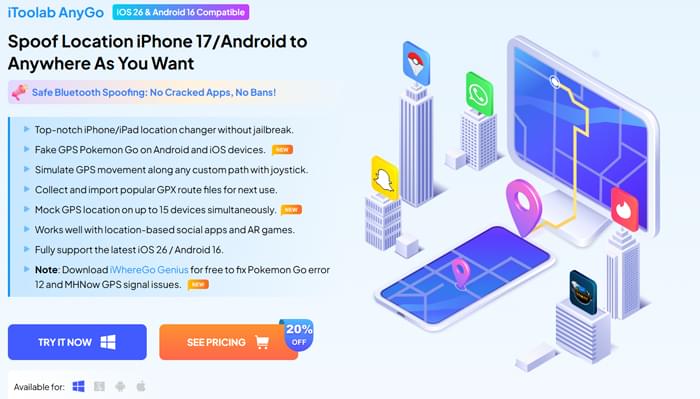
iToolab AnyGo is a powerful GPS location spoofing tool that allows you to change the GPS location of your iPhone or Android device without any hassle. It's a top choice for gamers and anyone who wants to manipulate their location for various purposes. Here are some of the key features that make it stand out:
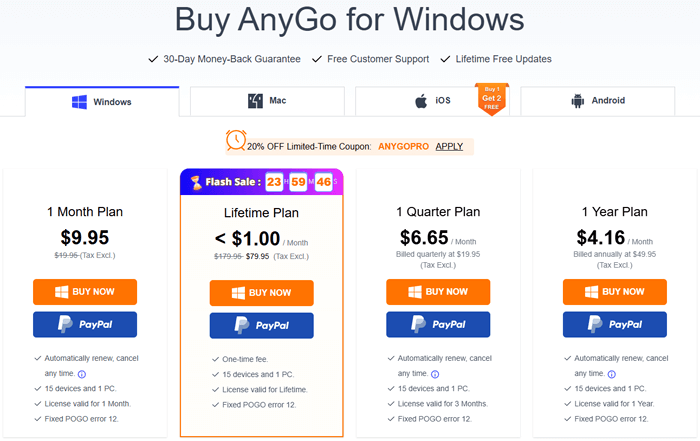
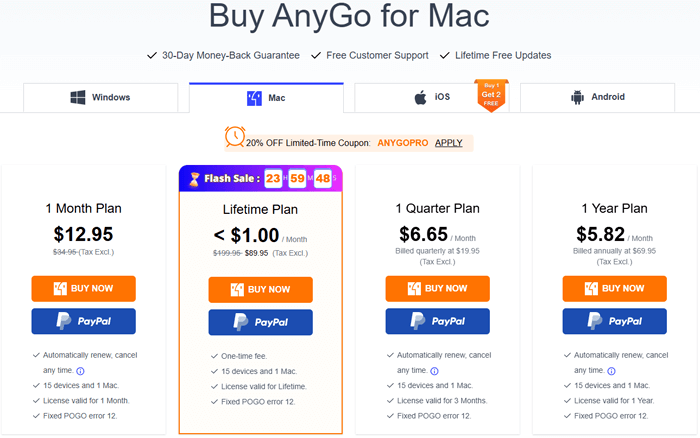
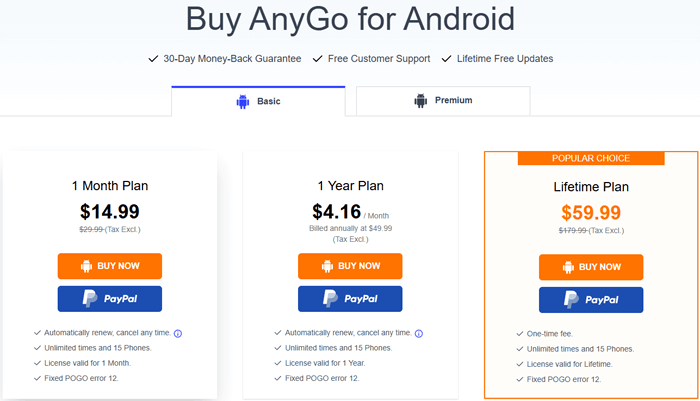
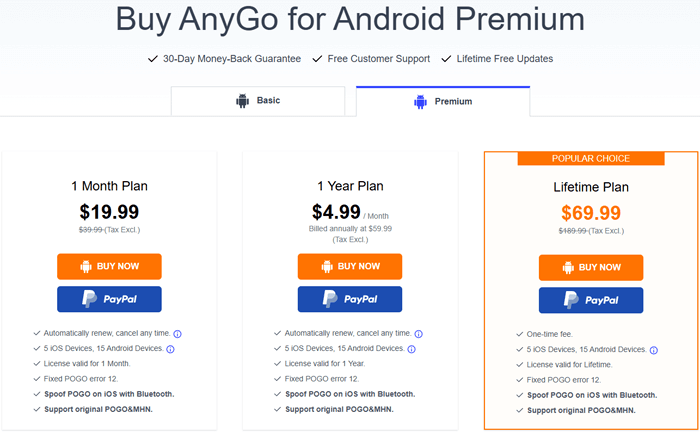
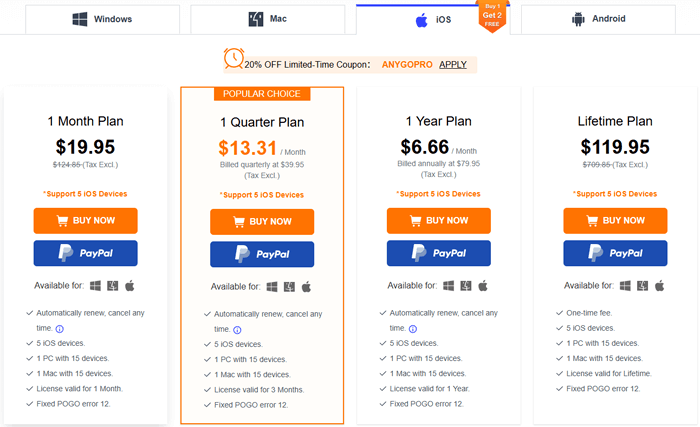
The price of iToolab AnyGo varies depending on the operating system. It supports Windows, Mac, Android, and iOS platforms, with different pricing for each, and occasional discounts are available. Here's a breakdown of the pricing for each platform:
Windows Version: The Windows version offers the full range of GPS location spoofing features.
Mac Version: The Mac version provides the same features as the Windows version.
Android Version: The Android version of iToolab AnyGo comes in two options: a Basic version and a Premium version, with the Premium version offering additional features.
iOS Version: The iOS version is similar to the Android version, with Basic and Premium versions available. When you purchase the iOS version, you can also get the Windows or Mac version for free.
iToolab AnyGo is designed with a user-friendly interface, making it accessible even for non-technical users. The step-by-step process below works for both iOS and Android devices, with minor adjustments for device-specific settings:
Step 1. Install the Software
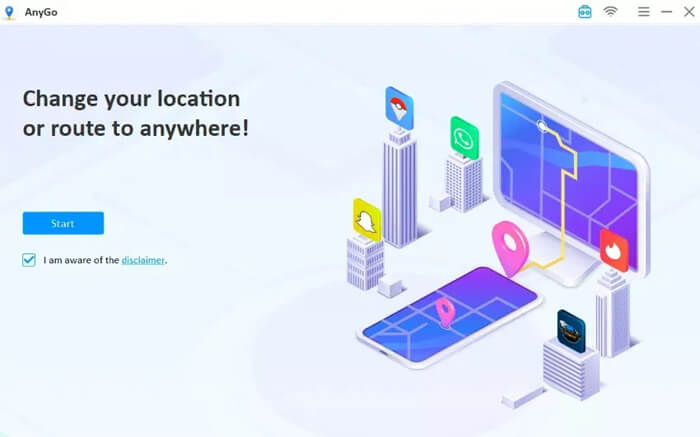
First, download the iToolab AnyGo installation file to your Windows or Mac computer. Double-click the file and follow the on-screen installation wizard to complete the setup. Once installed, launch the program, and hit the "Start" button.
Step 2. Connect Your Device
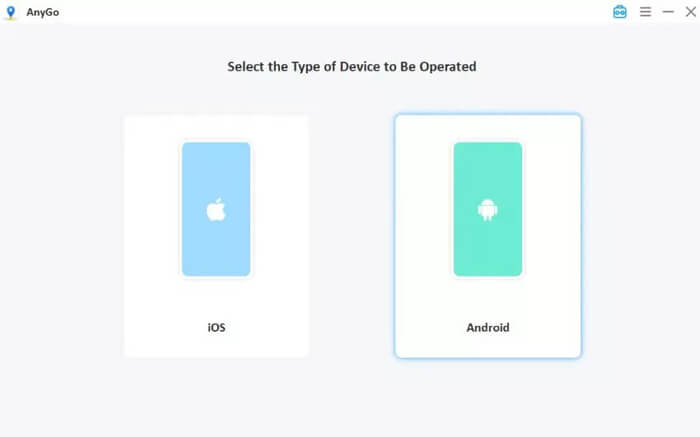
Select your device's operating system (iOS or Android) from the program interface, then connect your phone to the computer via USB cable. For Wi-Fi connection (iOS only), follow the in-app instructions to pair your device wirelessly. First-time users need to enable Developer Mode on iPhone or USB Debugging on Android to ensure a successful connection.
Step 3. Confirm Current Location
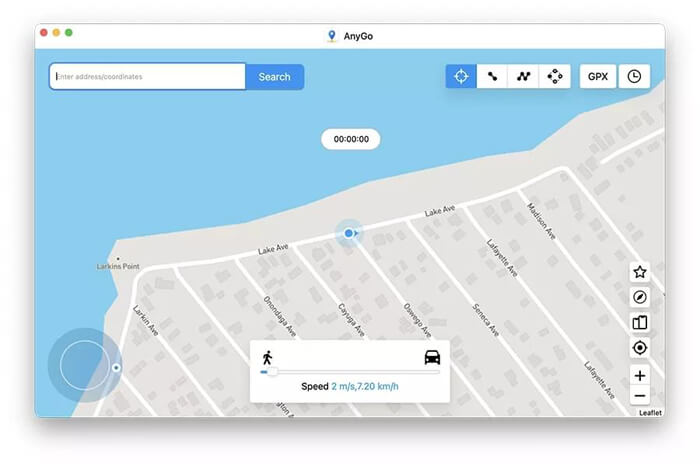
After a successful connection, a map will appear on the screen, with a blinking pointer showing your device's current GPS location. If the location is inaccurate, click the "Center" button to re-calibrate and display your correct location.
Step 4. Teleport to a New Location
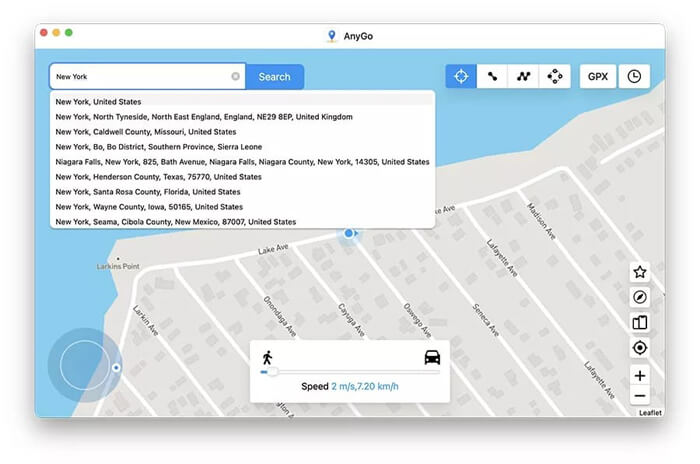
Click the "Teleport" icon in the upper right corner of the screen. Enter the desired location (address or coordinates) in the search bar and click "Search". The map will zoom to the target location, and the system will save it.
Step 5. Start Location Spoofing
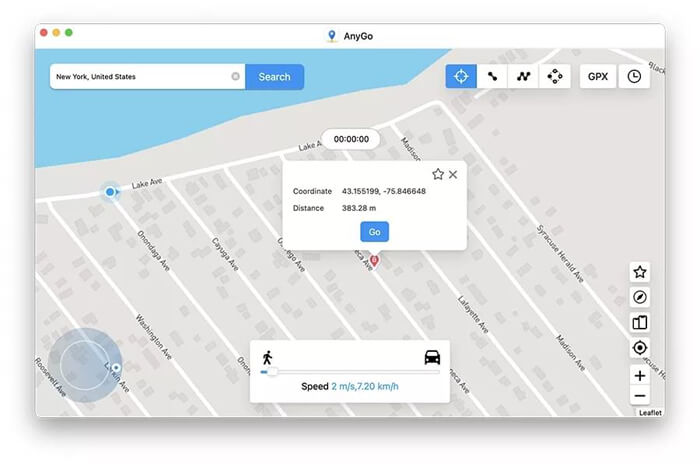
Click the "Go" button to teleport your device's GPS to the target location. For more flexibility, you can switch to other modes (joystick, two-point, or multi-point movement) to simulate natural movement instead of instant teleportation.
While iToolab AnyGo offers a range of impressive features, it's important to weigh both the advantages and potential drawbacks before making your decision.
Pros
Cons
If iToolab AnyGo doesn't meet your needs, Location Spoofer is the top alternative for GPS location spoofing. Like AnyGo, Location Spoofer is a professional tool that works on both iOS and Android devices without jailbreaking or rooting, focusing on user-friendliness and versatile features.
Key features of Location Spoofer:
Follow these simple steps to spoof your GPS location using the best alternative to iToolab AnyGo.
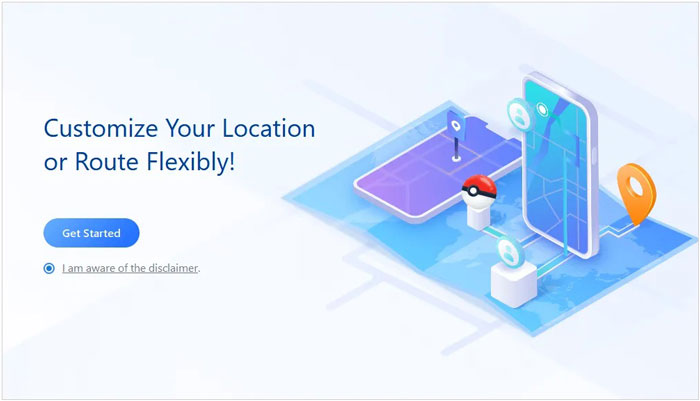
01Start by downloading and installing Location Spoofer on your computer. Once installed, launch the program and click "Get Started".
02Use a USB cable to connect your phone to your computer. For Android, enable USB debugging; for iPhone, tap "Trust This Computer" to establish a secure connection.
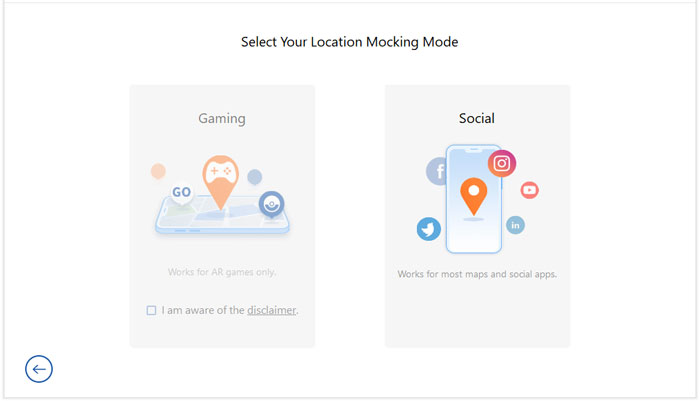
03After connecting, select the desired mode based on your needs, either Gaming or Social.
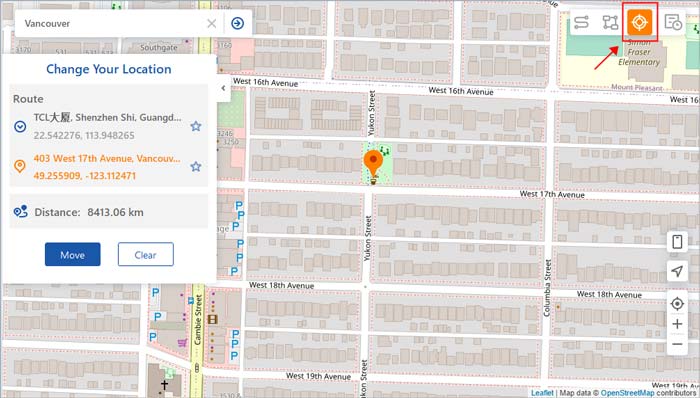
04Type in the location you want to spoof and click "Move" to instantly change your GPS position.
iToolab AnyGo is an excellent GPS location spoofing tool for both iOS and Android users. Its ability to spoof your location without jailbreaking or rooting your device is a major advantage, and its compatibility with a variety of apps makes it a versatile tool. While it comes with a price tag, the features it offers make it worth the investment for users who want to take control of their GPS location. However, if you're looking for a more budget-friendly alternative, Location Spoofer is a great option to consider.
Related Articles:
How to Change iPhone/iPad Location without Jailbreak in 4 Cost-effective Ways?
Detailed Guide | How to Change Location on YouTube TV for Free [Can't Miss]
How to Change iPhone location Without VPN? [Solved with 5 Ways]
How to Share Location Between iPhone and Android [Geo-Fun Adventures]




 Free Download for PC
  Free Download for Mac


