TL;DR:
A factory reset is generally enough to prepare an iPhone for resale, but additional data erasure offers an extra layer of privacy protection.
Selling your old iPhone is exciting, especially when you've already picked out a new one. But before handing it over, there's one thing you shouldn't overlook: your personal data. Photos, messages, saved passwords, and account details deserve more attention than simply deleting a few apps or files. Is a factory reset enough to keep everything private, or should you take extra steps? This guide explains what an iPhone factory reset actually does, how to prepare your device for resale, and how to use a data erasure tool for additional protection.
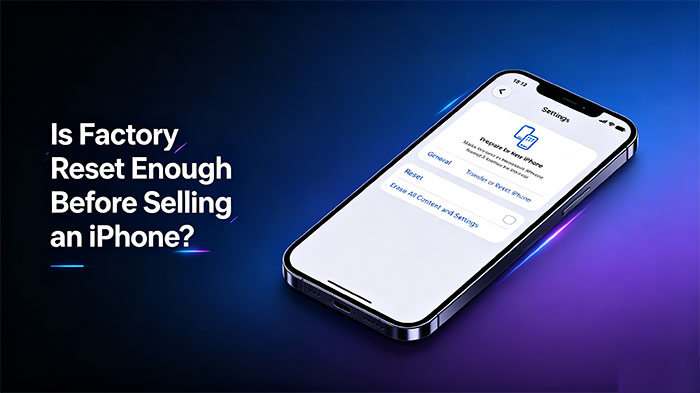
Yes. For most people, a factory reset is enough to prepare an iPhone for sale. Apple's "Erase All Content and Settings" feature removes personal data, apps, accounts, and settings from the device. It also turns off Find My and removes Activation Lock.
Generally, no. iPhones use built-in data encryption. When you erase an iPhone, the encryption keys are removed, making the old data inaccessible through normal recovery methods.
Not for everyone. A standard factory reset is generally sufficient for ordinary resale. However, if your iPhone contains highly sensitive information and you want an extra layer of protection, you can use a professional erasure tool to overwrite existing and previously deleted data before selling it.
Before wiping your iPhone, take a few minutes to prepare it. This helps you avoid losing important files, account issues, or activation problems for the next owner.
Once you've backed up your data and signed out of your accounts, you can erase your iPhone using its built-in reset option. The process is simple and doesn't require a computer.
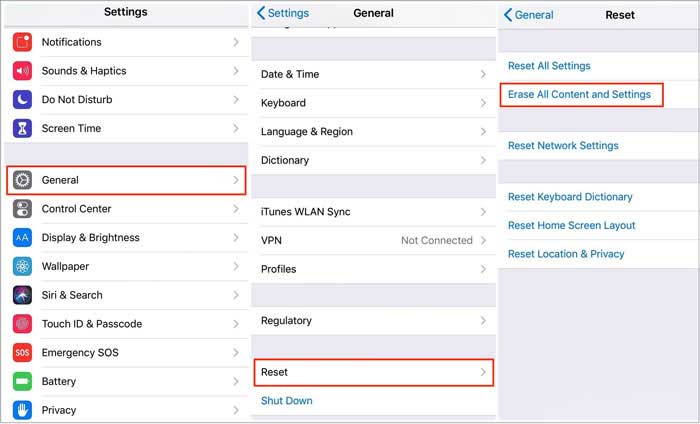
Don't go through the setup process again after the reset. Leave the iPhone on the Hello screen so the buyer can set it up with their own Apple Account.
A factory reset is usually enough for everyday iPhone resale. However, if you want to take extra precautions to protect your privacy, Coolmuster iOS Eraser offers another way to wipe your device. This desktop tool can erase existing data, overwrite previously deleted files, and remove private information that may remain in your iPhone storage. It also provides three security levels, allowing you to choose how thoroughly to erase your data before selling your iPhone.
Key Features of Coolmuster iOS Eraser:
Steps to Use Coolmuster iOS Eraser to Wipe Your iPhone Permanently:
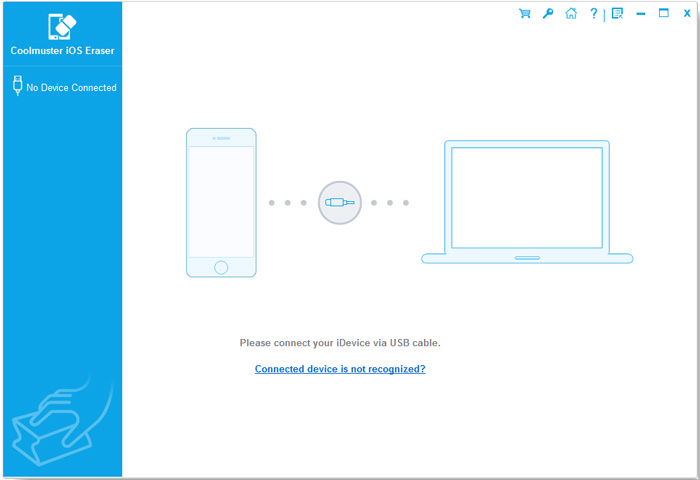
01Download and install Coolmuster iOS Eraser on your computer. Launch it and connect your iPhone using a USB cable. Unlock your device and tap "Trust" if prompted. Once recognized, the program will display your device information.
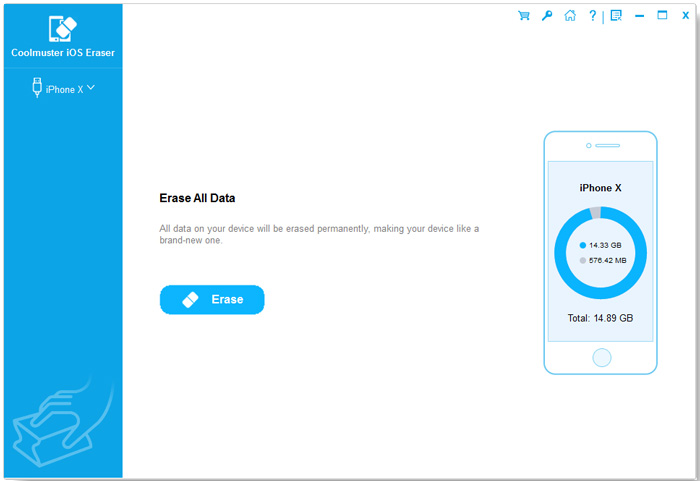
02Click the "Erase" button on the main interface. If Find My iPhone is enabled, follow the prompts to turn it off before continuing.
03Select your preferred option from "Low Level", "Medium Level", and "High Level", then click "OK". Type "delete" in the confirmation field and click "Erase" again. When prompted, click "OK" to proceed.
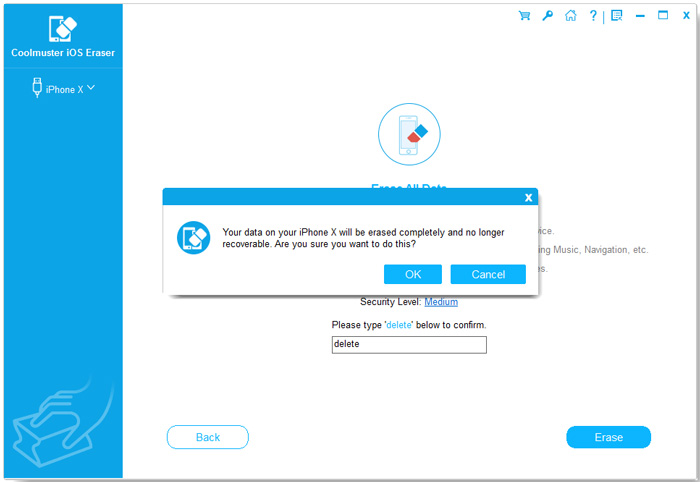
04For better erasure results and reduced data recovery risks, make sure to factory reset your iPhone using "Erase All Content and Settings" before proceeding.
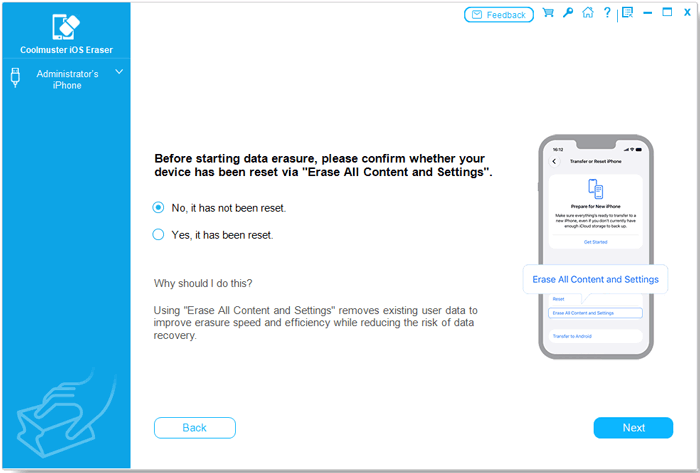
05After the reset, the software will overwrite your iPhone's storage to make the erased data much harder to recover.
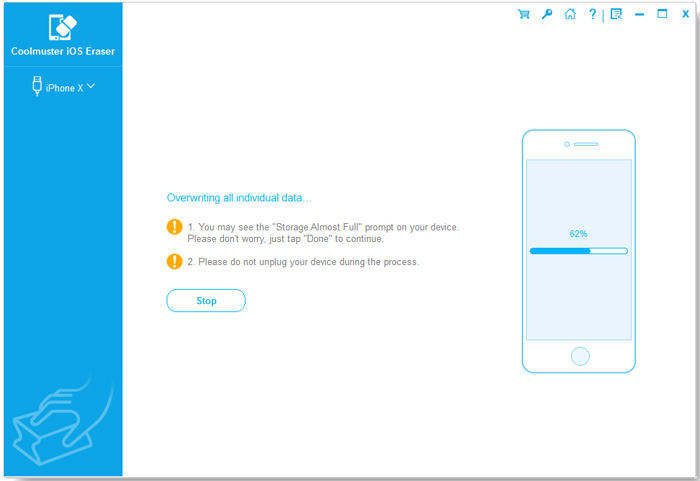
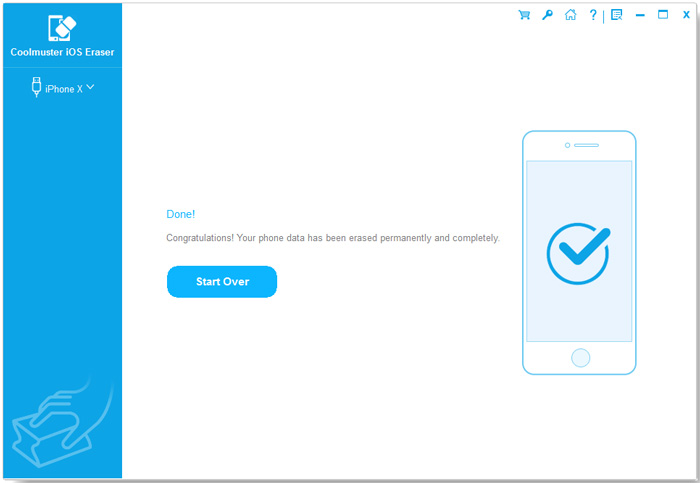
Once the process is complete, your personal data will be permanently erased.
Before handing your iPhone to its new owner, take a moment to check a few final details. These small steps can help avoid account issues and make the handover easier.
Once everything is checked, your iPhone is ready for its new owner.
Q1. Will Factory Resetting an iPhone Remove Everything from iCloud?
No. A factory reset removes data stored on the iPhone, but it does not delete photos, contacts, or other files already synced to iCloud. You can still access them from another Apple device or iCloud.com.
Q2. Can I Factory Reset an iPhone Without the Apple ID Password?
It depends. If Find My iPhone is enabled, you generally need your Apple Account password to turn off Find My and complete the erasure. If you have forgotten it, try resetting your password through Apple's account recovery options.
Q3. Should I Remove My iPhone from My Apple Account Before Selling It?
Yes. Make sure your iPhone is no longer associated with your Apple Account after erasing it. This helps prevent Activation Lock issues and allows the new owner to activate the device normally. (How to Remove Apple ID from iPhone Without Password?)
Q4. How Long Does It Take to Factory Reset an iPhone?
In most cases, erasing an iPhone takes only a few minutes, although the exact time depends on the device and its condition. A separate data overwriting process may take considerably longer, depending on the security level and storage capacity.
Q5. Can I Sell an iPhone That Won't Turn On After a Factory Reset?
Yes, but make sure the device was successfully erased before it stopped working. If you couldn't complete the reset, don't assume your personal data has been removed. Consider repairing the device or seeking professional assistance before selling it.
Q6. Should I Factory Reset an iPhone Before Trading It In?
Yes. Whether you're selling your iPhone privately or trading it in, erase all personal data and remove your Apple Account before handing it over. Also, check the trade-in provider's requirements for preparing your device.
Selling an iPhone involves more than finding a buyer and agreeing on a price. You also need to make sure your personal information stays yours. A factory reset is generally enough for everyday resale, but additional data erasure can provide extra peace of mind if privacy is a major concern. Back up what matters, remove your accounts, erase the device, and check everything before handing over the phone.
Related Articles:
How to Factory Reset iPhone without Passcode in 4 Ways
How to Delete Documents and Data on iPhone [Verified Tips]
3 Ways to Delete Call History on iPhone Quickly and Easily
How to Delete Photos from iPhone from Computer? [4 Quick Ways]






 Free Download for PC
 Free Download for Mac


