TL;DR:
Want to protect your privacy before selling or donating your old Android phone? This article explains how to wipe a SIM card on Android, covering manual deletion methods, permanent erasing tools, and physical destruction options to help you remove sensitive data safely.
"Hello, I have a Samsung Straight Talk phone, and I am selling it. I need to know how to erase the SIM card and the phone memory. Thanks."
- From Reddit
Many important contacts and text messages are stored on the SIM card. As a result, you may tend to erase the SIM card to keep your privacy safe when you decide to donate, sell, or recycle your old Android phone. However, do you know how to wipe a SIM card with Android completely and safely? Well, you will find the effective solutions in the post.
The most straightforward method to clear the data stored on your SIM card is directly through your Android phone's system settings. This process is generally used to delete contacts saved to the SIM card.
To delete SIM card contacts via Android phone's settings:
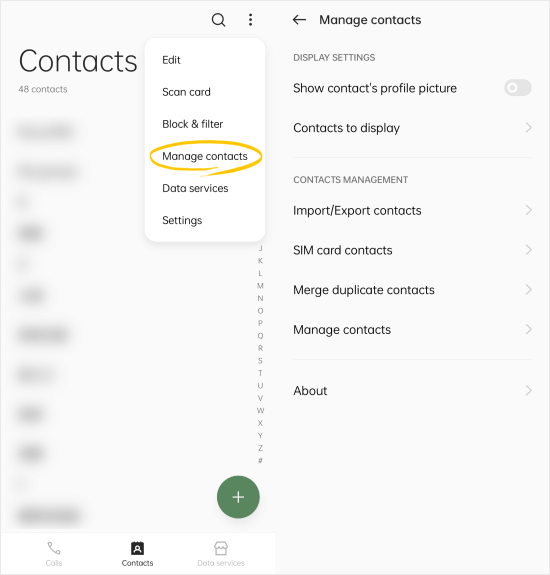
Step 1: Go into your Contacts app on your Android device, and look for "Menu" > "Manage contacts" > "SIM card contacts".
Step 2: Choose the SIM card that you want to wipe. Then select all the contacts, and click "Delete".
To delete SIM card messages via Android phone's settings:
Step 1: Open the Messages app on your Android phone, and then click the top right "Menu" icon. Choose "Settings".
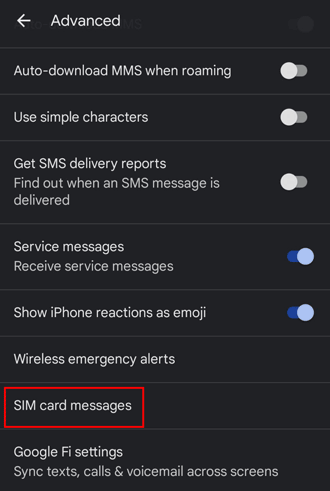
Step 2: Click "Advanced", and then opt for "SIM card messages".
Step 3: Choose the target SIM card. Now, you can remove the messages stored on the SIM card.
Although the manual way can remove SIM card data on Android, they are still recoverable with some professional data recovery software. So, if you want to delete the SIM card on Android without recovery possibility permanently, you can try Coolmuster Android Eraser.
This data eraser can completely wipe out the SIM card data and other Android files from your device, like deleted files, system settings, private data, etc. It offers 3 modes for you, and the data under each mode is impossible to recover.
Warning: This software will wipe all your data completely, so please back up your useful data in advance.
Key features of Android Eraser:
Download Android Eraser.
Here's how to wipe your Android SIM card with this program:
01Install Android Eraser on your computer.
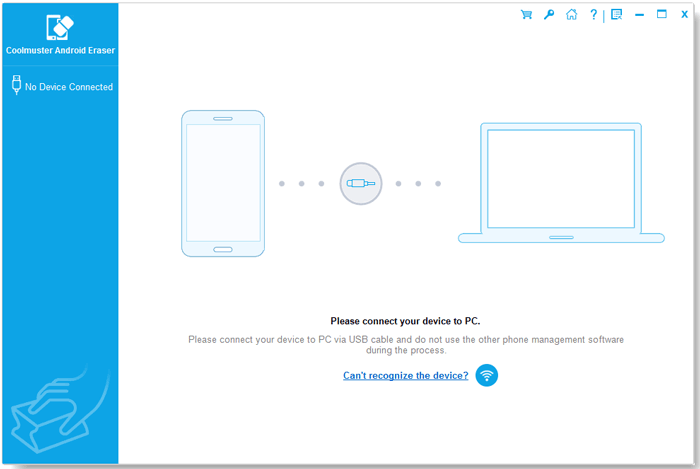
02Connect your Android phone, which contains a SIM card, to the computer with a USB cable, enable USB debugging, authorize the necessary permissions, and click "OK" to continue.
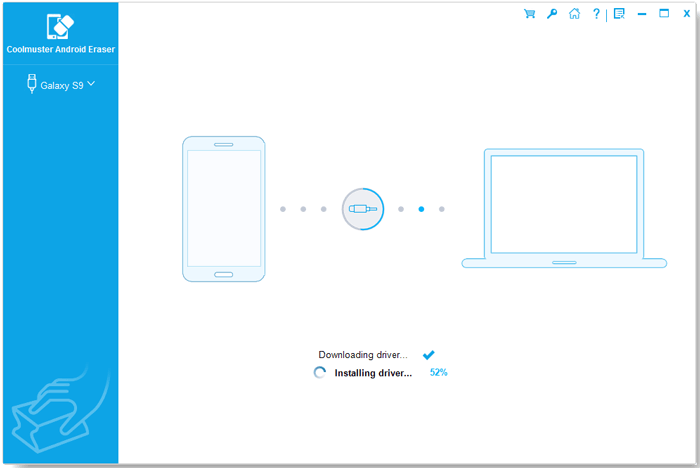
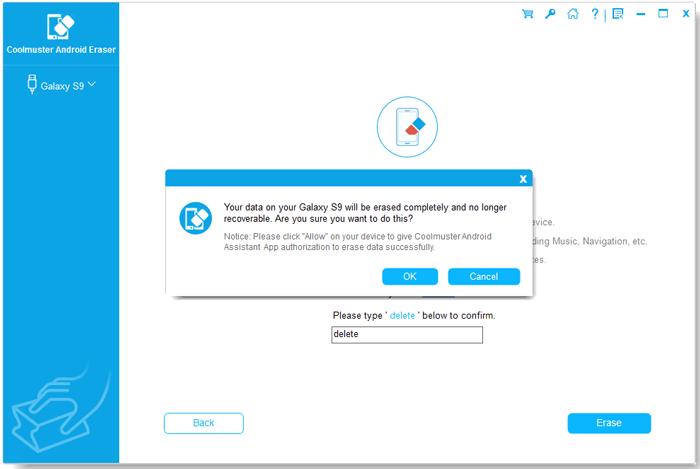
03Erase SIM card permanently. Click "Erase" from the interface > choose a security level in the relevant column > hit "OK" > enter "delete" into the blank > tap "Erase" > choose "OK" to confirm this operation. It will start erasing your Android phone and the SIM card information.
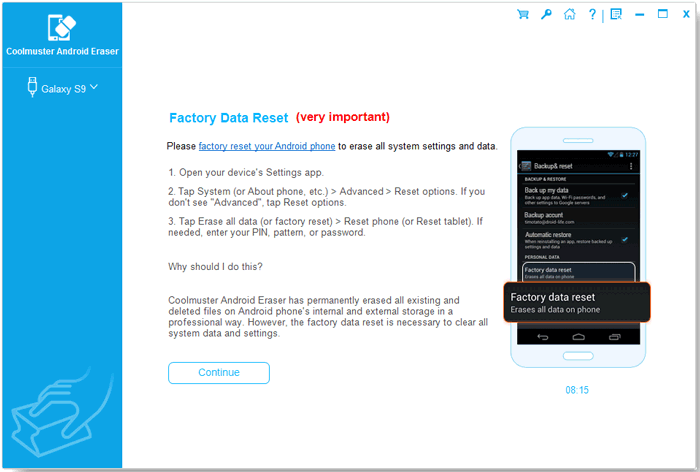
04Factory reset your Android from "Settings" and set up your Android device as a new one.
You can also watch the video guide to wipe your data (about two and a half minutes):
The only guaranteed way to ensure that absolutely no data can ever be recovered from a SIM card is through physical destruction. This method renders the card unusable and all its stored data completely inaccessible.
Here are the steps:
Step 1: Carefully remove the SIM card from your Android phone using a SIM ejector tool or a small paperclip.
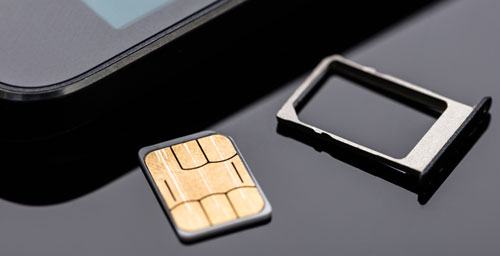
Step 2: The SIM card contains a small, shiny gold or copper electronic chip. This chip is where the sensitive data is stored.
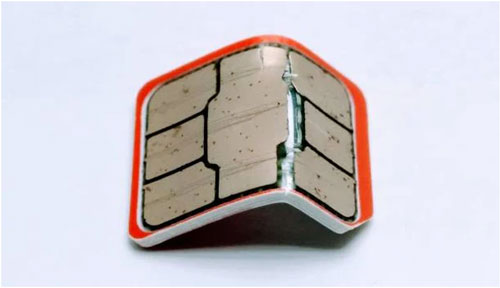
Step 3: Use a sturdy pair of scissors to cut the SIM card into several small pieces, focusing on slicing through the central electronic chip. Cutting it into four or more irregular pieces is recommended.
Step 5: For added security, dispose of the small pieces in separate trash receptacles, ensuring the SIM card can never be reassembled.
Q1: Can a factory reset wipe my SIM card on my Android phone?
No, a factory reset on an Android phone does NOT wipe or erase anything on your SIM card. It can only clear data stored on the phone, including apps, app data, photos, downloads, documents, messages, contacts, call history, etc.
Q2: Can I erase everything from a SIM card and restore it to its initial state?
You can erase the user-writable parts of a SIM card, but you cannot fully restore a SIM card to its original "factory state" the way you can with a phone. A SIM card has a small area where users (or older phones) can store data. You can delete SMS and contacts saved to SIM, and maybe some user-editable files (rare on modern SIMs).
A SIM card's core identity and its carrier-programmed data cannot be wiped or restored to factory condition outside of the carrier's systems. This includes IMSI (your subscriber ID), authentication key (Ki), carrier network profiles, carrier OTA configurations, security files, and access rules. These are locked and protected by design.
People today are more concerned about their privacy. When they no longer need the old Android device, they will manage to erase all the private information, making all your data unrecoverable. However, the manual way only makes the SIM card data invisible.
For people who want to know how to wipe a SIM card with Android permanently, you can give Coolmuster Android Eraser a try. More than wiping the SIM card, it will also erase all the device settings, passwords, apps, media files, documents, and reset your Android device to factory status.
If you encounter any difficulty when wiping the SIM card, please leave a comment below. Our online support teams will reply to you soon.
Related Articles:
How to Delete Data from Android Phone Permanently? [Top 5 Ways]
How to Delete Photos from Android Phone Permanently [Can't Miss]
How to Free Up Space on Android Devices: 8 Quick and Easy Approaches
How to Delete Photos from iPhone But Not iCloud? Solved in 5 Ways







 Free Download for PC
  Free Download for Mac


