For many realme users, Phone Clone offers a convenient way to transfer data from an old device to a new one. It allows you to easily migrate contacts, messages, photos, and other important files with just a few taps. While this tool works well for most realme devices, it does have some limitations, such as compatibility issues with non-realme devices and occasional challenges when transferring large amounts of data.
Because of these limitations, many users seek alternative methods for data transfer that offer greater flexibility and wider compatibility. In this article, we'll explore some of the best realme Phone Clone alternatives, from cross-platform solutions to fast file transfer apps and cloud backup services, helping you find the right tool for your data migration needs.
Coolmuster Mobile Transfer is a desktop-based transfer tool focused on "one-click migration". It has gained popularity among business and advanced users thanks to its comprehensive compatibility and precise data filtering capabilities. Supporting both Windows and Mac systems, it enables transfer via USB cable or wireless Wi-Fi, and is compatible with all realme models and major operating systems. It allows for easy migration of contacts, messages, photos, videos, apps, and more between phones.
Compatibility:
Works seamlessly with all realme models and supports both Windows and Mac systems. It's compatible with a wide range of devices, including iOS and Android phones.
Transfer Time:
Typically, transferring 1GB of data takes about 5-10 minutes, depending on the connection method and data size.
Pros:
Cons:
Requires a paid version for full functionality.
User Guide:
01Begin by downloading and installing Coolmuster Mobile Transfer on your computer. You can download it from the official website by clicking the download button.
02Next, connect both your source device (e.g., the old realme phone or iPhone) and destination device (e.g., the new realme phone) to the computer.
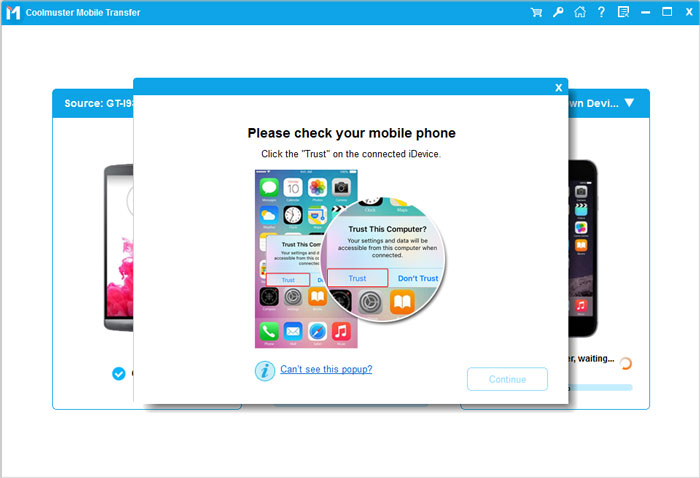
03After successful connection, the tool will automatically recognize the two devices and display them as "Source" and "Destination" on the main interface. (For example, if transferring from Android to Android, your devices will appear accordingly.)
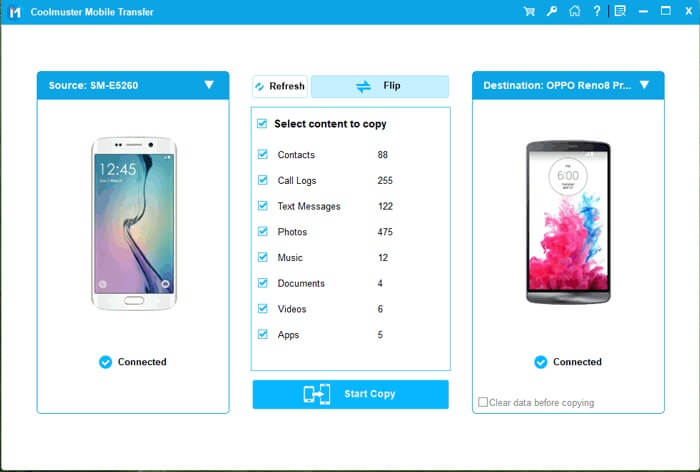
04Choose the types of data you want to transfer (contacts, photos, messages, etc.) from the list. Once you've selected the desired data, click "Start Copy" to begin the transfer process.
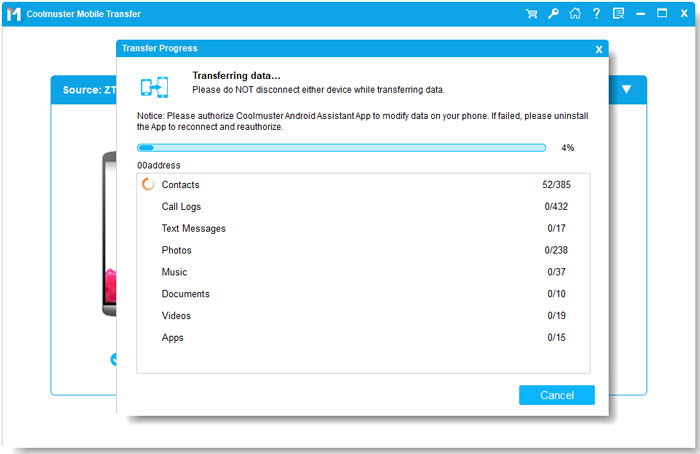
Video Guide:
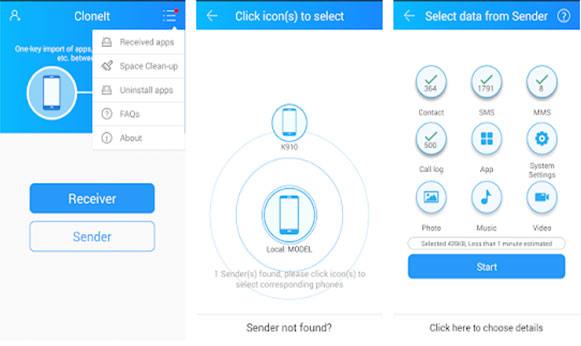
CLONEit is a well-established wireless transfer tool that once dominated the Android migration market. Its core advantages, such as "no computer required" and "no data usage", make it an attractive option for users looking for a quick and hassle-free transfer solution. It enables transfers via a direct Wi-Fi hotspot connection, and since no registration or login is required, it is ready to use immediately after launching the app. CLONEit is particularly well-known for its excellent compatibility with older realme models, making it a great choice for users with legacy devices.
Compatibility:
CLONEit works well with a wide range of Android devices, including all realme models, even older ones. It supports Android-to-Android data migration without any need for a computer.
Transfer Time:
Transfers typically happen quickly, depending on the data size and Wi-Fi connection speed. Small data transfers can take just a few minutes, while larger data sets may take longer.
Pros:
Cons:
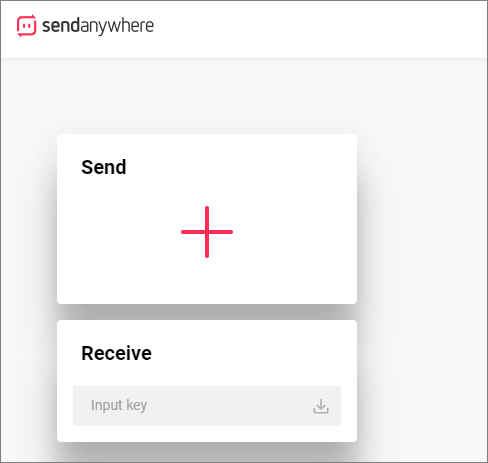
Send Anywhere is a popular cross-platform file-sharing app that allows you to transfer photos, videos, contacts, and other files between Android and iOS devices. It works using a direct Wi-Fi connection or mobile data, offering a simple, no-hassle solution to quickly move files from one device to another. Send Anywhere doesn't require an account, and all transfers are encrypted for added security.
Compatibility:
Works on Android, iOS, Windows, and macOS, making it a versatile option for transferring data across different platforms.
Transfer Time:
Transfer speed is highly dependent on the Wi-Fi or mobile data connection. Typically, 1GB of data can be transferred in about 10-15 minutes.
Pros:
Cons:
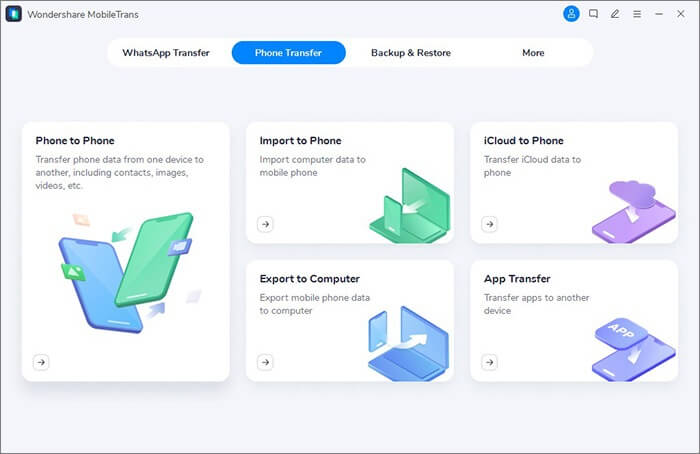
Wondershare MobileTrans is a professional-grade phone transfer tool that supports transferring contacts, messages, photos, videos, apps, and more between Android and iOS devices. Known for its speed and ease of use, MobileTrans allows users to perform a full backup of their old device and restore it to a new one without hassle. The software supports multiple data types and ensures a smooth transfer process.
Compatibility:
Supports both Android and iOS devices, making it ideal for transferring data between devices across different operating systems. It's compatible with most brands, including realme, Samsung, realme, and iPhone.
Transfer Time:
The transfer speed is fast, with a typical 1GB of data transferring in about 5-10 minutes, depending on the device and connection.
Pros:
Cons:
SHAREit is a widely used file-sharing app that supports transferring various file types, including photos, videos, apps, and documents, between devices. It uses a direct Wi-Fi connection, enabling fast transfer speeds without the need for an internet connection. SHAREit is known for its high-speed transfers and compatibility with multiple platforms, including Android, iOS, and PC.
Compatibility:
Works on Android, iOS, and even PC. It's compatible with most devices, including realme phones, and allows seamless data transfer between Android and iOS.
Transfer Time:
SHAREit is one of the fastest transfer tools, with transfer speeds of up to 20MB/s. A 1GB file typically takes 2-3 minutes to transfer.
Pros:
Cons:
Cloud services like Google Drive, OneDrive, and Dropbox provide an alternative method for transferring data. By uploading files to the cloud from your source device, you can then access and download them on your new device, regardless of its operating system. Cloud storage is especially useful for backing up important files and ensuring they're available across multiple devices.
Compatibility:
Compatible with Android, iOS, and PC, making it a great option for cross-platform transfers.
Transfer Time:
Transfer time depends on your internet connection and the file sizes being uploaded. Larger files can take longer to upload and download.
Pros:
Cons:
In conclusion, while all six realme Phone Clone alternatives help address different limitations of the original tool, one option clearly delivers the most complete and reliable experience - Coolmuster Mobile Transfer. Its one-click migration, wide device compatibility, and support for both USB and wireless transfers make data migration fast, flexible, and secure. If you want the most stable and comprehensive solution for moving data between realme and other devices, Coolmuster Mobile Transfer is the best choice.
Related Articles:
Phone Clone Troubleshooting: How to Fix if Phone Clone Not Working
Top 7 Phone Transfer Apps Help with Phone to Phone Transfer
How to Transfer Data from Samsung to Realme Handily [6 Options]
How to Transfer from iPhone to realme: 4 Easy Ways Explained






 Free Download for PC
  Free Download for Mac


