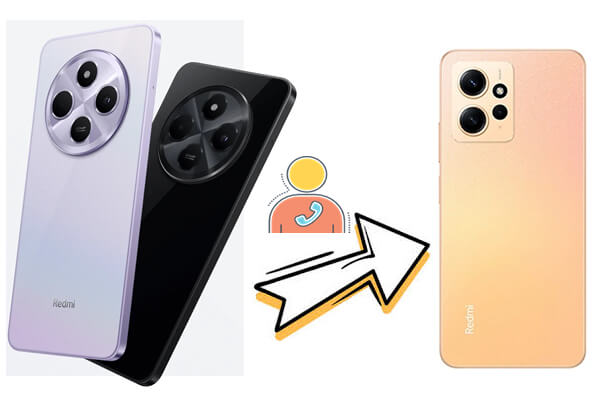
Transferring contacts from one Redmi phone to another is a common task for anyone upgrading or switching devices. Whether you're moving to a new model or just need to transfer data, there are multiple ways to move your contacts. In this article, we'll explore five effective methods to transfer contacts from Redmi to Redmi, including using Mi Mover, Google account sync, VCF file transfer, SIM card migration, and more. With these methods, you can easily ensure your contacts are safely moved to your new device.
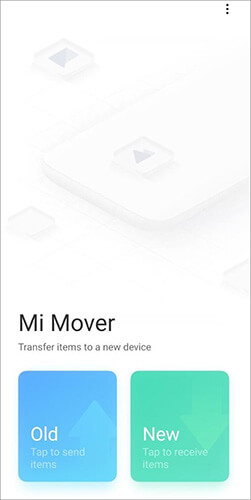
Mi Mover is Xiaomi's built-in tool that allows easy data transfer between Redmi devices. It's a straightforward process, but it has limitations, especially in terms of file compatibility or transfer speed when dealing with large data volumes.
Step 1. Install and open Mi Mover on both Redmi phones. You can find it pre-installed under "Settings" > "Additional settings" > "Mi Mover".
Step 2. On your new Redmi, select "New". A QR code will appear on the screen.
Step 3. On your old Redmi, choose "Old", then scan the QR code displayed on the new device to connect the two phones.
Step 4. Once connected, select "Contacts" or any other data type you want to transfer.
Step 5. Tap "Send" to begin transferring contacts. Wait for the process to complete. Your selected contacts will now appear on your new Redmi device.
Using your Google account is one of the easiest and most reliable ways to sync contacts between two Redmi devices. This method ensures that your contacts are backed up on the cloud, but it requires a stable internet connection and might not work if your Google account is already synced with another device.
Step 1. On your old Redmi phone, go to "Settings" > "Accounts" > "Google" and make sure "Contacts" is selected for sync.
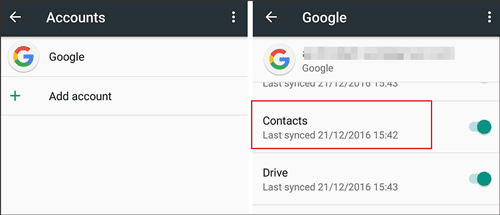
Step 2. On your new Redmi phone, go to "Settings" > "Accounts" > "Add account" > "Google" and sign in with your Google account.
Step 3. Once your account is added, make sure that contact sync is enabled, and your contacts will automatically sync to your new device.
The VCF (vCard) file method is a flexible option for transferring contacts, allowing for easy sharing through email or other file transfer methods. However, it may not be suitable for users with large contact lists or if both phones have different formats for contacts.
Step 1. On your old Redmi phone, go to "Contacts", select "Settings", and choose "Export" to create a VCF file.
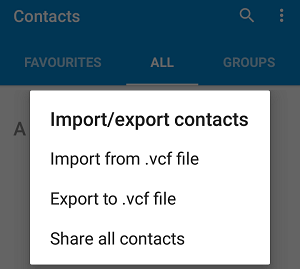
Step 2. Send the VCF file to your new phone via Bluetooth, email, or any other file-sharing method.
Step 3. Open the Contacts app on the new phone, go to "Settings", and choose "Import" from the VCF file.
Using your SIM card to transfer contacts is a simple, offline method. However, it only transfers contacts saved to the SIM card, which means any contacts stored in the phone memory or cloud won't be moved.
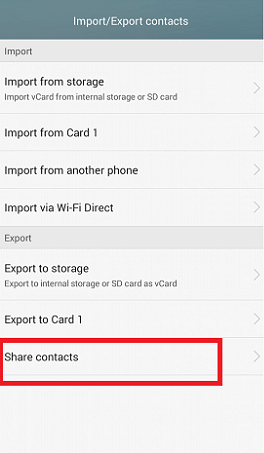
Step 1. On your old Redmi phone, open the Contacts app, go to "Settings", and select "Import/Export" to export contacts to your SIM card.
Step 2. Remove the SIM card and insert it into your new Redmi phone.
Step 3. On the new device, go to Contacts and select "Import from SIM card".
For those seeking a more comprehensive and reliable solution, transferring contacts through a software application can offer a faster and more secure method. While manual methods like Mi Mover or Google account syncing work well, software solutions provide added convenience when handling large data transfers. One such software that can make the process easier is Coolmuster Mobile Transfer. This program is designed specifically to simplify data transfer between phones, including contacts, photos, messages, and more, all while ensuring that your data remains intact and safe.
Key Features of Coolmuster Mobile Transfer:
Follow these steps to transfer contacts from Redmi to Redmi with 1 click:
01Download and install Coolmuster Mobile Transfer on your computer.
02Connect both your old and new Redmi phones to the computer using USB cables, and enable USB debugging on each device when prompted.
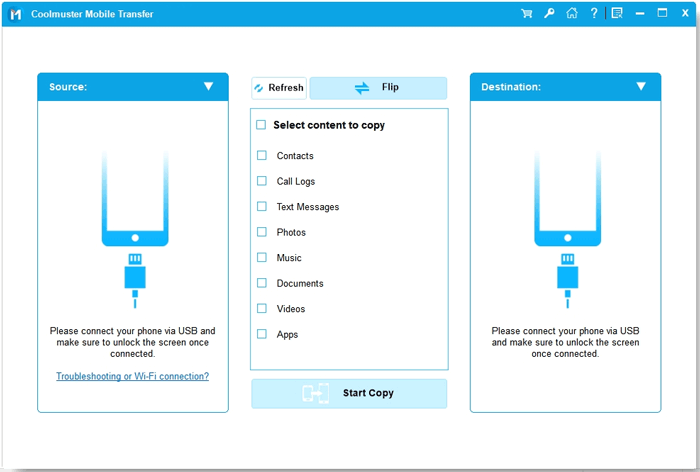
03Make sure the source Redmi phone and destination Redmi phone are correctly positioned on the screen. If needed, click "Flip" to switch them.
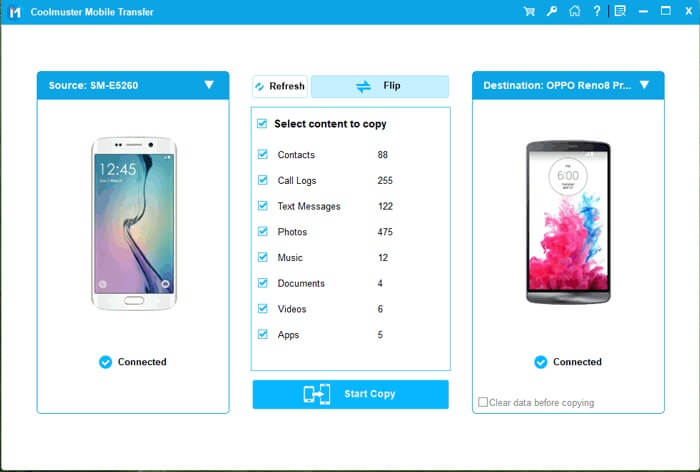
04Check the "Contacts" option from the list of transferable data and click "Start Copy" to begin the transfer. All selected contacts will be moved to the target Redmi phone automatically.
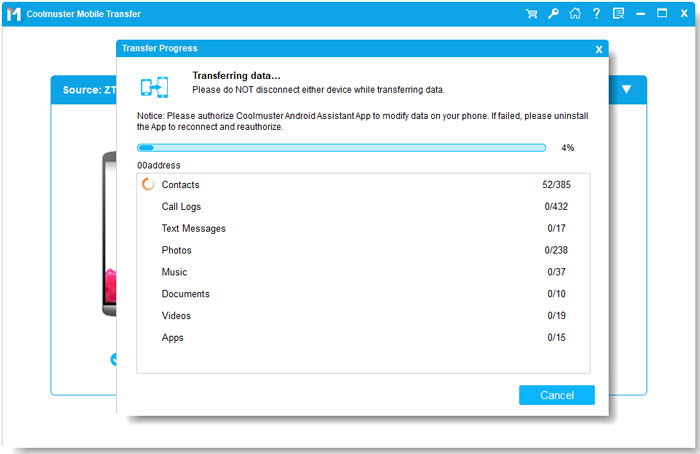
After completing the transfer, you can also view a video tutorial that will guide you through each step in more detail, ensuring that the process goes smoothly.
Transferring contacts from one Redmi phone to another can be accomplished using several methods, each with its advantages and drawbacks. Whether you use Mi Mover, Google account syncing, VCF files, or SIM cards, these options allow for easy migration of your contacts. However, for a more comprehensive, reliable, and efficient transfer, especially if you have a large amount of data to move, Coolmuster Mobile Transfer is highly recommended. With its one-click transfer feature, cross-platform support, and secure data handling, it ensures that your contacts are safely and quickly moved to your new device without hassle.
Related Articles:
How to Transfer Data from Mi to Mi in 5 Possible Ways (Proven Tips)
7 Ways on How to Transfer Contacts to New Phone [Simple & Fast]
How to Edit Redmi Phone Contacts on Computer [4 Methods]
How to Transfer Music from Redmi to Redmi Easily and Quickly






 Free Download for PC
  Free Download for Mac


