TL;DR:
To unlock a locked HONOR phone, you can remove the screen lock with a professional Android unlock tool, recover access with a Google account, or reset your device through Recovery Mode or Google Find My Device.
Forgetting the screen lock password on your HONOR phone can prevent you from accessing important apps, photos, and personal files. Whether you use a PIN, password, or pattern lock, being locked out of your device can be frustrating, especially when you need to use your phone urgently.
Fortunately, there are several ways to unlock an HONOR phone depending on your situation. In this guide, we will show you how to unlock HONOR phone without password using a professional Android unlock tool, Google account solutions, Recovery Mode, and Google Find My Device.
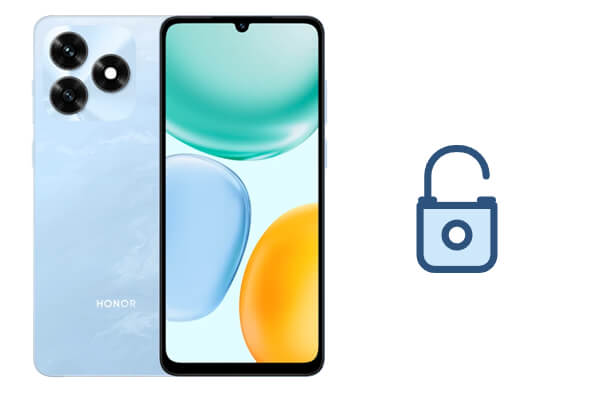
If you forgot your HONOR phone password, PIN, or pattern and cannot access your device, using a professional Android unlock tool can be one of the easiest solutions. Android Unlock is designed to remove different types of Android screen locks without requiring the original password.
Besides screen lock removal, it also supports bypassing FRP (Google account verification) on selected Android devices, making it useful for users who cannot access a second-hand phone after a factory reset.
Key features of Android Unlock:
How do I unlock HONOR phone without a password?
01Download and install Android Unlock on your computer, then run the program to begin the unlocking process.
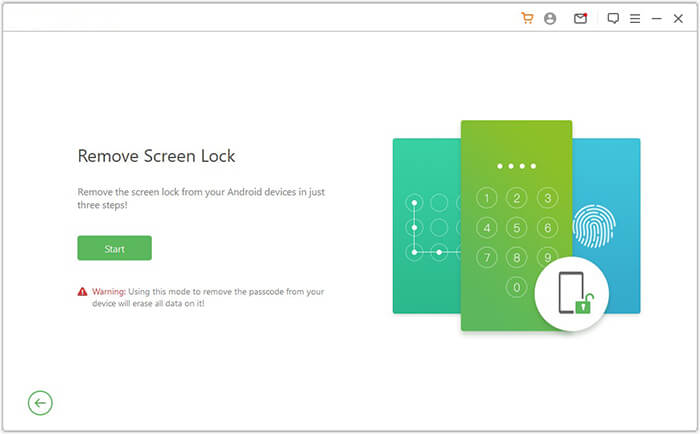
02From the main interface, select "Remove Screen Lock" and connect your locked HONOR phone to the computer using a USB cable.
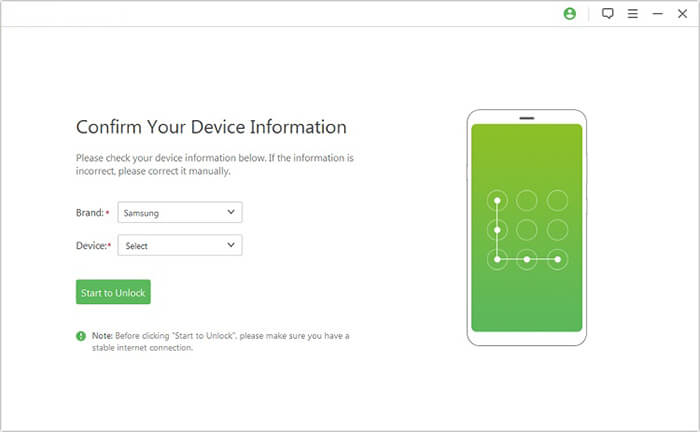
03Once your phone is detected, choose the correct device model from the available list and click "Start to Unlock" to continue.
04Follow the instructions displayed on the screen to put your HONOR phone into Download Mode. The program will then prepare and install the required recovery package for unlocking.
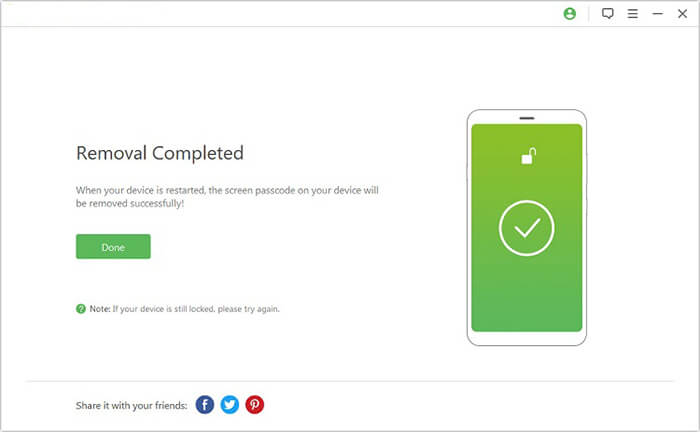
05When the recovery package installation is completed, click "Remove Now" to start removing the existing screen lock from your HONOR phone.
If you recently changed your HONOR phone password but cannot remember it, you may be able to regain access through your connected Google account. This method mainly applies to older Android versions where Google account verification options were available after multiple failed unlock attempts.
Steps to unlock HONOR phone with Google account:
Step 1. Enter the wrong password or pattern several times.
Step 2. Wait until the "Forgot pattern/password" option appears.
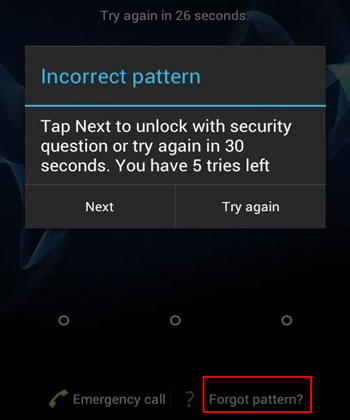
Step 3. Tap the option and choose to unlock using your Google account.
Step 4. Enter the Google account and password linked to your HONOR phone.
Step 5. Set a new screen lock password.
If you cannot remember your HONOR phone password, PIN, or pattern, you can use Recovery Mode to perform a factory reset and remove the existing screen lock. This is an official troubleshooting method available on HONOR devices and does not require any additional software or tools.
However, this method will restore your phone to factory settings, which means all personal data, including photos, videos, contacts, apps, and files, will be erased. In addition, you may need to enter the previously linked Google account or HONOR ID after the reset due to Factory Reset Protection (FRP).
Step 1. Turn off your HONOR phone completely by pressing and holding the "Power" button. Make sure the device has sufficient battery before continuing.
Step 2. Press and hold the "Power" button and "Volume Up" button at the same time. Release the buttons when the HONOR logo appears, and wait for the device to enter Recovery Mode.
Step 3. Use the volume buttons to move through the Recovery Mode options and select "Wipe data/factory reset".
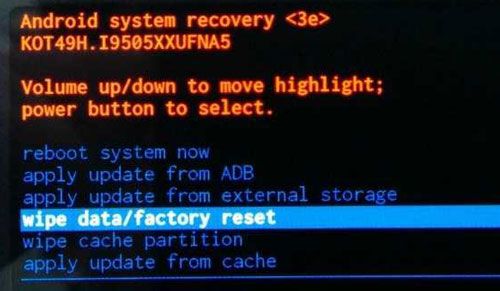
Step 4. Confirm your choice when prompted. The phone will begin clearing the screen lock settings and removing all stored data.
Step 5. Wait for the reset process to finish. Once completed, select "Reboot system now" to restart your HONOR phone.
Step 6. After your device boots up, follow the on-screen instructions to complete the setup process and create a new screen lock. If prompted, sign in with the previously used Google account or HONOR ID to verify ownership.
Google Find My Device is a built-in service from Google that helps users locate, secure, or erase Android devices remotely. If your HONOR phone is connected to a Google account and the Find My Device feature was enabled before you were locked out, you can use it to erase the device and remove the current screen lock.
This method does not directly reveal or remove your existing PIN, password, or pattern while keeping your data. Instead, it performs a remote factory reset, which deletes all data stored on your HONOR phone and allows you to set up the device again with a new screen lock.
Before using Google Find My Device, make sure:
Step 1. Open Google Find My Device on another phone or computer and sign in with the Google account linked to your locked HONOR phone.
Step 2. Select your HONOR device from the available device list. The service will display information about your phone and available remote actions.
Step 3. Choose the "Erase Device" option and confirm the operation. Google will send the reset command to your HONOR phone once the device is connected to the internet.
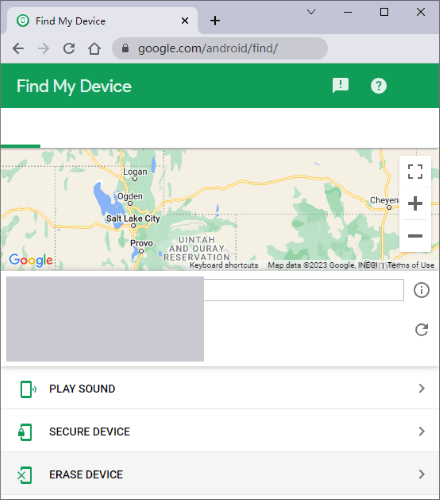
Step 4. Wait for the erasing process to complete. After the reset, your HONOR phone will restart, and the previous screen lock will be removed.
Step 5. Set up your HONOR phone again and create a new screen lock. If Factory Reset Protection (FRP) is activated, you will need to enter the previously synced Google account credentials to continue using the device.
The best way to unlock your HONOR phone depends on why your device is locked and whether you want to keep your data. If you are looking for a quick and simple solution, Android Unlock can help remove different types of screen locks. Google account recovery may work for some older devices, while Recovery Mode and Google Find My Device can help when other options are unavailable but will erase your data.
No matter which method you choose, keeping regular backups of your HONOR phone can prevent unexpected data loss in the future. With the right solution, you can regain access to your device and continue using your HONOR phone without unnecessary hassle.
Related Articles:
How to Reset Android Phone When Locked? Top 5 Reliable Ways
How to Unlock Android Phone with Google Account in 3 Easy Methods
How to Retrieve Deleted Contacts on HONOR Phone: 4 Proven Ways
How to Conduct HONOR Backup and Restore with 4 Effective Ways




 Free Download for PC


