If you want to play the Pokémon GO game without necessarily moving, you can use the twisted version that allows GPS spoofing. Unlike in the past, where you had to jailbreak an iOS device before you could use the tweaked form of an app, nowadays, you can do so freely, thanks to tools like the AppValley app. In this AppValley Pokémon GO, you will learn what the AppValley app is, how you can download it, and the best alternative app. So, let's begin.
AppValley is an application that gives you one hundred percent access to almost all premium apps, tweaks, and popular games. With around two million users, it is becoming a popular app where you can get various applications for your device, regardless of whether it is jailbroken or not.
There are two versions of AppValley available in the market: premium and free. The AppValley VIP is a paid version, and its price is $19.99 one time. There are some advantages of using Appvalley VIP over using the free version. The app is compatible with all iOS versions and is available for all iPads and iPhones.
Is AppValley safe, and does AppValley Pokémon GO hack mobile devices? Actually, the AppValley app is a one hundred percent safe store where you can download any tweak or any app. Unlike other app stores, AppValley developers are always active and ready to fix any arising problems. This ensures your safety is not compromised when using their store.
The developers also update it every now and then with new content. All tweaks and apps are regularly tested to do away with any spyware, viruses, malware, or any other possible threat to your devices.
The answer is No and Yes. To use AppValley to install a tweaked form of Pokémon GO, yes, it works. Also, you can install the Pokémon GO tweaks by iSpoofer or iPogo, using AppValley. But for the risk of banning your account, it is not.
Niantic has come up with anti-cheat algorithms that recognize customized Pokémon GO applications like iPogo and iSpoofer as of Jan 2020. A modified Pokémon GO application is a form of the app that is altered to add the joystick overlay.
The customized apps' jailbroken version can be detected as easily as the non-jailbroken version. It is advisable to use the non-modified version to avoid being detected. If you are using the AppValley app to play the game, ensure you use the latest version of the tweak or app to avoid being banned.
Below is the procedure for downloading and using AppValley:
Step 1: Click the Download option to get an Appvalley profile. Now, consent to download this profile and click the Allow option.
Step 2: Open Settings and go to Profile Downloaded. Hit on the AppValley profile and click on Install. When prompted, enter the password.
Step 3: Once successfully downloaded, open the app on your iPhone. After it launches properly, click your favorite application category. Search for your desired app directly or scroll through a list of applications.
Step 4: Once you get your desired app, click GET, and the downloading process will begin.
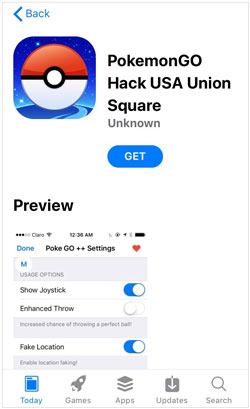
GPS Changer is the best alternative to AppValley Pokémon GO, among many other apps. The natural, real, and smooth GPS location simulation makes it one of the most popular GPS spoofing apps. The joystick gives you fast interaction and easy navigation when playing a game like Pokémon GO. Playing it using joysticks makes navigation fun and brings good control over the Pokémon character in the simulation.
Detection of GPS spoofing can make your device known, which may lead to your account getting banned. Luckily, this application gives you a low rate of detection that prevents the banning of your account. What's more, the application works well with the newest Android 16 and iOS 26 versions; therefore, you will always be comfortable if your device runs the latest Android OS or iOS.
Below are the most notable key features of this AppValley alternative:
* Spoof the GPS on your Android and iOS devices when playing Pokémon GO.
* Work well with most Android and iOS, including the newest Android 16 and iOS 26.
* Let you set your custom speed for the simulated movement.
* The GPS joystick makes your movements easier.
* Allow you to simulate your movements between any 2 or multiple points.
* Allow you to teleport the location of your devices anywhere, even as you play the game.
Download this software below.
Use this software to replace AppValley Pokémon GO?
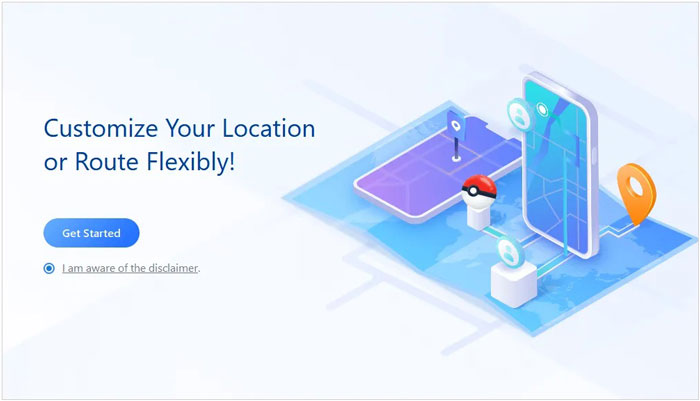
01Install and open the software on a computer. Once done, click on Get Started.
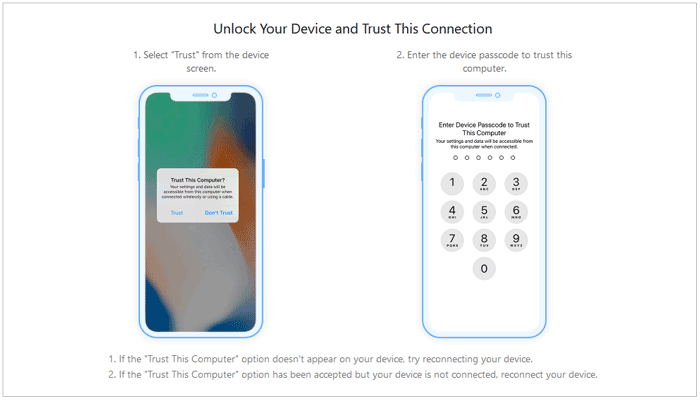
02 Connect the iOS device to this computer using a USB cable. Unlock the device and tap Trust when you are asked whether you trust the computer. Enter your screen password again.
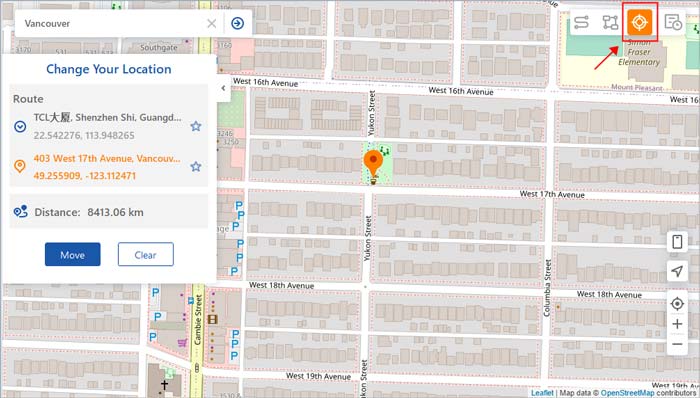
03The app will start to load the map. Once the map is loaded successfully, you will be able to see your location. Select Teleport Mode on the upper part of your screen.
04Now, zoom in and out of this map using the mouse to select your desired location. Alternatively, you can type the GPS coordinates or address at the left upper corner and search for your desired location. Finally, click Move to change your GPS location. Then you can use this new location to play your game.
In a nutshell, you have learned much about AppValley Pokémon GO from this article. If you want an alternative, then you can go for GPS Changer. This app teleports your device in just one click to allow you to use different GPS locations on your smartphones. Thus, you can easily change your location on those location-based games and apps.
Related Articles:
Mastering Pokémon GO Joystick: Your Comprehensive How-To Guide
Unveiling the Secrets of Ditto: A Full Guide of Ditto in Pokémon GO
Dragonite in Pokémon GO [Everything You Need to Know]
Unlocking the Mystery: All About Shiny Eevee Evolutions in Pokémon GO




 Free Download for PC
  Free Download for Mac


