Xiaomi phones are known for their strong performance and excellent value, but even the most reliable devices can run into problems. One issue many users report is Xiaomi not charging, whether the battery percentage stays the same, charging is extremely slow, or the phone doesn't respond to the charger at all.
The good news is that this problem isn't always caused by hardware damage. In many cases, it's related to software glitches, charging accessories, or environmental factors. In this guide, we'll explain why your Xiaomi phone is not charging and walk you through 8 effective fixes, starting from simple checks to more advanced solutions.
When a Xiaomi phone refuses to charge, the cause usually falls into one of three categories: hardware issues, software problems, or external factors.
Hardware-related causes include a dirty or damaged charging port, a worn-out USB cable, or a faulty power adapter. Dust and lint buildup inside the port is especially common and can prevent proper contact between the charger and the phone.
Software issues are another major reason. A system bug, failed MIUI update, background app conflict, or corrupted system file can interfere with the charging process, making the phone appear stuck at a certain percentage or not charging at all.
External factors also play a role. If your phone is too hot or too cold, Xiaomi's built-in battery protection may temporarily stop charging to prevent damage. Charging from unstable power sources can also trigger charging problems.
Understanding these causes makes it easier to choose the right fix, which we'll cover below.
Once you understand the possible reasons why your Xiaomi phone is not charging, the next step is to apply the right solution. The fixes below are arranged from simple checks to more advanced troubleshooting methods. It's recommended to try them one by one, as many charging issues can be resolved without complex operations or data loss.
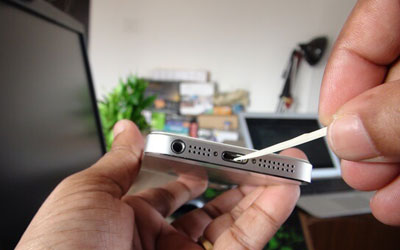
Start by checking the charging port on your Xiaomi phone. Over time, dust, pocket lint, or debris can accumulate inside the port and block the connection.
Turn off your phone, then use a flashlight to look inside the port. If you see debris, gently clean it using a wooden toothpick or a soft brush. Avoid metal objects, as they may damage the internal pins. After cleaning, plug in the charger again and check whether the phone starts charging normally.
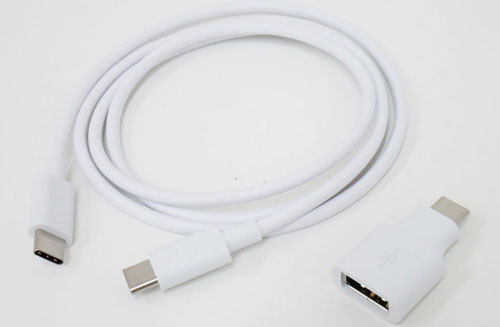
A faulty cable or adapter is one of the most overlooked causes of charging issues. Even if the cable looks fine on the outside, internal damage can stop power from flowing properly.
Try charging your Xiaomi phone with a different USB cable and power adapter, preferably an original or certified fast charger. You can also test your current charger with another device to confirm whether it's working. If your phone charges with a different setup, the issue lies with the original accessories.
Temporary system glitches can sometimes prevent your phone from charging correctly. A force restart helps refresh the system and clear minor bugs.
Press and hold the "Power" button until your Xiaomi phone restarts. Once the device boots back up, connect the charger and see if charging resumes as expected.
Xiaomi phones are designed to stop charging automatically when the battery temperature is too high or too low. This safety feature protects the battery but can confuse users.
If your phone feels hot, unplug it and let it cool down for a few minutes before charging again. Avoid charging under direct sunlight, inside a car, or while running heavy apps or games. Make sure you're charging in a well-ventilated, room-temperature environment.
Some third-party apps can interfere with charging behavior. Booting your Xiaomi phone into Safe Mode temporarily disables all downloaded apps, helping you determine whether an app is causing the problem. Here is how to enter Safe Mode:
Step 1. Press and hold the "Power" button until the power menu appears.
Step 2. Tap and hold "Power off" until the Safe Mode prompt shows up, then confirm to reboot.
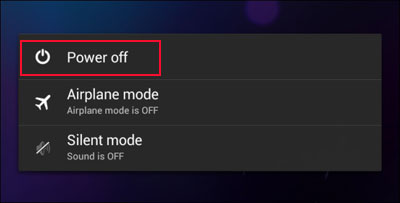
Step 3. Once the phone enters Safe Mode, connect the charger and check whether the phone charges normally.
Step 4. If charging works in Safe Mode, restart the phone normally and uninstall recently installed third-party apps that may be causing the issue.
Outdated system software can contain bugs that interfere with charging. Xiaomi regularly releases MIUI updates to fix glitches and improve device performance, including charging functionality. To update your Xiaomi system:
Step 1. Open Settings on your Xiaomi phone and go to "About phone".
Step 2. Tap "MIUI version" or "System update" to check for available updates.
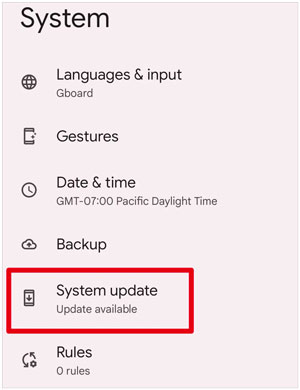
Step 3. Download and install the latest MIUI or Android update if one is available.
Step 4. Restart your phone after the update and test whether the charging problem is fixed.
If the above software-related fixes don't work, the issue may be a more complex system error. In that case, using a professional system repair tool can help. For Xiaomi users, Android System Repair is your top choice. You can use this tool to fix all problems with the system, including charging-related issues that stem from corrupted system files or deep software glitches.
Key features of Android System Repair:
How to fix Xiaomi charging issues using the system repair tool?
01Download and install the Android system repair software on your computer, then launch it and select the "System Repair" module from the main interface.
02Connect your Xiaomi phone to the computer using a USB cable. In the program, choose "Android", select "Android Repair", and click "Repair Now".
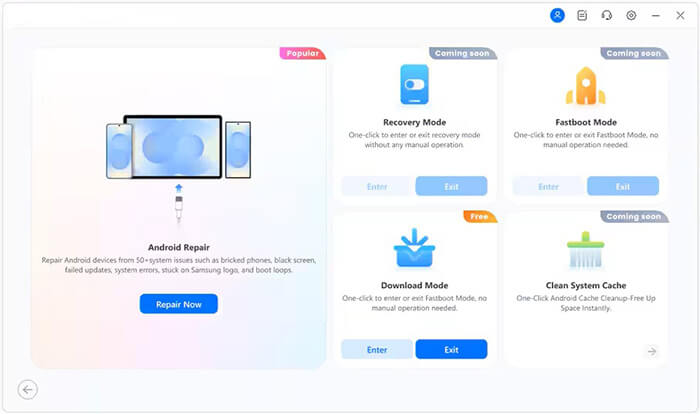
03Select "Xiaomi" as your phone's brand, carefully confirm the warning message, click "Next", enter "000000", and then click "Confirm" to continue.
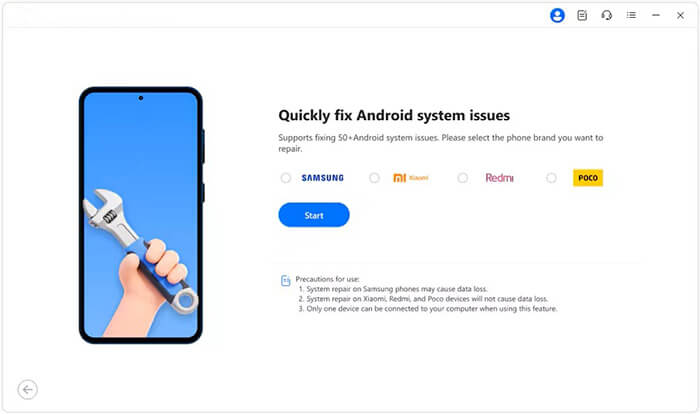
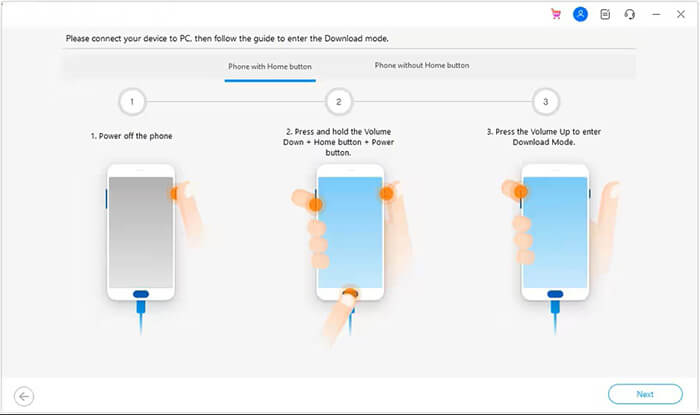
04Follow the on-screen instructions to put your Xiaomi phone into Download Mode, allowing the software to access the system files.
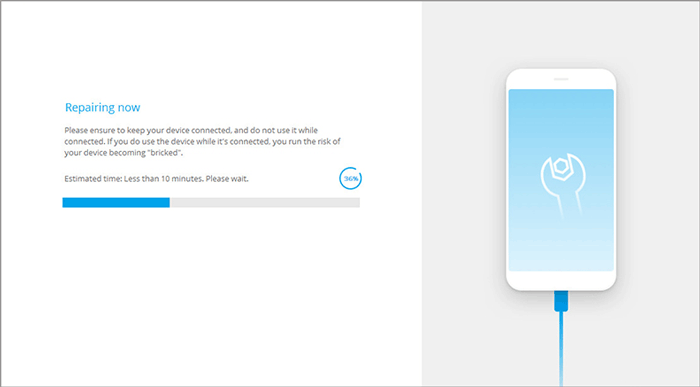
05The program will automatically download the correct firmware and begin repairing the system. Once the process is complete, your phone will reboot, and the charging function should return to normal.
If all other methods fail, performing a factory reset may be the final option. This process erases all data and settings, so it should only be used as a last resort. Before resetting, back up your important data.
To factory reset your Xiaomi:
Step 1. Go to "Settings" > "Additional settings" > "Backup & reset" > "Factory data reset".
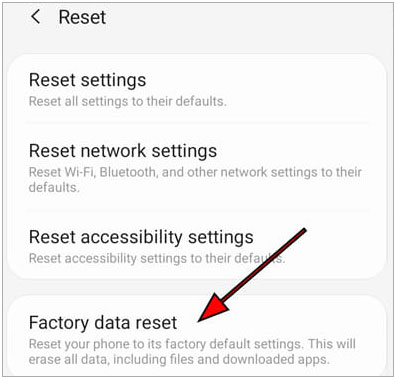
Step 2. Tap "Erase all data" and enter your PIN, password, or pattern if prompted.
Step 3. Confirm the action, and the phone will restart and begin the reset process.
Step 4. Once complete, set up your phone as a new device and check if it charges normally.
A Xiaomi not charging issue can be frustrating, but in most cases, it can be fixed without replacing the phone. Simple steps like cleaning the charging port, switching cables, or restarting the device often solve the problem. For more persistent issues, software updates, Safe Mode checks, or a professional system repair tool like Android System Repair can help address deeper system errors.
If even advanced fixes don't work, a factory reset or professional repair service may be necessary. By following the solutions above step by step, you can identify the root cause and get your Xiaomi phone charging properly again.
Related Articles:
How to Fix a Phone that Won't Charge? Causes and 8 Solutions
Resolving Connectivity Problems: Mi Phone Not Connecting to PC




 Free Download for PC


