Huawei HiSuite is an official desktop management tool developed by Huawei to help users manage their Huawei phones on a computer. With it, you can back up data, restore files, update system software, and transfer content between your phone and PC.
But is Huawei HiSuite really easy to use? Does it support all the data types users care about? And what if you're looking for a more flexible or powerful alternative? In this Huawei HiSuite review, we'll take a close look at its features, supported files, pros and cons, usage steps, and the best alternative available today.
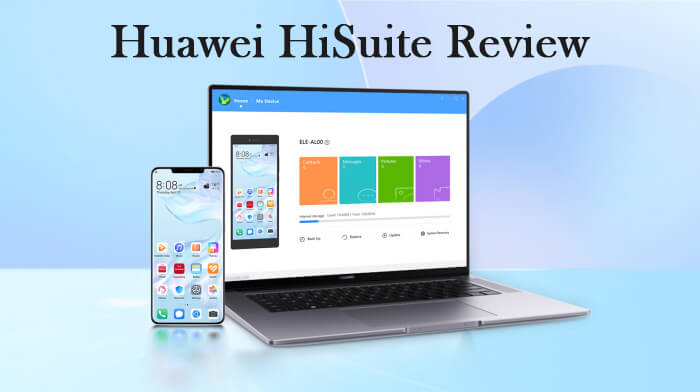
Huawei HiSuite is a PC-based management program designed primarily for Huawei smartphone users. It allows you to connect your Huawei device to a Windows or Mac computer and perform basic device management tasks.
With Huawei HiSuite, you can:
Overall, HiSuite is mainly intended for basic data management and system maintenance rather than advanced Android control.
Huawei HiSuite supports several commonly used data categories, but its compatibility is somewhat limited compared to third-party Android managers.
Supported data types usually include:
Note: However, it's important to note that:
Like any software tool, Huawei HiSuite has its strengths and weaknesses. Understanding these will help you make an informed decision about whether to use it.
Follow the steps below to connect your Huawei phone to your computer and start using Huawei HiSuite.
Step 1. Download and Install Huawei HiSuite on Your Computer
Download Huawei HiSuite from Huawei's official website and install it on your Windows or Mac computer.
Step 2. Connect Your Huawei Phone to the PC
Use a USB cable to connect your Huawei phone to the computer. After unlocking your phone, you'll see several USB connection options on the screen. Select "Transfer files" to allow data access.
Step 3. Launch HiSuite and Enable HDB Access
Once connected, HiSuite will automatically open on your computer and display a message indicating that the device is detected.
Follow the on-screen instructions to:
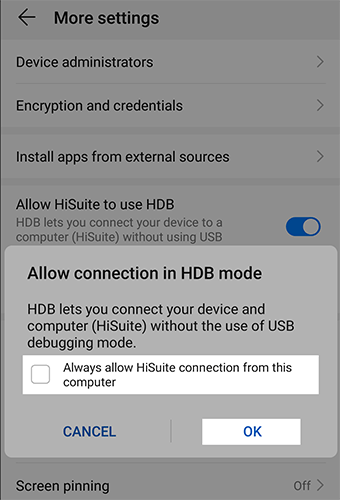
Step 4. Install HiSuite on Your Phone
After enabling HDB, HiSuite will prompt you to install the HiSuite app on your Huawei phone. Click "OK" on the computer and allow the installation on your phone.
Once installed, confirm the connection by tapping "Allow" on your phone when prompted.
Step 5. Accept Terms and Grant Permissions
HiSuite will ask you to accept its service terms on both your computer and phone. Click "OK" on the computer and tap "Agree" on your phone.
You may also be asked to allow HiSuite to access your device's IMEI. Grant permission to continue.
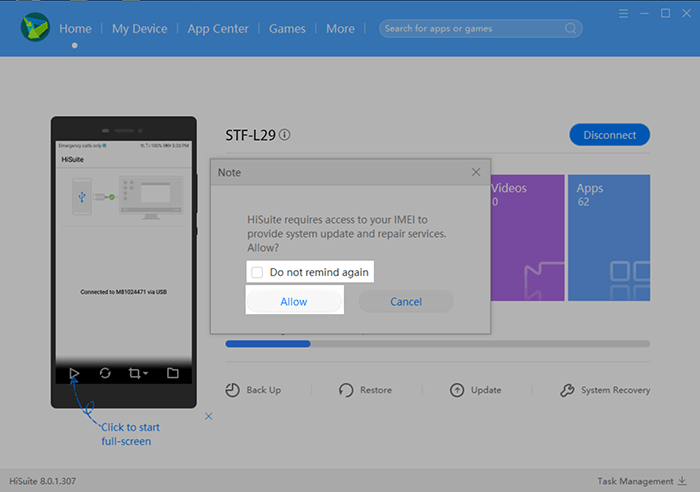
Step 6. Start Managing Your Huawei Phone
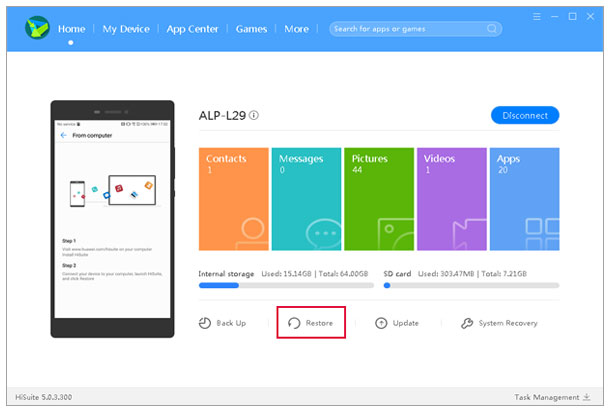
After completing the setup, your Huawei phone will be successfully connected to HiSuite.
You can now use HiSuite to:
Huawei HiSuite is useful for basic Huawei phone management, but it also has clear limitations. It only works with Huawei devices, offers limited data preview, and the setup process can feel complicated for many users. If you're looking for a more flexible and efficient way to manage Android data, Coolmuster Android Assistant is a reliable alternative.
Unlike Huawei HiSuite, Coolmuster Android Assistant is designed to work with almost all Android brands, making it suitable not only for Huawei users but also for anyone who switches devices or manages multiple Android phones.
With Coolmuster Android Assistant, you can:
How to use Coolmuster Android Assistant?
01Download and install Coolmuster Android Assistant on your computer.
02Connect your Android phone via USB or Wi-Fi and enable USB debugging. The program will automatically detect your device.
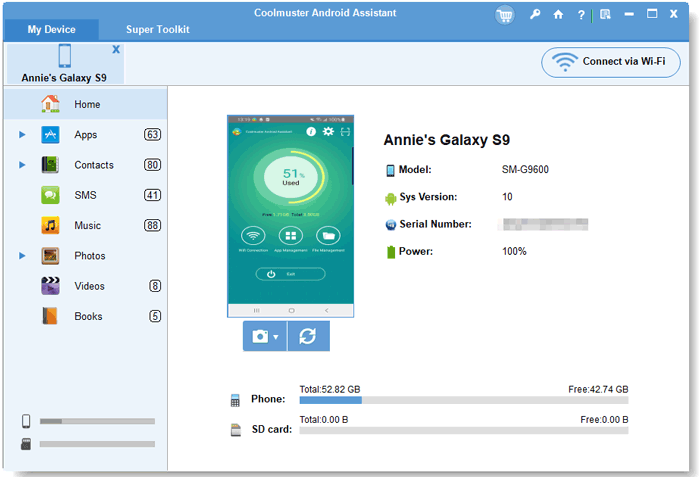
03Select the data type you want to manage, back up, or restore, and complete the process with a few clicks.
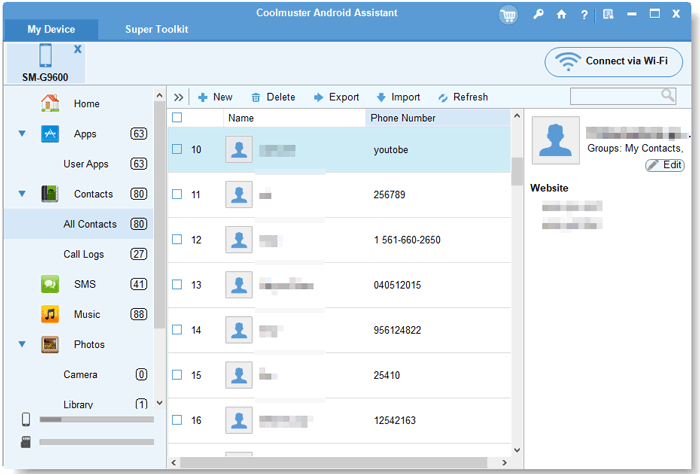
Even for first-time users, the setup process is much faster and more straightforward compared to Huawei HiSuite.
If you prefer a more visual guide, you can also watch the step-by-step video tutorial below to see how Coolmuster Android Assistant works in real use.
1. Can HiSuite recover lost data?
No, Huawei HiSuite is not a data recovery tool. It can only restore data from a previously created backup. If your data was deleted before a backup was made, HiSuite will not be able to recover it.
2. Is Huawei HiSuite free?
Yes, Huawei HiSuite is completely free to download and use. As an official tool developed by Huawei, it does not require any subscription or payment to access its core features.
3. Is Huawei HiSuite safe?
Yes, Huawei HiSuite is generally safe to use. It is an official Huawei application and does not contain malware or spyware when downloaded from the official source.
Huawei HiSuite is a useful official tool for basic Huawei phone management, such as backups, file transfers, and system updates. However, its limited compatibility and functionality may not meet the needs of users who want more control over their data.
If you're looking for a more flexible and powerful solution that works across different Android devices, Coolmuster Android Assistant is a practical alternative, offering easier management and broader support.
Related Articles:
Best HiSuite Alternative to Manage Your Android Devices Easily
7 Methods to Back Up Huawei Phone on Mac (99% People Don't Know)
How to Transfer Photos from Huawei to PC in Top 6 Accredited Methods?
How to Transfer Photos from Huawei to Mac? 6 Feasible Methods





 Free Download for PC
  Free Download for Mac


