TL;DR:
Want to save and view your iPhone messages in a clean, readable HTML format for backup or long-term storage? This guide shows you the most practical ways to export conversations with ease.
Want to save iPhone messages as HTML files for easy viewing, backup, or long-term storage? The process is not as straightforward as it seems because iOS does not offer a built-in option to export messages in HTML format. Whether you need to archive important conversations, keep work records, or simply organize your chats, converting messages into HTML makes them much easier to access and read on a computer.
In this guide, we will walk you through several practical methods, including iTunes, iCloud, and a professional solution like Coolmuster iOS Assistant, to help you export iPhone messages into clean, readable HTML files with ease.
The easiest way to export iPhone messages to HTML is by using a dedicated iOS data management tool - Coolmuster iOS Assistant. Instead of dealing with complicated backups or database files, this method lets you directly access your messages on a computer and save them in a readable HTML format. It's designed for users who want a quick, organized, and reliable way to back up iPhone SMS conversations without technical hassle.
Key features of Coolmuster iOS Assistant:
Steps to Export iPhone Messages to HTML:
01 Install and launch Coolmuster iOS Assistant on your computer, then connect your iPhone using a USB cable. Wait until the device is detected.
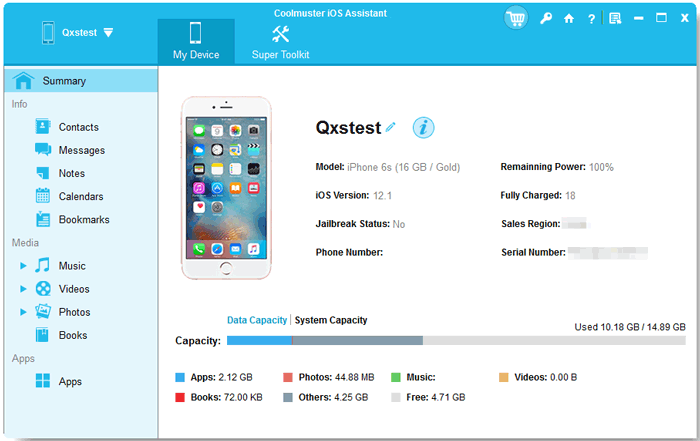
02 Go to the "Messages" section in the software. You can browse and preview all SMS and iMessage conversations displayed on the screen.
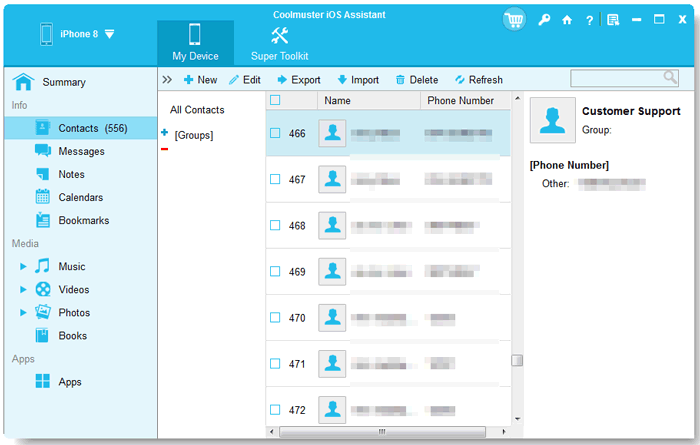
03 Select the conversations you want, click the "Export" button, and choose HTML as the output format. The software will generate a clean HTML file that you can open in any web browser.
Video Guide:
If you already use iTunes to back up your iPhone, this method can help you turn those backups into readable HTML messages. Although iTunes doesn't directly export iMessages as HTML, it stores your chat data inside the backup files, which can later be extracted and converted into a clean HTML format using a third-party tool. It's a practical option for users who prefer working with existing backups instead of exporting messages directly from the device.
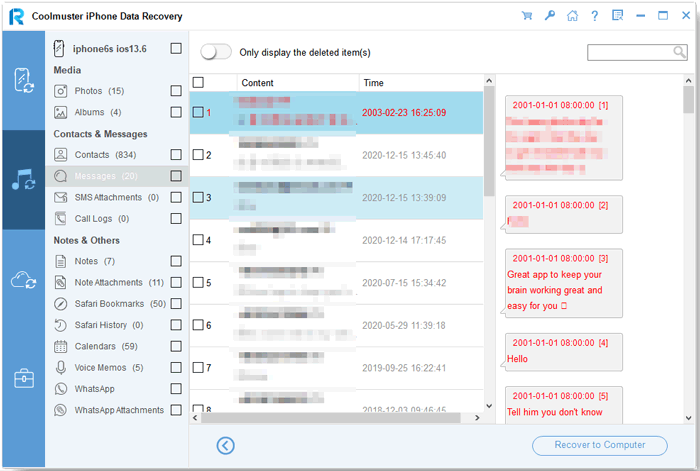
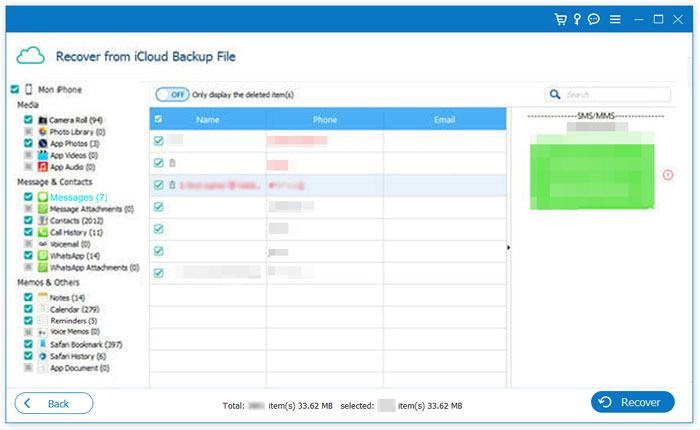
If you regularly use iCloud to back up your iPhone, you can also turn those backups into readable HTML message files. However, just like iTunes, iCloud does not directly provide an "export to HTML" option. Instead, you need to restore or access the backup data first, then use a tool to extract and convert your iMessages into HTML format. This method is especially useful for users who rely on cloud backups and want to retrieve older conversations in a clean, browser-friendly format.
Steps to Export iPhone Messages from iCloud Backup to HTML:
Q1. Can I directly export iPhone messages as HTML files?
No. iOS does not provide a built-in feature to export messages directly as HTML. You will need either a backup-based method (iTunes or iCloud) or a third-party tool like Coolmuster iOS Assistant to generate HTML files.
Q2. What is the easiest way to save iPhone messages as HTML?
The simplest method is using a professional tool such as Coolmuster iOS Assistant. It lets you preview conversations and export them directly into HTML without dealing with complicated backups or database files.
Q3. Does exporting messages to HTML keep timestamps and attachments?
Yes, most professional tools preserve key details like sender name, timestamps, and message content. Some tools may also include attachments such as images or videos, depending on the export settings.
Q4. Can I view exported HTML messages on my phone?
Yes. Once exported, HTML files can be opened in any modern browser on your phone or computer. However, viewing is usually smoother on a desktop due to better layout display.
Q5. Is it safe to use third-party tools for message export?
Generally, yes—if you choose a reputable tool. Always download software from official sources like Coolmuster iOS Assistant and avoid unverified platforms to protect your data.
In summary, exporting iPhone messages to HTML is a practical way to keep your conversations organized, readable, and safely stored for long-term use. While iTunes and iCloud can help you access message data indirectly, they require extra steps and third-party tools to generate HTML files. For a faster and more user-friendly solution, a tool like Coolmuster iOS Assistant makes the process simple, allowing you to export messages with full details and open them anytime in a browser.
Related Articles:
How to Search iPhone Text Messages/iMessages in 4 Ways
[Solved] How to Find Hidden or Deleted Messages on iPhone
[Solved] How to Fix iPhone Not Sending iMessages/Text Messages
3 Ways to Recover Contacts/SMS from iPhone with No iCloud Backup




 Free Download for PC
  Free Download for Mac


